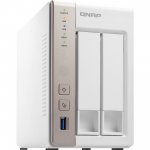
Been waiting for the price to drop again, just ordered for a poe hd surveillance cameras, it also works as virtualisation server supporting docker images
All comments (32)
DrLamok
17 May 161#1
Hmm.. this or ts-253a for £100 more...
2no WD REDS 4TB are waiting in the drawer...
tempting
dessala to DrLamok
17 May 16#7
TS253A regularly drops to £249 on Amazon and Ebuyer. Got mine about month ago. Shame no support for DVB-T though unlike my ancient TS119. Otherwise nice piece of kit. You can even enjoy karaoke if that's your thing :smile:
Awaken to DrLamok
18 May 16#14
Neither, see above :smile:
ontheqt to DrLamok
18 May 16#16
I have the 253a and it is super, better spec and black! Id be reluctant to buy this model for plex, spend a little extra on the 253a model. I had a wd green drive 2tb to stick in which works well. These devices work on storage pools so you will have less hard drive space to play with. I have 1.4 gb after expanding the storage pool in settings. I have 4gb ram and plex on 1080p transcodes a 18gb bluray to a roku fine. Not sure there point in buying more ram.
defard
17 May 16#2
Great bit of kit (I have the 253) just make sure that when you pick up HDs you do so with open eyes (3tb drives will give you around 2.2tb of useable space for example).
Also recommend you buy some cheap memory and install it yourself (the Qnap memory is a rip-off and you don't invalidate your warranty by doing it yourself)
zomg to defard
18 May 16#17
You should be seeing just over 2.7TB of useable space on a 3TB drive. Is there some additional overhead specific to QNAP?
dessala
17 May 16#3
If I remember correctly you can install 2x8GB RAM on this one. Even though officialy max memory supported is 8GB.
polly69
17 May 16#4
does this support apps i.e sickbeard, sabnzb?
DynaMight to polly69
17 May 16#6
Yeah it does and they run perfectly. Got it all running myself. Theres a big community on their forums with loads of apps, either officially made or user made.
DynaMight
17 May 16#5
I have this exact same NAS. Its a bargain at this price too.
IMO it does need extra ram. I purchased 2x 2GB and it runs sweet now, I think even an extra 1x 1GB will be perfect, but I did find it struggling with only 1GB (I guess that'll depend on what you intend to run on it, 1GB will be fine with basic NAS functions)
It can also double as a media centre with Kodi one click away as well as other features that can output via HDMI like native linux desktop (and also VM Ware for Windows etc)
I'm sure the 'buy a HP Micro server' lot will be around soon, but the QNAP has so many easy to use (and also powerful) functions. I was tempted by a HP myself, but the power consumption & the fact I already had a QNAP changed my mind.
Awaken to DynaMight
18 May 16#13
Here I am!
Microserver. Save £50, have more performance, have dual lan, have iLO, have upgradability, have double the HDD bays, have it easy with Freenas or XPEnology or have any other OS you want and use it for something else in 10 years when you find it in a cupboard and blow the dust off.
Really can't see the point.
DrLamok
17 May 16#8
Where did you get this from??
3TB drives give you approximately 3000000000000 bytes of free space
For example WD RED 3TB drive has 5860533168 available sectors, 512 bytes each = 3000592982016 byes on drive in total
plain and simple
jaydeeuk1
17 May 161#9
Think ntfs had a 2.2tb limit, maybe that confused them.
Daintree
17 May 16#10
I just got the 253 and it's a good piece of kit. got two 6tb hard drives which gave just over 5tb
defard
17 May 16#11
Errrrrr I got this from the fact I have a QNAP server with 3tb drives in it.... Hurhur
Undergrid
18 May 16#12
At the default sector size, ntfs has a size limit of 16TB. On top of that, the Qnap devices use Linux so the drives are formatted ext4.
Gort1951
18 May 16#15
When a drive is in metric, 1000 bytes is a kilobyte where a kibibyte is 1024 bytes.
So when you said 3000000000000 bytes = 2929687500 kilobytes is actually wrong. it's 3,000,000,000 kbytes - you are getting computer hardware and hard disks mixed up.
When you convert to computer storage you are getting 2.34375% less.
Hootwo
18 May 16#18
Haha :stuck_out_tongue:
Yes, or a Dell T20 or Lenovo TS140 are better price/performance than a NAS as well if you like messing about.
A purpose-built NAS suits ppl who just want a plug-in and go solution with mature ecosystem.
I have both, so not choosing sides - Horses for courses. :smirk:
mrp21
18 May 16#19
I have a question for those that already own one of these.....does this allow you to stream videos and photos from an ios device without the need for a apple tv box?
RT007
18 May 16#20
Can someone answer me, I want to buy 253A, and start with 2 X 3TB hard drives. If price drops in future, I want to buy one of 6/8TB. Will I be able to swap one of the 3TB with 6/8TB and still keep using another 3TB to mirror?
DrLamok
18 May 16#21
I dont think so...
byte is a byte... always made up from 8 bits...
1024 bytes is always 1 kilobyte
1024 kilobytes is always 1 Megabyte
It doesn't matter whether you're talking about computer hardware or harddrives.. it's always the same
The only confusion is caused by harddrive manufacturers... where they sell you a drive with label saying 3TB and it actually has only 3000000000000 bytes of space, which is 2.72TB.
Spod
18 May 16#22
Are you sure that a megabyte is always going to be 1024 kilobytes?
While it is technically correct that a megabyte shoulkd be 1024KB, based on the KB being 1024 bytes, culturally a megabyte is often taken to be either 1000KB or 1 million bytes.
Language changes and evolves. As people become more interested in the Gigabyte and Terabyte capacities that they have in their devices rather than Megabytes, I would expect people's understanding of those terms to be in powers of 1000 rather than needing to think of everything as a multiple of 1024.
When you've got 16 billion bytes on your smartphone and a trillion bytes on your hard drive who cares if it is an exact multiple of 1024 bytes? Only software developers and geeks really care about what exactly a kilobyte means these days.
Awaken
18 May 16#23
Yeah, I thought the same way a few years ago, even have a NAS or two somewhere and recommended to friends, but the arguments for that are 1) ease, 2) size and 3) price
The Microserver's so teeny (everyone can fit a silent cubic foot somewhere) and so cheap it rules out 2 and 3, and the latest generations of Freenas, OMV etc are sooooo easy to set up and use nowadays.
After you bung on a USB stick (there's an full socket internally inside the case!) or even a Micro SD card, there's a bootable slot for one next to the USB, and it's the same device! Only cheaper, faster, and with more options you can ignore if you want to!
Maybe I should go into business selling pre-installed USB drives with Freenas and an A4 sheet of instructions with pictures. Not necessary but that's about all you're missing!
Branny
18 May 16#24
I have the 253 and upgraded the RAM. Brilliant for Plex, media and torrent storage. They really need to sort the Download Station client which is **** with VPN and/or Private Trackers. Could use Transmission but it just isn't user friendly enough.
Gort1951
18 May 16#25
You don't think so (Don't know)....No it does not - forget about coding with your 1024 bytes. That is how disk drive manufacturers do it.
Gort1951
18 May 16#26
Yes, 1024 means nothing.
DrLamok
19 May 16#27
You just fail to understand that computers work in binary... something is either set or not set... 0 or 1
1024 is actually round number as is 65536
Gort1951
19 May 16#28
I do understand binary.
Where is 65536 (0x1,0000) coming from?
Round no? No such thing. A number can be rounded, it is not round by definition, it is the result.
You mean integer if you are talking about programming.
DrLamok
19 May 16#29
As already mentioned... problem only exists because HDD manufacturers found the way to sell you a smaller drive while advertising it as a bigger one...
If you look at older harddrives (late 80s - early 90s), they did actually contain correct amount of free space.
If you were right in what you're claiming... 4TB drive would be reported in any operating system as 4TB.. and it isn't.
Gort1951
19 May 16#30
The older ones did, but now they are a magnatude greater.
I calculate that is what you would get.
3.906 TB where 4,000,000,000,000,000 / 1024
or 3,906,250,000,000 KB
or 976,562,500,000 4k sectors.
Factor in the drive mapping and that is around 3.7TB
RelevantInfo
19 May 16#31
Any chance of getting some feedback on the NAS itself rather than bits and bytes?

![Fresh Breakfast Meat Box (Using code) @ Campbells Meat [Haggis / Lorne Sausage / Bacon / Black Pudding & More]](/images/topics/208684_1.jpg)




































![[Xbox One] Q. u. b. e: Director's Cut on Deals with Gold](/images/topics/208716_1.jpg)


















Opening post
All comments (32)
2no WD REDS 4TB are waiting in the drawer...
tempting
Also recommend you buy some cheap memory and install it yourself (the Qnap memory is a rip-off and you don't invalidate your warranty by doing it yourself)
IMO it does need extra ram. I purchased 2x 2GB and it runs sweet now, I think even an extra 1x 1GB will be perfect, but I did find it struggling with only 1GB (I guess that'll depend on what you intend to run on it, 1GB will be fine with basic NAS functions)
It can also double as a media centre with Kodi one click away as well as other features that can output via HDMI like native linux desktop (and also VM Ware for Windows etc)
I'm sure the 'buy a HP Micro server' lot will be around soon, but the QNAP has so many easy to use (and also powerful) functions. I was tempted by a HP myself, but the power consumption & the fact I already had a QNAP changed my mind.
Microserver. Save £50, have more performance, have dual lan, have iLO, have upgradability, have double the HDD bays, have it easy with Freenas or XPEnology or have any other OS you want and use it for something else in 10 years when you find it in a cupboard and blow the dust off.
Really can't see the point.
3TB drives give you approximately 3000000000000 bytes of free space
3000000000000 bytes = 2929687500 kilobytes = 2861023 Megabytes = 2794 Gigabytes = 2.728 Terabytes
For example WD RED 3TB drive has 5860533168 available sectors, 512 bytes each = 3000592982016 byes on drive in total
plain and simple
So when you said 3000000000000 bytes = 2929687500 kilobytes is actually wrong. it's 3,000,000,000 kbytes - you are getting computer hardware and hard disks mixed up.
When you convert to computer storage you are getting 2.34375% less.
Yes, or a Dell T20 or Lenovo TS140 are better price/performance than a NAS as well if you like messing about.
A purpose-built NAS suits ppl who just want a plug-in and go solution with mature ecosystem.
I have both, so not choosing sides - Horses for courses. :smirk:
byte is a byte... always made up from 8 bits...
1024 bytes is always 1 kilobyte
1024 kilobytes is always 1 Megabyte
It doesn't matter whether you're talking about computer hardware or harddrives.. it's always the same
The only confusion is caused by harddrive manufacturers... where they sell you a drive with label saying 3TB and it actually has only 3000000000000 bytes of space, which is 2.72TB.
While it is technically correct that a megabyte shoulkd be 1024KB, based on the KB being 1024 bytes, culturally a megabyte is often taken to be either 1000KB or 1 million bytes.
Language changes and evolves. As people become more interested in the Gigabyte and Terabyte capacities that they have in their devices rather than Megabytes, I would expect people's understanding of those terms to be in powers of 1000 rather than needing to think of everything as a multiple of 1024.
If you look at popular culture, you will see that there are multiple definitions used by different people today:
https://en.wikipedia.org/wiki/Megabyte
http://www.dictionary.com/browse/megabyte
When you've got 16 billion bytes on your smartphone and a trillion bytes on your hard drive who cares if it is an exact multiple of 1024 bytes? Only software developers and geeks really care about what exactly a kilobyte means these days.
The Microserver's so teeny (everyone can fit a silent cubic foot somewhere) and so cheap it rules out 2 and 3, and the latest generations of Freenas, OMV etc are sooooo easy to set up and use nowadays.
After you bung on a USB stick (there's an full socket internally inside the case!) or even a Micro SD card, there's a bootable slot for one next to the USB, and it's the same device! Only cheaper, faster, and with more options you can ignore if you want to!
Maybe I should go into business selling pre-installed USB drives with Freenas and an A4 sheet of instructions with pictures. Not necessary but that's about all you're missing!
1024 is actually round number as is 65536
Where is 65536 (0x1,0000) coming from?
Round no? No such thing. A number can be rounded, it is not round by definition, it is the result.
You mean integer if you are talking about programming.
If you look at older harddrives (late 80s - early 90s), they did actually contain correct amount of free space.
If you were right in what you're claiming... 4TB drive would be reported in any operating system as 4TB.. and it isn't.
I calculate that is what you would get.
3.906 TB where 4,000,000,000,000,000 / 1024
or 3,906,250,000,000 KB
or 976,562,500,000 4k sectors.
Factor in the drive mapping and that is around 3.7TB