Key Features
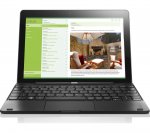
Removable keyboard lets you switch between tablet and laptop computing in seconds
1 years access to Microsoft Office mobile lets you work anywhere
Carry it easily and work anywhere thanks to the compact and lightweight design
Quad-core Intel® processor runs your apps and software quickly for responsive everyday computing
Whether you're taking notes in a lecture or streaming catch up TV, you can work and play in comfort thanks to the Miix's handy removable keyboard.
You can use it as a normal tablet when you're browsing the web, checking social media, and streaming media and then simply click the keyboard on when you need to type a document or email.
It's great for students as you only need one device for both university and home use.
You can get to work right-away without having to buy any other software as the Miix comes with a free one-year subscription to Microsoft Office 365 Mobile. This gives you access to Microsoft Word, Excel, PowerPoint, OneNote and Access, so you can access your most used PC software wherever you are.
The Miix is light and small enough to be carried with you anywhere. Even with the keyboard attached it weighs around half as much as a normal laptop, so it won't weigh you down when commuting or travelling.
You can work and watch all day without charging too, as the Miix has a 9 hour battery life.
Take quick pictures of your surroundings or video chat with faraway friends using the front and rear cameras - great for students living away from family.
From running Facebook to word processing and spreadsheet software, your apps will run smoothly thanks to the Intel® Atom™ processor.
It's a quad-core processor, which means it can run more at once, which is ideal if you're researching and writing a dissertation, streaming music while you work, or chatting a few people at once.
Shame. Do you know of anything similar that has good (or even just OK) Linux compatibility?
_g_
3 May 161#33
Mine arrived today. So far, happy with the way it handles the basics.
Definitely good value for the price.
dms05
29 Apr 16#32
This isn't the Miix 3 it's the Miix 300. I have one and it's more than good enough for general browsing, emails and modest sized spreadsheets. The keyboard is acceptable if not great. I bought mine from Argos where they are selling refurbished for £99 (no sign of use) or £89 for Grade B.
If you are realistic about your expectations of the Miix 300 then you won't be disappointed. However don't expect it to perform like a £700 i7 powered laptop with 8Gb RAM.
plewis00
29 Apr 16#31
I know but I thought all the Miix 3 were FHD, that's why I asked.
wenttoabetterplace
28 Apr 16#30
I can get 4K videos running without a glitch on my Z3740 powered Asus T100 (only when using Edge)....so you must have some kind of fault. 1080p should work perfectly at the very least.
Smartguy1
28 Apr 162#29
Certainly not for nostalgia haha. I get that every day on my work's pc. No it's because I couldn't get Op-com to run on windows 10. Op-com is a diagnostic device and programme for Vauxhall diagnostics. I could run the software but kept getting a code 10 or 28 when trying to connect to the diagnostic hardware. Tried everything, it's a driver issue but even doing a selective start up to disable digital signing of drivers still wouldn't get it to work. I have windows 7 on my mac using fusion which runs the op-com software and hardware fine so thought I would try the same on the miix using VM workstation. My only issue was drive space as there wasn't much left on the miix so re-installed win 10 with a fresh install, loaded vmware and then win 7 basic or starter. Got about 5.5gb space but everything works fine.I tried XP first, that was awful. Nostalgic perhaps but it was awful and buggy. I bet you wish you had never asked lol.
Soni84
28 Apr 16#28
Tried Edge too, and a clean Chrome. I don't think it's related to the browser, there might be something else wrong.
wenttoabetterplace
28 Apr 161#27
Why do you have Windows 7 starter? Software reasons...or just nostalgia?
Smartguy1
28 Apr 16#25
No issues with my miix 3 running a clean install of windows 10 and I have windows 7 starter running in VMware on it as well.
STi_prodrive
28 Apr 16#24
how well does this compare to the Tesco deal ? thanks
Soni84
28 Apr 162#19
Don't bother. You get what you pay! I bought one about 2 months ago, pretty much **** me off every time I use it. Windows 10 is insanely slow on it, it cannot play 720p youtube videos without buffering (other 4 device in my household can). The touchpad is unusable, it doesn't pick up your swipes properly. The buttons are ok, but naturally too small to type. The sound is way too quiet and you'll have problems watching movies on it without an external bluetooth speaker. The detachable keyboard connection is flimsy and gets disconnected randomly if you move the laptop. The orientation of the display is a hit and miss, sometimes it gets it right, other times you have to manually help it. Windows sometimes starts up with black screen where only hard reset works.
In short: unless you have a lot of time and iron nerves, don't buy this pile of rubbish.
Battery is good though.
wenttoabetterplace to Soni84
28 Apr 16#23
Using Google Chrome by any chance? Try Firefox or Edge if you want to watch 720p or 1080p+ respectively.
Smartguy1
28 Apr 16#22
Mine is the 1920 x 1200 miix 3. It's a nice little laptop for the money and great for car diagnostics with delphi and forscan running windows 10 with op-com running on window 7 starter in the background. Yes it will run two operating systems.
_g_
28 Apr 16#21
Cheers.
The ad says 1280 x 800 by the way.
Anyone with experience of these - will it be ok to run a browser with relatively basic flash games?
Browsing may at points be used with teamviewer or similar, so not too worried by a bit of lag as there'll be some anyway.
MrPuddington
28 Apr 161#18
I have the Miix 3, and based on my experience, I would not recommend this deal, no matter how cheap. The keyboard is flimsy and has a very annoying layout, sometimes it misses key strokes, the screen went wrong and had to be repaired, and the drivers for Windows 10 are a bit questionable. The connection with the keyboard is very hit or miss. Sorry, it may be cheap, but there are too many things wrong with it. If you are happy to deal with these kinds of issues, you can just as well get a China tablet.
Soni84 to MrPuddington
28 Apr 16#20
I can only agree with the above. I'd get rid of it asap.
Besford
28 Apr 16#17
Just got an 'open box' one in my local JL for £99. Not sure I'll be keeping though after reading the reviews. I'm also concerned that it's really quite heavy considering its small size.
_g_
28 Apr 16#15
Any thoughts on the performance this compared to the sort of stick PCs you can get for around £70?
plewis00 to _g_
28 Apr 161#16
It'll be exactly the same - the Z3735F with 2GB RAM and 32GB eMMC is a very common configuration.
On another note does anyone know if this Miix 300 has the 1280x800 display or the FHD one?
plewis00
28 Apr 16#14
Depends how much you value an additional year's warranty on a cheap solid-state device that will have depreciated within the first year really. I'd take the cheaper £105 option and the risk that it won't fail between years 1-2.
worthinger
28 Apr 161#6
120 at JL with a 2 year guarantee.
littel helper to worthinger
28 Apr 16#13
surely this is much better for 15 more.
theo00
28 Apr 16#12
crazy cheap price man
rolyhubbard
28 Apr 16#11
Bought same one for £115 about 3 weeks ago for my nine your old daughter and it does everything she needs. Battery seems good , probably 6 to 7 hours
BigYoSpeck
28 Apr 161#10
These devices are becoming insanely cheap. I wouldn't live with one as a sole device but if you have a more powerful desktop or laptop already they are great companion devices. 2gb of ram makes these very useable.
Windows 10 apps are limited but I'd take one of these over a similar price android tablet any day. The HDMI out alone makes it a very appealing media device.
dblake
28 Apr 161#9
Got one (when i though they were a good price at £130!). Battery life is great - 6-7hrs depending on what you're doing. Yes it's not gonna set the world alight with it's specs but I've never had a problem with speed when i'm browsing, or checking work email or editing documents. Has been exactly what I've needed when I've been on the road and the included Office Mobile is good enough for most of the editing i need to do in Word and Excel.
mkara
28 Apr 16#8
Battery life is decent. But It's extremely slow! Not the best if you're going to be doing documents and having some Web pages open, expect some lag. If you want something snappy, definitely looks elsewhere. Also, something who has issues with the onscreen keyboard doesn't always wake up itself to be ready to type, you got to press the keyboard icon.
It's decent for maybe an entry level student 8-13 or something similar.
S c 0 TT y
28 Apr 16#2
Good price.
Anyone who has one of these - what's the realistic battery life like? I got a Surface 3 last year and it would run out of battery pretty quick... and at times i would charge it and pick it up and it'd be dead!
worthinger to S c 0 TT y
28 Apr 16#4
Sounds like your surface was faulty. I admit I've only used them at work and for nothing to demanding but the batteries on them were really good.
pablobanez to S c 0 TT y
28 Apr 161#7
Battery life is great, typically get at least 8hrs. Not the fastest pc in the world, but you cant argue for the price.
woldranger
28 Apr 16#5
I bought a used 8" miix (£36 was an absolute steal) and so far, it seems pretty good. Didn't get the keyboard though as weight is an issue when I'm travelling.
ibblackberry1
28 Apr 161#3
If you just charged it and it was dead half an hour later, then you have a faulty device.

![Fresh Breakfast Meat Box (Using code) @ Campbells Meat [Haggis / Lorne Sausage / Bacon / Black Pudding & More]](/images/topics/208684_1.jpg)




































![[Xbox One] Q. u. b. e: Director's Cut on Deals with Gold](/images/topics/208716_1.jpg)


















Opening post
Key Features
Removable keyboard lets you switch between tablet and laptop computing in seconds
1 years access to Microsoft Office mobile lets you work anywhere
Carry it easily and work anywhere thanks to the compact and lightweight design
Quad-core Intel® processor runs your apps and software quickly for responsive everyday computing
Whether you're taking notes in a lecture or streaming catch up TV, you can work and play in comfort thanks to the Miix's handy removable keyboard.
You can use it as a normal tablet when you're browsing the web, checking social media, and streaming media and then simply click the keyboard on when you need to type a document or email.
It's great for students as you only need one device for both university and home use.
You can get to work right-away without having to buy any other software as the Miix comes with a free one-year subscription to Microsoft Office 365 Mobile. This gives you access to Microsoft Word, Excel, PowerPoint, OneNote and Access, so you can access your most used PC software wherever you are.
The Miix is light and small enough to be carried with you anywhere. Even with the keyboard attached it weighs around half as much as a normal laptop, so it won't weigh you down when commuting or travelling.
You can work and watch all day without charging too, as the Miix has a 9 hour battery life.
Take quick pictures of your surroundings or video chat with faraway friends using the front and rear cameras - great for students living away from family.
From running Facebook to word processing and spreadsheet software, your apps will run smoothly thanks to the Intel® Atom™ processor.
It's a quad-core processor, which means it can run more at once, which is ideal if you're researching and writing a dissertation, streaming music while you work, or chatting a few people at once.
2g ram
32g hd
- ibblackberry1
Latest comments (34)
http://www.normalesup.org/~george/comp/linux_lenovo_miix3/
Definitely good value for the price.
If you are realistic about your expectations of the Miix 300 then you won't be disappointed. However don't expect it to perform like a £700 i7 powered laptop with 8Gb RAM.
In short: unless you have a lot of time and iron nerves, don't buy this pile of rubbish.
Battery is good though.
The ad says 1280 x 800 by the way.
Anyone with experience of these - will it be ok to run a browser with relatively basic flash games?
Browsing may at points be used with teamviewer or similar, so not too worried by a bit of lag as there'll be some anyway.
On another note does anyone know if this Miix 300 has the 1280x800 display or the FHD one?
Windows 10 apps are limited but I'd take one of these over a similar price android tablet any day. The HDMI out alone makes it a very appealing media device.
It's decent for maybe an entry level student 8-13 or something similar.
Anyone who has one of these - what's the realistic battery life like? I got a Surface 3 last year and it would run out of battery pretty quick... and at times i would charge it and pick it up and it'd be dead!