Not slow at all, the results you are referring to on the other post were for USB 3.0 transfers. The ones other people posted was for SATA and that is around the advertised speeds.
Latest comments (27)
studentu05
26 Mar 16#23
Got two of this good value for money .Were posted from Belgium/Sweden can't remember exactly and declared value on envelope was £14. Not sure if it makes any difference for customs .
huangxq2 to studentu05
26 Mar 161#27
£14 is under the threshold.
So you do not get stung by import tax.
duncanhill
26 Mar 16#20
Out of stock, would have been perfect for Raspberry PI, cheaper than SD card
plewis00 to duncanhill
26 Mar 16#24
Can you interface a SATA drive with a Pi? I'd probably go with an SD card anyway for cost, size and power consumption.
rev6 to duncanhill
26 Mar 16#26
The Pi is seriously i/o limited with the USB ports. If it works for you though, why not! :smiley:
I would too.
You would need an sd-card for the system and the USB device for the storage.
Chiptivo
26 Mar 16#25
USB to sata lead probably, only a couple of quid. I would still think it would need an SD card to boot however?? Not sure about that though.
BrownSugar2014
26 Mar 16#22
Oos
tamoil
26 Mar 16#21
OOS.
Bugz
26 Mar 16#19
Yet to put my one in that I got from the mymemory deal :smiley: didn't even need another ssd.. But for that price I might as well get one to store my most used games and programs on :stuck_out_tongue:
plewis00
26 Mar 161#18
Incredible price, especially for those not yet introduced to the world of SSDs - you can barely buy a mechanical 120GB drive for much under £20, this would make most systems super-responsive for very little money. A perfect low-cost upgrade for older (but still perfectly usable) Core 2-era machines.
huangxq2
26 Mar 161#17
I agree with what you say. Just to add a little me.
The advertised 500MB/s etc is sequential speeds which are not important when the SSD is used as the system drive.
That is why you do not see performance difference between 250GB SSD with speeds at 500MB/s and 128GB SSD with half of the speeds when they are used as system drive.
If someone does not need the SSD for storage, I would suggest go for 120/128GB to save some money. Chasing higher sequential speeds when use the SSD as system drive is a waste of money. You can save the money and put towards a HDD for storage if you computer has space for it.
What is important is 4k random access speeds for system drive. I suppose that manufactory do not advertise them because they do not look impressive.
Hot price for a 120GB SSD. Perfect to be used as a system drive.
kalico
26 Mar 16#12
Does it come with any software to help the transfer?
if it doesn't then the free version easus todo backup should do the trick as long as your existing drive isn't bigger. if it is then it makes things more complicated if you are trying to clone a bigger drive or at least partition to a smaller drive/partition, certainly with free software. personally i try and move data to another drive and then use easus partition manager to shrink the partition size down and then clone, and move data back if it fits
great price btw. stick one of these in an old laptop or desktop and it would make a great improvement. for all the things i do on pc's i've never needed a partition bigger than 120gb for my OS and apps, although i use 240gb SSD's on my desktops and have a bunch of VM's on them
Or If you have a USB Hard drive already you can backup to an image using the built in windows backup tool.
Sneinton
26 Mar 16#14
Bargain. Cheers op!
max84
26 Mar 16#11
so tempting
ktreadwell
25 Mar 16#10
thanks, bought
oscarfs
25 Mar 162#9
Bought one of these when they were this price on the main website and holy crap its put a new lease of life into my laptop. Best £24.99 I have spent in awhile.
FearOne
25 Mar 16#8
Cheap as in
stevenfeeney
25 Mar 16#6
Just consider for a second how cheap this is...
Oneday77 to stevenfeeney
25 Mar 16#7
As in Birdy Cheep Cheep or wow, great price must purchase?
skykid3
25 Mar 16#5
Nice,almost bought when they restocked @£29.99 but held off, glad I did :smiley:
condracky
25 Mar 166#3
Lol did he delete his comment?
Rid1 to condracky
25 Mar 164#4
Seems like it
thegamingkinginfo
25 Mar 164#2
Not slow at all, the results you are referring to on the other post were for USB 3.0 transfers. The ones other people posted was for SATA and that is around the advertised speeds.

![Fresh Breakfast Meat Box (Using code) @ Campbells Meat [Haggis / Lorne Sausage / Bacon / Black Pudding & More]](/images/topics/208684_1.jpg)




































![[Xbox One] Q. u. b. e: Director's Cut on Deals with Gold](/images/topics/208716_1.jpg)


















Opening post
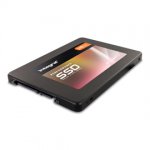
Full spec at http://www.integralmemory.com/product/p-series-4-sata-iii-25-ssd
Previous deal thread : http://www.hotukdeals.com/deals/integral-120gb-p-series-4-sata-iii-2-5-ssd-drive-24-99-delivered-mymemory-2414403
Top comments
Latest comments (27)
So you do not get stung by import tax.
I would too.
You would need an sd-card for the system and the USB device for the storage.
The advertised 500MB/s etc is sequential speeds which are not important when the SSD is used as the system drive.
That is why you do not see performance difference between 250GB SSD with speeds at 500MB/s and 128GB SSD with half of the speeds when they are used as system drive.
If someone does not need the SSD for storage, I would suggest go for 120/128GB to save some money. Chasing higher sequential speeds when use the SSD as system drive is a waste of money. You can save the money and put towards a HDD for storage if you computer has space for it.
What is important is 4k random access speeds for system drive. I suppose that manufactory do not advertise them because they do not look impressive.
Hot price for a 120GB SSD. Perfect to be used as a system drive.
if it doesn't then the free version easus todo backup should do the trick as long as your existing drive isn't bigger. if it is then it makes things more complicated if you are trying to clone a bigger drive or at least partition to a smaller drive/partition, certainly with free software. personally i try and move data to another drive and then use easus partition manager to shrink the partition size down and then clone, and move data back if it fits
great price btw. stick one of these in an old laptop or desktop and it would make a great improvement. for all the things i do on pc's i've never needed a partition bigger than 120gb for my OS and apps, although i use 240gb SSD's on my desktops and have a bunch of VM's on them
http://www.partitionwizard.com/