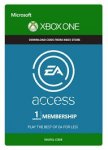
Try upcoming EA games before they're released. Love the game? Buy it and your stats and progress carry over so you can pick up right where you left off.
PLAY MORE
Your gaming library's about to get a whole lot bigger. Play EA's best games as much as you want in The Vault, a growing collection of awesome titles included in your membership.
PLAY FOR LESS
Save some scratch on your EA digital purchases on Xbox One. Members get a 10% discount on full games, pre-orders, expansion packs, and everything in between.
How to download and install the EA Access Hub app:
The easiest way to join EA Access is by downloading the EA Access Hub app on your Xbox One. Here's how:
Step 1: Go to the Store section to the right of the Home Screen and click Apps.
Step 2: Next, click on Search apps and search for EA Access.
Step 3: Install and launch the EA Access Hub app.
Step 4: Once the app has launched, read and accept the Terms of Service. Then click Next. You'll now need to link your Xbox Live profile with your EA account. If you don't have an EA account already linked (or need to sign up for one) you'll be asked to do so.
Step 5: From here, choose Sign Up, and then choose your membership option.
Step 6: Once you've finished your payment, you'll be brought back to the buy screen. Press B to back out, and then click Continue to Home.
Step 7: You're good to go! You can now enjoy all of the benefits of being an EA Access member. Have fun!
15 comments
Rhythmeister
1 Mar 16#15
Damn, I missed it :disappointed:
chezvegas85
1 Mar 16#14
Expired
SchematicMan
1 Mar 16#13
Offer expired? Was hoping to pick up a few but looks like I've missed out on this one.
mjr23
1 Mar 16#12
Showing as out of stock now.
oUkTuRkEyIII
1 Mar 16#11
Thank you, all fixed now :smiley:
adamdrabble
1 Mar 16#10
Thank you so much
OpiumPulses
1 Mar 163#9
Hey oUkTuRkEyIII, If your 'reset password' email link isn't working we suggest manually copy+pasting in another browser. We've found that occasionally email clients can 'break' the links so they no longer work when clicked.
We've credited your account with some free points for the ones you've missed out on :smiley:
hamy262
1 Mar 161#8
hi just bought 3 months via PayPal £4.29 with no fees. now to pick which game first. Thanks op
Rich44
1 Mar 161#6
Yup just changed the number in cart to 4 and hit checkout, quick redirect to PayPal then back and all codes available immediately
clnsndrs to Rich44
1 Mar 161#7
Thanks i grabbed 3 months. The fee does apply but its under $5 purchases.
Rich44
1 Mar 162#4
Yup just used PayPal there's a fee if under $2 but I bought 4 months.
Went thru and as soon as redirected back to op website my 4 codes were ready!
Cheers OP
clnsndrs to Rich44
1 Mar 161#5
Thanks did you buy all 4 in one transaction?
clnsndrs
1 Mar 16#2
Does this site do Paypal, cant see anything to do with payments without registering?
oUkTuRkEyIII to clnsndrs
1 Mar 161#3
I think they do. I have bought a few things and cant remember paying by card. However i forgot my password and everytime i try reset it i get
ERROR 405
Reset password link mismatch.
So i am missing out on my everyday i'm login in bonus points :disappointed:
NIgelK
1 Mar 161#1
Used Opium Pulses for their Journey offer last week, code was instant and worked, do they do Xbox Live codes? CD Keys been more than 'usual' since around Xmas

![Fresh Breakfast Meat Box (Using code) @ Campbells Meat [Haggis / Lorne Sausage / Bacon / Black Pudding & More]](/images/topics/208684_1.jpg)




































![[Xbox One] Q. u. b. e: Director's Cut on Deals with Gold](/images/topics/208716_1.jpg)


















Opening post
PLAY MORE
Your gaming library's about to get a whole lot bigger. Play EA's best games as much as you want in The Vault, a growing collection of awesome titles included in your membership.
PLAY FOR LESS
Save some scratch on your EA digital purchases on Xbox One. Members get a 10% discount on full games, pre-orders, expansion packs, and everything in between.
How to download and install the EA Access Hub app:
The easiest way to join EA Access is by downloading the EA Access Hub app on your Xbox One. Here's how:
Step 1: Go to the Store section to the right of the Home Screen and click Apps.
Step 2: Next, click on Search apps and search for EA Access.
Step 3: Install and launch the EA Access Hub app.
Step 4: Once the app has launched, read and accept the Terms of Service. Then click Next. You'll now need to link your Xbox Live profile with your EA account. If you don't have an EA account already linked (or need to sign up for one) you'll be asked to do so.
Step 5: From here, choose Sign Up, and then choose your membership option.
Step 6: Once you've finished your payment, you'll be brought back to the buy screen. Press B to back out, and then click Continue to Home.
Step 7: You're good to go! You can now enjoy all of the benefits of being an EA Access member. Have fun!
15 comments
We've credited your account with some free points for the ones you've missed out on :smiley:
Went thru and as soon as redirected back to op website my 4 codes were ready!
Cheers OP
ERROR 405
Reset password link mismatch.
So i am missing out on my everyday i'm login in bonus points :disappointed: