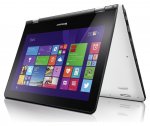
Seems to be another decently priced laptop. This time it's the convertible version, which can be flipped into tablet mode for use with it's touchscreen.
2xUSB 2.0
1xUSB 3.0
4-in-1 card reader (SD, SDHC, SDXC, MMC)
Audio combo jack
HDMI
RJ-45
Microphone
Stereo speakers with Dolby® Home Theater®
Intel Celeron N3050 Processor( 1.60GHz 1600MHz 2MB)
Operating system
Windows 10
Display type
11.6" HD Glossy Multi-touch with integrated camera 1366x768
System Graphics
Intel HD Graphics
2.0GB PC3L-12800 DDR3L 1600 MHz
Hard drive device
32GB
Network card
Intel Dual Band Wireless-AC 3160
Bluetooth
Bluetooth Version 4.0
Currently an extra 10% off to bring it down to this price - automatically at checkout.
****** Might be the N2840 processor, as someone as reported******
Top comments
popoyaya
5 Feb 1610#4
The CPUbench score of 900 makes it worse than an Atom. Slow...
I like the size of mine, it's perfect for moving about a lot, lets say on the bed, or going to show something to someone, I constantly find myself switching between the modes and randomly pressing the screen instead of using the trackpad.
When I first started using it I found the screen got glitchy and blocky, when I uninstalled McAfee it seemed to solve it, I haven't yet done a clean install, but I intend to at some point.
The screen is a good size for watching things on, I find most tablets too small, however it is a TF display, and as such suffers from colour distortion from some angles. Luckily, thanks to the multiple ways you can arrange it, you'll always find a suitable position.
The keyboard is a little shallow, but for the size it's not surprising, and is much better than most tablet keyboards, it also feels well built.
For the price, I think you'd be impressed. Yes you can get better screens and RAM, but for a lot more money. If you just want it for browsing the internet, watching films, iPlayer etc and operating Microsoft office (like 99% of most people's laptop use), it's really good value. I do however have an old i5 Probook that I use everyday, so the Yoga is really a back up computer, and for taking with me to the library and when visiting friends. In this role, it's pretty much spot on, and more flexible than a conventional laptop..
All comments (79)
chill
5 Feb 16#1
This got very hot at £139 new a couple of weeks ago.I was tempted then and struggling to resist this one. Anyone care to put me off?
youngrobbo to chill
5 Feb 162#3
At this price I can't find any reason to put you off.
Marzipan123 to chill
6 Feb 161#28
I ordered it last time and had to sent it back, screen had such horrible viewing angles that it was impossible to use it in tablet mode, as you needed to hold it at an awkward angle to see anything. In laptop mode my eyes started to hurt after about 15 minutes of use. Also really bulky and feels like you may accidentally snap the hinges in tablet mode as the bottom part is curved not flat. Went for ASUS tp200sa, it's slow and has horrible built in camera, but it has ips screen and the build quality is good, costed £199).
wolvesinwales
5 Feb 16#2
I have had 3 Lenovo tablets from Argos EBay all in great condition but had a problem with one and it has taken 7 weeks to sort out and still counting , apparently they can't fix Lenovo products so they have to be sent to Germany for repair.
popoyaya
5 Feb 1610#4
The CPUbench score of 900 makes it worse than an Atom. Slow...
got one of these from amazon few weeks ago , not a bad machine for the price more than enough to do daily basic web needs , this price its a steal. I am assuming its a customer return when it comes to argos refurbs , if thats the case , bargain.
trikidy
5 Feb 16#6
Got this the other week on the Amazon deal, boots up in seconds and perfect for basic things. Advised to unistsll all the crap lenovo pre load it with!
They both have pretty low benchmark scores for the processor but the Acer is better.
Blonkster
5 Feb 16#8
How much free storage space is there after the Windows 10 installation?
topss to Blonkster
5 Feb 16#15
Not sure for this particular PC, but on a couple of other 32GB PCs, its around 20GB free with a clean install on Win10. I'd guess it would be similar on this.
winalot
5 Feb 16#9
how is the size of this screen for reading comics and magazines - i've been using a 9.7" which is a bit small.
BarneyL to winalot
6 Feb 16#37
An 11.6" screen isn't that far off A4 size (13.3") however I'm not sure 1366x768 resolution is ideal, you'll probably loose a lot of detail if you want pages at full screen - you'd need double that to get something similar to the dpi you'd see in print.
If all you want is a good screen for comics\pdf reading then something like a 10" Samsung Tab Pro or S would be spot on.
chrisbass
5 Feb 16#11
cool, thanks. I'd only really be browsing the internet and things like that so should be fine.
andreasuk
5 Feb 16#12
personally the 2gb ram puts me off
it cant be used as a laptop like that
zaheer2003
5 Feb 16#13
but lenovo will definately have better build quality
cabbage10
5 Feb 161#14
Good for mackintosh...maybe
Waterbuoy
5 Feb 16#16
I can't see where the N3050 Processor is mentioned in the specs on ebay.
I got the £140 Amazon deal with the N2940 processor, which uses marginally more power, but is more powerful and has a much higher 3D benchmark result. That being said, It's a steal at this price!
Smartguy1
6 Feb 16#17
Then it will be fine. I have a Lenovo Miix 3 which is a really nice well built little tab/laptop. I was expecting it to be rubbish when I bought it as I had never seen one and got it from JL last year. I was well impressed when I opened the box. It is a little slow and you do notice it is slower at populating web pages when compared with more powerful machines but for the money I paid it is an excellent product and suitable for my purpose which was to browse, watch videos etc.
The model is still on Argos website with a different catalogue number, same spec and is showing the processor as an N3050. Some lucky people who bought the recent Amazon deal were lucky to get a faster processor. If only I had know I would have bought one.
I like the size of mine, it's perfect for moving about a lot, lets say on the bed, or going to show something to someone, I constantly find myself switching between the modes and randomly pressing the screen instead of using the trackpad.
When I first started using it I found the screen got glitchy and blocky, when I uninstalled McAfee it seemed to solve it, I haven't yet done a clean install, but I intend to at some point.
The screen is a good size for watching things on, I find most tablets too small, however it is a TF display, and as such suffers from colour distortion from some angles. Luckily, thanks to the multiple ways you can arrange it, you'll always find a suitable position.
The keyboard is a little shallow, but for the size it's not surprising, and is much better than most tablet keyboards, it also feels well built.
For the price, I think you'd be impressed. Yes you can get better screens and RAM, but for a lot more money. If you just want it for browsing the internet, watching films, iPlayer etc and operating Microsoft office (like 99% of most people's laptop use), it's really good value. I do however have an old i5 Probook that I use everyday, so the Yoga is really a back up computer, and for taking with me to the library and when visiting friends. In this role, it's pretty much spot on, and more flexible than a conventional laptop..
sparcus
6 Feb 161#19
N2940 CPU from amazon deal has twice the cores and twice the benchmark from the statistics. Can't imagine this Yoga with a much slower CPU than the N2940.
doohdah
6 Feb 16#20
damn, only bought this from there for daughter last week for £139 :disappointed: Came as manufacturer refurbished and in brand new condition. Upgraded to W10 for her using a USB stick and its nipper than her old laptop so more than enough for browsing and YouTube etc.
henlowstu
6 Feb 16#21
I have one and for the new price is a bargain
peteasewell
6 Feb 16#22
I bought the amazon one a couple of weeks ago, i love it, great piece of kit, laptop, touch screen tablet etc... Bargain for the price
spacedog
6 Feb 16#23
Says £ 129 on eBay?
spacedog
6 Feb 16#24
Says £ 129 on eBay?
topss to spacedog
6 Feb 161#26
Add it to your basket.....
You'll get this offer:
Extra 10% off
Discounts:
- £13.00
Total:
£116.99
muttyhc to spacedog
6 Feb 16#35
10% off, see OP
urgurinder
6 Feb 16#25
Can this play the android apps and games like clash of clans etc or is that only possible on mbiles/tablets?
kind regards
plap to urgurinder
6 Feb 16#27
No don't think you can run Android games on this PC.
There's an emulator you can install on Windows PC's which allows you to run Android apps (called "Bluestacks") but you need 4Gb of RAM, there is a trick to install/run it with less RAM but not tried that myself
jzedward
6 Feb 16#29
I bought this from Amazon at £139 2 weeks ago and have installed a clean win10, excellent for day to day browsing and work. recommended. v nice as tablet on the train in convertible mode
mark9000
6 Feb 16#30
12 gig once it's fully updated. In face to fully update Windows 10 you will need to connect a 10gig or larger usb or sd card.
VenusProject
6 Feb 16#31
Only 45 left!
Loathecliff
6 Feb 16#32
Shock News: Founder of the 'Celeron Victims Support Group' caught considering this item! :man:
giorgoXXI
6 Feb 16#33
Whats the battery life like?
AdamT93
6 Feb 16#34
Has anyone ran Football Manager on this? How does it cope?
dcmcquade
6 Feb 16#36
Just purchased. For a laptop for surfing and with the bonus of touchscreen, got to be worth a punt at this price if even just to keep the kids away from the MacBook. Thanks OP.
h_y
6 Feb 16#38
Just ordered, can't way to try it out. For that price it is worth buying!
ccp9193
6 Feb 16#39
Will autocad work on this?
Zameen
6 Feb 161#40
has this got win10 pre installed ? or need to upgrade?
Zameen
6 Feb 16#41
where are people getting the spec details? eBay listing doesn't say much
Zameen
6 Feb 16#42
where are people getting spec details from? eBay listing doesn't mention much ?
alcurtis93
6 Feb 16#43
1366x768 needs to die. Too low a resolution for the screen size
alcurtis93
6 Feb 16#44
I wouldn't touch this. Screen is horrible
gpb
6 Feb 16#45
I'm after a tablet/laptop that I can install autoroute 2013 off a usb on and run it for work..... Would this be capable of doing this?
intranix to gpb
6 Feb 16#47
I've no idea of the storage requirements of Autoroute, but keep in mind this has 32GB of total storage, I would imagine it's closer to 20GB free space. Obviously it wont be that large, but if you're thinking of using it for other things too you might find yourself in a pickle a year down the road and having to faff about freeing up space.
VenusProject
6 Feb 16#46
28 left!
gpb
6 Feb 16#48
3.2gb of free space required apparently. So I'd been fine with this then?
gpb
6 Feb 16#49
What else could I buy just to do this? Would a tablet be any good for just running autoroute??
davidclack
6 Feb 16#50
I think the one on eBay is this one 397/9224
Not the £229 one with the N3050 cpu.
Quickblood
7 Feb 16#51
I'm looking to replace my Nook HD+ as the battery won't charge anymore and am quite shocked to see that all these years later very few budget tablets seem to have 1080p screens. :disappointed:
Still great price for this tablet laptop thing.
Pupa
7 Feb 16#52
Hot! Thank you!
gnowak84
7 Feb 16#53
Sent it back. Resolution doesn't really matter, it's the contrast that gets it. Also, if you tilt your head a little, colours invert making even reading close to impossible.
VenusProject
7 Feb 16#54
3 more left!
chunkylover
7 Feb 16#55
Genuinely cannot believe it but I got mine this morning. The description is wrong, you get the N2840 processor. My unit was brand new apart from the broken seal. Thanks OP
Smartguy1 to chunkylover
7 Feb 16#56
Only slightly better than the N3050 but not the extremely faster one got by the lucky guys who bought off amazon. Still not tempted although a good deal with heat given.
urgurinder
8 Feb 16#57
Many thanks for the helpful comment.. Decided against it in the end as not as mobile as a tablet for my 4-5 year olds to play games and use apps they use at school... Still very tempted to buy as little something for myself given the price :wink:
davidclack
8 Feb 16#58
Sold out :disappointed:
chunkylover
8 Feb 162#59
To those who ended up buying the laptop:
- There is so much bloatware on the laptop, a stupid amount that brings the system down to a halt
- Upgrading to W10 is an absolute pain but make sure you do it before performing a clean install to get the free windows 10 upgrade entitlement
- After a clean install, let Windows update handle everything
- Use PowerShell to remove all the extra bloat like xbox, weather app, people app, twitter and plenty of other useless W10 apps
- Do not reinstall any Lenovo software (apart from battery extender for those worried about battery degradation)
- Now all I have installed is Chrome, AVG, VLC, 7ZIP and Office. Most of the time during browsing I'm using 1.5gb of RAM and the system flies!
Now after around 6 hours worth of tinkering the system is brilliant. I bought this as my mums first laptop and I'm very surprised by how capable it is when all the bloat is stripped away (I currently use an XPS 13 9350 and boot times are very similar ~8seconds)
If you have any questions on the above, reply to this message and I will reply when possible :smiley:
Once again, thanks OP for this deal.
h_y
9 Feb 16#60
Hi
Just received this today and I can't seem to get it to connect to the wireless internet, theres just no option for it that I can find? Also if possible could you please explain how to do a clean install etc. I would have just connected it to the internet and started using it as normal straight away, so could you please let me know on how to properly set it up - Thank you :smiley:))))))))))
Zameen
9 Feb 16#61
Hi can you please expand on how to this in as much step step as possible ... bullet points/links/tips etc without turning it into a chore for yourself. Many Thanks
coolcat21
9 Feb 16#62
Thank you very much for your very helpful advice :smiley: Having read all the comments I'm still undecided, but need to find a cheap update to my aging HP laptop (however the decision may be taken aware from me if stocks run out!)
jh787
9 Feb 16#63
Been out of stock since yesterday at least
coolcat21 to jh787
9 Feb 16#64
Hahaha - thanks for that! I hadn't refreshed, so still showed stock. Decision made :stuck_out_tongue:
tomcopeland
9 Feb 16#65
Is this recharged using the USB type-c?
h_y
9 Feb 16#66
Yes it's recharged via a usb cable
h_y
9 Feb 16#67
Can anyone help with wifi issue on this? Don't know what to do
topss to h_y
9 Feb 16#68
If it's not working at all then it may be faulty. Are you sure it's not just switched off? Check in the network settings and see if it's actually not disabled or possibly even the driver isn't installed.
h_y
9 Feb 16#69
Hi thanks for replying. Driver isn't installed? How to check for that and install it, I have literally just switched it on and charged it so i've not updated or installed anything as I don't know how to/
topss
9 Feb 16#70
Check device manager for any problems. A list of all the components will show up and any that have a problem will have a yellow warning icon next to them:
Where is Device Manager?
Applies to Windows 8.1, Windows RT 8.1
You can use Device Manager to see the devices installed on your PC, update driver software for your devices, check to see if hardware is working properly, and change hardware settings.
To open Device Manager
Swipe in from the right edge of the screen, then tap Search.
(If you're using a mouse, point to the bottom-right corner of the screen, move the mouse pointer up, then click Search.)
Enter Device Manager in the search box, and tap or click Device Manager. Administrator permission required You might be asked for an admin password or to confirm your choice.
Double-tap or double-click a device category to expand it. If there's a yellow warning icon Yellow warning icon that shows there might be a device problem on the name of a device, there might be a problem with it. Tap or click the device, tap or click Action, and then tap or click Properties to see details about that device.
If you need to update a driver, see Downloading and installing drivers.
Theres a yellow exclamation mark near 'network controller' and when I go to update the driver software it gives 2 options: search automatically and browse my computer for driver software. I've clicked on both of these and after each it says 'windows could not find driver software for your device'/ Should I phone up tomorrow or something
topss
9 Feb 16#72
That's why it's not working.
I suppose you could just get them to swap it, but they may have none left. In the meantime you could try downloading the driver and installing it manually. I think this is the correct driver page for the laptop, and it;s the first link there:
WLAN Driver (Atheros, Realtek, Broadcom, Intel) for Windows 8.1 (64-bit) - Lenovo Flex 3-1120, Yoga 300-11IBY
Thanks Chunky, did you get an error on reboot '"Insert external storage and press OK"' can't seem to get past it ? USb and sd card are still plugged in. Click ok nothing happens, click cancel return to windows 8.

![Fresh Breakfast Meat Box (Using code) @ Campbells Meat [Haggis / Lorne Sausage / Bacon / Black Pudding & More]](/images/topics/208684_1.jpg)




































![[Xbox One] Q. u. b. e: Director's Cut on Deals with Gold](/images/topics/208716_1.jpg)


















Opening post
2xUSB 2.0
1xUSB 3.0
4-in-1 card reader (SD, SDHC, SDXC, MMC)
Audio combo jack
HDMI
RJ-45
Microphone
Stereo speakers with Dolby® Home Theater®
Intel Celeron N3050 Processor( 1.60GHz 1600MHz 2MB)
Operating system
Windows 10
Display type
11.6" HD Glossy Multi-touch with integrated camera 1366x768
System Graphics
Intel HD Graphics
2.0GB PC3L-12800 DDR3L 1600 MHz
Hard drive device
32GB
Network card
Intel Dual Band Wireless-AC 3160
Bluetooth
Bluetooth Version 4.0
Currently an extra 10% off to bring it down to this price - automatically at checkout.
****** Might be the N2840 processor, as someone as reported******
Top comments
http://www.cpubenchmark.net/cpu.php?cpu=Intel+Celeron+N3050+%40+1.60GHz
When I first started using it I found the screen got glitchy and blocky, when I uninstalled McAfee it seemed to solve it, I haven't yet done a clean install, but I intend to at some point.
The screen is a good size for watching things on, I find most tablets too small, however it is a TF display, and as such suffers from colour distortion from some angles. Luckily, thanks to the multiple ways you can arrange it, you'll always find a suitable position.
The keyboard is a little shallow, but for the size it's not surprising, and is much better than most tablet keyboards, it also feels well built.
For the price, I think you'd be impressed. Yes you can get better screens and RAM, but for a lot more money. If you just want it for browsing the internet, watching films, iPlayer etc and operating Microsoft office (like 99% of most people's laptop use), it's really good value. I do however have an old i5 Probook that I use everyday, so the Yoga is really a back up computer, and for taking with me to the library and when visiting friends. In this role, it's pretty much spot on, and more flexible than a conventional laptop..
All comments (79)
http://www.cpubenchmark.net/cpu.php?cpu=Intel+Celeron+N3050+%40+1.60GHz
If all you want is a good screen for comics\pdf reading then something like a 10" Samsung Tab Pro or S would be spot on.
it cant be used as a laptop like that
I got the £140 Amazon deal with the N2940 processor, which uses marginally more power, but is more powerful and has a much higher 3D benchmark result. That being said, It's a steal at this price!
The model is still on Argos website with a different catalogue number, same spec and is showing the processor as an N3050. Some lucky people who bought the recent Amazon deal were lucky to get a faster processor. If only I had know I would have bought one.
http://www.argos.co.uk/static/Product/partNumber/5095742.htm
When I first started using it I found the screen got glitchy and blocky, when I uninstalled McAfee it seemed to solve it, I haven't yet done a clean install, but I intend to at some point.
The screen is a good size for watching things on, I find most tablets too small, however it is a TF display, and as such suffers from colour distortion from some angles. Luckily, thanks to the multiple ways you can arrange it, you'll always find a suitable position.
The keyboard is a little shallow, but for the size it's not surprising, and is much better than most tablet keyboards, it also feels well built.
For the price, I think you'd be impressed. Yes you can get better screens and RAM, but for a lot more money. If you just want it for browsing the internet, watching films, iPlayer etc and operating Microsoft office (like 99% of most people's laptop use), it's really good value. I do however have an old i5 Probook that I use everyday, so the Yoga is really a back up computer, and for taking with me to the library and when visiting friends. In this role, it's pretty much spot on, and more flexible than a conventional laptop..
You'll get this offer:
Extra 10% off
Discounts:
- £13.00
Total:
£116.99
kind regards
There's an emulator you can install on Windows PC's which allows you to run Android apps (called "Bluestacks") but you need 4Gb of RAM, there is a trick to install/run it with less RAM but not tried that myself
Not the £229 one with the N3050 cpu.
Still great price for this tablet laptop thing.
- There is so much bloatware on the laptop, a stupid amount that brings the system down to a halt
- Upgrading to W10 is an absolute pain but make sure you do it before performing a clean install to get the free windows 10 upgrade entitlement
- After a clean install, let Windows update handle everything
- Use PowerShell to remove all the extra bloat like xbox, weather app, people app, twitter and plenty of other useless W10 apps
- Do not reinstall any Lenovo software (apart from battery extender for those worried about battery degradation)
- Now all I have installed is Chrome, AVG, VLC, 7ZIP and Office. Most of the time during browsing I'm using 1.5gb of RAM and the system flies!
Now after around 6 hours worth of tinkering the system is brilliant. I bought this as my mums first laptop and I'm very surprised by how capable it is when all the bloat is stripped away (I currently use an XPS 13 9350 and boot times are very similar ~8seconds)
If you have any questions on the above, reply to this message and I will reply when possible :smiley:
Once again, thanks OP for this deal.
Just received this today and I can't seem to get it to connect to the wireless internet, theres just no option for it that I can find? Also if possible could you please explain how to do a clean install etc. I would have just connected it to the internet and started using it as normal straight away, so could you please let me know on how to properly set it up - Thank you :smiley:))))))))))
Where is Device Manager?
Applies to Windows 8.1, Windows RT 8.1
You can use Device Manager to see the devices installed on your PC, update driver software for your devices, check to see if hardware is working properly, and change hardware settings.
To open Device Manager
Swipe in from the right edge of the screen, then tap Search.
(If you're using a mouse, point to the bottom-right corner of the screen, move the mouse pointer up, then click Search.)
Enter Device Manager in the search box, and tap or click Device Manager. Administrator permission required You might be asked for an admin password or to confirm your choice.
Double-tap or double-click a device category to expand it. If there's a yellow warning icon Yellow warning icon that shows there might be a device problem on the name of a device, there might be a problem with it. Tap or click the device, tap or click Action, and then tap or click Properties to see details about that device.
If you need to update a driver, see Downloading and installing drivers.
http://windows.microsoft.com/en-gb/windows-8/where-is-device-manager
I suppose you could just get them to swap it, but they may have none left. In the meantime you could try downloading the driver and installing it manually. I think this is the correct driver page for the laptop, and it;s the first link there:
WLAN Driver (Atheros, Realtek, Broadcom, Intel) for Windows 8.1 (64-bit) - Lenovo Flex 3-1120, Yoga 300-11IBY
http://support.lenovo.com/gb/en/products/laptops-and-netbooks/yoga-series/yoga-300-11iby?tabName=Downloads&beta=false
Download that and run it and see if that fixes it.
1) Force W10 Update
http://venturebeat.com/2015/07/28/how-to-force-windows-to-start-downloading-the-windows-10-update-files/
2) Let it update/fail to update for whatever reason
3) Clean install W10 from USB
http://www.cnet.com/uk/how-to/clean-install-windows-10/
4) Enjoy