Price matching Currys - add to your basket to see the price drop to £15
For extra savings see comment 2
Free click and collect
************************************************
With ninety days unlimited music free at Google Play -- see comment 172, below.
- sylv
Top comments
Chanchi32
26 Feb 1680#1
1,000 deals - it's been nearly a 3 year wait
But the wait is over ...
Need to sleep - bfn
oUkTuRkEyIII
26 Feb 1613#5
Lazy :smile:
vassy201187
26 Feb 1612#3
Thanks OP. Heat added.
summerof76
26 Feb 1612#10
Congratulations Chanchi on your 1000th deal <3
Latest comments (219)
TRIC
5 Mar 16#218
Plex is pretty awesome. Works a treat. I'm not sure of the difference between the app and the web page you locate through the shortcut icons? Different web address but looks the same.
mbuckhurst to TRIC
5 Mar 16#219
The app doesn't give you access to the cast button, so there's no way to cast, on the chrome web based version you're missing the option to play local media, which is normally available in the app. I believe there's some differences with bitrates supported, but for most people it's probably not an issue.
But it is awesome, just make sure all your MP3s are properly tagged, if you don't want to end up with random folders appearing in the Plex system.
mike
TRIC
4 Mar 16#215
Cheers for the responses. I haven't had chance to have a bash at Plex yet and will have a read about it today but the other night did come across AV Cast off the MS windows programs. It did allow me to select and cast several tracks but appeared a bit scitty when I was bouncing back and forward. I also had the sound quite quiet it being late so need to give it a good trial when I can really open up the amp. Not ideal but another option and certainly shows people are investing time to make PC - Chromecast interaction.
mbuckhurst to TRIC
5 Mar 16#217
If you want to use Plex, you will need Plex server either installing locally or on another machine on your network, when run from within Chrome (www.plex.tv) you get the option to cast but not play local content, when in the Plex App, you have the servers and local content, but no ability to cast. This isn't an issue for me as I have a server in my network.
I think it would be fine to have a plex server running on a standalone PC, it doesn't seem to be particular CPU intensive and audio shouldn't be too difficult for it to handle without impacting whatever you're doing on the machine at the time, but worth bearing in mind.
mike
grabme
4 Mar 16#216
anyone know how to disable that annoyingly loud noise when you start casting? Also does anyone know how to get it to autocast tabs automatically in browser? thanks
I'd love some help here guys. What I want is to hook the CCA up to my stereo amp and be able to cast local MP3's from my PC? I have used the CC video with my android phone (before I blasted it into a million pieces) and local cast worked via my NAS drive great. I presume the CCA will be exactly the same but I cannot for the life of me figure out a way to easily cast MP3s from a non android device? I have tried to use the chrome browser and another extension called videostream and they work but only allow you to play one track? I'd prefer to not upload my tunes to Microsoft Groove or Google Play as I really need to sit down and then them organised first. Any help would be great. Cheers.
grabme to TRIC
3 Mar 16#212
Exactly my issue with the device. If you find out I'd love to know. There is a audio hiijack tool but I cant get it working properly at the moment.
edash to TRIC
3 Mar 16#213
I've gone through the same route and apps, not finding a good solution, videostream looked promising but the paid option that provides playlist functionality is $49. Perhaps a new raspberry pi with musicbox installed is a better option :smiley:
mbuckhurst
3 Mar 16#211
I doubt Google have made it windows compatible for more than enabling Google play, it's nothing more than trying to make money, I can't imagine there's much profit (more likely a loss), without forcing you to use the browser/play how will they get any income from the device, if there wasn't that channel for income, you'd probably find zero windows support, I know we all would like a cheap streaming device with no ongoing cost or any compromises, but it's not going to happen.
The Philips streamium was one of the original MP3 streaming devices, offering similar capabilities as Sonos but at a fraction of the price and sounded pretty good, but nothing compared to a full size hifi which I hadn't used for years, until the streamium died. Absolutely none of my bluetooth devices come close to either, but with Plex the Chromecast fits well into my life, so I'm happy.
mike
grabme
3 Mar 16#210
To be fair the Phillips Streamium you mentioned is probably a much lower quality Bluetooth receiver compared to the latest Apt-x type which makes a massive difference. Like I said I can't hear much if any difference between the Phillips device and the Chromecast with casual listening, will do a more intensive test though. I think most people with computer speakers want to be able to listen to everything the pc plays so bit disappointed that its all got to run via Chrome browser. Why bother making it Windows compatible if you are not going to support the device fully? Then again VLC and other major players should be making their software Chromecast compatible, perhaps this is in the pipeline?
paulw123
3 Mar 16#209
Try using PLEX, its supposed to work.
grabme
2 Mar 16#206
I'd say if you are using a windows pc then look at a Bluetooth 4 device instead of this. I get excellent sound quality from a Phillips AEA2700 with zero dropouts and far less annoying greeting tone than the Chrome. I find that the Chrome has excellent sound quality BUT I am shocked that a company like Google haven't got their act into gear and made the device capable of outputting ALL sound output from a Windows pc. This is like stepping back in time to using an Apple Airport Express device about 15 years ago Apple had this tech which was designed purely for iTunes audio streaming but with a hack could playback system sounds. Love the concept, love the sound quality but why overlook such an obvious feature? Good at 15 quid but I wouldn't pay full price knowing its limitations.
mbuckhurst to grabme
2 Mar 16#207
Personally ALL sound is definitely not what I want, fine if you have a dedicated PC but rubbish if you're doing anything with all the other sounds you get from windows. If you do have a dedicated PC then there's no limitations with Chromecast audio, you simply accept what you have to do and do it. But in my house bluetooth is not an option, in my lounge, it's too far from my stereo to my typical laptop location (the downside to open plan), to keep a reliable signal, I've found Chromecast to be exceptional at working in areas other devices struggle with even wifi. Granted I've not tried many, but bluetooth doesn't come close to the audio quality of streaming, let alone CD or LP, the latter two I've rediscovered after years with a philips streamium.
mike
Hal
2 Mar 16#205
Tried to collect my order from Argos today but they don't have any - not happy. :disappointed:
Not a bad device but so far I'm preferring my Phillips BT device because I can easily play anything through it from a Windows PC such as my local music files whereas the Chromecast only seems to play through Chrome Browser and selected apps. Wouldn't have taken them 10 mins to make this a playback device in Windows. Not even VLC or Music Bee is supporting this thing yet.
mbuckhurst to grabme
1 Mar 16#203
I think we all have to face facts, Google isn't going to make anything easy for windows, they've got too much going on with Android and ChromeOS to make anything easy, plus of course where's the margin on Windows except via Google Play which works well, if a little expensive, the moment you make it too easy to avoid Google's services, it has no value to them.
At the moment, the best option is to run Plex Server to serve the audio and Plex in Chrome to receive it, works well as far as I'm concerned, to be honest Plex is a whole lot better for organising than a raw UPNP server. What I've done is run Twonky and Plex on the same box, to cover all bases, but it's looking like this will potentially replace all other forms of receiving. I was lucky when picking up my reserved player in Argos, I found they had one more left in stock, so snapped that up, I will be interested to see how multi-room works.
It could be a whole lot better in terms of usage, but for £15 what do you expect, at £30 it's closer to competing products, but even then is vastly cheaper. I don't know what stats Google are collecting from it, but I am tempted to leave them playing Renée and Renato or something equally dire, to totally screw up the info :laughing:
mike
stuartdalton
1 Mar 16#201
Save me trawling through, anyone managed to successfully connect this to a BT Homehub 5 router? If so, how please?!
Missed the PCWorld deal, and no stock anywhere with this deal. Damn
paulw123
1 Mar 16#198
Thanks for all your info on this mike, you should copy this over to av forums, so I can follow it ;O)
samler
1 Mar 16#197
nice find op
anthony69
1 Mar 16#195
So if Im right you stick the audio jack from the Chromecast into the Input signal on your amp, and voila, you cast your music to the Chromcast and out your amp?. Is this how it works?. The comments suggest the device is connect directly to the speakers?
nathankw to anthony69
1 Mar 161#196
Yes - that's right. You need an amp.
Some people are using powered speaker (like the kind you plug into laptops) but a proper amp will sound much better.
nathankw
1 Mar 16#194
So it's back up to £30 at pcworld/currys.
Wonder how long the price will last at argos. Could be the last day to fill yer boots!
mbuckhurst
1 Mar 161#193
Thanks for the link, that's interesting, I'll put a protocol sniffer on the network and see what's going on, there's probably not a lot I couldn't spoof, just whether it's worth the effort. Can't look at it for a few days, contracting for a few days - got to earn the money to keep my HUKD habit alive, lol.
mike
PoisonJam
1 Mar 161#192
Thanks so much for this, OP :smiley:
Couldn't find stock anywhere near my home (Glasgow), but then remembered there was one near work and most people out this way probably still use cassette decks and VHS recorders - so still plenty of stock! :wink:
dcx_badass
1 Mar 161#191
Chromecasts update themselves without any apps so it would have updated if you'd set it up via windows (it just may not have reported it was doing it, although I imagine it would do).
I received my device today and setup easy and able to play musing from my HiFi.
But I am getting some background noise.
Did you guys getting it as well?
mbuckhurst to reddychvb
1 Mar 16#190
Mine arrived yesterday, set it up, through my amp sounds perfect via RCA connection, I'll have to try and find my old 3.5mm TOS cable from a portable minidisc player which was put away many years ago to try digital audio, but generally speaking pretty pleased with the result, certainly no noise.
As for setup, what a pain in the butt, I tried the Chromecast installer on several windows machines, including sitting in my hallway next to the main wifi router, with the Chromecast audio next to my laptop, laptop running the installer, couldn't see the unit at all. Repeated with another laptop and windows tablet, no joy.
In the end I dug out an old HP Touchpad (remember those in the fire sale, one of my first HUKD deal purchases), I'd already hacked it to Android, installed the app, bingo, it saw the Chromecast and installed straight away. All the windows machines can now see it fine, so that's great. I guess if I'd not had the old tablet, I could have used an Android emulator under windows, certainly that technique works for my Xiaomi camera. Incidentally it performed an update immediately it connected, so maybe Android is the way to go for installation, I don't know if the windows version is capable of performing an update.
In use, it's a bit of a revelation, works great with Plex (on windows only when running in Chrome), which gives me much better access to my music than relying on UPNP/DLNA. Plex UPNP support isn't that great. The only downside is needing Chrome, which I'm not happy with, but needs must, since it will be used with a separate tablet eventually, I can lock it down. Under Android the Plex app works without any need for Chrome (obviously), just got to decide is it worth £3.30, but at least it does give old tablets a new purpose and lease of life.
I've only tested for a day, and so far I'm very pleased it achieves what I wanted and allows me to sort my music collection using Plex, just as I've already got for video, so that's good. Sound quality is at least as good as my Streamium units, even the one that plays via TOS input on my amp, so the DAC in this thing must be reasonably good. I've had no Wifi drop outs or any issues, other than the initial installation.
I'll probably try and set it up to use a totally private wifi connection, I'm not too happy about a £15 device from Google knowing my main wifi password. I'll also try and find out what it's doing when it talks to the Google servers and see if it's possible to spoof that connection and avoid all outside communication.
Now the only decision is do I collect the second one from Argos, is it that good? My biggest concern is the fact it appears to need Google to be there, so if they drop it for any reason, that could be the end, but then £15 to make it easier to get at my music collection in the nearest to Sonos ease of use, it's probably a steal, even if it's only good for a couple of years.
mike
caverncity
29 Feb 16#186
do not buy this, it is reduced for a reason as it's rubbish. mines going back due to constant drops, complete disconnections requiring a reboot or reset. imagine having an album playing and you can't stop it or go onto the next track or even adjust volume and that's when it originally connected. most of the time it doesn't find the CC. looking on the net it is a common issue that hasn't been rectified since last year.
OrribleHarry to caverncity
29 Feb 16#188
It's worth it for the 3 months free google Play music alone!
OrribleHarry
29 Feb 16#187
I did "fudge" it to make it work in the car by going through the wizard whilst in the house then moving it to the car. The main problem with this is the phone connects to the chromecast thinking it's an access point and responds by switching of 3g/4g data, thus blocking all data rendering Google Play music for example useless as it then complains of no data.
mbuckhurst
29 Feb 16#185
Yes, that makes sense, though seems rather unusual since you pick up cheap usb wifi routing devices for so little these days (HooToo tripmate for instance) you'd wonder why they'd miss out this functionality, I guess at the time of development it wouldn't have seemed important.
Will the Chromecast work without the internet from cold boot, since most info on the web suggests it calls home initially, then allows local to local comms, but without the initial call home it will fail to work. Various articles I've read suggest it connects to a web page or uses a google DNS service, so I'm thinking of setting up a proxy to spoof these if necessary, although on a reliable cable connection I don't want to rely on an internet connection so I can play my music stored on my NAS two rooms away from my Amp, especially as sods law states the internet would go down at just the wrong moment.
mike
roadie
28 Feb 16#184
So this would work in a car without Aux? Ta
jasee
28 Feb 16#183
I assumed this device would connect through UPNP to my media server to play audio files to my amp/loudspeakers but actually it doesn't find it. It looks as though I have to have another ap to connect to the media server then chromecast will forward or 'relay' the music directly to the amp. What ap?? Is this right?
OrribleHarry
28 Feb 16#182
Read my post, no it does not.
mrshadwell
28 Feb 16#177
I don't get it , only works on Spotify Premium and doesn't seem to work off iTunes. It seems fairly useless for me. Maybe Deezer??
OrribleHarry to mrshadwell
28 Feb 16#181
Google Play music works well, not tried anything else.
obsydian
28 Feb 16#180
Oh crap got the 1st generation bose sounddock don't work with it as no aux :confused:
russg84
28 Feb 16#179
Bought 2 today. Great deal. Still not sold on its compatibility and functionality (it cuts in and out a little). If you have iphone - you will struggle, android works well though and if you are used to Sonos - you will also be disappointed but at £15, who cares right?
Skymonkey
27 Feb 16#169
Will this work in a car? If you plugged into the AUX port and sent your music to it? I have a bluetooth receiver to AUX that's hit and miss.
warlockuk to Skymonkey
27 Feb 16#170
No. It needs to connect to the internet to stream the music - it doesn't stream from device like bluetooth.
(Or, rather, even if you do direct stream with bubbleupnp in theory it still needs the internet to open up the bubbleupnp app)
nick1austin to Skymonkey
28 Feb 16#178
I haven't tried it yet, but it should be possible to use the Plex app to stream MP3s from a smartphone. Because you don't have a WiFi router in the car you'll also need to put the SmartPhone Wifi into 'HotSpot' mode so the Chromecast can connect to it.
Creatzy
28 Feb 16#176
I guess apple music wont work with this then =/
Skymonkey
27 Feb 16#175
Okay - thanks for clarifying - appreciate it.
OrribleHarry
27 Feb 16#174
The fault is not with this device it's the fact a phone cannot do both required functions at once. Whilst in hot-spot mode the phone routes 3G/4G traffic to its clients. whilst in client mode the phone attaches to the Wi-Fi as a client. My phone cannot do both as soon as you enable hot-spot mode it can no longer finish the connection wizard as it loses sight of the chromecast.
The chromecast works at home by attaching to the router as a node, other clients upon the same network can then stream to it as a destination. It does not require internet to work, however it does require a wireless router capable of hosting several clients.
My cars inbuilt Wi-Fi appears to not have routing capabilities and is merely an access point. I tested this by attaching 3 clients to the cars wifi and analysing the network to see if the other clients were visible to each other. They were not hence why the chromecast doesn't work as the phone cannot communicate with it.
Hope that makes sense?
The product works well at home and I proved it doesn't need internet by disconnecting my modem from my router and it continued to work as normal.
mbuckhurst
27 Feb 16#173
Not at all, I hate Sonos because they have a file limit on their product, that's been there since I got my previous streaming solution and my collection hasn't got smaller. In those days, pretty much the only solution that was out of the box, was the Philips Streamium, which mine worked reliably for 7 or 8 years, even when placed at the extreme limits of my wifi range, but the base station has now died, so I've ordered one of these to see how good it is.
The reality is, your car isn't any different to someone who has chosen to rely entirely on mobile broadband at home, I know a couple of people who do and I'm sure they're not the only ones. If Google can't manage what is pretty basic networking, how can we be sure they've covered the more important aspects such as security? If this device has to talk to the internet to work (and I'm not convinced this is true), for a solution that is home network based really shouldn't need the internet, then immediately you have a device that is unnecessarily opening itself up to be hacked, and we know Android's track record on flaws and unpatched security. We are buying nothing much better than a prototype and have to hope support gets better over time, but it certainly doesn't compare well against any out of the box devices, and maybe it doesn't need to, at £15 a pop.
Anyway, I await with mild anticipation of a couple of days spent trying to get it to work with a 10 year old amp, windows phone and windows PC/tablets without Chrome anywhere. Thankfully I don't use multiroom, even though the streamium could manage it, I probably only used it once, even the "follow me" function where you could get it to move music from one room to another, as you moved, wasn't used that much.
That's pretty harsh, it's not designed to work in a car, I was just trying to adapt it. However it works flawlessly in the house as per design.
I guess your a Sonos fanboy?
mbuckhurst
27 Feb 16#165
If the Chromecast and phone have implemented network address translation correctly, it should work, which I guess is possibly a big gotcha waiting to happen. It is rather basic networking that should work, fingers crossed.
The fact that this is a pain and requires effort just shows that this device, although impressive for what it costs, is pretty rough around the edges and isn't going to be competition for Sonos, for the "plug it in and go", market.
mike
deeky
27 Feb 162#164
:neutral_face:
mollyschamber
27 Feb 161#162
price now £14 in Currys. I've just reserved to collect from my local store
Chanchi32 to mollyschamber
27 Feb 162#163
great price - don't tell Deeky he'll be making 27 calls to complain
hi Deeky ^^
if you phone currys up they will refund your £1
roadie
27 Feb 16#158
Could this work without an aux in the car so you would be using the jack from the CCA to the phone jack?
If it would that would be awesome. I'd then use my spare iPhone to tether and use instead of this FM transmitter.
BTW why do people have multi-room devices? Does multi room entail the same music in different rooms or different streams?
OrribleHarry to roadie
27 Feb 16#161
Just get a Bluetooth aux adaptor much less hassle.
Hughsee
27 Feb 16#160
OOS everywhere
iAmLegendFam
27 Feb 16#159
Yes, this is good. The exact functionality that chromecast should offer.
Few bugs with that program, such as sometimes plays through the computer speakers as well as the chromecast. Also very delayed.
But not bad.
OrribleHarry
26 Feb 16#157
There is a reason tethering doesn't work, as once set as a hotspot the phone can no longer see the chromecast as it can't be the host and the client simultaneously which it would need to be.
"I currently use my Chromecast Audio in my car and it works fantastic. The sound quality is superior to any Bluetooth solution I've come across.
I could not find a way in a short period of time to configure the CCA using the same phone that was hosting the network. I got around this by creating the SSID I wanted the CCA to connect to on my home network and joined my phone to it as well. The Chromecast app didn't have any problems with this and allowed me to set it up. Once I was done, I disabled the SSID on my home network and setup my phone with the exact same SSID and password for its hotspot. The CCA connects to it and it and it works like any other Chromecast."
mike
bytemaster
26 Feb 161#155
For everyone saying you can only stream from windows using the Chrome browser - Goole for Chromecast Audio Stream.
iAmLegendFam
26 Feb 16#147
Just picked this up. Wouldn't recommend, don't be blinded by heat of this thread, or the comments - they probably haven't used it yet.
I was planning on replacing my aux cable completely.
For windows, it only works with sound played in chrome. So any iTunes, Spotify etc doesn't work. Back to aux when you want that.
Better on android phone as you can mirror all sounds to the device. However, when using it destroys any other Internet apps you would like to use, such as browsing the web.
Also. The Chromecast has to be a good distance from the router, not tucked behind somewhere - otherwise you get music that breaks up. Finally, the delay between the device and sound. The video will not match the output sound.
Personally, a bluetooth version would have been better for me. Don't buy this. Wait for version two.
Was a lot of hassle setting up too for some reason.
mcknej01 to iAmLegendFam
26 Feb 162#154
Sorry old bean, but you have missed the point of these amazing devices. Yes on a Windows PC they do only work in the Chrome browser (it is a Chromecast branded device).
They absolutely fly when on an Apple or Android device when you have the Chromecast App installed from the respective device App Stores. In terms of better off with Bluetooth, again you kind of miss the point on these devices. The Chromecast devices themselves connect to the internet directly (vs. using the phone to transmit) to stream music, whereas a mobile phone / tablet or PC if connecting to a Bluetooth speaker sends the sound from that specific device to the speaker (a) this drains the device battery if a phone, b) the sound quality is rubbish compared to a dedicated audio stream, and c) if say the phone rings the speaker is interupted with the ringing and conversation of the call (not good if having a party!).
You can also group multiple chromecast audio's together to create a multiroom system (like Sonos), you cannot do this with a standalone Bluetooth speaker). Add to all this that you can do all these things for £15, then this little bad boy is a real deal changer.
You also said that you in Apple / Android you "mirrored" the sound crippling other apps / and the device performance. Did you installl the Chromecast specifc App?
Sorry but, I have 5 of these connected to all shapes and sizes of speakers / AV amps and the like and they are awesome.
A small limitations. Apple and Amazon refuse to embrace anything Google so do not expect their apps to work with this (yet). Apple want you to but a bit of kit that is 4x the price and 8x less open / functional. Amazon refuse to accept that anything outside the "Amazon Fire" range exists, and even block the sale of these as an anti-competitive measure (shame on you Amazon).
There are still decent open audio streaming apps and providers that do work e.g. Spotify, Soundloud, BBC iPlayer Radio, TuneInRadio etc. etc. Also Google Play Music works a dream.
In my opinion this device is da bomb in streaming / multi room, and allowing easy connectivity for people with existing speakers / AV Amps and the like kicking about.
vodka_redbull
26 Feb 16#153
oos for collection for me.
johnthehuman
26 Feb 16#152
Shame they didn't just sell them at this price, instead of waiting to 'price match'. I bought two from Curry's which will arrive Tuesday, would've bought two from Argos and picked them up tomorrow.
OrribleHarry
26 Feb 16#142
I just bought one thinking it would work to stream audio to aux port in the car.....for anyone considering this DONT it doesn't work at all without an internet connection....
warlockuk to OrribleHarry
26 Feb 161#143
So you didn't read "Chromecast Audio is a small media streaming device that plugs into the AUX input of your speaker, making your speaker Wi-Fi enabled" and think "oh, my car doesn't have wifi?"
For what it's worth, you can put your phone into tethering mode if your mobile provider gives you that and have it use your phone as a WiFi access point.
tony1223 to OrribleHarry
26 Feb 16#151
Thought same using Amazon prime
sylv
26 Feb 161#150
Very good find, OP. I checked last night if Argos were matching, and, then, they weren't. Thanks to seeing your deal I was able to get one today for Nectar points plus cash. TYVM!
OrribleHarry
26 Feb 16#149
Yes I can read.....My car does have Wi-Fi but needs to be a router. Additionally you cannot use Wi-Fi hot-spot either.
deeky
26 Feb 162#148
Maaan. I just bought one today from Currys. I wish I'd have waited now so I could buy from your deal :disappointed:
holla21
26 Feb 16#146
Does this work with apple music? If so, how?
legohead1977
26 Feb 16#145
Picked one up earlier from PC World. What a difference it makes! Unbelievable!
obsydian
26 Feb 16#144
Thanks steal to update old tech to new
dean_brfc
26 Feb 16#141
Amazing price. The optical audio out is a bonus for such a cheap device.
hoof hearted
26 Feb 161#140
just bought a few more - at this price so hard to resist!!
Thanks OP - fantastic deal and well worthy of your 1,000 milestone!
obsydian
26 Feb 16#133
Would like work with a Bose ipod sound dock bought it years ago but never used it much
hoof hearted to obsydian
26 Feb 162#139
If it has an AUX in socket, then yes, it should. Have one of my shiny new chromecast audios playing through a bose soundlink mini at the moment as part a multi room set up - it works beautifully!
Kookykat
26 Feb 161#138
Thanks! :innocent:
mrgazreid
26 Feb 16#137
Great deal. Picked one up today, great piece of kit!!
sradmad
26 Feb 162#136
Congratulations chanchi on your 1,000 , heat for the deal :smile:
tony1223
26 Feb 16#135
Bought one thinking could use Amazon music but this is not the case
Kookykat
26 Feb 16#127
At risk of appearing a tad dumb...
Do I need to have one Chromecast audio per speaker? I have two old type speakers in my lounge so how many do I buy?
Thanks!
Bendown to Kookykat
26 Feb 16#129
Output is stereo, so one will output to a set of speakers. Either powered speakers or input to an amp/audio system
splender to Kookykat
26 Feb 16#134
No in nearly 100% cases, Chromecast connects to your amplifier first (or your active speaker with amplifer in built). Then your amp will drive the speakers as before.
forcedv
26 Feb 16#131
Anyone developed an app to play YouTube to a Chromecast Audio device?
vidl to forcedv
26 Feb 16#132
Just go to your phone's settings and select "Cast Screen". Select your CCA or CCA Group. Then play your YouTube video. :sunglasses:
pingsteruk
26 Feb 161#130
That's not entirely the case. You can use something like BubbleUPnP Server to effectively turn the chromecast into a DLNA receiver. The server is free to use (although I would also recommend the paid-for version of the android app). The server won't be ideal for everyone, as it needs somewhere to run, but does open up other possibilities.
Jay20VT
26 Feb 16#128
got mine, sh*t loads in stock at Friern Barnet North London.
mysticjenny
26 Feb 161#126
Just collected mine, thanks op :smiley:
londonstinks
26 Feb 16#125
That's a good idea mate nice one
NettleSoup
26 Feb 16#124
Valid in the Republic of Ireland too. €19.50. Nineteen euro and fifty cent.
Be very keen to know if this would sync with Sonos.
I have sonos in the bedroom/kitchen etc but refuse to spend £200 for the sonos connect to get the same music sync'd to the living room existing system.
gwapenut to da_murphster
26 Feb 16#123
I'm thinking this will sync with my playbar, as playbar can take an external feed (eg from chromecast) and distribute it to the rest of my sonos network
EN1GMA
26 Feb 16#122
not buying but a solid deal. can set up multi room for not much money using existing kit. this is just the first generation so this will get better and better with future incarnations.
ive got plenty of BT speakers and no need for multi room so not biting at this deal, though very tempted, just because its tech and I love new tech, especially the affordable kind :laughing:
Youngy
26 Feb 161#121
Thanks OP, just picked one up
abhijitdash123
26 Feb 16#118
Good device but I guess it has its limitations in that you cannot use any app with it, unless its Chromecast enabled.
Heat for the price though as its heck of a deal :smiley:
splender to abhijitdash123
26 Feb 16#119
That's right, see above my comment, getting a generic Chinese brand device for similar money £15-£25, may be a better solution, as Google, Apple and Microsoft battles away to make their stuff as incompatitble as possible. If you don't want to install a Google/Apple/Microsoft app to set up and use any of their devices, the only way is to buy Chinese brand generic wifi media players and receivers.
cicobuff
26 Feb 161#117
Right, sorry, with you now...yep decoding done by the AV Receiver etc.
splender
26 Feb 16#116
Yep, if one finds one needs to reach out for an optical Toslink, then one has to have superb young ears and decent Hi-fi set up, though one can get very decent small cheap amp, the likes of Topping T-amps driving big old time speakers (Chinese brand).
doobreedob
26 Feb 16#115
I was highlighting that the end device DAC is actually relevant if you use the optical out....
OdhranC
26 Feb 163#114
Reading the comments on this site is useful but for goodness sake could people ease up on posting the images and gifs. Its annoying when all you want to do is read what people think about the deal, their suggestions, tips, warnings, advice etc.
cicobuff
26 Feb 16#113
Hence the comment about the end device DAC being irrelevant, as in the DAC in your phone, pc, tablet.
doobreedob
26 Feb 161#112
If you use the line out it uses the internal DAC in the Chromecast. The Chromecast Audio also has an optical out you can use if you have a better quality DAC. The device supports up to 96KHz/24bit lossless audio playback
splender
26 Feb 16#111
There have been hundreds of tons of WiFi Wireless Music Receivers, makes on Amazon and eBAY, shipped from China from 5 years' ago for about £15-£30. Chromecast Audio is just another one, previously not competitively priced against them, as I bought one, now it is at £15. But any one who dislike Google spying on what you play in your network or analyse your music library or needing some anti-Google features like Apple AirPlay should choose to use these other brand wifi wireless music receivers/players such as http://www.amazon.co.uk/Neet%C2%AE-Wireless-Receiver-wireless-streaming/dp/B00O0U37HO/ref=sr_1_cc_1?s=aps&ie=UTF8&qid=1456496187&sr=1-1-catcorr&keywords=veetop+wifi+media
Bluebella
26 Feb 163#110
You might want one if:
You have a speaker/hifi system without bluetooth and you want to connect to it wirelessly.
You want to stream music to a speaker but your bluetooth range is not good enough (for example you're in the garden and you want to keep you phone indoors but the signal keeps breaking up).
You want the improved audio quality of the chromecast vs bluetooth.
Your speaker has a poor battery and you want to save power by using the aux instead of the bluetooth.
You have issues with message beeps/whatsapp ect interrupting your music.
You probably don't need one:
For "improved" sound quality. The majority of bluetooth speaker users will notice no difference in audio quality as most bluetooth speaks are not hifi enough and many streams only come in low quality from places like Tunein or Audible. For example the aux and bluetooth inputs on my £100 Sony speaker both sound near identical to me (and I have an audio engineering degree).
If you are happy to connect your phone/device to the speaker/hifi with a cheap mini jack cable.
If your favourite apps are not Chromecast compatible.
If you have issues with your wifi being congested/slow/unreliable.
If you want to stream to your car. The Chromecast uses wifi and a bluetooth dongle would be more appropriate in this situation.
cicobuff
26 Feb 161#109
After reading the many advantages of this compared to bluetooth, I have ditched the bluetooth idea.
You don’t have to actively stay connected when you want to use it or, actively disconnect from it when you don’t (i.e incoming phone call etc)
There are no range considerations in relation to your connected phone / tablet / laptop once music starts playing.
There is no annoying “pairing” process for new devices. The Chromecast app is associated with your Google account, so all your devices just work with it.
The limits on audio quality are essentially down to the DAC hardware inside the Chromecast, not the data stream, since Wi-Fi offers huge bandwidth compared to Bluetooth - there’s no need for compression or wrappers.....that is a huge plus, better audio quality.
There is essentially no battery drain on your phone unless you are doing direct audio casting, and even then, it’s minimal.
No one can “hijack” your Chromecast without your authorization - they need access to your secure PIN, which you can change at any time.
Your end device DAC is basically irrelevant in terms of the audio quality, since the Chromecast is the one handling the data connection and playback.
perfectdark50
26 Feb 16#108
Thanks Op. Theoretically can you plug this into your car's aux then use the use the USB charge port to keep it powered for better quality audio?
gwapenut
26 Feb 16#107
Like anybody who wanted affordable multiroom that worked 5 years ago, you mean? It's taken 5 years for a low-cost viable multiroom alternative to catch up.
willeymunda
26 Feb 16#106
It wont deduct 20% with that code?
pc5020
26 Feb 16#105
ah ok if you want multiroom thats a different story :wink:
tywyn
26 Feb 16#69
I can't see the point of chromecast audio when you can just connect the phone/tablet wirelessly via bluetooth.
pc5020 to tywyn
26 Feb 163#74
not all hifis/amps/etc have bluetooth...and with it being wifi you dont have to stay within range, you can roam anywhere in the house and it wont lose its connection
cicobuff to tywyn
26 Feb 163#104
Depends on your scenario and usage. For example for me my Pure DAB Radio in the kitchen does not have bluetooth built in for streaming music from my phone etc, but does have a 3.5mm aux socket.
Therefore normally that gives me two options....connecting my phone to it via a 3.5mm jack to jack and playing music that way, or for wire free convenience I thought about buying for about £6-7 a 3.5mm bluetooth receiver and sending music to it that way, either locally stored on devices or via apps streaming from my NAS.
Until I read about this, your not even tying up your device and putting any battery drain on it other than for control functioning.
Instead, with one of these I can stream music from my NAS drive, utilising my PC/tablet/Phone as effectively a screen remote control, the chromecast would do the rest. Considering currently this costs just over double the price of a rechargeable bluetooth 3.5mm dongle it is a bargain.
Even more of a bargain for anyone with a smart phone/tablet and an older AV Receiver that does not have network support for audio. Simply utilise the optical output and turn it into one...or for that matter even an old amplifier that has 2 RCA L/R inputs on a source, a stereo 3.5mm to L/R RCA cable and you are good to go.
rpope
26 Feb 16#103
I wouldn't not having wasted money on overpriced kit that only a few convince themselves is worth it. Like most people I am happy with a couple of good speaker systems I can connect my phone or mp3 player too.
It leaves you with enough money for a couple of years streaming service as well.
bowett
26 Feb 16#102
But bluetooth has issues with multiroom
bowett
26 Feb 16#99
Does anyone have a speaker or amp/speaker combo recommendation to pair with this for a kitchen?
pc5020 to bowett
26 Feb 16#101
if you're just going to buy a brand new stereo/speaker for the kitchen just buy one with bluetooth already built in
benfisher1991
26 Feb 16#98
Still get google play credit?
dessala to benfisher1991
26 Feb 16#100
This is Chromecast Audio not Chromecast. You will get 3 months of Google music and there might be some other music related promotions but no credit so far I am afraid.
sisqoboy2
26 Feb 16#97
nice find. i reserved it but still not sure.
can i use poweramp and stream from that app on must be a google app to play music?
i8thepie
26 Feb 16#96
It seems to say that, have you read the app description? I am not entirely sure on how but it says you need a rooted andorid device to access the audio and share it from one app to another. I ma thinking about giving it ago while the price is this cheap.
In theory both are receivers could someone write an app which connects to both as standard?
woodg8
26 Feb 16#94
Am I missing the point of one of these things?
I just use airplay to my android box, connected to the speaker system with a digital cable, which cost about £19 in total plus has the benefit of Kodi.
vidl to woodg8
26 Feb 16#95
"Android box" ?
vidl
26 Feb 16#93
Says £15 when I click it.
"Google Chromecast Audio. 497/9144 Was £30.00 £15.00 HALF PRICE"
leeparsons
26 Feb 16#92
Rubbish. I have been waiting for my cashback since December.
wakkaday
26 Feb 16#91
you can of course return if faulty
gwapenut
26 Feb 16#89
Also, can the packaging be opened without damage, or are things sealed up inside?
preecey to gwapenut
26 Feb 161#90
There is a small thin plastic strip that you need to peel off before you can open the card sleeve that surrounds the box. So while you can't damage anything when opening the box I don't think they'd accept a return because that seal has been removed.
gwapenut
26 Feb 16#88
Can these be returned under the argos returns policy? I know they exclude some items, but I think these are OK?
i8thepie
26 Feb 16#40
If you have a sonos and buy a chromecast I think this app can sync music togetherhttps://play.google.com/store/apps/details?id=eu.airaudio not tried it but going on description
Brewer to i8thepie
26 Feb 16#82
Hi. Could you explain this further please? Why would you need a Chormecast if you already have Sonos?
pipehippy to i8thepie
26 Feb 16#87
Are you suggesting that sonos and chromecast can share multi room, thus avoiding buying a connect? I don't think it does, but would be exceedingly happy to be told otherwise.
vidl
26 Feb 16#86
Bluetooth has limited bandwidth and therefore more compressed and lower quality sound. WiFi is much broader and the CCA supports up to 24-bit/96 kHz with analogue or digital optical output. CCA gives multi-room functionality with the ability to create "groups". Unlike Bluetooth, the phone doesn't need to maintain a connection with the device, etc., etc.
008
26 Feb 162#85
>>>>>
So you can flog all the over priced Sonos kit, while it is still worth something and do the same thing for £15! :wink:
frostyclock
26 Feb 16#84
I've had multiroom for years, i think it's called headphones and can also be used outside.
008
26 Feb 161#83
>>>>>
Your lucky.. that is nearly as long as you would wait for a new hip on the NHS! :smile:
>>>>>
But seriously Chanci.. well done!!!
mikeyrobbo
26 Feb 16#81
poop. i did pay online. im guessing i can't get the instore if i did that?
poooop
Elbandito
26 Feb 16#52
I have a pair of monitor speakers, that are plugged into a logitech bt adapter for wireless music. Is chromecast gonna be better than the bt adapter, connection and qualitywise? Also, with chromecast audio, can you stream any audio (like music from phone, laptop, etc.) or is it limited like sonos (i might not be on par with current compatibility of aonos but last time i spoke to my mate about it he could not even play music that he had on his iphone via sonos it had to be spotify or youtube or whatever)?
Brewer to Elbandito
26 Feb 16#80
Hi. Your Sonos info is out of date. You can definitely send music stored on the phone/tablet/laptop to play via the Sonos.
vidl
26 Feb 161#79
...and Bluetooth has limited bandwidth. WiFi is much broader and the CCA supports up to 24-bit/96 kHz with analogue or digital optical output. CCA gives multi-room functionality with the ability to create "groups". Unlike Bluetooth, the phone doesn't need to maintain a connection with the device, etc.
BubaMan
26 Feb 16#78
Haha - yeah - over-complicating something like sticking a cable in :stuck_out_tongue:
Wireless does give you some freedoms though :smiley:
titooo
26 Feb 16#72
Does it work with google play music, spotify and with the default music player of a samsung galaxy?
vidl to titooo
26 Feb 16#77
Yes. And bear in mind you can always "Cast Screen to Device" from your phone's setting, so you can send anything you like. If an app has built-in casting functionality then the CCA will stream directly from the source, e.g. Play Music and not via your phone.
DonkeyKonk
26 Feb 161#76
Chianci clearly has six pairs of arms.
vidl
26 Feb 16#75
Or simply plug your phone into the headunit with a cable...
YouDontWantToKnow
26 Feb 166#12
People like you are what this site is all about. Its a shame there are many that dont even post one deal.
mikeyrobbo to YouDontWantToKnow
26 Feb 16#73
lol
reindeer333
26 Feb 161#71
Happy 1000th :smiley:
TKT97054
26 Feb 16#70
I've been waiting for this deal for the last 3/4 months since it came out.
THANK
YOU
:man:
pc5020
26 Feb 161#68
so if im reading about these devices right you can basically give your house a 'sonos' experience using old hifis/speakers for a fraction of the cost, pretty cool!
JaYy_dOg
26 Feb 16#9
got one for £25 2 months ago from tesco :disappointed:
andreasuk to JaYy_dOg
26 Feb 16#67
too bad
David23
26 Feb 16#64
I would have had a heart attack if these had been much cheaper than PC World deal yesterday... can you imagine the returns!
splender to David23
26 Feb 16#66
No chance, Google have commanded retailers to sell no less than £15.
BubaMan
26 Feb 16#65
It might be possible if you set up your phone as a wifi hotspot and let the CCA connect via your phone's 3G/4G.
Or you could get a bluetooth audio receiver.
BubaMan
26 Feb 16#63
Haha - at least she woke up :stuck_out_tongue:
There's also range which can be a limiter for bluetooth so I acknowledge that it has it's drawbacks but if you're paying £15 for an audio rendering device, why not get a phone?
I'm not saying that you should use it as a receiver and a retro gaming device, etc, I'm just saying that you can do loads of stuff with a cheap handset that people would normally pay more for when getting a dedicated device.
If you change your mind about the audio receiver or get something better, you can always re-purpose the cheap phone but not the CCA.
Gennip
26 Feb 16#62
Nice one.
londonstinks
26 Feb 16#59
I have an headunit in my car with a 3.5mm. Can I plug this chromecast audio into that and stream to it from my phone over the 4G connection or is it only for use within a wifi network at home? Cheers.
BenderRodriguez to londonstinks
26 Feb 161#61
If it's anything like the HDMI chromecast then you can't, that damn thing requires internet connection so they can track everything you stream. For "improving service" reasons, of course.
BenderRodriguez
26 Feb 162#60
Cheapest aplifiers with wifi start at £200+ and if you already own a decent one without it, you won't swap it for the cheapest option. So how is it waste of money exactly?
cicobuff
26 Feb 16#58
Decisions, which should my money go to...Argos or Currys.
TiptreeJam
26 Feb 16#18
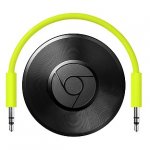
Chromecast Audio is a small media streaming device that plugs into the AUX input of your speaker, making your speaker Wi-Fi enabled. Once set up, simply use your iPhone®, iPad®, Android phone or tablet, Mac or Windows laptop, or Chromebook to cast your favourite music, radio stations and podcasts to any speaker in the house.
mboarder to TiptreeJam
26 Feb 16#57
So a waste of money by the sound of it
dinono10
26 Feb 16#54
I'm using an aukey bluetooth receiver which cost me £10 been excellent tbh however I am tempter to get this but not sure if I need it lol
When I am listening to music I personally hate Bluetooth and that approach to listening as I get a lot of audio ducking for incoming notification alerts, plus incoming calls, can't use my gadget to check my games without that temporary stopping my music and coming out the speaker instead. Funny enough my friend said the same even though I told her you can hear a massive sound quality difference between cca and Bluetooth went to bed other day after listening to the radio on her Bluetooth speaker. Little surprise for the whole house at 5am when here phone alarm went off full volume through the Bluetooth speaker that she had forgotten to unpair.
Needless to say she asked me to get and set up the cca and is now happier using that for music.
She is also liking getting her phone back as used to have to leave it plugged in due to the battery drain of Bluetooth. A right pain when a call comes in and have to go running back to the phone then you answer and are talking through your Bluetooth speaker. But both are useful will use my Bluetooth speaker when camping.
painstick
26 Feb 16#53
Sounds like a good deal. Heat+
BenderRodriguez
26 Feb 162#51
BubaMan
26 Feb 161#50
I've voted hot as it's no cheaper anywhere else but I don't get this device at all... Why would you buy this when you can get a full Android phone for the same money or less (CPW upgrades)?
Bubble UPnP can "render" any audio or video sent from another DLNA device and the phone can do loads more on top (Offline GPS, Dash cam, Nanny cam, Security camera, Intercom, IP / Video Phone, MP3 player (aux / bluetooth), Wifi remote, Wifi mouse / keyboard, Retro Emulator, etc.)
If audio is all you want, a bluetooth reciever is cheaper and is platform-independent.
JohnnyUtah
26 Feb 16#49
****!!!! I checked yesterday to see if Argos had price matched as I have 8% cashback showing on my Nationwide Simply Rewards account but it was still full price.
Reserved 2 yesterday at Currys and picked them up last night as I didn't want to risk them being out of stock.
Oh well ... hardly worth taking them back for £2.40. :neutral_face:
shanzVIP
26 Feb 162#48
Great deal Chichi and congrats on your 1000th deal :sunglasses:
listerdude
26 Feb 166#26
This is a misunderstanding about the way Chromecast works. once you cast a audio stream to your chromecast the device you used to cast from is not sending any more. therefore not eating up your battery like a Bluetooth stream would do. This is why you need to use a Chromecast compatible app or the chrome browser to stream to your Chromecast.
SFconvert to listerdude
26 Feb 162#47
It depends though, if the music is actually stored on your phone or tablet, then it will stream from there if you use one of the many casting apps, so it will drain battery slightly more.
Obviously if you stream via Google play music or similar, the Chromecast will take the stream direct from the internet rather than via your phone.
pawelroz
26 Feb 16#42
Anyone can suggest decent alternative to this one working over Bluetooth?
captainbeaky to pawelroz
26 Feb 161#46
Thanks OP. I had an Argos gift card gathering dust.
Just search for "Bluetooth audio receiver" on Amazon.
I'm sure HUKD are giving you more than just cookies for posting all those deals LoL :wink:
Infinite Element
26 Feb 164#43
I have one and it's great. A few things I've found:
If your stereo is old, you might not have a 3.5mm aux in, but you should have an RCA aux in, or a 3.5mm mic in.
Don't use the mic in, it doesn't play left/right properly, so you'll find things like solo guitar is nearly silent.
If you don't have a 3.5mm aux in, you'll need a "2 RCA male to 1 3.5mm male", which you can buy from fleabay for peanuts.
Turn 'full dynamic range' on in the settings and see if it makes a difference. For me, it sounded noticably better.
Turn 'playback sounds' off if you want to scare people by randomly playing scary music :wink:
hmv4u
26 Feb 16#41
not very clued up on modern technology but could these be used as a cheap sonos i.e music in multiple rooms (with the correct speakers)unlike bluetooth which I think you can only link 1 speaker at a time too your device ?
Chanchi32
26 Feb 1680#1
1,000 deals - it's been nearly a 3 year wait
But the wait is over ...
Need to sleep - bfn
thermomonkey to Chanchi32
26 Feb 163#39
Hmmm, at my current pace I will reach 1000 deals in about the 70th century.
I need to pull my finger out :disappointed:
Late
26 Feb 163#38
It's Chanchi's 1000th deal so it'd be rude not to.
Bought.
Despite not knowing what it is or why I'd need it.
(So glad your 1000th deal wasn't something expensive!)
Congrats on the milestone, mate.
relicpower
26 Feb 16#37
Audio quality on chromecast (wifi) is 10x better than over bluetooth. Bluetooth compression is mediocre.
lidds
26 Feb 16#36
Really trying to find a use for this.... All the speakers in my house are bluetooth. Probs will still end up buying one damn you hukd
herodave
26 Feb 16#35
what are some decent active speaker to use with this? need to be bookshelf size.
mr-mixalot
26 Feb 165#34
1000 deals, man you must have a lot of free time :wink:
jtumble2007
26 Feb 161#33
Bargain thank you!!
taranjs
26 Feb 163#32
that's exactly what I'm thinking..
maccy1
26 Feb 169#31
I may, just may, get one now...still not sure sure what it does, but at this price it's worth finding out :laughing:
...and many congrats on...
deals chichi, here's to the next 1k, well done :smile:
Apogee00
26 Feb 168#30
Chanchi - the retailers worst enemy!
Brilliant :smile:
sag
26 Feb 163#29
Heat added, just ordered from Argos even though I'm not aware I need one, but it is half price!
Darzen
26 Feb 161#28
Cold, free delivery with Currys.
twitwoo
26 Feb 165#27
Big congratulations, chanci and lots of ta's.
Neo-uk
26 Feb 163#22
Isn't this just like having bluetooth enabled speakers though. Instead of bluetooth it's just wi-fi.
aratkin to Neo-uk
26 Feb 162#25
Indeed. I was just about to say that.
They both have their pros and cons. Main differences are that you can take bluetooth out and about and wifi is easier to use and set up between devices as well as having compatibility to a nice range of devices.
mervk
26 Feb 161#24
perfect! thanks
TBC15
26 Feb 16#23
Is this better than the 7 day shop bluetooth thingy?
mxer450
26 Feb 161#21
Who needs Amazon, gotta love Argos, cheers Op :smile:
ohblobbything
26 Feb 161#20
Just a heads-up y'all, passive vs active speakers, i.e. This device won't remove the need for an amp with some (usually older) speakers.
barneyonion
26 Feb 161#19
As mel b would say, hot as ****!! congrats on 1000 posts. thats a crazy milestone! Bought to try it out.
TiptreeJam
26 Feb 166#17
Chromecast Audio is a small media streaming device that plugs into the AUX input of your speaker, making your speaker Wi-Fi enabled. Once set up, simply use your iPhone®, iPad®, Android phone or tablet, Mac or Windows laptop, or Chromebook to cast your favourite music, radio stations and podcasts to any speaker in the house.
- 5% Argos online and instore cashback with Simply Rewards for Nationwide credit and debit cardholders (is a personalised offer so cashback rate may vary)

![Fresh Breakfast Meat Box (Using code) @ Campbells Meat [Haggis / Lorne Sausage / Bacon / Black Pudding & More]](/images/topics/208684_1.jpg)




































![[Xbox One] Q. u. b. e: Director's Cut on Deals with Gold](/images/topics/208716_1.jpg)


















Opening post
For extra savings see comment 2
Free click and collect
************************************************
With ninety days unlimited music free at Google Play -- see comment 172, below.
- sylv
Top comments
But the wait is over ...
Need to sleep - bfn
Latest comments (219)
But it is awesome, just make sure all your MP3s are properly tagged, if you don't want to end up with random folders appearing in the Plex system.
mike
I think it would be fine to have a plex server running on a standalone PC, it doesn't seem to be particular CPU intensive and audio shouldn't be too difficult for it to handle without impacting whatever you're doing on the machine at the time, but worth bearing in mind.
mike
https://www.reddit.com/r/Chromecast/comments/3tizl1/test_windows_cast_your_pc_audioout_to_the/
The Philips streamium was one of the original MP3 streaming devices, offering similar capabilities as Sonos but at a fraction of the price and sounded pretty good, but nothing compared to a full size hifi which I hadn't used for years, until the streamium died. Absolutely none of my bluetooth devices come close to either, but with Plex the Chromecast fits well into my life, so I'm happy.
mike
mike
https://www.google.com/intl/en_uk/chromecast/apps/?utm_source=chromecast.com#?speakers
and if you click on more (at the bottom of the list), it will show lots more!
There is a lot of imformation here. Including how to manually revert the chromecast to its factory defaults, for instance
https://support.google.com/chromecast/topic/6279411?
At the moment, the best option is to run Plex Server to serve the audio and Plex in Chrome to receive it, works well as far as I'm concerned, to be honest Plex is a whole lot better for organising than a raw UPNP server. What I've done is run Twonky and Plex on the same box, to cover all bases, but it's looking like this will potentially replace all other forms of receiving. I was lucky when picking up my reserved player in Argos, I found they had one more left in stock, so snapped that up, I will be interested to see how multi-room works.
It could be a whole lot better in terms of usage, but for £15 what do you expect, at £30 it's closer to competing products, but even then is vastly cheaper. I don't know what stats Google are collecting from it, but I am tempted to leave them playing Renée and Renato or something equally dire, to totally screw up the info :laughing:
mike
Some people are using powered speaker (like the kind you plug into laptops) but a proper amp will sound much better.
Wonder how long the price will last at argos. Could be the last day to fill yer boots!
mike
Couldn't find stock anywhere near my home (Glasgow), but then remembered there was one near work and most people out this way probably still use cassette decks and VHS recorders - so still plenty of stock! :wink:
They checked in multiple ways for the internet and connection to google, only way to stop it is custom firmware which is only available for some versions of the original chromecast, a bit of info here:
http://forum.xda-developers.com/hardware-hacking/chromecast/rom-rcast-chromecast-standalone-media-t3218203
But I am getting some background noise.
Did you guys getting it as well?
As for setup, what a pain in the butt, I tried the Chromecast installer on several windows machines, including sitting in my hallway next to the main wifi router, with the Chromecast audio next to my laptop, laptop running the installer, couldn't see the unit at all. Repeated with another laptop and windows tablet, no joy.
In the end I dug out an old HP Touchpad (remember those in the fire sale, one of my first HUKD deal purchases), I'd already hacked it to Android, installed the app, bingo, it saw the Chromecast and installed straight away. All the windows machines can now see it fine, so that's great. I guess if I'd not had the old tablet, I could have used an Android emulator under windows, certainly that technique works for my Xiaomi camera. Incidentally it performed an update immediately it connected, so maybe Android is the way to go for installation, I don't know if the windows version is capable of performing an update.
In use, it's a bit of a revelation, works great with Plex (on windows only when running in Chrome), which gives me much better access to my music than relying on UPNP/DLNA. Plex UPNP support isn't that great. The only downside is needing Chrome, which I'm not happy with, but needs must, since it will be used with a separate tablet eventually, I can lock it down. Under Android the Plex app works without any need for Chrome (obviously), just got to decide is it worth £3.30, but at least it does give old tablets a new purpose and lease of life.
I've only tested for a day, and so far I'm very pleased it achieves what I wanted and allows me to sort my music collection using Plex, just as I've already got for video, so that's good. Sound quality is at least as good as my Streamium units, even the one that plays via TOS input on my amp, so the DAC in this thing must be reasonably good. I've had no Wifi drop outs or any issues, other than the initial installation.
I'll probably try and set it up to use a totally private wifi connection, I'm not too happy about a £15 device from Google knowing my main wifi password. I'll also try and find out what it's doing when it talks to the Google servers and see if it's possible to spoof that connection and avoid all outside communication.
Now the only decision is do I collect the second one from Argos, is it that good? My biggest concern is the fact it appears to need Google to be there, so if they drop it for any reason, that could be the end, but then £15 to make it easier to get at my music collection in the nearest to Sonos ease of use, it's probably a steal, even if it's only good for a couple of years.
mike
Will the Chromecast work without the internet from cold boot, since most info on the web suggests it calls home initially, then allows local to local comms, but without the initial call home it will fail to work. Various articles I've read suggest it connects to a web page or uses a google DNS service, so I'm thinking of setting up a proxy to spoof these if necessary, although on a reliable cable connection I don't want to rely on an internet connection so I can play my music stored on my NAS two rooms away from my Amp, especially as sods law states the internet would go down at just the wrong moment.
mike
(Or, rather, even if you do direct stream with bubbleupnp in theory it still needs the internet to open up the bubbleupnp app)
The chromecast works at home by attaching to the router as a node, other clients upon the same network can then stream to it as a destination. It does not require internet to work, however it does require a wireless router capable of hosting several clients.
My cars inbuilt Wi-Fi appears to not have routing capabilities and is merely an access point. I tested this by attaching 3 clients to the cars wifi and analysing the network to see if the other clients were visible to each other. They were not hence why the chromecast doesn't work as the phone cannot communicate with it.
Hope that makes sense?
The product works well at home and I proved it doesn't need internet by disconnecting my modem from my router and it continued to work as normal.
The reality is, your car isn't any different to someone who has chosen to rely entirely on mobile broadband at home, I know a couple of people who do and I'm sure they're not the only ones. If Google can't manage what is pretty basic networking, how can we be sure they've covered the more important aspects such as security? If this device has to talk to the internet to work (and I'm not convinced this is true), for a solution that is home network based really shouldn't need the internet, then immediately you have a device that is unnecessarily opening itself up to be hacked, and we know Android's track record on flaws and unpatched security. We are buying nothing much better than a prototype and have to hope support gets better over time, but it certainly doesn't compare well against any out of the box devices, and maybe it doesn't need to, at £15 a pop.
Anyway, I await with mild anticipation of a couple of days spent trying to get it to work with a 10 year old amp, windows phone and windows PC/tablets without Chrome anywhere. Thankfully I don't use multiroom, even though the streamium could manage it, I probably only used it once, even the "follow me" function where you could get it to move music from one room to another, as you moved, wasn't used that much.
thanks and congrats to OP
I guess your a Sonos fanboy?
The fact that this is a pain and requires effort just shows that this device, although impressive for what it costs, is pretty rough around the edges and isn't going to be competition for Sonos, for the "plug it in and go", market.
mike
hi Deeky ^^
if you phone currys up they will refund your £1
If it would that would be awesome. I'd then use my spare iPhone to tether and use instead of this FM transmitter.
BTW why do people have multi-room devices? Does multi room entail the same music in different rooms or different streams?
Few bugs with that program, such as sometimes plays through the computer speakers as well as the chromecast. Also very delayed.
But not bad.
Thanks I'll check it out.
"I currently use my Chromecast Audio in my car and it works fantastic. The sound quality is superior to any Bluetooth solution I've come across.
I could not find a way in a short period of time to configure the CCA using the same phone that was hosting the network. I got around this by creating the SSID I wanted the CCA to connect to on my home network and joined my phone to it as well. The Chromecast app didn't have any problems with this and allowed me to set it up. Once I was done, I disabled the SSID on my home network and setup my phone with the exact same SSID and password for its hotspot. The CCA connects to it and it and it works like any other Chromecast."
mike
I was planning on replacing my aux cable completely.
For windows, it only works with sound played in chrome. So any iTunes, Spotify etc doesn't work. Back to aux when you want that.
Better on android phone as you can mirror all sounds to the device. However, when using it destroys any other Internet apps you would like to use, such as browsing the web.
Also. The Chromecast has to be a good distance from the router, not tucked behind somewhere - otherwise you get music that breaks up. Finally, the delay between the device and sound. The video will not match the output sound.
Personally, a bluetooth version would have been better for me. Don't buy this. Wait for version two.
Was a lot of hassle setting up too for some reason.
Sorry old bean, but you have missed the point of these amazing devices. Yes on a Windows PC they do only work in the Chrome browser (it is a Chromecast branded device).
They absolutely fly when on an Apple or Android device when you have the Chromecast App installed from the respective device App Stores. In terms of better off with Bluetooth, again you kind of miss the point on these devices. The Chromecast devices themselves connect to the internet directly (vs. using the phone to transmit) to stream music, whereas a mobile phone / tablet or PC if connecting to a Bluetooth speaker sends the sound from that specific device to the speaker (a) this drains the device battery if a phone, b) the sound quality is rubbish compared to a dedicated audio stream, and c) if say the phone rings the speaker is interupted with the ringing and conversation of the call (not good if having a party!).
You can also group multiple chromecast audio's together to create a multiroom system (like Sonos), you cannot do this with a standalone Bluetooth speaker). Add to all this that you can do all these things for £15, then this little bad boy is a real deal changer.
You also said that you in Apple / Android you "mirrored" the sound crippling other apps / and the device performance. Did you installl the Chromecast specifc App?
Sorry but, I have 5 of these connected to all shapes and sizes of speakers / AV amps and the like and they are awesome.
A small limitations. Apple and Amazon refuse to embrace anything Google so do not expect their apps to work with this (yet). Apple want you to but a bit of kit that is 4x the price and 8x less open / functional. Amazon refuse to accept that anything outside the "Amazon Fire" range exists, and even block the sale of these as an anti-competitive measure (shame on you Amazon).
There are still decent open audio streaming apps and providers that do work e.g. Spotify, Soundloud, BBC iPlayer Radio, TuneInRadio etc. etc. Also Google Play Music works a dream.
In my opinion this device is da bomb in streaming / multi room, and allowing easy connectivity for people with existing speakers / AV Amps and the like kicking about.
For what it's worth, you can put your phone into tethering mode if your mobile provider gives you that and have it use your phone as a WiFi access point.
Thanks OP - fantastic deal and well worthy of your 1,000 milestone!
Do I need to have one Chromecast audio per speaker? I have two old type speakers in my lounge so how many do I buy?
Thanks!
currys.ie product page:http://www.currys.ie/Product/google-chromecst-audio/334803/397.3.1
I have sonos in the bedroom/kitchen etc but refuse to spend £200 for the sonos connect to get the same music sync'd to the living room existing system.
ive got plenty of BT speakers and no need for multi room so not biting at this deal, though very tempted, just because its tech and I love new tech, especially the affordable kind :laughing:
Heat for the price though as its heck of a deal :smiley:
You have a speaker/hifi system without bluetooth and you want to connect to it wirelessly.
You want to stream music to a speaker but your bluetooth range is not good enough (for example you're in the garden and you want to keep you phone indoors but the signal keeps breaking up).
You want the improved audio quality of the chromecast vs bluetooth.
Your speaker has a poor battery and you want to save power by using the aux instead of the bluetooth.
You have issues with message beeps/whatsapp ect interrupting your music.
You probably don't need one:
For "improved" sound quality. The majority of bluetooth speaker users will notice no difference in audio quality as most bluetooth speaks are not hifi enough and many streams only come in low quality from places like Tunein or Audible. For example the aux and bluetooth inputs on my £100 Sony speaker both sound near identical to me (and I have an audio engineering degree).
If you are happy to connect your phone/device to the speaker/hifi with a cheap mini jack cable.
If your favourite apps are not Chromecast compatible.
If you have issues with your wifi being congested/slow/unreliable.
If you want to stream to your car. The Chromecast uses wifi and a bluetooth dongle would be more appropriate in this situation.
You don’t have to actively stay connected when you want to use it or, actively disconnect from it when you don’t (i.e incoming phone call etc)
There are no range considerations in relation to your connected phone / tablet / laptop once music starts playing.
There is no annoying “pairing” process for new devices. The Chromecast app is associated with your Google account, so all your devices just work with it.
The limits on audio quality are essentially down to the DAC hardware inside the Chromecast, not the data stream, since Wi-Fi offers huge bandwidth compared to Bluetooth - there’s no need for compression or wrappers.....that is a huge plus, better audio quality.
There is essentially no battery drain on your phone unless you are doing direct audio casting, and even then, it’s minimal.
No one can “hijack” your Chromecast without your authorization - they need access to your secure PIN, which you can change at any time.
Your end device DAC is basically irrelevant in terms of the audio quality, since the Chromecast is the one handling the data connection and playback.
Therefore normally that gives me two options....connecting my phone to it via a 3.5mm jack to jack and playing music that way, or for wire free convenience I thought about buying for about £6-7 a 3.5mm bluetooth receiver and sending music to it that way, either locally stored on devices or via apps streaming from my NAS.
Until I read about this, your not even tying up your device and putting any battery drain on it other than for control functioning.
Instead, with one of these I can stream music from my NAS drive, utilising my PC/tablet/Phone as effectively a screen remote control, the chromecast would do the rest. Considering currently this costs just over double the price of a rechargeable bluetooth 3.5mm dongle it is a bargain.
Even more of a bargain for anyone with a smart phone/tablet and an older AV Receiver that does not have network support for audio. Simply utilise the optical output and turn it into one...or for that matter even an old amplifier that has 2 RCA L/R inputs on a source, a stereo 3.5mm to L/R RCA cable and you are good to go.
It leaves you with enough money for a couple of years streaming service as well.
can i use poweramp and stream from that app on must be a google app to play music?
In theory both are receivers could someone write an app which connects to both as standard?
I just use airplay to my android box, connected to the speaker system with a digital cable, which cost about £19 in total plus has the benefit of Kodi.
"Google Chromecast Audio. 497/9144 Was £30.00 £15.00 HALF PRICE"
So you can flog all the over priced Sonos kit, while it is still worth something and do the same thing for £15! :wink:
Your lucky.. that is nearly as long as you would wait for a new hip on the NHS! :smile:
>>>>>
But seriously Chanci.. well done!!!
poooop
Wireless does give you some freedoms though :smiley:
THANK
YOU
:man:
Or you could get a bluetooth audio receiver.
There's also range which can be a limiter for bluetooth so I acknowledge that it has it's drawbacks but if you're paying £15 for an audio rendering device, why not get a phone?
I'm not saying that you should use it as a receiver and a retro gaming device, etc, I'm just saying that you can do loads of stuff with a cheap handset that people would normally pay more for when getting a dedicated device.
If you change your mind about the audio receiver or get something better, you can always re-purpose the cheap phone but not the CCA.
Needless to say she asked me to get and set up the cca and is now happier using that for music.
She is also liking getting her phone back as used to have to leave it plugged in due to the battery drain of Bluetooth. A right pain when a call comes in and have to go running back to the phone then you answer and are talking through your Bluetooth speaker. But both are useful will use my Bluetooth speaker when camping.
Bubble UPnP can "render" any audio or video sent from another DLNA device and the phone can do loads more on top (Offline GPS, Dash cam, Nanny cam, Security camera, Intercom, IP / Video Phone, MP3 player (aux / bluetooth), Wifi remote, Wifi mouse / keyboard, Retro Emulator, etc.)
If audio is all you want, a bluetooth reciever is cheaper and is platform-independent.
Reserved 2 yesterday at Currys and picked them up last night as I didn't want to risk them being out of stock.
Oh well ... hardly worth taking them back for £2.40. :neutral_face:
Obviously if you stream via Google play music or similar, the Chromecast will take the stream direct from the internet rather than via your phone.
Just search for "Bluetooth audio receiver" on Amazon.
If your stereo is old, you might not have a 3.5mm aux in, but you should have an RCA aux in, or a 3.5mm mic in.
Don't use the mic in, it doesn't play left/right properly, so you'll find things like solo guitar is nearly silent.
If you don't have a 3.5mm aux in, you'll need a "2 RCA male to 1 3.5mm male", which you can buy from fleabay for peanuts.
Turn 'full dynamic range' on in the settings and see if it makes a difference. For me, it sounded noticably better.
Turn 'playback sounds' off if you want to scare people by randomly playing scary music :wink:
But the wait is over ...
Need to sleep - bfn
I need to pull my finger out :disappointed:
Bought.
Despite not knowing what it is or why I'd need it.
(So glad your 1000th deal wasn't something expensive!)
Congrats on the milestone, mate.
...and many congrats on...
deals chichi, here's to the next 1k, well done :smile:
Brilliant :smile:
They both have their pros and cons. Main differences are that you can take bluetooth out and about and wifi is easier to use and set up between devices as well as having compatibility to a nice range of devices.
Congrats and thank you! Another Chanchi deal that I'll part with cash on....
Ordered from Curries today (deal link), but have a backlog of Amex purchased Argos vouchers to use....so think I'll go for a multiroom setup now!
- Quidco instore cashback of 2% - just register your card and activate the offer
https://www.quidco.com/quidco-high-street/retailers/
- 5% Argos online and instore cashback with Simply Rewards for Nationwide credit and debit cardholders (is a personalised offer so cashback rate may vary)
https://nationwide.visaoffers.eu/portal/edo/offerDetails/2192