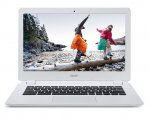
Chromebooks are great (I wouldn't be without mine) - Looks like a good deal to me!
All comments (39)
happymanuk
1 Jan 165#1
Chromebooks are great (I wouldn't be without mine) - Looks like a good deal to me!
benjammin316 to happymanuk
1 Jan 162#2
Definitely agree!
I only turn on my windows laptop now to download things.
7-8hr battery life, silent, fast, super quick boot. The only compromise is the screen isn't as good as I would like. Would love a FHD screen on one.
Heat added
cymru1978 to happymanuk
1 Jan 16#5
same here. The windows laptop is generally only used for printing and photo editing, although there is some free software compatible with the chromebook for that purpose.
fishmaster
1 Jan 162#3
I put Ubuntu 15.10 on a HP Chromebook 14 a couple days ago. Worked extremely well, was very brisk and I even got Skype working. It naturally dual booted with ChromeOS. The only issues were a non functioning trackpad, which with a bit of scripting and more time I'm sure I'd get it working, and the boot up time is considerably longer due to waiting for the OS verification screen to be dismissed.
scallygally
1 Jan 16#4
Brilliant chromebooks are.
Garstonk
1 Jan 16#6
I agree, Chromebooks are good. Performance on this won't be particularly strong with Tegra K1 processor, battery life will though.
rolo28
1 Jan 161#7
+1 nice bit of kit -my kids both have one. Simple to use and fast with google docs and print via cloud print
cymru1978 to rolo28
2 Jan 16#25
do you manage to print over WiFi with a 'standard' printer? I've never been able to get my printer to connect
Banzibarn123
1 Jan 16#8
Love my Chromebook. Looking for a 1080p upgrade though.
siksik6 to Banzibarn123
1 Jan 161#9
The new Dells are 1080p. Not cheap though.
*Sloman*
1 Jan 161#10
Toshiba have a chromebook with 1080p for cheap
BkzBiz
1 Jan 16#11
I bought this one from John Lewis for £199.00 it was open box offer. Is this better from Acer?
The Toshiba is very well regarded and has a beautiful full HD IPS screen. Picked up an ex-demo unit on ebay for £179.99, still a few left.
DonDraper
1 Jan 16#13
Another vote here for the Toshiba chromebook. I was originally dismissive, but the chromebook's light weight, long battery life and instant on /off make them far more usable than a lower priced windows laptop - or a larger tablet for that matter.
The screen is excellent but the CPU is a bit naff on the Toshiba. Slower than my C720. Toshiba have an updated version out in the states, but haven't released it here yet.
addyb
1 Jan 16#16
It's not naff it's perfectly capable for chrome OS.
siksik6 to addyb
1 Jan 161#17
It's noticeably worse than the C720 with a couple of tabs open. I had them both side by side, and returned it for that reason.
I'd definitely by one with an updated CPU though as the screen is superb.
DJW12 to addyb
1 Jan 16#19
The Toshiba's processor is decent for most things, but can sometimes struggle a little on more CPU/GPU intensive sites like Google Maps or agar.io. Scrolling isn't always completely smooth on some heavier sites either.
The Tegra K1 processor in this Acer is actually a bit better though, so I wouldn't worry about performance if you're thinking of buying one
Anyone recommend a word processing app that is compatible with MS Word files that can be used fully offline? Really want to use it for word processing, but be able to transfer files over to windows office if need be. Cheers.
JohnBUK to RebTheRebel
1 Jan 161#22
Google Docs will do that and you can run them offline as well.
cliffio76
1 Jan 16#21
Shame it's the 2gb version. Use a modded US i3 Acer c720 and modded my daughter's 2013 (pre-tegra) HP14 both with necessary 4gb RAM and with varying versions of Linux (Xubuntu & ElementaryOS). Love the price for power and versatility of these CBs. Would never own a window laptop/tower again.
Heat added for being CB
EazyDuz
2 Jan 16#23
I have the HP 14 chromebook, got it new for £120 a year ago and its as fast as the day i got it. Never had a single issue with it. Blows Windows out the water
i always find that when I convert a Google doc to office, the template changes and it looks nothing like when I've made
cymru1978
2 Jan 161#27
By the way, if anyone needs to do photo editing on a Chromebook, have a look at Polarr. I use this if I need to get photos sent off somewhere quickly (such as a newspaper during half time at the football)
stingebag
2 Jan 16#28
yea you need to connect the standard printer to a computer/laptop then set up Google print then you can print all you like from your Chromebook or android phone! BOOM! wireless printing using a standard printer!
JohnBUK
2 Jan 16#29
I think that depends on the complexity of the template, I've not had a problem at all in that respect but my documents are pretty standard. I suggest if anyone needs complex formatting and has to have MS Word (one can undertake complex Google Docs as well) then perhaps the web-based MS Office package would be an answer which you can run via a chromebook although not off-line perhaps.
JohnBUK
2 Jan 16#30
I think that depends on the complexity of the template, I've not had a problem at all in that respect but my documents are pretty standard. I suggest if anyone needs complex formatting and has to have MS Word (one can undertake complex Google Docs as well) then perhaps the web-based MS Office package would be an answer which you can run via a chromebook although not off-line perhaps. Agree with "stingebag's" reply unless you have an HP printer. I have an old HP Deskjet 3050 and HP have produced an App - HP Print for Chrome- which will print via the wireless network (it also scans). A list of HP printers and their printing method for chromebooks is here - http://support.hp.com/us-en/document/c03722645 .
cymru1978
2 Jan 16#31
I'll have to give it another go. As I say, I never did get mine working for some reason.
cymru1978
2 Jan 16#32
My printer is an Epson Stylus something or other (I'm too lazy to walk in to the back room to have a look!)
cymru1978
2 Jan 16#33
I used my windows laptop to put my printer to google cloud and I can see it at google/cloudprint
But, on my Chromebook it won't print anything because it says my printer is offline and it then queues my request.
Printer is definitely online.
JohnBUK
2 Jan 16#34
I think you mentioned you have an Epson Stylus - here is an Epson support page https://www.epson.com/cgi-bin/Store/support/supDetail.jsp?oid=194088&infoType=FAQs that might help you. The issue is to decide if you have what Google calls a printer that supports "Google Cloud Print" or what they describe as a "classic" printer ie one that doesn't.
huangxq2
2 Jan 16#35
I think the Toshiba FHD Chromebook is a better choice.
stingebag
3 Jan 16#36
I set it up previously with a epson stylus standard printer and it printed fine, you need your computer, printer to be on and connected together whenever you want to print and google cloud print enabled on it. It should then print fine. I find it a bit pointless as you can just go to your computer while its on and print from there as your printer is connected to it anyway!
JohnBUK
3 Jan 161#37
Yes, unfortunately you need to keep the printer and your Windows computer on all the time to maintain the connection. Should either be switched off and on again then it will need to be "coupled" again.
Depending on how much printing you do you might consider an option I used to use before the App arrived. I have an Android smartphone (an old Moto G) and had bought Printhand App to enable it (and my tablet) to print. So when I wanted to print from my chromebook I would go to "Print" in the usual way but choose the "Save to PDF" option and saved it to my Google Drive. I then fired up the Printhand App on my phone, choose the file saved on G.Drive and print that way! It avoids having other computers on as most people keep their phones on anyway. There is an Epson Print App on Google Play which you might wish to try first to see if it's compatible. I guess there may be an IOS version if you have an iPhone.
cymru1978
4 Jan 16#38
Ahhh, that'll explain why I couldn't print anything. Thanks for the help.

![Fresh Breakfast Meat Box (Using code) @ Campbells Meat [Haggis / Lorne Sausage / Bacon / Black Pudding & More]](/images/topics/208684_1.jpg)




































![[Xbox One] Q. u. b. e: Director's Cut on Deals with Gold](/images/topics/208716_1.jpg)


















Opening post
Top comments
All comments (39)
I only turn on my windows laptop now to download things.
7-8hr battery life, silent, fast, super quick boot. The only compromise is the screen isn't as good as I would like. Would love a FHD screen on one.
Heat added
http://m.johnlewis.com/mt/www.johnlewis.com/toshiba-cb30-b-104-chromebook-intel-celeron-4gb-ram-16gb-ssd-13-3-full-hd-silver/p1841467#page_loaded
I'd definitely by one with an updated CPU though as the screen is superb.
The Tegra K1 processor in this Acer is actually a bit better though, so I wouldn't worry about performance if you're thinking of buying one
Heat added for being CB
Agree with "stingebag's" reply unless you have an HP printer. I have an old HP Deskjet 3050 and HP have produced an App - HP Print for Chrome- which will print via the wireless network (it also scans). A list of HP printers and their printing method for chromebooks is here - http://support.hp.com/us-en/document/c03722645 .
But, on my Chromebook it won't print anything because it says my printer is offline and it then queues my request.
Printer is definitely online.
Depending on how much printing you do you might consider an option I used to use before the App arrived. I have an Android smartphone (an old Moto G) and had bought Printhand App to enable it (and my tablet) to print. So when I wanted to print from my chromebook I would go to "Print" in the usual way but choose the "Save to PDF" option and saved it to my Google Drive. I then fired up the Printhand App on my phone, choose the file saved on G.Drive and print that way! It avoids having other computers on as most people keep their phones on anyway. There is an Epson Print App on Google Play which you might wish to try first to see if it's compatible. I guess there may be an IOS version if you have an iPhone.