More features, support for more GPU's, better audio, better quality, possibly better power delivery for better overclocking, more ports (USB, SATA, etc).
All the above might not be important to you though, so buy the one that fits into your setup, at the best price.
xela333
3 Dec 15#15
As above, depends on your needs. If your building to a budget and don't care for multiple graphics cards and overclocking, you can get something suitable for under £40.
alifff
3 Dec 15#16
hi guys, can I get a motherboard recommendation for this pc build to be completed? I am not going to be doing a lot of modifications.
Thanks
alifff
3 Dec 15#17
also which version of gtx 970 should i get?
Spark to alifff
3 Dec 15#18
Whichever you can get a good deal on except a reference model.
Kulaak
4 Dec 15#19
Point taken. Not an avid gamer myself so wasn't aware of that.
amkhan
4 Dec 15#20
I avoid killer network stuff. Drivers very poor for the embeded E2100 in my G1 Sniper 2 (gigabyte), caused countless blue screens in w7 and w10 even. Plopped in an intel card, no more issues.
Thats why i wont buy a "gaming" motherboard anymore with this crap in it, go mainstream. It doesnt really make any difference and its just marketing BS.
K13OllieD
4 Dec 15#21
gaming motherboards can be good just dont rely on gimmicky add-ons Like killer network cards after all it's just a crap nic with pre-configured qos tailored for gaming. my Asus maximus gene-z gen3 has been solid for years
hosting a i5-2500k @ 4.5ghz. only time I got any issues with bluescreens was when setting up the oc and not having a high enough vcore to keep the overclock stable. now it's setup although a little higher than I would like its rock solid.

![Fresh Breakfast Meat Box (Using code) @ Campbells Meat [Haggis / Lorne Sausage / Bacon / Black Pudding & More]](/images/topics/208684_1.jpg)




































![[Xbox One] Q. u. b. e: Director's Cut on Deals with Gold](/images/topics/208716_1.jpg)


















Opening post
Comes with a free 120GB Kingston V300 SSD.
Top comments
All comments (21)
-edit- wasn't there some other comments here just now? *confused*
And, the V300 SSD is absolute crap. No wonder it's being given for free
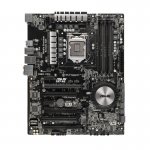
The Asus doesn't have the killer 2000 gaming chip tho'.
Translation: Killer 2000 is crap with crap driver support.
All the above might not be important to you though, so buy the one that fits into your setup, at the best price.
As above, depends on your needs. If your building to a budget and don't care for multiple graphics cards and overclocking, you can get something suitable for under £40.
Thanks
Thats why i wont buy a "gaming" motherboard anymore with this crap in it, go mainstream. It doesnt really make any difference and its just marketing BS.
hosting a i5-2500k @ 4.5ghz. only time I got any issues with bluescreens was when setting up the oc and not having a high enough vcore to keep the overclock stable. now it's setup although a little higher than I would like its rock solid.