Probably not the best screen but 4GB for under £150. 2 available at the moment but seem to keep reappearing when sold out if you keep checking back.
CPU, Memory and Operating System:
•Intel Celeron N2830 dual core processor.
•2.16GHz processor speed.
•4GB RAM.
•16GB solid state hard drive.
•Google Chrome OS.
Display features:
•11.6 inch screen.
•High definition display.
•Resolution 1366 x 768 pixels.
DVD optical drives:
Graphics:
•Shared graphics card.
Interfaces and connectivity:
•2 USB 2.0 ports.
•1 HDMI port.
•Bluetooth.
•Wi-Fi enabled.
Multimedia features:
•HD webcam.
•Built-in mic.
General features:
•Up to 8 hours battery life.
•Size H1.79, W29.5, D21.2cm.
•Weight 1.3kg.
•EAN: 889233004678
ck.
Latest comments (23)
Hemena
27 Oct 15#13
Used thinkpads are better value
mikerj to Hemena
10 Dec 15#23
If you need the power of a proper laptop and don't mind the weight and battery life then I fully agree. If you want something small, light weight and with 8 hour battery life and primarily for web browsing then this is a better fit.
OldITGuy
4 Nov 151#22
You can't really compare Chromebooks with laptops. One requires no maintenance, starts within 7 seconds, is immune to viruses, stores everything on the cloud, is always up to date. And the other one just isn't.
Picard123
28 Oct 15#21
I'm no expert on this - have a Google - but I suspect not as ChromeOS is a Google's version of Chromium and there's no obvious way of downloading it.
ChampionshipManager
26 Oct 15#10
1366 x 768
Rickardo to ChampionshipManager
27 Oct 152#11
= 1,049,088
adamspencer95 to ChampionshipManager
27 Oct 15#20
£149.99
SFconvert
27 Oct 15#19
I'm not recommending Windows over ChromeOs as such (I've never used ChromeOS anyway), but the fact that for £10 less I got something of better spec (ie 500gb hard drive and touch screen). I'm no expert but could you just put Chrome OS on a windows notebook, or is that a non starter, serious question btw.
krooger
27 Oct 15#18
LOL
janner43
27 Oct 151#16
Oh & to those posters suggesting Windows devices - many of us buy Chromebooks just because they are NOT powered by Windows!!
Picard123 to janner43
27 Oct 151#17
Exactly. ChromeOS is so fast and snappy compared to Windows. I have a Chromebook and two Windows laptops and other than for work related Windows stuff or some occasional gaming / premier pro work, I pick up the Chromebook every time for internet stuff.
janner43
27 Oct 15#15
Good price, good hardware, sad about the screen, but I'd agree about the Tosh CB2 - thats the one to get if budget isn't an option.
SFconvert
27 Oct 15#14
I bought the Toshiba windows nbt10a from argos eBay for £140 last week, has 500gb HDD and upgrades to win 10 (eventually), pretty pleased with it now, has touch screen too. I'd say that is better than this.
shoobirdy
27 Oct 15#12
I use a Komputerbay 128gb SD card in my HP Chromebook 14 for storage (along with the 128gb ngff drive I upgraded) that I bought from amazon for ~£27ish. Never had an issue with it and performance wise had no issues (never benchmarked it though).
The only thing that I dislike about is the screen although I perhaps don't find it as poor as some others might as my windows machine is a 1366x768 screen also. I actually had to replace my Chromebook screen after my little girl trod on it and I swear the replacement's better that the original.
Personally if I was to buy again I'd go for the Toshiba Chromebook 2 as well like Nexusfifth said although that price obviously isn't as throwaway as this is.
Nexusfifth
26 Oct 15#9
Or get one of those 128GB sd cards (or even 64GB, currently 12£ a quality one on Amazon) for 35£ or a bit less.
About this machine, I believe it will be the most usable for a user looking at this form factor and at this price.
If you can spare an extra 90£ I would go for the Toshiba Chromebook 2 from John Lewis or Amazon, or wait a while as this Toshiba will have clearances soon due to a new model coming in. It gives you a much much better screen and same weight for a 13.3" screen size and a couple of other minor improvements. That said this is a decent device.
gorgo2015
26 Oct 15#2
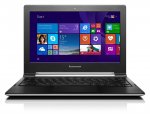
The picture shows Windows 8, not ChromeOS.
Picard123 to gorgo2015
26 Oct 15#8
Argos have just used the wrong photos in the listing. The N20 is a Chromebook.

![Fresh Breakfast Meat Box (Using code) @ Campbells Meat [Haggis / Lorne Sausage / Bacon / Black Pudding & More]](/images/topics/208684_1.jpg)




































![[Xbox One] Q. u. b. e: Director's Cut on Deals with Gold](/images/topics/208716_1.jpg)


















Opening post
CPU, Memory and Operating System:
•Intel Celeron N2830 dual core processor.
•2.16GHz processor speed.
•4GB RAM.
•16GB solid state hard drive.
•Google Chrome OS.
Display features:
•11.6 inch screen.
•High definition display.
•Resolution 1366 x 768 pixels.
DVD optical drives:
Graphics:
•Shared graphics card.
Interfaces and connectivity:
•2 USB 2.0 ports.
•1 HDMI port.
•Bluetooth.
•Wi-Fi enabled.
Multimedia features:
•HD webcam.
•Built-in mic.
General features:
•Up to 8 hours battery life.
•Size H1.79, W29.5, D21.2cm.
•Weight 1.3kg.
•EAN: 889233004678
ck.
Latest comments (23)
The only thing that I dislike about is the screen although I perhaps don't find it as poor as some others might as my windows machine is a 1366x768 screen also. I actually had to replace my Chromebook screen after my little girl trod on it and I swear the replacement's better that the original.
Personally if I was to buy again I'd go for the Toshiba Chromebook 2 as well like Nexusfifth said although that price obviously isn't as throwaway as this is.
About this machine, I believe it will be the most usable for a user looking at this form factor and at this price.
If you can spare an extra 90£ I would go for the Toshiba Chromebook 2 from John Lewis or Amazon, or wait a while as this Toshiba will have clearances soon due to a new model coming in. It gives you a much much better screen and same weight for a 13.3" screen size and a couple of other minor improvements. That said this is a decent device.
Argos have just used the wrong photos in the listing. The N20 is a Chromebook.