This phone goes on sale on PAYG for £99.99 inc £10 top up on 4th september or £81.99 in store if you are a virgin media customer. You can get it on contract from £13/month for virgin media customers (£18/month for non-virgin customers) on a 24 month contract too. Click on the link and then the zte checkbox on the left hand side, the zte blade v will appear there on 4th september.
This is easily the best spec for a phone available at £99.99 from the uk. The samsung galaxy ace 3 and sony experia m cost way more than this, huewei's phones of similar spec cost a lot more too.
The phone is locked to virgin sim cards, the only way to unlock the phone at this time is to pay virgin £15.32. the £10 payg credit can be used to put towards this cost, resulting in you paying just £5.32.
Specs:
Android 4.1.2
1.2GHz Qualcomm 200 (MSM8225Q) Quad-Core CortexA5 chip with Adreno 203 GPU
1GB RAM
4GB storage (2gb user accessible)
Micro SD card slot (supports upto 32gb)
4" 800x480 IPS Capacitive screen
5 megapixel rear camera with auto focus & flash
VGA Front camera
1800 mAh battery
Bluetooth 4.0
A2DP1.2
802.11n wireless
GPS
FM Radio
Mobile standards: HSDPA (7.2Mbps) /HSPA/HSPA+/UMTS/GSM/GPRS/EDGE
Audio codec support: MP3, AAC, AAC+, MIDI, AMR-NB, Ogg Vorbis, PCM/WAV
Video codec support: MPEG4, H.263, H.264
130 grams
Dimensions: 126x64x10.9mm
Top ups are in £5 minimum increments so ask the phone advisor nicely if they can credit you the 32p needed to unlock. they did for me but if you demand it they could insist you buy another £5 to cover it
- mrwhitelabel
Top comments
hajj_3 to revzman
1 Sep 13246#5
You are correct it isn't as good as the £500 Samsung galaxy s4, thank you for pointing this out.
MadeDixonsCry to revzman
1 Sep 13144#9
Besford to revzman
2 Sep 1331#15
Genius - comment of the day! :laughing:
revzman
1 Sep 1328#4
Not as good as some of the more expensive phones IMO.
Part of the reason the Blade Q is not getting heat is that its not showing on the mobiles thread, it seems hidden, I've added a comment and it does not show in the mobile discussion tab...
BananaBread
19 Jan 14#1068
Thanks for your reply. I already have an 8" tablet, but it's too heavy to carry/hold for the amount of time I spend online. I put a live wallpaper on my Y300 (Rays of Light, it's free & looks really cool) however, it has become very laggy. I got it just after Christmas, and only have Twitter & Facebook installed, but it takes a good minute or two after booting to display the icons of all my apps & is generally very stuttery. I guess a 1GM RAM phone will help with that, but given that the Blade Q Mini is £40 less than the Blade V & has an A7 chip with a slightly higher clock speed than the Blade V's A5, I wondered if it might be better/just as good.
"To cut things short, we were a little disappointed. There was none of the nip, buzz or kapow that we have become used to with quad-core chips.
The quad-core chip kept things moving along nicely, but there is no way that it comes close to those that populate the flagship phones. Honestly? We'd rather have seen a larger dual-core chip.
It's a decent enough cheap handset, but despite the quad-core processor it felt underpowered."
So, again, I wonder if the newer A7 chip would address the issues inherent with the A5 chip.
The Blade Q Mini thread doesn't seem to have generated much heat yet, so I wondered if people had more technical know-how than I do, and perhaps if that was why.
mboarder
19 Jan 14#1067
e
The question is what do you need the power for? If you want multimedia then most smartphones will have enough power to handle video playback etc, but my advice would be to use a tablet for an all in one device and buy a cheap phone for the sole purpose of a phone.
BananaBread
19 Jan 14#1066
I still haven't had much luck getting a replacement/refund from the Virgin Media store for my faulty Blade V, although I did give up for a while to concentrate on a few other important things (Learnt to drive in two months & passed my test :smile::stuck_out_tongue:)
Now that this Blade Q Mini has come out & also has 1GB of RAM: ZTE Blade Q Mini 4" £59.99 I'm not sure whether it would be better to sell my Blade V on eBay (the most I've seen the locked ones go for, going by the completed listings is around £75) so I'd still have a bit of money left over.
The design of the Blade Q Mini looks better, cos the front is all in one, as opposed to the "bottom lip" of the Blade V underneath the three navigation touch buttons. Plus, it's over 1 mm thinner; the V seemed very chunky compared to my G300.
However, I don't know much about chips; can anyone tell me how the dual core 1.3 GHz A7 of the Blade Q Mini would compare to the quad core 1.2 GHz A5 of the Blade V? I know the A7 is meant to be more power efficient, but I'm wondering in terms of speed?
Many thanks.
targetbsp
7 Nov 13#1065
If you came from the blade 1 with its budget physical navigation buttons - that's easily done. But almost all phones have touch sensitive navigation buttons so its something you'll have to get used to not doing. :smiley: Or perhaps you'll find a different keyboard more to your liking? Like in Swype for instance you never need to sue the space bar - its automatic. Especially if your current keyboard is freezing up.
galego
6 Nov 13#1064
months on and still no silicon case?
I'm starting to get jerkiness once in a while. like I'll be texting and the thing will freeze for a few seconds in the middle of a word. Anything to be done? wipe the whole thing and start again?
I must have fat fingers; so many times I'll be typing, aim for the space bar, and hit the home button, taking me out of whatever program it was. annoying
RustySpoons
5 Nov 13#1063
Hopefully may get an alternative network unlock to Virgin, I have offered my phone for sale to GSM-Forum so they can work on unlock
RustySpoons
4 Nov 13#1062
I would advise anyone that has issues with this handset or Virgin Mobile to post on their Facebook page, this is what helped towards my resolution.
targetbsp
3 Nov 131#1061
Me too but your experiences with their CS doesn't fill me with hope!
TimDE
3 Nov 13#1060
I was offered a million platitudes by Virgin customer services - anything but a replacement. I wonder if the stores operate as private franchises so they can't tell the store to replace a 14+ days old mobile. Unipart, their service people, lost my battery and it took three weeks to resolve. Tho it *seems* like they did fix the intermittent media sound issue, we'll see.
I'd have hoped they would honour the payment for the previous unlock code on a new device?
RustySpoons
2 Nov 13#1059
Was sent off for repair, they sent it back with prox sensor still not working and damage to the casing, sent it back again, came back with same fault again! In the end they said they will replace it.
RustySpoons
1 Nov 13#1056
Finally got mine replaced by VM, nice shiny new one arrived in a sealed box. Need an unlocking solution other than VM's £15.
So these are back in stock :smiley:
targetbsp to RustySpoons
2 Nov 13#1057
That is the problem if you need to get one replaced. The £15 unlock code being tied to the IMEI. :disappointed:
BananaBread to RustySpoons
2 Nov 13#1058
How come you needed a replacement? I'm hoping they replace my faulty one, even though it's been longer than 14 days.
You can choose from a variety of presets (I like oled dim) or configure it yourself.
paulw66
30 Oct 13#1048
I keep getting the message that I dont have enough storage to do a Facebook update.
I have got a 32 GB SD card attached which most of my Apps are saved on. Some of the Apps appear non transferable. Is there a solution to this?
dt_matthews to paulw66
30 Oct 13#1050
if you root you can install link2sd (other similar apps available) which allow you to move any app to sd (since they are moved to an extended partition on the sd so are unaffeected if you mount the sdcard via usb)
targetbsp
30 Oct 131#1049
If you have root, install terminal emulator from the play store then enter the following two commands
su
pm set-install-location 2
then you can move anything to sd card. Don't move your launcher, keyboard or any apps whose widgets you use.
Also, whether you have root or not, for any inbuilt apps you don't use, uninstall their updates from the market, and freeze or disable them so they don't update again. You can disable them from settings -> apps -> manage apps. Scroll along to the far right, select the app and hit disable.
mrwhitelabel
30 Oct 13#1047
Was getting sync error in the settingsi use gmail, and it wasn't pushing through emails, and diary across devices, worked sporadically yesterday though
Just comparing to all other phones I've had where blue means synced to servers, if I switch to mobile data this does goes blue which confused me.
targetbsp
29 Oct 13#1046
My wifi logo is grey but I would have almost certainly disabled anything that would be auto syncing anyway so I'm not sure that's a good indicator. I don't really use any of googles apps other than the play store. What specifically isn't syncing for you? Perhaps I can have a play around.
[edit]
I've just tested and my contacts are certainly syncing despite the grey wifi logo (and mobile data is disabled)
mrwhitelabel
29 Oct 13#1045
Have done a system reset and now can access play. Will root again and check. (ETA it didnt lose root when i did a factory reset)
Still not syncing Blue though on Wi-Fi, have seen a few people mention this on modaco
can any other owners confirm if theirs does ?
and if so should i return to store for a replacement (annoying given my unlock code for this imie is on the way)
mrwhitelabel
28 Oct 13#1044
It syncs blue fine if I put it on mobile data thats the thing, its only grey and has issues on wifi...
mrwhitelabel
28 Oct 13#1042
cheers
have finally rooted, slowly but easily with kingo app
still having these sync issues, cant open play store now either says server error (hope not linked to fact ive rooted), this is on wifi by the way, but can browse websites etc
tried to force the google account to sync and it has but gave a few errors along the way
youtube also wont load, saying network error..
any suggestions ?
thelaine to mrwhitelabel
28 Oct 13#1043
No suggestions sorry but can confirm I rooted with kingo and don't have any issues with apps syncing or wifi. Have you tried requesting phone settings from virgin via text installation?
mrwhitelabel
28 Oct 13#1040
picked on up yesterday instore in birmingham came preinstalled with ver 2.1
guy game me the phone to call customer services in store. They set up an account, took the account credit, and £5 from my debit card and then as I asked nicely credited the 32p extra that was needed,.
Was told the unlock code would be posted to me within 28 days.... (really so long!?!?!)
another thing ive noticed is that I cant get it to sync blue on wifi (with google servers ?) though I have internet connection on the phone but on data with the virgin sim it goes blue.... anyone else found this ?
Have also tried rooting with that chinese app and it roots but then looses it when I try and install english superuser, so going to try they kingo route
fern37 to mrwhitelabel
28 Oct 132#1041
I got my code within 3 days via the post.
targetbsp
27 Oct 131#1039
I'm sorry but I just don't see upon what you are basing the assumption that its capability and value is lacking?
I came from a Samsung Galaxy. Old but hardly low end. The Blade V is better in pretty much in every respect. It blows it out of the water performance wise. App loading, app switching, brining up the keyboard when needed. Whether or not you're someone that cares about benchmarks I don't know but it benches twice as fast.
Also the screen is clear, the touchscreen is fantastic, music is louder than any other phone I've owned and much clearer than the Blade 1. The GPS locks instantly and even works indoors and the battery life is borderline unbelievable. Providing you don't need a quality camera, it's an absolutely perfect phone for someone who wants a decent app runner on a budget. If you weren't interested in apps, I'm not sure why you'd even vaguely be considering a smartphone in the first place which is why I don't get the nokia recommendation as an alternative.
When compared to its similar priced western rivals, its big benefit is that it has 1GB ram. And it's a HUGE benefit. 512MB is just not enough for Android 4+ imo. It's also worth noting that it's quad core, you keep mentioning its dual. Not that it makes much difference - I'm pretty sure dual is perfectly adequate for a phone. It's the ram that is this phones party piece.
And as for saying western buyers are ripped off... well I'm sorry but we're in the west! What's the point in disliking the best value phone we have because phones we don't have are better?
mboarder
27 Oct 13#1038
I'm also hear to point out a phone which is nearly 2 years old is the better and cheaper option as a phone, i can't seewhat's wrong with that, I don't have a problem with zte as the blade 3 and san fran were great but i see a lot of wool being pulled over peoples eyes over the blade v in terms of capability and value, not to mention those "dual core" chips probably cost a few dollars each these days as seperate components so your not exactly getting amazing value,still i guess it also goes to show how much is western buyers get ripped by the bigger companies
targetbsp
26 Oct 13#1037
I think you'll find I'm here because I like to help people. I wrote the guide for swapping the sd cards, freezing unwanted apps and a beginners guide to rooting. I'm a software developer and all around geek. I know how to do these things already. It doesn't benefit me to write them down. I'm just here because I like helping other people do these things
You're here claiming its rubbish for the sole reason, as far as I can tell, because its cheap? Have you noticed what site you are on?? Being cheap is the point. :smile:
mboarder
26 Oct 13#1036
So what you are saying is nothing could possibly go wrong because you have done some mods for it? I'm assuming you would have better things to do than be on hukd defending the phones existence if you were so assured of the quality of the product. Either way, The device is a basic android by todays standard, the sad thing is you can get similar with an 8meg cam for cheaper in the emerging markets however zte are cleverly exploiting the missing gap in the european market of cheap android devices.
targetbsp
26 Oct 13#1035
Do tell me what technical fault my phone has? I compiled Android roms for the Blade 1 so I'm pretty technically competent when it comes to them. I can't see much wrong with it.
The flip side of me being quick to defend it is you're quick to slate it despite not having one so you can't possibly know?
RustySpoons
26 Oct 13#1034
Lol, trololololololol.
Nokia is no use to me, quite happy with my Galaxy Note 3, I bought this to play with.
mboarder
26 Oct 13#1033
Yeah but a nokia is probably faulty as a manufacturing problem not a technical this is the difference, i know you have bought the phone and quock to defend it but the simple fact is you can't expect a lot of quality for £82 there is always a compromise.
Anything can be faulty. I've returned two Nokias faulty in the past... :smiley: And they were far more basic bits of kit with less that should have been going wrong.
mboarder
26 Oct 13#1030
I'm not even going to trolol but i herr a voice in the background saying i told you so! I've seen and heard nothing but stock errors and glitches etc a sign of bad quality control, this just doesn't come up on a nokia and if you skip some of the features you can get a great phone for even less or if you are willing to pay a little more you can get a great phone with quality features.
mightychojin
26 Oct 13#1029
any decent case recommendations?.. i'm having trouble locating a dedicated case as opposed to generic one size fits all :neutral_face:
thelaine
26 Oct 13#1028
Just need them to give it its own page over at xda.
I rooted with Kingo, worked fine no issues, just don't get it from cnet as it comes with cnets usual malware rubbish.
No rom manager support yet, hopefully shouldnt be too long before theres some custom roms.
Any idea what is currently safe to remove with Titanium?
TimDE
21 Oct 13#1002
I am having a horrible struggle with Virgin in dealing with my faulty ZTE Blade V. Just a month old and they insist that beyond 14 days it must be repaired - within their rights. So I despatched it to their Unipart people, with charger, battery, filled-in form, minus sim, sd card, backcover - as specifically requested. A few days later it was returned - they wrote that they'd found a fault but it was now minus its battery and noticeably dirty.
I am very put-out that customer services have been telling me to try a find a battery on eBay and the like, and credited a paltry £4.10 to airtime as compensation. The Li-Ion battery seems to be completely unavailable on the high street or retail parks.
This treatment falls under the ''significantly inconveniencing' term of the sale of goods act and under which Virgin are statutorily bound to replace or refund the phone.
Customer services are having none of it. In a long call just now they said warehouse has no stock, they can't backorder, can't make shop do an exchange or refund and eventually offered me a Blackberry Curve, Samsung Galaxy Pocket Neo, or Galaxy Ace
It feels like they're forcing me to file a small claim. What should I do?
Sstuff to TimDE
22 Oct 13#1004
Did you purchase online or in store? If you sent the phone off to be repaired with all the requirements, why would it be returned minus a battery and not even repaired? I would visit your local store and ask to have a manager chase it up for you. I don't see why you're not entitled to a credit note if the phone is currently OOS. Sounds like you're being fobbed off. What was the original fault?
RustySpoons to TimDE
26 Oct 13#1027
Mine has been returned twice, faulty prox sensor, process.android.something has crashed. Poor call quality/signal...
They said I can have a replacement phone.............. A Samsung Ace???? WTF
Mine first came back with physical damage, write on their facebook wall, they do not like it!
targetbsp
25 Oct 131#1026
Kernel source is out. Custom roms are now a possibility.
mh4321
24 Oct 13#1025
Cheers all sorted now got settings from my service provide r
PaulG1970
24 Oct 13#1024
Mh4321, when my wife's new phone had the same problem I spent ages trying to set up. In the end I downloaded an app called Tweakker APN from Play store, this sorted it straight away. Hope this helps.
mh4321
24 Oct 13#1023
HI,
I've got my phone unlocked, but when i use the other sim i don't get an internet signal although my data services is on.
Do i need to contact my service provider or can I do something within my phone settings?
Link please? And does it solve the notification tone & flashing dot issues?
targetbsp
23 Oct 13#1020
We have the first successful flash of the firmware update over at modaco :smiley:
Doomfang
23 Oct 13#1019
For anyone interested in a potential alternative source try here where they are £130 sim free. They don't actually have any stock yet though.... but say they will "soon"!
targetbsp
23 Oct 13#1018
Well no. That's not the point of buying an Android phone. It's all about the apps. Even texting is replaced by Whatsapp and such like.
Admittedly if texts and calls *are* all you do then you don't need a smart phone. But in that case - you're kind of in the wrong thread. :smiley:
I'm with you that quad core is overkill but dual core is a massive improvement over single core on a multi-tasking OS though this is presumably less obvious if you;re used to feature phones. For what it's worth, this blows my single core big budget 1.2Ghz Samsung phone out of the water performance wise. So your assumption on that front was erroneous. :smiley:
It's less the quad core that give this model its advantages over similar level phones than the 1GB ram though. 512MB isn't really enough for Android 4+
Finally, the battery life on this is stunning. I've used 52% in 3 days 18 hours with 2 hours 12 minutes of screen on time. It has a similar idle time to your 300.
The only thing this phone does badly is photo's.
mboarder
23 Oct 13#1017
You really just don't understand , Smartphone or not the point is the 300 is probably better all round as an actual phone rather than a media device etc, the point of buying a phone is to first and foremost make calls and texts right?
Quad core jellybean doesn't mean anything, Quad core adreno chips are only as good as the optimisation for the hardware, Since the zte seems to be running on stock chips the device is probably only as powerful as an optimised/overclocked 1.2 single core , zte are clever to market the power aspect but in reality anybody with any knowledge of tech knows a stock chip needs to be optimised for best performance and any company could throw these into their devices for cheap and sell them off, hence all the cheap chinese android phones, if you ever go to china or hong kong you will understand the extent and how cheap they can actually sell them off for. Yeah ok so the 300 is not a smartphone, But what it does do is most things a smartphone can do for the casual user, also the phone has about a 7 day standby battery life, usb 2.0 connectivity and a better camera for about £50 so to be honest its the better option for a casual user or second phone which i would presume is also the market for the zte blade v.
mboarder
23 Oct 13#1014
If you want a decent phone go for the nokia asha 300, it may be an older handset but it's still the best cheaper nokia out there if your looking for a second phone or a casual phone user. Also you can get it on amazon sim free for cheap which gives you flexibility of sim prices, the only downside is lack of wi fi but html series 40 barely scratches the surface for data usage so if you get free data allowance your hardly going to run it down anytime soon. Three of the best features are touchscreen and button phone,full usb connectivity as well as micro sb slot and a quality 5 meg camera. I'm surprised by nokia really as they have yet to release a phone which can match it in the asha series,a new one has just been announced called the asha 503 which is looking good but the specs are similar to the 300 almost a year later and the phone will be double the price.
I've been following this zte now for a while and made the decision not to buy it, the build quality looks rather poor and basic even for a budget phone, I understand there will be compromise for the price but i need a phone which is strong and reliable and this phone just screams of problems a few months down the line, also the way virgin have coped with the supply and demand for this phone has been terrible, i might have bought one on impulse if it wasn't for being out of stock online in store since the first week of release and apparently a limited run as told by a virgin employee so not knowing whether virgin are even planning to stock it again is a waste of time,zte are also not making it easy to buy only being available through 1 outlet. The specs are also questionable,5 meg cam looks badly optimised from example shots and is not any better than an optimised 3meg cam from an lg3 or samsung or nokia etc which have a range of other camwra functions, the dual core is good in theory but look i've got a single core intel 1.2 atom tablet which can play games like jet set radio,nova 3 etc with no problems, if the chip is a stock version without any customisation again it will probably have difficulty performing at the expected rate. Overall even though it's probably on paper the cheapest for higher spec phone on the market there are many compromises and your still better off in the long run with the quality features and build of a phone for a few notes more or a quality feature phone for a few notes less.
dahat to mboarder
23 Oct 13#1016
Great story
targetbsp
23 Oct 131#1015
That's not even in the same league? Why would you post a non smartphone as a recommendation in a thread about a quad core Jellybean phone. There are alternatives to this model sure - but that's not one of them surely? You may as well be recommending the legendary 3310.
For what it's worth on the reliability stakes, my Blade 1 is still going strong - even after a few drops.
That is interesting! Who is going to be brave enough to try that? :smile:
fern37
23 Oct 13#1013
Just bought from today from the Virgin store in Buchanan Street, Glasgow. Think they still have some left as they have it still out on display.
Phoned to get unlock code and told 3-5 working days for the post BUT i can phone up in 2 days to get it over the phone. I told them I needed it urgently as I have a medical condition that requires me to have an unlocked phone. Yayyy...so pleased to actually get one.
BananaBread
23 Oct 13#1012
Have just noticed the build number on my handset says "ZTE Blade V V2.0" whereas the ROM on the ZTE website is 226500B0537ZTE Blade V V2.1, does anyone know if V2.1 specifically fixes these issues?
BananaBread
23 Oct 13#1011
Does it say you only have 14 days in writing, or did someone just tell you that, cos here it says you have the right to get a refund within 28 days: Refund Laws
Also, what is the sound loss issue? I never turn the tones off on mine, but a lot of the time it won't beep when I get a notification :/
Do you also have flashing white dots at the bottom left of your screen now and again? Mine does and it's annoying :/
Sstuff
22 Oct 13#1010
No it's still loud
MrFizzy
22 Oct 13#1009
Doesn't it make it a bit quiet when it rings?
EnaSharplesHairnet
22 Oct 13#1007
Anybody found any cases yet?
Sstuff to EnaSharplesHairnet
22 Oct 13#1008
I purchased one of these for mine, comes with a stylus too
I would get on to Trading standards if they don't help you out with either a replacement or a refund/credit note for another phone.
TimDE
22 Oct 13#1005
It was from a Virgin Media Store and quickly displayed an intermittent sound loss issue. My first port of call was the Virgin store but I was met with a dead-ending '14 days' response and despatched with the suggestion to try Virgin Customer Care. They sent me a reply-paid bag, I thought at the time that sending it off *with* the battery and charger was odd but I just followed the instructions. Unable to power it I still don't know if it's been repaired. They're definitely trying to fob me off at every turn - so irritating to be made to spend so much time pursuing Virgin for what is stipulated in the sale of goods act.
targetbsp
21 Oct 13#1003
I can't believe they wouldn't send you a battery if they've lost it. Or just refund you if they're unable to source a replacement?
t rex
19 Oct 13#1001
thanks for the link to the digital fix forum good read and info on the blade v :smiley:
targetbsp
19 Oct 13#1000
Thanks for the tip. I have tasker though. :smiley:
EnaSharplesHairnet
19 Oct 13#999
Code already turned up - phone unlocked. Now to try some of that jiggery pokery in switching the Sds :disappointed:
wenttoabetterplace
19 Oct 13#998
Use 'Greenify' to improve the battery life further :smiley:
RudeYute
19 Oct 13#997
How are people still buying this? I have been trying to get one from my local Virgin store, but they never have stock.
And sold out online. I would like to buy 2 - ideally at the discounted cost of £81.99 (for two separate Virgin media customers).
Zek
19 Oct 13#996
If I get this online, can I use the top up to pay £10 off the unlock fee still?
Also there's some for £90 on eBay, if I got one of those would I still be able to ring up virgin and get it unlocked?
BananaBread
18 Oct 13#995
My Nokia 5230 had a scroll bar at the side, which was invaluable. Can't believe they don't have them on modern handsets.
Perhaps the Twitter problem is an issue with ZTE then.
Also, does anyone else have problems with their notification tone? I always keep mine on for each app, and the sound toggle is always on, but often it will only vibrate instead of playing the notification.
Llyllyll
18 Oct 13#994
That's crap as well because they took my £10 top up, then billed me 2 seperate amounts of £5 and 32p.
mh4321
18 Oct 13#993
phoned up again today and they used my account credit towards the unlock fee. I had to pay an additional £10 for top up though as my account balance was £8.85 and I was told they could debit only debit my cc in £5 increments -
TimDE
18 Oct 13#992
Yes, I get the first tweet as you do, with a linefeed inserted after each character.
A worse bug is that if the rotation sensor is active then the Twitter app uses a rotation to trigger a skip from wherever you're reading to the most recent tweet. I waste ages scrolling backwards trying to find a prior reading position.
I've reported this to Twitter's support. I have not seen any evidence of others experiencing the same problem - until you reported it. I was experiencing exactly the same issues on a ZTE Blade SanFrancisco.
BananaBread
18 Oct 13#989
Does anyone else's Blade V display the top-most tweet like this, using the Twitter app:
Plus, sometimes there are three or four white dots (composed of a few pixels) at the bottom left that flash, which is pretty annoying. It's usually when looking through pictures on Twitter, or browsing the settings menu.
Anyone else experienced this? They flash too quickly for me to be able to take a photo of them.
Sstuff to BananaBread
18 Oct 13#991
Use Tweetcaster it's much better
mh4321
18 Oct 13#990
paulw66
18 Oct 13#988
Exactly the same. Wish I had bought mine in store now. Saves the delivery cost and it seems you can use the £10 to put towards the unlocking that I paid £15.32 for.
Going in store would have saved me £18 effectively. Urrghh!
Llyllyll
18 Oct 13#986
Mine arrived 3 days ago and I applied for the unlock code straight away. I used the £10 top up and paid an additional £5.32 by CC. Phoned them today and was given the code over the phone. it seems that you need to tell them how to do things, not ask them...
targetbsp to Llyllyll
18 Oct 13#987
Do note that's what they told me they were doing but they ended up topping me up by £10 anyway. And then afterwards I had £9 credit left so they topped up by more than they said but then charged me less for the unlock. So who knows what will actually happen!
targetbsp
17 Oct 13#985
It seems to depend entirely who you get on the end of the phone. So just call back.
mh4321
17 Oct 13#983
i just got mine today - phoned Virgin to get the unlock code and to see if i can use my account balance towards the cost of the unlock code, but I've been told I need to pay the full £15.35 by credit or debit card and it will take 7-10 days
Anyone else experienced the sameproblem
EnaSharplesHairnet to mh4321
17 Oct 13#984
Nope. They accepted the £10 paypoint voucher the store issued (rather than top up credit) as part payment. Code in post 7 working days.
angelar67
17 Oct 13#982
i took this phone to tenerife last week would not work abroad i took out 15 quid rolling contract just got back tonight going to phone virgin tomorrow ask why i coulld not make or send calls or tex no wifi no network at all said barred to all networks i was with 02 for 15 years took my phone abroad everytime it conected to moviestar network straight away but not with this anyone know why
targetbsp
17 Oct 13#981
The 1.5GB 'USB storage' is an internal SD card. It's where you put things like MP3's and where apps save external data. If you move apps to sd card (via settings -> apps -> manage apps) it's where they'll go.
hahahannah
17 Oct 13#980
OK, am going to report the rear camera video bug to snapchat to see if it is an app problem.
Thanks Doomfang, will look into getting a silicone case for that handset and cut out any holes I need
Thanks hukd5, will do that now :smiley:
Also, one more question, is there anyway to update this phone to the newer version of android yet? And also, I have 1.5gb of "usb storage" that I don't know how to access/use, can anyone help with this as I only seem to be able to use just over 1gb of device storage... (preferably a way without rooting)
worldportr0cks
17 Oct 13#979
Hi,
Could you advise more on how to get/install the custom ROM based on 4.1.2 on this Haier W910?
Cheers
hardwax
17 Oct 13#978
Just tried to unlock using sim credit and topup voucher but the guy told me debit or credit card only so I gave up. Has the policy changed or did I get a badly trained monkey ?
Doomfang
17 Oct 13#977
A case that fits the main body of the phone almost perfectly is the one for the SAMSUNG GALAXY SL i9003. No cut out for the usb socket or the flash but camera is just OK.
targetbsp
17 Oct 13#976
For 2) just install a different launcher more to your preference. There are dozens to choose from.
hahahannah
16 Oct 13#975
Finally got mine today! Few questions for you all:
Has anyone found a place that sells a case for the phone? Or even a case designed for a handset with similar build and dimensions?
Also, a few bugs I was wondering if anyone else had...
1) Snapchat, recording a video with the rear camera does not work, it freezes and says "sorry, cannot play video". It records with no problem on the front camera.
2) The app screen is never full of apps if that makes any sense? I find it really annoying haha, I rearrange them so each screen is full with apps and the last screen has the remainder, but they all change back into a random order so every screen is has a few empty places. So annoying! :')
So yeah, any advice appreciated :smiley: overall though, very good phone! Camera isn't fab but not absolutely terrible, does the job for quick snaps.
Phone runs beautifully and the screen (which I was most worried about) is actually pretty good, clear and bright.
mboarder
16 Oct 13#974
No don't give me that, i had an xperia u which had great quality pics better than a previous 8meg phone, also the nokia lumias cams are horrible for pictures and supposedly high res. Do you have any example shots?
mboarder
16 Oct 13#973
But what's the problem is it just dodgy default exposure settings or generally just not very clear? Can the settings be adjistrd for better performance or is it just a pain in the ass?
targetbsp
16 Oct 13#972
The camera is crap. To be fair, at this price range, I don't think that's a feature that's going to see much investment from the manufacturer. But at least it has a flash this time!
mboarder
16 Oct 13#970
Anyone got any info on camera quality? Any pictures etc?? The ones i've seen on review sites are obvious noob settings and are hardly a fair reflection, please let me know cheers.
hajj_3 to mboarder
16 Oct 13#971
there are no phones out there that have a good 5mp camera. If you want a great camera phone a 12mp+ is what you will want.
targetbsp
15 Oct 13#969
You should have got a sim with it if you didn't already have a virgin sim.
dantoe12
15 Oct 13#968
bit of help and too many pages to go through :smiley: picked one up as existing BB customer. no sim, is this correct? can i still unlock it then via virgin?
dt_matthews
15 Oct 13#967
yes, most likely you need to navigate to the directory where you put the executables, ie:
cd [full path to exe]
eg:
cd c:\AndroidGoodies\ {enter} adb devices
superherologan
15 Oct 13#963
Any news on a decent case & screen protector?
targetbsp to superherologan
15 Oct 13#966
Blade III screen protectors fit perfectly - it has the same screen size, sensor and mic layout.
bladevquest
15 Oct 13#962
Does anybody have any easy instructions to follow for swapping SD cards?
Is there an app?
I've tried following the instructions over at modaco but I can't seem to get it to work, or at least I don't think I can, is there an easy way to tell?
targetbsp to bladevquest
15 Oct 13#965
Are you struggling with any particular part? IMO it's easier than the rooting you have to do to get to the point where you can swap the cards! You have to reboot for it to have any effect - have you done that?
You can tell if it worked by going to settings -> storage. Your USB Storage will be the size of your SD card and your SD card will be 1.5GB. Presumably its the other way around if not swapped.
If you have no luck I can create a clockworkmod installer for it if you know how to use CWM?
lsw007
15 Oct 13#964
Anybody after an easy way to root should download
Kingo android root
All you have to do is plug your phone in, its all automatic
Worked a piece of cake for me :-)
steadyeddie
15 Oct 13#961
Ignore that please, I think I just answered my own question :wink:
steadyeddie
15 Oct 13#960
Thanks for that, dont know where I went wrong first time but it's ok now.
One other thing, when I get to this step;
2) Copy superuser to your phones SD card using the usb cable with the phone in USB mass storage mode
Does this mean the phones internal SD card or my own microSD card which I have inserted?
Thanks
badgerrules
15 Oct 13#959
out of stock again
targetbsp
15 Oct 131#958
That means flashboot isn't at the location you are at in DOS.
So you've done one of
step 3 of 'Download flashing tools'
or
steps 3 and 4 of 'Boot into fastboot'
incorrectly.
steadyeddie
15 Oct 13#957
Help!!!
I tried to root my phone following the instructions HERE
After I install the fastboot driver, I enter fastboot devices in the cmd prompt and it just says 'fastboot is not recognized as an internal command etc etc'
Llyllyll
15 Oct 13#956
Well, everything worked out ok for me :-). I think you need to have an existing Virgin mobile account as they ask for those details when you phone to unlock but otherwise this method works perfectly well. Also if you don't need it unlocked it should work and you can do as you please with the credit.
Just got to wait for the unlock code now though as they wouldn't give it to me over the phone...
tan159
14 Oct 13#955
Gawd those fools. They're not called Virgin for nothing.
Llyllyll
14 Oct 131#954
I get the same but ignored it and carried on regardless. This is a deals/moneysaving website and it might not have been Virgin's intent but nothing ventured nothing gained.
Edit - Just this second received dispatch confirmation that it'll be here tomorrow.
Gambler
14 Oct 13#953
I have a SIM only 30 day rolling contract with Virgin. Does that count?
Just answered my own question. When trying to add to basket the following message is displayed:
"By continuing you are confirming that you currently have Virgin Media Broadband, TV or Home Phone services in your home.
If you don't, please cancel and select the Standard tariff option."
I do however have £10 in my reward account which I could use. I may ask for my PAC code first as I have been paying the full £10 per month since January
Llyllyll
14 Oct 13#952
Well the order's gone through and I've received order confirmation and payment taken confirmation. I'll update as and when...
Sstuff
14 Oct 13#951
I would probably think they check that you are indeed a broadband or contract customer once they are processing your order, everyone would click that option to get it cheaper if it was that simple.
popoyaya
14 Oct 13#950
If you can get past check out go for it!
Llyllyll
14 Oct 13#949
Thanks but can I ask why not? I can go all the way to checkout doing it like this so are you suggesting that once I get the phone they will try to charge me the extra?
Llyllyll
14 Oct 13#947
Almost getting this but have one question. I can't go into store and get it for £81.99 as I'm not a Virgin Media customer (but an ex Virgin mobile customer), but what's stoppping me ordering online (you seemingly don't need to enter an account no or anything else) and getting it for £89.98 delivered (Subtotal £81.99, Delivery £7.99)?
Sstuff to Llyllyll
14 Oct 13#948
No that won't work. You need to either be a Virgin media Broadband/Fibre customer or contract customer.
targetbsp
13 Oct 13#946
As of this time last year, the average non-game Android app was 6mb big which was 10% large than 6 months prior. So assuming a further size increase of 10 % ever 6 months, you could store a little over 200 apps in 1.5GB. :wink:
popoyaya
13 Oct 13#945
I smell a troll! Chill out it's a beautiful day :smiley:
MaximusRo
13 Oct 13#944
Gosh, why is it so hard to just admit you were wrong.
You just continue justifying it... now you just launched another rocket, lots of people survive with 12 apps or so... Christ... stop misinforming people.
popoyaya
13 Oct 13#943
Gosh why so hot and bothered. o_O It's quite easy to swap to external storage. I did it very quickly. Most people only use a small number of apps regularly. i could survive on a dozen or so.
MaximusRo
13 Oct 13#942
Your older post was just plane wrong and very misleading as it might give people the wrong impression that 1.5gb might be enough, when it clearly isn't.
This post is even worth, the difference between the 300 apps you mention (no idea where did you come up with that number), and the 30 you mention now is just shocking.
Don't try to justify that post anymore, just admit you where wrong.
Also might be important to note that the 30 apps you managed to install (barely), will become 29 tomorrow, and 28 next week and so on, as each time one of them updates, it will get bigger so there won't be enough space. Also, installing the app is one thing, and using an app is another, as apps have to cache things, and having 200MB of cached data is common on Android these days.
targetbsp
13 Oct 13#941
There's technically more than 1.5GB anyway. The data partition is 1GB and the Internal SD (which you can move apps to) is 1.5GB. I can't imagine that non-games weigh in at that large a size (though the dalvik cache and app data obviously also use up data partition space).
I have 187 user apps (mostly games) using 750MB of data partition and 4GB of SD. I'd think you can get several dozen non games in it with the phone as stock. How many apps do people need? I have around 25 non games and they're pretty much all under 10MB each - without the need for lots of graphics and sound. And if you do need more than you're going to have to root it
popoyaya
13 Oct 13#940
I've owned 5 android phones since the Blade 1, and I did say "theoretically". In 1.5gb of storage you could (theoretically) store 300 5mb apps. i managed to install about 30 on the Blade V, some 50mb+, before running out of space,
pallys1
12 Oct 13#938
Hi, what proof do you need to give over the phone and in-store that you are a virgin media customer? Thanks.
EnaSharplesHairnet to pallys1
12 Oct 13#939
Bought one in-store this afternoon. They accepted a paper VM bill that was in my wife's maiden name so I suspect not much proof at all!
zen135
12 Oct 13#937
I received the handset today and got it unlocked for a charge of £5.32 only after requesting a discount as an existing Virgin Mobile PAYM customer.
targetbsp
12 Oct 13#936
Yeah, Android warns you of insufficient memory once you reach a percentage of free space rather than at a fixed amount. It's a bit annoying that you'd get the warning with like 30MB free on a Blade 1 but with 200MB free on this!
steadyeddie
12 Oct 13#935
I just received the phone yesterday and i'm already getting the 'insufficient memory warning' even though I have over 200MB free.
Is this normal?
MaximusRo
11 Oct 13#934
That is so untrue that i am willing to bet you do not actually own an Android phone with that sort of memory.
1.5GB will fill out in no time just with day to day basic apps, like banking apps, an office app, a better keyboard like touchpal, an extra browser like opera, viber and whatsapp and so on, so nothing fancy. I do not game AT ALL, and try to keep apps to a minimum, and got through the internal memory in no time. Apps update every few days to a newer version, which means bigger size. Right now, Chrome cannot update on mine, not enough memory, although I have moved all I could to SD.
PaulG1970
11 Oct 13#933
Anyone know if you can use the Virgin Mobile reward AND the Virgin Media customer discount? It is now online showing £82 for existing VM customers so it is not only available in the shop.
I have got £30 reward & I am a VM customer = bargain?
targetbsp
11 Oct 131#932
The simplest/safest way is to go to settings -> apps -> manage apps, scroll along to the right most tab, click any apps you don't use and hit disable.
It's the stock rom but I have modified it to be 'barebones'. I don't know how it manages off the shelf but I can't imagine it's be all that much different.
How did you modifiy it?
Daz13
11 Oct 13#930
I was really interested in one of these but the lack of in depth reviews pushed me into buying a Motorola razr i for £159 and I must say what a cracking bit of kit that is :smiley:
zen135
11 Oct 131#929
If you are an existing Virgin Mobile customer, you can check your online account 'Rewards' section to see if there is an upgrade allowance available there to use against the handset cost. I had £20 available!
roadie
11 Oct 13#922
hukd5-is the battery at 4 days with special custom rom or standard stock rom?
I am going to ring virgin to see what they will offer me!
targetbsp to roadie
11 Oct 131#928
It's the stock rom but I have modified it to be 'barebones'. I don't know how it manages off the shelf but I can't imagine it's be all that much different.
brendinho
11 Oct 13#927
tempted!!
livid_chimp
11 Oct 13#926
Couple of techy questions:
Does anyone know if this phone can output to HDMI (from the microUSB port)? I believe it would use MHL to do this...
Also, does it support Miracast or would it be a no go with it being less than Android 4.2?
Cheers!
EnaSharplesHairnet
11 Oct 13#925
Thank you - that's perfect. I guess I'll buy and suck it and see and if the storage is a problem restore to box settings and give your wizardry a try.
roadie
11 Oct 13#924
Thanks zen. I am also an existing virgin media and mobile customer too.
I am in the processing of cancelling my contract with virgin, however, if they can offer me a good deal, i will take it and then go! LOL
zen135
11 Oct 131#923
I was offered the handset for £71.99 + delivery charge over the phone. No £10 top-up necessary. Also, was advised that the handset can be unlocked for a £15.32 charge which can be taken either from the account balance or card.
I'm an existing Virgin Media and Mobile customer though.
Gambler
10 Oct 13#902
I like this phone and am looking to upgrade from a galaxy s but the 4" screen puts me off. Ideally I'd like a bigger screen, a similar size to the galaxy 2. Any suggestions?
martyboy70 to Gambler
11 Oct 13#919
A Galaxy 2?
targetbsp to Gambler
11 Oct 13#921
I updated from a Galaxy S 1. It blows the SGS out of the water.
Yes I'm imagining the fact that my phone says Giffgaff on it. :wink:
In other news, the battery life on this is incredible. My phone has currently been 4 days, 17 hours without a charge of which the screen has been on for 3 hours 45 minutes, and it still has 35% battery left. And on top of the screen on time it has spent half an hour tracking a run and half an hours MP3 playing (both using some battery but not counting towards screen on time)
EnaSharplesHairnet
11 Oct 13#914
Can someone other than a wiki expert comment on how much of a factor the SD storage is? The Modaco site suggests it is very limiting unless you're both confident enough to swap the internal/external SD storage and willing to take the risk it doesn't work.
Assuming phone is left out-of-box, can that lack of storage be put into perspective with the sort of apps that a teenager is likely to want to install?
If what is stated on Modaco is true then this seems, on the face of it, to be not a very good deal at all, despite it being an ok handset.
Thanks
targetbsp to EnaSharplesHairnet
11 Oct 13#920
I wrote the post on swapping. The swapping is easy. I can even make it easier by creating a clockworkmod installer for it if anyone needs it. The problem is more that you need root to do it and rooting is less trivial. I wrote a much more detailed guide to rooting the phone here: http://forums.thedigitalfix.com/forums/showpost.php?p=9908955&postcount=91
It's lengthy but follow it step by step and you can't go wrong. And I'm more than willing to help if you do get stuck!
As for how necessary it is: if you're not a gamer, then it isn't. If you are - then it is. On a completely fresh Blade V for instance there isn't enough room to fit Asphalt 8 - one single game! Alright it's a large game but clearly it won't take long to fill up the space with a few premium games. You'd fit in dozens of non-games though.
EnaSharplesHairnet
11 Oct 13#918
You'd do well to ignore my last ^^ :wink:
I have 1.2gb of apps stored of which by far the biggest is Chrome (cache cleared). I think "hundreds" is a tad optimistic.
EnaSharplesHairnet
11 Oct 13#917
I don't have hundreds of apps on my Nexus 4 and nothing particularly big and I'm 50% through my available 12gb hence my concern.
mightychojin
11 Oct 13#916
just a note, went to order x2 of these for my kids xmas presents, you can only order one at a time, so you'd have to pay £7.99 delivery twice.. pfft
popoyaya
11 Oct 131#915
The 1.5GB of internal storage is theoretically enough fir hundreds of apps. Just don't expect to get many large games on there.
But seriously, if you read the guides carefully, rooting and swapping sd/nternal is not difficult, takes about 10 minutes, involves minimal risk and can easily be reversed.
geekfans
11 Oct 13#913
Nice phone. Cheers!
qadeer1111
10 Oct 131#912
i rang virgin customers service and they said they don't unlock phones, some one on hukdeals said the 10pound top up can go towards the unlock in not true,not a good deal if you wanted phone unlocked,
MaximusRo
10 Oct 13#911
£7.99 delivery??? Wow...
The Crew Designs
10 Oct 13#910
Looks good value.... I have the Huawei G300 and think its great, maybe this would be a good competitor for that
badgerrules
10 Oct 13#905
i cant decide between this and the zte v967s from china, cheaper, bigger screen, bigger battery.
MaximusRo to badgerrules
10 Oct 13#909
And Dual SIM ?
But no warranty, no magnetic sensor and chinese bloatware
DAMNOME
10 Oct 132#906
I can't decide what to have for tea tomorrow - any suggestions?
markinoxon to DAMNOME
10 Oct 13#908
Dunno but my missus keeps throwing up. Any suggestions?
friendlyfire321
10 Oct 13#907
Looks good for the price - voted hot!!
samsaini
10 Oct 13#904
Try 158 MB on the galaxy ace
Apps to SD for the win :smiley:
1spoon1
10 Oct 13#899
I have 3 choices to pick from, ZTE Blade V, Huawei Y300 or Hauwei G510
Out of those 3 which is the better option considering that there is no Virgin store were I live so if I have any issues it would be a hassle were as the Huaweis can be bought in my local town centre.
Also another consideration is the extra cost unlocking the Blade V were as the other 2 are unlocked
Or are there any other better Android smartphone options around the £100 mark?
Thanks
tonymcg to 1spoon1
10 Oct 13#903
targetbsp
10 Oct 13#901
Of those three, the Blade V no contest. 512MB in the other two phones is just not enough ram for Android 4+ IMO. I'm amazed everyone made budget phones with that combination until the Blade V. But I spose they need something to tempt people to buy their higher end models.
Think I'll get one, rather than a Lenovo A820, as spec is only slightly lower than the lenovo and its a UK supplier not a chinese one
boristhehoris
10 Oct 13#898
Be aware that 'supporting' and something working are two entirely different things. For example a phone might not 'support' 64GB memory cards, but a lot of them work. (Note: I am NOT CONFIRMING something working here , I am giving an example).
i.e. It might be possible.
obvious
10 Oct 13#897
Back in stock for delivery !
targetbsp
8 Oct 13#896
I presume manufacturers recoveries aren't a standard? I don't think all phone even have them? Some of them do it via a PC.
CWM gives everyone a standard for recovery and even where phones have their own, provides tons more functionality - like backups and such like.
trickz
8 Oct 13#895
Does anyone have any idea when this will be back in stock?
TimDE
8 Oct 131#894
I might be the only person that had the media sound problem and there is a possibility that it *is* a hardware issue and the problem will recur . At least the mobile is restored for replacement under warranty.
Thanks for the advice on the firmware update - One question still puzzles me however. If the mobile has a built-in firmware loader then for what is Clockworkmod needed? i.e. Can't alternative roms be packaged in the same way that the stock roms are packaged?
On another issue I learned from ZTE support today that the Blade V doesn't support USB OTG (On The Go): A means by which, using an inexpensive microUSB to full-sized USB (type 'A') socket adapter, it becomes possible to connect memory devices, keyboards and the like. And higher power devices too if a powered USB hub is utilised. I like the transparency of being able to access a large repository of files on a connected hard disk and accessible via an Android file manager.
targetbsp
8 Oct 13#893
If it does end up working, I've not noticed any issues with the CWM rooting method over at Modaco.
On the other hand, if your only reason to root was to get rid of some apps, in appears that in modern android versions you can disable some of the pre-installed stuff without root. Go to settings -> apps -> manage apps and scrolling all the way to the right to the 'all' section. Click the apps you don't want and hit disable
TimDE
7 Oct 13#892
Great, that Virgin bookmark seems to be present so I think, tentatively, that the phone is reinstated to purchase state.
Now, so far, the media sound loss has been cured. I'ts too early to say for sure but it is possible that the root process described at the top of this thread was the cause and not a electronic connection issue.
TimDE
7 Oct 13#889
With perhaps unwarranted confidence I am going to try loading the 'update.zip' file into the mobile's sdcard and load it using the built-in update facility (settings|about_phone|system_updates). I understand this will put it back into an as-purchased (Virgin shop) condition. And that I'll be able to return the phone and it's faulty speaker connection to the store under warranty.
Is this achievable or will the mobile still have lost its warranty?
[some moments later...]
Following the instructions within the .zip file it all seemed to work as explained. The only query was that the .pdf instructions refer to an update.zip 'folder' - I interpreted that as meaning 'file' and the steps progressed as explained.
So, from memory the Blade V now looks like it used to tho I can't see any sign of Virgin bloatware on it - maybe there wasn't any?
targetbsp to TimDE
7 Oct 13#891
There wasn't anything especially virgin themed that I remember. Just bookmarks in the browser I think which you could reasonably have deleted.
hajj_3
11 Sep 13#663
Great news that a stock rom is available :smiley: Hopefully not long till a ClockworkMod Recovery image and a cyanogenmod rom for it :smiley: Maybe even an unlock application at some point in the future.
marcusherbert to hajj_3
7 Oct 13#890
keep an eye out for this phone
targetbsp
6 Oct 13#888
Recovery is what allows you to flash the stock rom image if you trash the rom on the phone.
CWM replaces recovery with one that has a lot more features and is obviously in itself not stock. To flash the stock rom, you'd want the stock recovery which you have so you don't need to worry about recovery.img or CWM.
Unfortunately, I never even booted into the stock recover. No idea what it looks like so can't help you with that. I recommend posting over at Modaco for help. They're good at ZTE stuff over there!
TimDE
6 Oct 13#887
I rooted the phone using the method described at the top of this thread, from XDA. It involved using a Chinese Windows based RootMaster app
I wild guess is that the ROM item would put the device back into shop supplied condition. No idea what 'Recovery img' file is yet.
I have a lot of Android basics to learn.
targetbsp
6 Oct 13#886
The phone will stay unlocked. Did you root without using CWM then? If so you presumably don't have a backup of your stock rom. In which case you'd be using the one from ZTE. IN which you shouldn't at this point put on CWM and should instead use the recovery that comes with the phone.
From the CWM thread "Do not use this recovery to flash official updates from ZTE website! You need to repack them for ClockWorkMod or use the stock recovery to install."
TimDE
6 Oct 13#885
If I learn how to restore the original (stock?) rom and figure-out what Clockworkmod/ClockwordRecovery does, will it return the phone to its prior network locked state. I guess if my media audio loss turns out to be a hardware issue then I'll have to get a new mobile with a different IMEI anyway so I'll have to try and persuade Virgin to offer a free replacement unlock code.
TimDE
5 Oct 13#883
Having rooted my Blade V and removed some bloatware have I voided the warranty?
targetbsp to TimDE
5 Oct 13#884
Yep. You probably wanted to ask that before rooting? :smile:
If you need the warranty due to a fault, you either want it to have died sufficiently that no-one can power it on and see you rooted it, or to be for a sufficiently mild issue that the phone is functional enough for you to restore the stock rom first.
pgregg
4 Oct 13#882
I just picked one up from the Belfast store. Very happy. Unlock is underway. Had to add another £5 topup and the guy on the phone credited me the 32p to make up the £15.32 unlock charge.
Total for phone, unlocked: £104.99
mattwalsh25
3 Oct 13#881
Out of stock. Gutted.
shahidkapoor191083
3 Oct 13#880
I guess September 4th has past ages ago...so might be October 4th
Jonnyblock
3 Oct 13#879
Got one last week in a Virgin store. They said they had about 5 left.
Powzer
3 Oct 13#878
cant find any stock either :/ really in need of a cheap good phone as well
bob100
3 Oct 13#874
Thanks guys, why is this expired? It may be out of stock online, but it is available in store
dsdavis6 to bob100
3 Oct 13#877
I have been in a few and not been able to find any stock as of yet. :disappointed:
Nagleen
3 Oct 13#876
Super hot. Shame that I missed it.
xplodbob
3 Oct 13#875
Out of Stock!
zaphodbb
3 Oct 13#873
lenovo is really very reliable, but I can see the use of the front facing camera, for the hard of hearing :wink:
a820 does not have a forward facing camera. No thanks, I like to use Skype. Blade V is a bargain, and has UK support.
targetbsp
2 Oct 13#868
Life will presumably be awkward if you have a fault? China is further away then the Virgin store!
Plus risk of a customs charge. I presume they mark the price down? That isn't a guarantee it won't be opened and checked.
zaphodbb
1 Oct 13#867
you're right that is one meh advantage amongst many better ones. I think you'll find the only disadvantage of the lenovo is the wait for shipping from China.
hutokdeals
1 Oct 13#866
OK now I am confused. How could it be a hardware problem? Surely the phone either works or not? I must try MX again as I am sure it refused to play at all on HW but played incredibly slowly on SW.
zaphodbb
1 Oct 13#863
This isn't even dual SIM! Seriously folks, get the a820.
targetbsp to zaphodbb
1 Oct 13#865
Well yeah if I needed dual sim it would be an issue. I think you'll find needing dual sim support isn't very high on the majority of peoples requirements!
targetbsp
1 Oct 13#864
Yeah I'm using wifi. iplayer works fine for me and MX Player could play a 720p movie fine using either software or hardware acceleration.
zaphodbb
1 Oct 13#862
£96 there are other places but look at these peoples Facebook. Should be a tenner off there. Which I used, came with a free case.
hutokdeals
1 Oct 13#861
After plugging my phone into my mates android development kit when iplayer starts skipping the processor usage jumps way up. Yet playing a high quality F1 program processor use is negligible. I assume therefore the gpu is not being employed in certain situations. When using 3g iplayer works fine as it is clearly using low quality video which the processor can do. Interested to know if you were using wifi?
angelar67
1 Oct 13#860
thanks for reply will try it later
\
angelar67
1 Oct 13#857
can anyone tell me a easy way to root my phone i have never rooted phone before looks complicated is there any videos showing how to do it or can i take it somewhere get it rooted in glasgow
Absolutely loving this phone. After swapping the SD cards I have 184 user apps installed on it with room to spare. Got all the pre-supplied stuff I don't want frozen. It's fast, has plenty of ram, the screen is great, the gps locks near instantly. The sound quality is good and sufficiently loud that I don't even use it on max. It's certainly louder than any previous phone I've owned. I know a couple of people have had problems with video but iplayer works fine on mine. It does struggle on a friends though so when he gives it to me to root I'm going to try to work out why.
popoyaya
1 Oct 13#858
Can you provide a link for the company you got it from? No customs tax?
popoyaya
28 Sep 13#840
This phone is really fast and good value, nearly perfect for my needs. Except one thing, headphone volume is way too quiet. This is due to stupid European laws that insist that all phones have a volume limiter in the firmware. With my previous two phones, Blade 1 and Galaxy S3 it was easy to remove the volume limit with either an app or custom kernel. Nothing I've tried yet works for the Blade V. For me, listening to music is the main reason for having a phone, after the ability to make phone calls. Hopefully someone will find a solution soon!
hutokdeals to popoyaya
28 Sep 13#844
xbmc has the best volume amp i have found. Runs beautifully on this phone even for live tv from my media pc.
zaphodbb to popoyaya
1 Oct 13#856
got a lenovo a820 from China for under a ton, unlocked. really good phone with bigger, better, ips screen and quad 1.2GHz. just be careful with Chinese phones that you don't pay the shipping company a premium (often around £20) for the paper work for getting it through customs. IME cheap, slow, delivery often uses Royal Mail which tends to be cost effective here.
yes, quad core on a modern 28nm process makes it so.
thelaine
1 Oct 13#855
I used an app to test the spec on this phone (sorry can't remember which one and its now been removed) and it rated it as better than the S2, but not by much and certainly not enough to recommend upgrading.
oczimura
30 Sep 13#852
guys please is this better than my sgs2 ? thank you
targetbsp to oczimura
30 Sep 13#854
No, they're probably fairly comparable spec wise, with Samsung being a more premium brand. I swapped an SGS1 for this but I wouldn't an SGS2.
popoyaya
30 Sep 13#850
I've tried many volume amps including XBMC and the best one is viper4android. Doubles the volume with minimal distortion...
Agree with you on viper4android. It is truly excellent but you do need to be rooted.
MrFizzy
30 Sep 131#851
Still no sign of a gel case! Somebody on ebay is now selling screen protectors, but in truth they were probably designed for the Blade III which has the same size and shape screen. Is the Blade V exclusive to Virgin? If so, maybe it's just not popular enough to make bringing out a case worthwhile. Hope one arrives soon. I've not dared use mine out the house yet.
Also, I see somebody is selling a Blade V on ebay for £154.50. Amazing what some people will try.
tonysat
30 Sep 13#849
Thanks very much for the quick response. I am hoping it will be good to use a volume amp as mentioned by hutokdeals above.
popoyaya
30 Sep 13#848
You can download it directly from the XBMC website here
The chip supports 720p camera recording too btw, not sure whether the image sensor support that or whether zte might have disabled it, we'll have to wait and see what resolution we can record videos at.
micro sd expansion is available.
imdave to Saintledger
2 Sep 13#90
As long as it has a "Move to USB storage" function to the microSD, I doubt it would be an issue.
My phone has partitioned internal storage, 1.97GB for apps and 10.7GB for everything else. I've got plenty of stuff installed but have never had more than 900MB of apps.
Shoesize to Saintledger
28 Sep 131#845
"ONLY"! Hah!
I'm getting by with 165 MB - yes, you read that right - 165 MEGABYTES of internal storage! (on a 25 quid Huawei) - and yet I still managed to squeeze 61 useful apps in there.
I can only DREAM of 4 GB!
You people are spoiled.
targetbsp
28 Sep 13#843
We don't have the source for the kernel so you're out of luck for the foreseeable future if it needs a custom kernel like your suggestion in your first post on this.
popoyaya
28 Sep 13#842
Like any "preamp" or "eq" it does boost the volume a bit, but results in distortion because the firmware limit is still in place. For loud prestine sound the only solution is a proper firmware level unlock.
targetbsp
28 Sep 13#841
The preamp in Poweramp worked on the Blade1. Poweramp isn't free though.
targetbsp
28 Sep 13#839
7.2Mbps apparently. Not tried it myself - I mostly use wifi.
hutokdeals
28 Sep 13#838
phoned 789 kept doing other option in menu until spoke to overseas centre. registered my details against my virgin media account and applied the top up. When I asked for the unlock they put me through and they processed the request and never asked for payment. Gave me the code over the phone a day later. Given the hassle I have had trying to get the phone seems like justice.
Just used the phone in the car for navigation and bluetooth calls and it is great, so fast. Speech recognition is amazing compared to my original blade. Only thing I find is Hsdpa speed is really low on tmobile. What connection speeds are possible with this?
jenks282
28 Sep 13#834
Has anyone managed to install Real Racing 3 on their Blade V?
I tried but got insufficient memory message regarding the 1.7gb download.
targetbsp to jenks282
28 Sep 13#837
I had the same issue with Asphalt 8. The internal SD card is pathetically small for gamers. You'll need to root the phone and swap the SD cards like so: http://www.modaco.com/topic/365360-how-to-swapping-the-internal-and-external-sd-cards/
Before I even bought the phone I downloaded the rom and made sure this was possible because I knew it would be an issue for me.
If that looks complicated, as I mention in the post, I do intend to make a clockword patch to do the job this weekend. Though it is easier to do than the actual rooting IMO!
popoyaya
28 Sep 13#836
How did you get them to unlock it for free?
hutokdeals
28 Sep 13#835
Yes i did loads more playing and the video quality settings just dont work. Yet random programs do play. When they do they appear to be often the highest quality so must be a codec issue.
If i use 3g which is very slow for me iplayer works fine albeit clearly at low quality. I wonder if zte will improve codec support. Otherwise this seems a great phone. For some reason, most likely more incompetence, Virgin unlocked it for free so now I am keen to keep it.
boristhehoris
27 Sep 13#832
Tried using the BBC Media Player (required for some bizarre reason by iPlayer): It's sucks. Really, it's a crappy application and a disgrace to the BBC. Netflix is just fine at high res as are most other things.
TimDE to boristhehoris
27 Sep 13#833
Yes, I found this too. Some iPlayer items play fine and others completely unwatchably jittery at either quality setting despite my fast connection.
angelar67
27 Sep 13#831
i have same prob even recording on the phone the video is slow as well not very good i was expecting more from it also bbc player does not play think i will be taking mine back
hutokdeals
27 Sep 13#830
if i reduce bandwidth on iplayer the lip sync is shocking. the reason i got a quad core phone was that it would play high res files so i am not constantly guessing if it will play. this is going back to the shop.
I rooted as per the instructions over at XDA. All was fine but now the internet speaker but not the earpiece, is silent.
I recall a comment from someone about sound loss following a root but haven't managed to find the comment after a long trawl.
*UPDATE*
It came back to life as if the device is running some kind of software healing background code.
hutokdeals
26 Sep 13#825
Is anyone using this phone happy with video playback. It doesn't play iplayer without terrible stuttering. Any 720p video or above either doesnt play or has horrendous lip sync issues. It virtually doesn't stream anything from my NAS at all. Wifi connection is fine and NAS is super fast. Is it a codec issue or a dodgy phone?
BananaBread to hutokdeals
26 Sep 13#826
Given the phone is only capable of 480p, might it be an idea to select a lower resolution version of the video?
targetbsp
25 Sep 13#824
Ah so they'd probably mixed up the upgrade and non upgrade pricing then and were showing a mixture of both to both? And have now sorted each out.
You need to have a payg account already to get this price. Maybe just register an old virgin sim?
targetbsp
25 Sep 13#822
I think they applied the £10 to the sim in the shop. I hadn't set up any kind of account before calling to get the unlock code and had to do so at the same time.
targetbsp
25 Sep 13#820
I just ordered the unlock for mine. The woman topped my phone up by £5.32 from my credit card and took the charge from that with my initial £10 credit. So it really does seem to depend who you talk to as to what approach they will take for unlocking.
blip to targetbsp
25 Sep 13#821
Quick question for yourself or anyone else who has got away with this - had you already applied the £10 credit to your account? Or did you still have the vouchers?
targetbsp
25 Sep 13#819
For me it shows the other way lol! The way I thought it was meant to be - they've now changed the front page to £99.99
BananaBread
25 Sep 13#817
Bit concerned that I can't seem to find an unlock code on eBay for the Blade III, let alone the Blade V. Hopefully the latter will be more popular so people will start selling unlock codes for it. The one I bought for my G300 only cost £3.24!
popoyaya to BananaBread
25 Sep 13#818
Yep still no cheap 3rd party unlock method for the Blade 3 and it's been out nearly a year. So don't hold your breath for the Blade V.
popoyaya
25 Sep 13#816
I emailed Virgin about the price discrepancy and, lo-and-behold, today the price has been changed to £89.99 inclusive of £10 top-up.
BananaBread
24 Sep 131#815
Really strange how the only criterion for working on live chat is being called Emma :laughing:
Rickardo
24 Sep 13#814
But the same Emma has previously given bad information (see earlier posts). Although, I do have sympathy for her as she seems to be the only CS rep doing live chat!!
hutokdeals
23 Sep 13#813
Finally got one. Seems pretty good but I player doesn't work properly for SD programs. The sound and video constantly stutters. Yet the formula 1 program played just fine. Has anyone else had this issue?
Rickardo
23 Sep 131#812
I'm not naive enough to think that it doesn't happen or can't happen. Of course it is ludicrous when this company has a national inventory system. Were not taking a franchise model here. We should expect - no, demand - more. The CEO may not know who you are, but you should know who they are as well as the appropriate policies for your role etc etc. Your line manager should know how well you perform and in turn their manager will know how well they perform and the shop/department and their boss will know etc. until it is fed back to the CEO!
stas2855
23 Sep 13#811
I bought one at Croydon store 2 days ago.
As my brother existing virgin media sim only customer, I rang them and asked to put £10 top towards unlock code cost, but customer service said that I can't just pay £5, it has to be full amount. So I paid £15 for unlock code and transferred these £10 top up to my brother account.
Now I am waiting for unlock code which they dispatched via post :neutral_face:
jnix
23 Sep 13#810
I've just been told on a livechat that the £10 topup can't be put towards the unlock charge:
targetbsp
23 Sep 13#809
So your assumption is because they don't do it for other models they're not allowed to change their policy on newer models? The guy in the store did ask if I had an existing Virgin sim but all the in store pricing made it clear there was a £10 top up on this model so presumably I would have had to pay an extra £10 on to my existing sim rather than get away without it? I spose you could go to a store and try.
[edit]
All of their phones once you reach the checkout say they include £10 top-up. So I suspect its actually the £89.99 price that's wrong?
popoyaya
23 Sep 13#808
And again... "It can't be an extra £10 for the top-up as none of the other phones go up by £10 when you click on them."
As a Virgin PAYG customer upgrading there is no £10 top-up required.
There's definitely something wrong on the page for this phone. A misprice.
targetbsp
23 Sep 13#807
The phone is £89.99 plus a compulsory £10 top-up = £99.99 in the shops and online
callum9999
22 Sep 131#806
Why do you think a GCSE in Biology, Maths or French is at all relevant to your ability to sell phones and broadband packages?
callum9999
22 Sep 131#805
Why is it ludicrous? It makes perfect sense to me that the bigger an organisation is, the harder it is to ensure every single person working for it is up to standard. I can guarantee the boss of my company doesn't even know I exist - let alone how well I perform! It's stupid to blame the boss (or even the figurehead - as someone else mentioned, Branson doesn't actually run it...) for something a store in Brighton got wrong.
popoyaya
22 Sep 13#804
The upgrade price appears to be wrong on the website.
It can't be an extra £10 for the top-up as none of the other phones go up by £10 when you click on them.
t rex
22 Sep 13#803
I got the screen protectors for the Blade 3 fit the Blade V perfectly.
Regarding a case i thought the photos showed that you had to cut the i9000 case up a fair bit? If not where did you get your i9000 case from as there are a fair few to choose from? thanks in advance.
BananaBread
22 Sep 132#802
You should probably tell them that there's no apostrophe in "GCSEs" :wink:
hutokdeals
21 Sep 13#801
I tell the kids I look after they have to have 5 gcse's to stand any chance of getting a job anywhere. Apparently not so at Virgin. Why do they have stores at all?
Discogod
21 Sep 13#798
anyone any idea roughly how long until blade v case/screen protector available?
told people here nearly a week ago that the i9000 cases fit
hutokdeals
20 Sep 13#788
This is all very well but how does anyone get one of these phones with the 20% discount. Brighton were hopeless and don't have any. Just been into slough and they reliably informed me it doesn't exist at all but that no doubt I can buy it online with the discount. I mean what bunch of total **** work for virgin. Has richard tried to take up one of his own offers lately. I spent 45mins on the phone explaining how terrible Brighton store was to customer services and that the manager knew his phone didn't work. CS rep said he would check what was going on with the store and put me on hold. When he came back he apologised that the phone was indeed not working. This was not a recent event. He had no way of helping me and told me tough luck. I went online to complain and guess what....when you finish the form it won't submit, no matter what browser I tried. Richard why are you so smug about such an awful business?
thelaine to hutokdeals
21 Sep 131#795
I was informed in my local store that Virgin no longer belonged to Branson, he sold it to one of the big American phone companies but he still retains a controlling majority of shares. Not sure who you should be mad at!
Rickardo to hutokdeals
21 Sep 131#796
If you're down visiting Plymouth, they had loads when I picked one up a week ago. Official signage and display model with the full costs clear. The very attractive assistant also appeared fully versed on the deals. It seems ludicrous that another 2 stores in the same chain of any company should be so clueless, even for a company with their track record!
cloudwarrior
20 Sep 13#792
Rang customer services and they wanted £15 plus £7 postage for the code!
Has anybody else had this?
Smi1er to cloudwarrior
20 Sep 13#794
£15.32 for the code. They allowed me to use my £10 credit towards this. Well actually they charged me £15.32 then refunded the £10 credit.
targetbsp
20 Sep 13#793
Everyone seems to have entirely different experience regarding the unlocking. Guess it depends who you get through to!
thelaine
20 Sep 13#791
May be being rather stupid here, would someone confirm that the app in youtube for pairing your TV doesn't work?
My TV gives me a code but when in the app on the mobile it will only give me a numbered keyboard and won't let me select letters so I can't input the code. So I am stuck with using the painfully slow TV remote to type video titles.
ando
20 Sep 13#790
i thought using kernel source made things easier, getting the correct drivers etc etc
is it possible to decompile a built kernel?
ando
20 Sep 13#787
source code is needed as far as i'm aware for CM at least, from another post it may be a cold day in hell before we see a source
flibblesan to ando
20 Sep 13#789
Manufacturers only release the kernel source code as the Linux kernel is GPL licensed. Android itself is Apache licensed and there is no requirements to distribute the code for that. It is entirely possible to build a custom ROM such as CyanogenMod for this device using the pre-built stock ZTE - having the kernel source code doesn't make much of a difference. However it is more desirable to have the source code to improve performance with other ROMs for example. ZTE do release kernel source but it usually takes a few months :disappointed:
The ROM itself is built from CodeAurora like any other Qualcomm based device.
targetbsp
20 Sep 13#786
That's pre-compiled. Not source code as far as I know? I've not seen any source code anyway.
Source code, original rom is out see much earlier in thread, hosted on mega & also direct link to ZTE site.
galego
20 Sep 13#784
i hear that
boristhehoris
20 Sep 13#783
ando> Well done on the progress with CWM (I realise you might have got help with it I just haven't kept up with thread).
Had to fork out nearly £300 yesterday for people in London to poke and prod me to verify I'm a thoroughly decent chap, so can't get a Blade V just yet. After using my Y300 for GPS (walking) directions yesterday, I am pretty certain that a compass (as in the Blade V) would have helped a fair bit.
targetbsp
20 Sep 13#782
I don't think the source code for the kernel has been released. Legally speaking they have to release it. But as a Chinese company, such obligations have never bothered ZTE before! So erm... who knows?
Grantspa
20 Sep 13#780
You need to provide your phones imei number so that they can generate the unlock code, so you do need to be in possession of the phone. I asked to receive the code over the phone, by SMS, or even email, but was informed it was snail mail only.
jonk to Grantspa
20 Sep 13#781
You can phone them up after a couple of days and ask if the unlock code is ready. If it is, they will read it to you over the phone.
togetherforever98
19 Sep 13#772
do you have to be in possession of the phone to request the unlock code?
gonna get the phone at the weekend, but wondering if i can ring up early and get the code so im not waiting as long
or are people having success in getting the code over the phone?
cheers
RustySpoons to togetherforever98
19 Sep 13#773
Yes you need the IMEI number
ando to togetherforever98
19 Sep 13#779
without a imei? good luck with that
basicly
19 Sep 131#778
Any cases that fit this? Also is there any prospect of custom roms becoming available?
ando
19 Sep 13#777
it's still being worked on,usb mount does not currently work as of yet
hi just for further clarification I was told only £5.32 would be taken off my card....no mention of refund of £10 top up....just that the top up would be used as part payment.
Thanks
ProperJob
19 Sep 13#771
An effective payment of £5.32, as it is a payment of £15.32 & a refund of £10
Sstuff
18 Sep 13#770
Thanks
Sstuff
18 Sep 13#766
So do Blade 3 screen protectors fit the V, and where is the cheapest place to buy, apart from Ebay?
ando to Sstuff
18 Sep 13#769
blade 3 do fit and ebay is the cheapest i've seen for good quality ones
It costs £15.32, however you can use your £10 top up as part payment and pay the remaining £5.32 on credit/debit card.
Hope that helps :-)
targetbsp to bob100
18 Sep 13#768
Really? That wasn't allowed earlier in the thread. You had to either top up a further £10 and get it from the credit or get it all from the card. They didn't allow part payment? If they now do then that is good. Could do with more confirmation of that though to prove you didn't get lucky with whoever you got on the end of the phone. :smiley:
galego
18 Sep 13#765
or get a megabus to the next nearest stockist
galego
18 Sep 13#764
yea it won't do it... it fails at 2/2
scottlogan555
18 Sep 13#761
What is the best / cheapest way to get this phone if your local shop doesnt have it in stock?
Cheers
BananaBread to scottlogan555
18 Sep 13#763
Offer to blow Richard Branson.
BananaBread
18 Sep 13#762
Put the original ROM (download it from the Huawei website) back on the SD card & try booting from that.
TimDE
18 Sep 13#760
The rooting instructions aren't quite right. My comments, italics
1. Download Root Explorer [Google Play] - Not necessarily needed
2. Download RootMaster (a Chinese util)
3. Unpack and install RootMaster on your PC
4. Install drivers of your mobile - Automatic on USB connection. Prob stored in phone' mass storage.
5. Run RootMaster and press first button on first screen
6. After this click the center button on all windows
7. You mobile is rooted - Reboot your mobile Not yet it isn't
8. Instructions say Close RootMaster now - Don't. It hasn't done the job yet ...
Phone reboots and RootMaster software pops back into life and spends 2 minutes working away on something.
It detects the ZTE Blade, not obviously the Blade V, and chugs-on. From here consult the graphic screen-grab instructional notes.
The instructions say to install superuser.apk (though link is to a zip file) and rootexplorer.apk
Pondering how best to get these files on the mobile. Windows file manager, FTP, SD card writer ... ?
Well, pausing at this step, I ran Titanium Backup (paid) and the mobile *appears* to be rooted - I was able to delete superfluous Virgin apps.
I guess my availability of Titanium Backup circumvented the need for Superuser and RootExplorer installations?
I deleted:
AccuWeather
Facebook
Kindle
Facetones
Kingsoft Office
FM Radio
Various unnecessary Touchpal language packs
...and a few other obviously avoidable apps which I forget. Need to see a virgin Virgin phone as reminder.
Might delete if not useful:
MovieStudio
Might delete when I learn what they are:
PhaseBeam
WidevineBoot
LunarService
Bubbles
Black Hole
With the job done, should I leave the mobile in this rooted state. Are there any liabilities?
RustySpoons
18 Sep 13#759
Option 2
t rex
17 Sep 131#749
Surprised the chinese are taking so long to knock up a few cases for the Blade V. Still got mine in an old shoe polishing bag I got from the Hilton! Need to upgrade my case ASAP. Anyone found a case that fits yet?
galego to t rex
18 Sep 13#758
True that.... I've put a i9000 case (as suggested by another poster) on it, but as it isnt a great fit, i'm not convinced as to its effectiveness when I inevitably drop it
Today is my last day to return it the shop if I decide so.... Great phone, but I was expecting to make near £50 off my Y300 at CeX. Since I did a factory reset it won't boot up, haha....so that's 50 quid down the drain
TimDE
18 Sep 13#757
...And so they are. Effortless and not a little bit disturbing.
I watched a 'teensy' (Raspberry Pi-a-like) demo on YouTube that showed a config that emulated a keyboard and in doing so slipped quietly under the radar of a protected PC; opened a command window and injected code. I'm surprised that there are not more, if any, USB exploit protection utilities. They've come a long way since they simply triggered an auto-run in a storage device.
I'm not doubting ZTE in this respect though. Next step - root the thing and get the superfluous-ware removed.
So, drivers now installed, next step. The phone's asking what kind of USB connection I want;
1. USB Mass Storage
2. Connect to PC software
3. Media Device (MTP)
4. Camera (PTP)
5. Share Mobile Network
Option 2 looks right. Could someone confirm please?
Has anyone created a list of safe-to-remove items?
RustySpoons
18 Sep 13#756
The drivers are built in to the phone, look for the CD ROM that appears when you connect the phone to the PC and install the drivers from there. If it does not appear select driver/software mode from the USB menu on the phone.
No issues with my phone after rooting
MrFizzy
17 Sep 13#755
So they are. I assumed it was alphabetical, so didn't scroll past 'a'. Thanks for your help.
Yes, that bit threw me too. I want to root my phone but am a bit nervous.
Has anyone that's done it noticed any problems afterwards? Seem to remember someone mentioning a radio problem after rooting.
Any advice or tips gratefully received.
drfox1970
17 Sep 13#752
using a zte slip case until a blade v available
vinylsteve
17 Sep 13#751
At the end of the list of the apps you will find a list of the apps you have disabled.
TimDE
17 Sep 13#750
That page's step 4 says: "Install drivers of your mobile"
The site doesn't expand on this. The mobile didn't come with a driver disc. What do I do here?
badgerrules
17 Sep 13#748
I would go for this if cases were available.
GlentoranMark
17 Sep 13#747
So what's the deal if you want you get this unlocked and your a Virgin media customer?
Pop into store, show them a bill, buy the phone and then tell them you want it unlocked and to take it out of your airtime balance plus pay the small extra?
Is it that simple?
MrFizzy
17 Sep 13#746
Yes, tried it, it certainly does thanks. Oddly, after disabling it, it seemed to completely disappear. I thought it would still appear as an installed application, just not running. Not sure I'd ever want to, but if I did want it back, would I have to do a factory reset, or is there some other way of getting it back (might be useful to know in case I disable some other useful app by mistake and ever want it back). Thanks for all the help.
RustySpoons
16 Sep 13#745
Uninstall updates will put it back to the stock app AccuWeather app the phone shipped with and then Disable will appear.
MrFizzy
16 Sep 13#744
Mine says 'uninstall updates' next to the 'ForceStop'. I'll try doing that then maybe I'll get the option. Thanks folks.
vinylsteve
16 Sep 13#743
It does say disable next to force stop, just followed your instructions on mine
gken74
16 Sep 13#737
I just called the VM store in Glasgow to see if they had stock and check the price, I was surprised when the VM guy (Michael) told me the Blade V was £109 but as I was a VM customer it'd be £89.99 but then there would still be the £10 top up!!!
tan159 to gken74
16 Sep 131#742
Oh no. I was gonna head out there soon to get one.
RustySpoons
16 Sep 13#741
It should say Disable next to Force stop?
I can't check mine as I rooted it and removed AccuWeather
fing
16 Sep 13#740
Are you insinuating something? The way I see it, we all live under one roof and are all using virgin media (only it's in my Dad's name, I count myself as a customer.
MrFizzy
16 Sep 13#739
Hello Rusty. Thanks for the reply. I may be being a bit thick here but I can't find disable. I can see 'Force Stop' (which I've pressed). but it starts up again after a re-boot. Am I looking in the wrong place?
MrFizzy
13 Sep 13#721
Can anybody advise as to how to stop AccuWeather loading each time the phone reboots? I don't seem to be able to find a setting for it. Thanks.
RustySpoons to MrFizzy
16 Sep 13#738
Go to Settings > Apps > Manage Apps > Scroll across to ALL > Select AccuWeather > Hit Disable
ando
15 Sep 13#736
when i bought mine they only needed the account number
fing
15 Sep 13#734
can someone detail out the customer verification, can i use my parents account number, what verification do they use?
Villa to fing
15 Sep 13#735
They asked for my home phone number and account password. I'm a genuine customer.
Villa
14 Sep 13#733
Well done on getting a glitch somehow. Makes the bargain phone an even bigger bargain.
Smi1er
14 Sep 132#732
Well when I called and asked if they had it in stock I was told it was £89.99 but £71.99 if I was a VM customer but I would also have to buy a £10 top up.
I went in store and asked for it... out it came. They verified I was a customer (min TV service, landline of which I pay line rental up front for 12 months, and BB). He wrote down £55.99. Initially he said I didn't have to have sim but when he put it through the tills he apologised and said I had to with a min of £10 top up. So 65.99 total.
galego
14 Sep 13#731
nice work macgyver !
I've got an i9000 case but no craft knife knocking around... i'll give it a go.
dumb question: do you stretch it with your hands? dont want to put my phone in a wet, boiled case :smile:
Smi1er
14 Sep 13#729
Just back from buying this from a store. I'm a VM customer with TV, landline and BB, £55.99 + £10 top up.
jonk to Smi1er
14 Sep 13#730
Are you sure it is a Blade V rather than a Blade III?
targetbsp
14 Sep 13#728
The launcher is the home screen from which you launch everything else.
I use Nova for the launcher, Handcent for SMS, Maildroid for email, Swype for keyboard, Angel for browser, Poweramp for music. But I mean all this stuff is personal preference. It's what I want my phone to work like and probably not what you want it to work like. All you can relaly do is try a few until you find what you like. Most of the stuff is free or has free version you can try.
hutokdeals
14 Sep 13#727
I can help you.....stick with your Galaxy S1? I'll give you £50 for your rubbish Blade V?
Villa
14 Sep 13#726
I'm not sure what a launcher is.
Can you or anyone else give examples of apps I can download to this blade v that will make it look more like the interface on say a galaxy s3? I have one of those as a work phone but still prefer the way everything comes together more intuitively on my galaxy s1 but I acknowledge that I won't get the blade to look like the s1 but perhaps there's more of a chance with getting it like the s3 since both use android 4 I suppose.
An example of what I prefer on my galaxy s1 is when I get a message telling me I have a voicemail, there is a straight link I can press to go into my voicemail right there.
In my contacts list I can swipe left or right on a name to message or phone that person; can't seem to do that on the blade.
In the messaging app, I can't seem to copy words from a message to paste into a new message to someone else.
The touch pal keyboard makes horrendous mistakes constantly. I type exactly the way I do with swype on my galaxy s1- maybe its me? I have a screen protector maybe that's the problem?
Little things like that all add up to a frustrating experience for me.
I acknowledge this is all software driven and perhaps can be resolved by changing things but I don't know how to or what to download.
My galaxy s1 on android 2.3 is still the most intuitive and easy smartphone experience for me to date out of the few phones I have tried from friends and family.
Thanks for any suggestions you guys can give me to improve my usage of this new blade v.
The_Hoff
14 Sep 13#724
Haven't got this phone, but download SwiftKey, it's the best Droid Keyboard there is!
targetbsp to The_Hoff
14 Sep 13#725
I have both and prefer Swype. Swiftkey is too focused on your next word and input isn't reliable enough to not be focused on correcting your current word IMO. Depends which approach you prefer I guess.
Villa
13 Sep 13#717
Hating the look and feel of this compared to my galaxy s1 i9000
Hope someone makes something eventually that makes this phone more intuitive like my galaxy which is still on android 2.3. Dunno what it is exactly but this touch pal keyboard that comes with it makes for more errors than the free swype keyboard that came with the galaxy.
Since everything looks different- all the stock apps such as email and calendar and texting etc - I'm not sure that purchasing swype is going to help me much here overall.
the whole phone operating system or GUI or whatever just feels wrongly done all over in my opinion.
boristhehoris to Villa
13 Sep 13#718
Have you Tried Nova Launcher? It's very good :-) I have a lovely interface now for my Y300.
targetbsp to Villa
14 Sep 13#723
The main problem I had getting used to Android 4 and later vs 2.x is they swapped the OK and Cancel buttons! I'm using Android 4.3 on my i9000. The whole thing is a fair bit slicker when you get used to it though. And the whole point of Android is you just install an app to replace what you don't like. This isn't iOS - there is no need to use anything you don't like. Launcher, keyboard, email, chat, browser, phone dialler - you can replace it all.
joannewalchester
14 Sep 13#722
Can anyone advise where to get a good quality case which fits properly ?
TimDE
13 Sep 13#720
Using Bluetooth A2DP audio my Blade V is sounding 'thinner' than my Blade 1
Both are configured to direct 'Media Audio' to the Bluetooth receiver; I haven't mistakenly set the new mobile to 'phone audio'
Is there an audio EQ built-in to Android 4?
BananaBread
13 Sep 13#719
Have you got a screenshot of it? :smiley:
MrFizzy
13 Sep 13#708
Just to confirm the earlier post about Blade 3 screen protectors. I've just put one on by Blade 5 and it fits perfectly. Thanks original post for this.
Is the blade 3 body the same as the blade 5 i.e. will a blade 3 case fit the 5. Anybody know? Thanks.
ando to MrFizzy
13 Sep 13#711
the body is more or less identical but the camera is centered
ando to MrFizzy
13 Sep 13#716
you're welcome :smiley:
ando
13 Sep 13#715
it's not as exposed as it looks the edges of the case do stick out that little bit so if it did hit the floor the case would take the majority
at the moment theres nothing better i can see
ProperJob
13 Sep 131#714
With that case ^ I know which corner it would land on when you drop it...
ando
13 Sep 13#713
heres the i9000 case i had to cut and boil to get to fit but it fits and works so for £1 it's worth a try (not the nicest looking but works)
MrFizzy
13 Sep 13#712
OK Thanks. I guess that kind of rules out using a Blade 3 case!
TimDE
13 Sep 13#710
0800 183 9146 or 789 (free) from a Virgin mobile
jaykayn
13 Sep 13#709
Which phone number to be called to get the unlock code?
ando
13 Sep 13#707
they provide a NCK code you insert a sim that the phone does not support
then enter the NCK code into the box at startup
jaykayn
13 Sep 13#706
Please let us know which telephone number you called.
In addition what is the procedure for unlocking the phone?
Discogod
13 Sep 13#705
Does anyone have a link to the actual user manual (as opposed to the quick start manual). There are so many things i'm trying to work out!
targetbsp
13 Sep 13#704
Anyone know if the SD cards can be swapped? http://we.droidiser.com/viewtopic.php?f=5&t=27
The internal SD card isn't big enough for the number of apps I'll be moving to .android_secure
boristhehoris
12 Sep 131#691
Rusty did mention that the brightness seems to change in visible stages rather than being smooth, which is what is probably making it more obvious that it is on automatic mode. Hopefully, since we now have the stock ROM, there is someone smart enough to change this behavior.
vinylsteve to boristhehoris
12 Sep 13#698
Hi, I had the same problem, system settings-display then i unchecked the pulse notification light, that did the trick for me.
RustySpoons to boristhehoris
12 Sep 13#703
In addition to the sensor based brightness adjustment there is an app that runs called content adaptive brightness which adjusts brightness depending on content, I will play with this.
bob100
2 Sep 13#180
Does anyone know if virgin mobiles come unlocked?
Thanks
popoyaya to bob100
12 Sep 13#701
I'd like to know if this is true too and if they'll do it for anybody?
TimDE to bob100
12 Sep 13#702
Yes, that's exactly what happened.
bob100
12 Sep 131#700
Hi,
so they charged your card £15.20 and then refunded the £10 virgin top up voucher back to your debit card?
Is that correct?
Thanks
Badongkadong
12 Sep 13#699
Hmm, I've used Android since Froyo but I only started using Swiftkey with ICS and up, I can assure you that I have never experienced the behaviour you've described about the keyboard "resetting".
ando
12 Sep 13#697
i'm using swiftkey
no problems here i've removed the stock keyboard and left the original android (latinime) keyboard there but swiftkey is always my default
boristhehoris
12 Sep 13#696
That's because it's marked as fixed, and I suspect you N4 has the latest android version (with the fix), whilst other phones may not have a build with the fix in it.
Badongkadong
12 Sep 13#695
Hmm, I use Swiftkey and I never have to change the keyboard back after a restart but that's on a N4.
So it's definitely set as default keyboard?
I suppose corners have to be cut somewhere at this price and so perhaps its the light sensor. However, there may be an alternative control app that has a better logarithm you can download from the Play store. My Xperia T is not great on automatic and use Power Toggles to add a brightness toggle to the drop down settings. Therefore at night I can quickly turn it all the way down with a simple swipe down and a tap, or turn it right up when in bright sunlight.
wyase9
12 Sep 13#692
General comment - Got the Blade V yesterday from VM store for £82, great phone to give to my mum. Looks better than in the pics. So far looking and performing great for the price. Recommended.
MrFizzy
12 Sep 13#690
Thanks. I'd prefer it was automatic, so it was dimmer at night and bright in the day, but didn't flip levels so frequently when the background light didn't appear to be changing. I normally have my phones on automatic level, but this one seems a bit iffy on getting the level right. Seems others have reported this 'feature' so hopefully not a sign mine is faulty.
MrFizzy
11 Sep 13#675
Decided to go for one. Seems pretty nippy compared to my G300. Only problem so far seems that the screen brightness seems to change very frequently. Anybody else having this problem?
t rex to MrFizzy
12 Sep 13#687
I have noticed the same on my one that the screen brightness does seem to change randomly. Not sure why or if there is an adjustment that can be made?
Also sound quality is not great and not particulary loud with headphones. Would be interested if anyone has tried the volume boost app in post #672.
Other than that really impressed with the phone. Well pleased :smiley:
tonysat to MrFizzy
12 Sep 131#689
Try going into settings, Display, Brightness and tap the slider icon to the right of "Normal Brightness" and uncheck "Automatic brightness"
TimDE
12 Sep 13#688
It is. You can pay £15.32 from a debit card but they can't accept part-payment using account credit, only full payment from either.
I paid £15.32 from debit card and they refunded the existing £10 airtime back to the card.
They said the unlock code *must* be snail-mailed and will be 3-5 days but I will call in the meantime as they say it appears on their 'system' after it has been generated.
Some have written on HUKD that they've been told the code over the phone, but the agent I spoke with a moment ago said although he could see it had been generated and despatched by mail, he couldn't tell me on the phone.
TimDE
12 Sep 13#678
I'm looking for a way to add £5.32 to the existing £10 and to avoid having to add another 2x£5 to cover the 32p shortfall. IMy numerous calls haven't yet reached someone I can reason with so far.
ProperJob to TimDE
12 Sep 13#686
So it's not possible to pay for the unlock outright? I was hoping to do that and pass on the £10 airtime credit to someone else.
targetbsp
12 Sep 131#685
Don't move your launcher or keyboard to the sd card.
I don't know why but cook is the correct terminology for building android roms. It's vaguely amusing selecting breakfast from the lunch menu typing in commands such as 'make bacon' during the compiling of your rom. They're food obsessed over at google - naming the android versions after desserts too...
galego
12 Sep 13#684
On the phone I think, apparently it's to do with how Android stores paid apps. Noone else has this problem?
Is the SwiftKey app installed on your SD card, or the phone itself?
ando
12 Sep 13#682
how could you unroot if you were never rooted?
found this out last week i did post it in the thread it's also over at modaco
BananaBread
12 Sep 13#681
I'm pretty sure there must be, have you tried using different launchers?
BananaBread
12 Sep 13#680
"Cook"? Sounds like you're making meth :confused:
galego
12 Sep 13#679
yea old habits die hard.
wow that's a shame..no easier?
Another new Android annoyance.... Such as there's no "charge only" option when connected by USB? balls.... any time I restart my phone/access the SD card, I have to reset SwiftKey as my keyboard (again, something that didn't happen in 2.3)
hai24102
12 Sep 131#677
I rooted the blade V successfully using these directions
Tried SRSRoot, and could unroot with it but failed to root.
Would be really keen to get this unlocked from Virgin without paying the £15!
Badongkadong
11 Sep 13#676
Wow, you just frogged into err 2012. :P
I'm not sure there is, I usually go with the 2G shortcut app which adds an extra press. I'm with Three now so no 2G only for me. :disappointed:
galego
11 Sep 13#674
it's a fair enough comment.
on a similar subject. Now I've come from Android 2.3, is there no way to add 2G/3G toggle to the power widget anymore? I found that a great way to save my battery when I'm only using whatsapp/email
targetbsp
11 Sep 132#673
I love the way he describes himself in his profile as a 'troll hunter' and then trolls a thread multiple times. :smile:
It's not terrible. I mean it's far from Tegra performance but google say it's faster than the Adreno 205 (I know its a smaller number but its much newer) which google also says in turn is faster than the SGS1's GPU. I have an SGS 1 which replaced a Blade and the SGS 1 is at least 3 times the speed of the blade at gaming and the Blade v is faster than something faster than that. So it's a heck of an improvement over the old Blade!
The lo-res screen means it doesn't have as many pixels to push about as higher end phones either. I don't think you could expect much more from a budget phone.
RustySpoons
11 Sep 13#672
All still great here, though Virgin/ZTE have decided to limit MMS to 32kb of data LOL so everything looks awful, without downloading another SMS APK is there any other way to change the file size?
Ando keep up the good work, any change with the stock rom or is it what's already pre-loaded? Now we have a rom to work with I might start trying to cook something.
popoyaya
11 Sep 13#671
The only real negative I see is the crappy Adreno 203 GPU, but I don't see much point in gaming on a phone anyway so hot from me. Hope there's a good dev community and we get some nice custom roms soon.
Could anyone comment on music loudness with headphones, as this can be really quiet without some hacking?
The following free app (Volume Boost) works wonders on a lot of phones and boosts headphone volume considerably. Could someone test it on the Blade V?
I have a £40 payg upgrade allowance with virgin mobile.
Anyone know if this can be used in store, to avoid the £7 online delivery?
drfox1970 to popoyaya
11 Sep 13#670
No..unfortunately..its either 20% instore or use your rewards online or over the phone and they won't waiver postage BUT you don't need the payg 10.00 sim if you have a virgin sim already so i got them to credit that instead,,,happy days under 50.00 and love this phone....
boristhehoris
11 Sep 13#669
popoyaya: If you look back through this thread you will see someone else has used some virgin upgrade allowance to help uy this phone, so if you check back through, you might see you are able :-)
What phone is it then that you voted cold for? I can't think of another phone in this category with this many features and spec that's cheaper (not including iffy Chinese imports). :-P
hecster
11 Sep 13#668
Sorry buddies I voted cold, for a crap phone. :wink:
boristhehoris
11 Sep 13#666
You can also get apps to manage your data connections for you on your behalf. Please bear in mind this thread is not about G300's about the Blade V.
ando
11 Sep 13#665
settings,mobile networks and data enabled should not be ticked
1spoon1
11 Sep 13#664
So if you use that scenario then no one would advance! I do know how to turn it on and off but this stupid Huawei G300 wont allow me to do it even though the option is there as it still reactivates itself! I wasted £10 credit using the net at home thinking i was using my WiFi when actually data was on! I get sick of having to check every single time I want to use it for internet (almost always)
also zte today released the stock rom which i've rehosted
boristhehoris
11 Sep 13#659
I absolutely have to get one now lol. Might have to ask my brother-in-law to go and pick me one up, can't see another way (darn working full time! lol).
MrFizzy
11 Sep 13#658
OK, thanks. I'm paranoid about damaging my phone, so perhaps I'll wait until a case is available, or buy one and keep it safely in its box!
MrFizzy
11 Sep 13#656
Anybody know where you can get a case for these yet? I'm after a simple silicon case to cover the back and the sides.
ando to MrFizzy
11 Sep 13#657
nowhere has any yet
i got a i9000 case this morning it's a squeeze but it fits, gonna boil the case later and try stretch out a few more mm
wyase9
11 Sep 13#653
Called Virgin Mobile sales yesterday and they had the Blade V in stock for their existing V.Media customers (I am a V.Media customer). The guy said the system did not allow him to see if any discount was possible for existing customers and that he would call me back.
He didnt, so I called again today. Not only was it out of stock now, the lady said that it was still £99 and that only discounts are available for VM employees, and no other discount was available for me........can anyone help please ?
ando to wyase9
11 Sep 13#655
as stated on the thread it's instore discount only
needadvice
11 Sep 13#654
I rang my Nottingham branch and they said it was £81.99 still debating weather this would be a better mobile than the lumia 800:| but heat added non the less for the price well worth it
TimDE
11 Sep 13#652
Now the unlock process is described here I finally unboxed my week old ZTE V.
Is my next step to install the £10 credited Virgin SIM that I had to buy and then call 789 to request an unlock code?
hecster
11 Sep 13#647
what a crap phone cold
t rex to hecster
11 Sep 131#649
what a great phone hot
tan159 to hecster
11 Sep 131#651
What a crap and useless comment HOT
jonk
11 Sep 13#650
I got the phone and tried to get unlock code but they said that my phone is not on their system. Anyone else got the same issue? Btw, whice department did you choose to request the unlock code (I was transferred a few times)? Ta.
MrFizzy
11 Sep 13#648
Phone now back on the website.
Anybody know how long the 20% discount will be available to VM customers? Thnx
GAVINLEWISHUKD
11 Sep 131#646
Basically ARMv7 is a family of chips of varying designs and speeds. Of the 5 main ones we see they are all named cortex-A and then a number (5,7,8,9,15). To keep things simple the bigger the number the more complex it is and the faster it runs (amount of work per cycle, not clock speed).
In simple terms the Blade uses 4x A5 (slow) cores and a graphics core. Apple on the other hand don't use any off the shelf design from ARM. They pick the basic parts and make their design so their names are just model numbers and not designs. The iphone 5 uses some bits of a A9 (fast) core and bits of an A15 (v.fast) core to make its two cores. So as a loose example its a little like taking a core from a Galaxy S3 and a core from a Nexus 10. To this they then added three graphics cores.
The new 5s (from reading what info is available) moves onto the next family of chips (ARMv8). ARM's new designs are the A53 and A57. Apple have once again made its own chip based loosely on these new designs using one faster core and one slower.
* Disclaimer. Before all the trolling I'm only giving a basic overview for people to understand the basics. Yes I'm fully aware there is many aspects of the chip designs that I have not included.
ando
11 Sep 13#645
disable mobile data is all thats needed nothing else, personally if you don't know how to do that most phones aren't for you
1spoon1
11 Sep 13#642
Is there an option to disable using credit to go online? I want to be able to just use WiFi to go online without using my top up credit?
Thanks
BananaBread to 1spoon1
11 Sep 13#644
Phone customer services, I did that with my Orange phone cos it would eat up data even when no apps were visibly running.
BananaBread
11 Sep 13#643
In terms of build quality, I agree. And if people have more money, then by all means buy something more expensive with a higher spec.
Also, I'm not an expert, so perhaps there are things I'm not aware of but, on the inside, the Blade V & iPhone 5 both have 1 GB of RAMs and ARMv7 processor; the only difference I see is that the former is 1.2 GHz quad core and the latter is 1.3 GHz dual core, so I would have thought the Blade V would be better?
Not sure why you disagree, is it to do with benchmark scores?
boristhehoris
10 Sep 13#641
I'm just very confused by your comments now. Iphones are top of the line phones when they are released. The build quality and features, and everything on an iPhone 5 is massively better than many Android phones that are already better than this Blade V. You shouldn't even be comparing the this to an iPhone 5 or greater.
BananaBread
10 Sep 13#640
Yeah, I should have mentioned that I meant for the money; I think the 5C will be £469.
Apart from the screen resolution & Apple stuff like Siri, I would have thought thought this is at least better than the old iPhone 5 though? I do, however, love the fingerprint sensor on the 5S.
BananaBread
10 Sep 131#638
To any newbs thinking of asking: yes, this is better than the recently announced iPhone 5C & iPhone 5S.
boristhehoris to BananaBread
10 Sep 13#639
No, just no. This is not even as good as some of the mid spec android phones so please don't spread silliness like this. What it is, is a very good phone for the money (i.e. in it's price bracket, it's incredible value). It does not compete in any way with an iphone of level iphone 4 upwards. I don't care for Apple products one little bit, but you are just being silly.
Even if you were being sarcastic, people that don't know better will see comments like that, and take them as read.
Burgmeister
10 Sep 13#637
Forget it. Didn't read thread properly!!
hutokdeals
10 Sep 13#634
Is the in store price still £71.99 now the online price has gone up £10?
ando to hutokdeals
10 Sep 13#636
in store price is £82 with top up for virgin media customers
the online price has not gone up just they didn't mention delivery cost
osstis
10 Sep 13#633
hi
is this unlock code free? I'm Virgin Customer, please somebody reply thanks
ando to osstis
10 Sep 13#635
no not free
ando
10 Sep 131#632
no worries there actually decent screen protectors unlike some you can get
they come with a cloth 2 reapplication stickers a dust removal sticker and a smoothing card
RustySpoons
10 Sep 13#631
Just bought some, thanks for the link and update
targetbsp
10 Sep 13#628
I'd like to know how big the data partition is from anyone that has the phone please.
ando to targetbsp
10 Sep 131#630
1gb
gken74
10 Sep 13#629
Good to know that VM are giving out unock codes, that's what I was really waiting to find out.
I'll be ordering one for my wife this weekend and firing in a giffgaff sim.
BananaBread
10 Sep 13#627
Do you mind taking a photo of the notification LED once it's finished charging and you have a notification? Thanks
ando
10 Sep 132#626
yes it does the camera and speaker cut outs fit perfectly
to anyone wondering blade 3 screen protectors fit perfectly
joerob1972 to ando
10 Sep 13#625
Does it cover the whole screen including the black area with the navigation buttons
popoyaya
10 Sep 13#622
Anyone got an Antutu score?
ando to popoyaya
10 Sep 13#623
11k
BananaBread
10 Sep 13#621
I've bought slip-in cases for my Lumia 710 & Huawei Vision (both 3.7 inch screens), plus my G300 & Y300 (both 4 inch screens) and they have all been the same size.
The Grand X has a 4.3 inch screen however, and will be too large.
drfox1970
9 Sep 13#620
may try the zte grand x..from china though...cpl weeks in post
ando
9 Sep 13#619
i've ordered a i9000 case today at a £1 just to see how close it is
t rex
9 Sep 131#614
Anyone found a slip in case they can recommend for this phone?
drfox1970 to t rex
9 Sep 13#618
I went to a case stockist today he tried a few..none were great to be fair he even recommended i try ebay...which i had already...the G300 was the closest ..
boristhehoris
9 Sep 13#617
Yes the Y300 does have a higher capactiy battery. 1800mah vs 1950mah. It is a shame it's smaller, but 1800mah is still good for a budget phone.
boristhehoris
9 Sep 13#603
Something is wrong if your battery life is poor. You are either tinkering heck of a lot, it's not sleeping ("wake locks") or something is draining all your data (like GPS on constantly; mobile reception is so bad it's in an out trying to relock signal; GMAIL/Hotmail is draining battery constantly due to a 'push' bug; you have too many mobile updates going on).
Battery life on the Y300 is brilliant, and this is so close in spec it seems odd that it would be that much worse. If you can't get to the bottom of it, factory reset and start again adding only the essentials, and see what battery life is like.
galego to boristhehoris
9 Sep 13#616
doesnt the Y300 come with a higher capacity battery?
I know if I take this thing outside without a case I'll smash it immediately :smile:. Was tempted to try a Blade III case but it looks like the camera is in a different place?
getknk
9 Sep 13#612
any news on unlocking/rom updates etc?
hajj_3 to getknk
9 Sep 13#615
no way of unlocking it yet and no custom roms available. A backup rom has been dumped from someone's phone which will help but we need the sourcecode from zte preferably.
Garstonk
9 Sep 13#613
I was told initially that the code would be sent out, after reading a post here where someone got the code instantly, I called them back to ask if I could get the code over the phone, they said it wasn't possible, about 5 minutes after the coming off the phone, I got a call from virgin saying they had the unlock code and I could have it instantly over the phone.
RustySpoons
9 Sep 13#611
I think the Blade V looks a lot better than the Y300 in person having compared them side to side, it's similar to the S3 Galaxy, the rear cover looks lovely and the front bezel is sort of a black chrome. It's far nicer in person than on pictures. Also the screen is a lot better than the Y300.
tonymcg
9 Sep 13#609
I really want to like it over the Y300, but the styling just doesn't do it - will give it a few more days feedback on here before deciding which one to get
boristhehoris to tonymcg
9 Sep 131#610
I know exactly where you are coming from, I really don't like the styling either. However, I was never really taken by the bland styling of the Y300 either, and I never really factored it into my choice for that. With a case on the Blade V, you can change the look slightly anyway :-)
DrFox: It really doesn't matter about charging it when you first get it. The real reason they say that is because a lithium battery in a product may have been sitting for quite some time, and the first thing you want to do, is get a charge into it, so it doesn't fall below the absolute minimum voltage required to switch on. The things you have to watch out for with lithium batteries are 1) Keeping it at maximum charge (i.e. max capacity and you still keep charging it) for long periods. (Once it's charged, take it off charge) 2) Not to 'confuse' the battery by having a high drain and a high charge at the same time. Playing a high draining game, with it also charging for example (as it causes lots of heat and the electrons [or whatever] are trying to flow in different directions at the same time.).
LMAO £107?!?!?!!? WTF? (it is plus Delivery :-( )
Also: It is possible sstuff got a phone with a duff battery.
drfox1970
9 Sep 13#608
had mine since fri..tinkered with it loads and only had to charge it once..i did however charge it when 1st arrived and left it for hours on charge, which is what i've always been told to do with lithium batteries before using the device....
help a n00b and list some programs i can disable safely without making my phone unstable? :smile:
joerob1972
9 Sep 13#605
OK thanks
ando
9 Sep 13#604
No but i've ordered them, if you look at the design of the blade 3 and blade v there more or less identical
Measurements are off slightly but it's as close as i can find, they've been sent today, i've been a week nearly with the stock plastic thing and it's nearly on it's last legs so needed something at least
Or what i was going to do was order these http://www.ebay.co.uk/itm/161074769835 i know there too big etc but they can be cut and theres plenty for mistakes
The blade 3 is a closer fit than the g300
blade 3
123 x 63.5 x 10 mm (4.84 x 2.5 x 0.39 in)
blade v
126 x 64 x 10.9 mm (4.96 x 2.52 x 0.43 in)
g300
122.5 x 63 x 10.5 mm
ando
9 Sep 13#598
anyone looking for screen protectors the blade 3 comes pretty close
Have you actually tried the screen protector, I need to order some but on previous posts it was mentioned that the g300 ones were a close fit.
Don't know which ones would fit best
RustySpoons
9 Sep 13#601
And remove all bloat :smile: a lot of bloat runs background processes.
Sstuff
9 Sep 13#597
Battery life I have found it to be quite poor. Charge it about twice a day.
RustySpoons to Sstuff
9 Sep 13#599
It's better than my HTC One
targetbsp to Sstuff
9 Sep 13#600
Make sure it's sleeping properly. I'd love to provide you more detailed advice than that but I can;t until they get them in stock online so I can buy one!
BananaBread
9 Sep 13#595
Is the £10 of credit given to you as a voucher, or is it already on the SIM? Just that I'm thinking of selling the voucher, or putting it on my existing Virgin SIM.
ando to BananaBread
9 Sep 131#596
it's a voucher, i just applied it to my contract
boristhehoris
9 Sep 13#594
What's the sales hotline number please? (Is it: 0845 650 4500 ?)
t rex
9 Sep 13#593
Got one of these phones from the Virgin shop at the weekend. On seeing the phone i initially thought is was larger than perhaps i wanted. However once turned on the screen quality and running speed has really impressed me. This phone for £71.99 plus £10 top up is a absolute bargain now using with my virgin loyalty sim at £7/month (600 mins, 1GB mobile web, unlimited texts & unlimited virgin mobile mins).
Phone may not have a big brand label but is seriously good for the price. :smiley:
helpingabrotherout
8 Sep 13#567
got this on Friday from the sales hotline. They offered the 20% discount even though only my mum had a virgin sim only (the phone was for me). Its best to call up sales and see if you can get some movement (please be aware the guy I spoke to was in the UK around 9 pm. When I called to do again for the other half I got the south African call centre who advised they cant offer discounts. Perhaps keep on until you get the UK.
With regards to the unlock I to was advised 7 working days by post by after seeing some posts stating that they received the unlock code straight away I called back today and was given the unlock code over the phone.
On a separate couple of notes, does any one notice a slight creaking/flexing in the rear cover (I know its only £80 but want to see if a common design issue) also when looking down the screen towards the capacitive buttons can everyone see the lighting?
mooo to helpingabrotherout
8 Sep 13#586
When I rang sales I was told I can't get a discount. Im a mobile sim only customer.
In the stores I was told the discount is for landline, broadband and TV customers only. Thats a not a problem. Two of my friends are VM customers (both are landline and broadband) So I get them to buy me the handset.
The only issue for me that I am currently using a Nokia Lumia 920. The handset is fine. So I can't find a reason to switch. Yeah I know Windows Phone has its drawbacks e.g. lack of apps etc but I managed to work around it. I might have a couple of nights sleep on this deal before deciding to if to buy this handset. Then it might be useful to just to have a spare smartphone in the house. Hmmmm
tonysat to helpingabrotherout
9 Sep 13#591
I have just spoken to Virgin who said that they they can't issue the unlock code over the phone and it has to done by post and 7 to 14 days.
Can anyone confirm please.
Thanks
tonysat to helpingabrotherout
9 Sep 13#592
I have just spoken to Virgin who said that they they can't issue the unlock code over the phone and it has to done by post and 7 to 14 days.
Can anyone confirm please.
Thanks
gully666uk
9 Sep 13#590
Just asked for my unlock code this morning,hopefully it won't take that long.Had to top up another tenner but oh well.
boristhehoris
9 Sep 13#589
If anyone has a spare one in Plymouth (that they got a discount on).. let me know! lol.
Saw my bro-in-law last night, and he was willing to help... so will try later this week if I get time (Although I have sooo much to do this week so I doubt I'll get time. Very cool all of you guys that got these already :-) Nice one.)
hajj_3
2 Sep 13#192
for those of you asking about virgin media 20% discount, that might not be true, the guy on modaco said there are some phones that are illegible, the offer has the blade v on the cover of the discount page but it isn't listed on the page with details about phones. We will have to wait until the 4th to find out when people phone up to order or go instore if they are selling this instore on the 4th. The offer is printed in an instore virgin magazine, it isn't on the internet, someone would have to go instore and find the magazine and see if they can get 20% off with some sort of virgin media bill, worth trying atleast.
rdann to hajj_3
9 Sep 13#588
I have checked with my local store and the discount is available for all virgin media customers.
loganscottw
9 Sep 13#587
very tempted in this phone, but i need it unlocked to take my giffgaff sim
how does getting it unlocked using the credit on the sim card work?
or would i be better off just paying to get it unlocked and then just selling the sim card on separately
cheers
hardwax
8 Sep 13#585
Are there any full res sample images from the camera online yet ?
fing
8 Sep 13#583
How do you claim the 20%, over the phone, in store? What do they require in terms of proof? I have virgin for my landline... Thanks
Midge to fing
8 Sep 131#584
They just asked me for my account number. :smiley:
boristhehoris
8 Sep 13#582
I think it would be REALLY useful for people to take a video of the the steps you take to safely root the phone. That would stop lots of people from bricking their brand new devices. (And of course, you undertake any rooting at your own risk).
Boomgaz
8 Sep 13#581
Mine did the first time I tried it. Not anymore.
Boomgaz
8 Sep 13#579
Anyone having the same problem as me with this phone? No matter what I change the alarm clock volume to and save it, the thing ALWAYS says Volume 'Silent'. Even when I change the Volume to 100%. Also, when I try to change "Alarm Sound" I can only listen to the "Default ringtone" and nothing else. But even using this, when the alarm goes off, it's silent. Not much point having a silent alarm!
ando to Boomgaz
8 Sep 13#580
alarm works fine here
BananaBread
8 Sep 13#578
Indeed, I never use phone cameras or silicone cases :sunglasses:
Badongkadong
8 Sep 13#577
Hey people, I'm trying to get or find this phone as my landlord wants to upgrade. There's still no sign of it on the VM website, is ringing up the best one to buy one?
thelaine
8 Sep 13#576
Thanks for the info, appreciate it. Once I get a micro sd i'll have a play and root it from that tutorial if no english language option exists by then.
ando
8 Sep 13#575
i found the root myself after trawling the internet for a good few hours, I have tested it and so has RustySpoons it does work, the only reason i've had to clikc it several times is because basically i can't make sense of the app and going off other people on xda too
custom roms more often than not enhance the phone removing bloat from the start and adding other mods or tweaks
thelaine
8 Sep 13#574
I read that rooting post but it seemed like it was a bit hit and miss with having to hit the root button several times. If you are correct that custom roms should be fairly easy I imagine it won't be too long until a dual root process and rom installer is along.
Bloatware isn't an issue right now but i'm sure as I begin to install more apps etc they will soon be sucking away extra power and ram I could use on things I want.
Thanks for the reply, could you enlighten me to what benefits of custom roms are?
galego
8 Sep 13#573
so if i have some old crappy apps I want rid of to free some space.... i cant delete them?
thelaine
8 Sep 13#571
OK phone savvy people! After some advice if anyone would be so kind.
I have been using a windows phone for a few years now and just returned to android. I'm tech able enough to be able to root this phone from a tutorial etc etc but want to know what exactly are the advantages of rooting and what, if any, custom roms I should be looking at?
Links to guides most welcome.
As for the phone, its fast and responsive with an acceptable finish and weight to it. Camera isn't amazing but works and will be suitable for up close daylight shots. Haven't noticed any issues with volume when I was streaming BBCiplayer.
ando to thelaine
8 Sep 13#572
no custom roms as of yet but a guy over at modaco seems to think modding it should be fairly easy from him looking at the dump i posted
the only advantage of root atm is to remove bloat that you don't want
how exactly seeing as they don't sell it, virgin are the only uk distributer atm
ando
8 Sep 13#569
your forgetting the camera is in a different place
i've looked and looked for case the closest in comparison with the camera and flash being usable is the original galaxy s i9000
it's a few mm off here and there but should be fine as far as i can see
BananaBread
8 Sep 13#568
Get a silicon Y300 case then; only 99p on eBay, and the dimensional difference is 1.5 mm at the most. I'm sure it'll stretch :wink:
helpingabrotherout
8 Sep 13#566
got this on Friday from the sales hotline. They offered the 20% discount even though only my mum had a virgin sim only (the phone was for me). Its best to call up sales and see if you can get some movement (please be aware the guy I spoke to was in the UK around 9 pm. When I called to do again for the other half I got the south African call centre who advised they cant offer discounts. Perhaps keep on until you get the UK.
With regards to the unlock I to was advised 7 working days by post by after seeing some posts stating that they received the unlock code straight away I called back today and was given the unlock code over the phone.
On a separate couple of notes, does any one notice a slight creaking/flexing in the rear cover (I know its only £80 but want to see if a common design issue) also when looking down the screen towards the capacitive buttons can everyone see the lighting?
galego
8 Sep 13#556
finally opened the box to have a play... Pretty nippy out of the box, and i dont hate the stock launcher :O. So I may not bother with Nova.
Really stupid question as I'm moving from Gingerbread: can you not delete apps? :/. Google Play has downloaded a ton of stuff I used to have (e.g. Amazon Kindle app) and it only gives me the option to 'disable' rather than delete?
As my Chinese skills aren't up to much, I may hold off on rooting it for now. Could anyone advise on the apps I can safely disable?
Any cases/screen protectors for it? Is the Blade III a similar size and would one of their cases work?
BananaBread to galego
8 Sep 131#559
If it's a slip-in case, get one for the Y300 - they're the same size anyway. All the slip-in cases I've bought for my Nokia Lumia 710, Huaweis G300, Vision, and Y300 have been exactly the same size.
The dimensions of the screen are identical to that of the G300, and it's layout/shape is virtually the same, so I'd advise getting G300 screen protectors for now.
RustySpoons to galego
8 Sep 13#565
You can just disable them and won't run in RAM or get root access and delete them.
galego
8 Sep 13#563
yea I'm more after a silicon case.... i drop my phone a fair amount
BananaBread
8 Sep 13#562
FocalPrice seems to have free delivery. let us know how you get on.
Custom ROMS can often help, but, as the phone is new, it may take a while for people to develop these.
Hanks6
8 Sep 13#561
having a second look at this phone...seems like a good deal. especially with the existing customers discount. i appreciate there are other 'import' handsets at this price range with superior specs, but this isn't an import. what i'm saying is are these other phones available to my door for a price comparable to this, all potential customs and postage covered. and if so where?
MrFizzy
8 Sep 13#560
Anybody tried the Nottingham VM store? Gave them a call and they said they'd never heard of this phone. Just wondering whether they really haven't got any or whether I just spoke to the wrong person!
Apparently the Plymouth Store does not have any in Stock at present, so don't waste your time today (Sunday 8/9/13).
boristhehoris
8 Sep 13#555
Excellent news on the unlock stuff gents :-) Seriously tempted to go into the city centre and pick one up today (if I can find my brother-in-law whom has a virgin media account lol).
If I do get one, I'll see what I can do about APK's (But bear mind I may not be able today to get one).
hutokdeals
8 Sep 131#554
Just checked the top up terms and you have to make incremental £5 top ups. Does some Muppet sit the back office dreaming up these 20p additions to make sure they always get the extra few pounds. Well not this time Richy Boy. I'll wait till the ebayers have cracked the unlock. Virgin, I continue to hate you and your broadband price rises.
This is good news, can I just add £5.20 to the SIM or is there a minimum/incremental top up amount. I can't face giving Richard a single penny more than I need to!
cowtc
8 Sep 13#551
Ah so in reality you only need to add £5.20 on top of the full price to have it unlocked
badgerrules
8 Sep 13#548
can you use the ten pounds top up towards unlocking the phone?
RustySpoons to badgerrules
8 Sep 13#550
Yes just add it as credit to the payg sim
Garstonk
8 Sep 13#549
£15.20 from memory.
RustySpoons
8 Sep 13#547
I am going to put up a website/wiki about this device with files, tips etc soon.
I so far have been playing around with other ZTE roms and found a few different launchers, apps and widgets etc from higher end devices.
The ZTE Weather Clock widget is really nice, far nicer than the one that comes with this. I will chuck up some APK's soon.
I wouldn't mind a copy of the original mifavor launcher APK though and also any other original APK's.
Still love this device, battery is amazing on it and seems so responsive.
tonysat
8 Sep 13#544
Very pleased with the phone, but I find the volume very low. Ok within calls, but for mp3/video not very good. Is there a way, apart from the volume button, for increasing the volume?
Thanks for any suggestions.
targetbsp to tonysat
8 Sep 13#546
The Blade 1 was pretty quiet too. I bought PowerAmp and used its preamp which did the job for MP3's. Not sure what you'd do about video as I don't use my phone for that,
bob100
8 Sep 13#545
How much did they charge for the unlock?
targetbsp
8 Sep 131#543
What on earth do you need 2GB of ram for? The problem with budget phones is they have 512MB of ram. This is enough for GB and earlier but ICS and later kind of struggle after all that reserved by the hardware and the OS is gone. Adding 512MB of extra entirely free for the apps to use ram is epic. My current JB phone boots with about 100MB free and its clean - lots of stock apps frozen and lots of user apps banned from autostarting. This phone will add 512MB to that free ram figure. Effectively 6 times the amount of ram available to user apps.
And no, the quad core isn't selling it to me. I'd be happy with dual core and 1GB of ram. It's the 1GB of ram I want.
gully666uk
8 Sep 13#542
I picked up one yesterday as a second phone.Hopefully a free unlock will appear i'm in no hurry.With the discount for being a Virgin media customer this is a great deal.
boristhehoris
7 Sep 13#536
So someone said that virgin themselves will unlock the phone for £15ish. Has anyone actually done this and proven that works yet?
Garstonk to boristhehoris
8 Sep 131#541
I phoned Virgin yesterday for an unlock code, they told me it would be sent out in 3-5 working days and that they could not give it to me straight away over the phone. I got a call this morning from Virgin with the code - bizarre! I have now unlocked the phone.
ando
7 Sep 13#540
the 1gb ram and quad core is the selling the point
you may find other alternatives with quad core but with no 1gb ram
boristhehoris
7 Sep 131#539
1GB RAM on a budget phone running Android 4.x.x is pretty darn important, and will have a bigger impact (to those in the know) than the quad core. Sure, to those that don't know, the quad core sells it, but to everyone else, looking at the entire package with 1GB is a win.
Look at it this way, if the phone only had 512MB, there is no way I'd even entertain the phone at this price as an upgrade from my Y300.
shadowdogg
7 Sep 13#538
Huh? So you are telling me, it is cheaper for it to be a quad core than to make it 2GB of ram? And 1GB is hardly a main selling point for it, its the quad core spec phone for £110 which sells it.
suresh786
7 Sep 13#535
if got virgin broad band will qualify for virgin media costumer or not?
anyone know?
ando to suresh786
7 Sep 13#537
as said countless times in the thread
virgin media customers recieve 20% discount
shadowdogg
7 Sep 13#532
It is good but why the hell do they always skimp on the ram? the ram is more important than the CPU (to a degree)
targetbsp to shadowdogg
7 Sep 131#534
Huh? It's got a GB. It's main selling point as far as I'm concerned is its not limited to the typical 512MB of typical budget phones.
Someone posted 11k earlier.
martyboy70
7 Sep 13#533
Anybody ran antutu on theirs yet.
weefifer
7 Sep 131#531
Must dependon who you get as mine was completed over the phone and used my 3 sim right after call.
batman1056
7 Sep 13#530
Ill get one, once it can be unlocked ee network is naff where i live
GAVINLEWISHUKD
7 Sep 131#529
Yes it is only dual core, but A9 rather than A5 so about 30% faster clock for clock. It also runs at 1.5Ghz rather than 1.2Ghz and the GPU is considerably faster. So while it may loose out in a benchmark like Antutu (which scales very well) in real world terms it will feel faster.
Where you get it from is entirely up to you. DX.xom have had it in the past but is not currently listed, Focal price have it as a big name here. Pandawill and Geekbuying both have it which I have personally used with no issues.
I will mention I don't own this phone or had one in my hand so can't offer first hand experiences. But the reviews seem good and the specs are good for the money. As it's a qualcomm chip the GPS will have a quick lock, the Bluetooth won't be buggy and the wifi will have good range. These tend to be the biggest issues with cheaper China phones which use MediaTek SoC's.
hecatae
7 Sep 13#528
Seen Focalprice have it for $132.99 which works out at £84
copperspock
7 Sep 13#527
Sounds pretty sweet even with the dual-core. Any chance of a link :smiley:?
drfox1970
7 Sep 13#526
Got mine today...love it!!
revzman
1 Sep 1328#4
Not as good as some of the more expensive phones IMO.
hajj_3 to revzman
1 Sep 13246#5
You are correct it isn't as good as the £500 Samsung galaxy s4, thank you for pointing this out.
MadeDixonsCry to revzman
1 Sep 13144#9
Besford to revzman
2 Sep 1331#15
Genius - comment of the day! :laughing:
7r34 to revzman
2 Sep 13#56
duh!
ppatto to revzman
2 Sep 133#78
yes
not as good as being married to my amazing wife
not as good as being a father
but a lot better than a phone made from poo or a carrot
have i stated more obvious stuff out for you
please leave hukd and never ever return
u sir r stating the ultimate in obvious :smirk: made me laugh though thanks for that
spenspuma to revzman
2 Sep 13#146
guitarman1 to revzman
2 Sep 133#172
After taking a minute to think about your comment?
RohanC to revzman
4 Sep 13#309
thank you captain obvious, I was thinking this was better than a 400 pound phone then
GiggleStool to revzman
7 Sep 131#525
Well... obviously you pleb!
Jonnyblock
7 Sep 13#524
just went into Southampton store, had just sold last one. not sure when new stock arriving.
Freedom Cry
7 Sep 13#523
Went in the Warrington store today. They had the Dummy phone out, but no stock. Said they may have them back in on Wednesday.
Garstonk
7 Sep 131#522
It's not instant, I did it this morning, it is posted out to you and takes 3-5 working days.
weefifer
7 Sep 132#521
From Virgin - you are limted to 2 dicounts per account, ie can buy 2 phones only at discount price and normal for the rest
weefifer
7 Sep 132#520
Hi, you phone 789 from handset of the one you want unblocked, they do it over the phone, there and then. I aksed cust services as i am going th thailand for a few months and want to use the handset for both here and there. Thats this info they told me.
GAVINLEWISHUKD
7 Sep 132#519
If I were to buy an import at the £90 level it wouldn't be the ZTE. I would go with the Haier W910. Dual A9 core (S4) at 1.5Ghz (Ardreno 225), 1GB ram, 8GB Flash, 4.5" IPS 720p screen, GGII glass, IP54 complaint. Comes with 4.04, but there is a custom ROM based on 4.1.2.
ratingen
7 Sep 13#516
Hi,
is it enough to be Virgin Broadband Customer, without Telefon etc., to get the discount?
How long is the 20% discount offer valid?
Thank you!
Best regards.
ratingen
RustySpoons to ratingen
7 Sep 131#518
Yes, as long as you have a Virgin service at home you get 20% off.
No idea how long it lasts, the offer is in their magazine.
paulthecat2009
7 Sep 13#517
just been offers it for £77 using my £20 loyalty discount, what i really hate is the £7.99 del charge. decisions lol
quixoticduck
7 Sep 13#515
Sorry, had two threads open, meant that for the Razr i thread. :stuck_out_tongue: I'll delete my comment now.
Average_Joe
7 Sep 13#514
Thanks for this! Just off the phone to them.
Blade V will be delivered Monday for £47.99
I had £50 reward on my existing SIM only account and delivery is £7.99. When I logged into my account and selected 'Upgrade Phone' it shows the Blade V as £89 'Out of Stock'. Called them and it was showing in stock on their system so got the above deal ( £89.99 + £7.99 delivery - £50 reward = £47.99 ). They are also sending a SIM with £10 on it.
Also, I was on 1200 minutes unlimited texts and 1GB of data for £8 on a monthly rolling contract. Got this reduced to 600 minutes unlimited texts and 1GB data for £5 per month! Got the same deal for the wife too. Please note that I am an existing Virgin Media customer with TV/Phone/Broadband package and my wife and I both have Virgin SIM only deals already. Not sure what deal new customers would get.
RustySpoons
7 Sep 13#513
What incompatibilities are you talking about?
Midge
7 Sep 13#512
I might be prepared to pay that, is there any info how to go about getting it done and do you know if its instant? Please.
Shmalve
7 Sep 13#509
So are these locked to Virgin then?
quixoticduck to Shmalve
7 Sep 13#510
Yeah it says so in the OP. :disappointed: Otherwise I'd have recommended this to my dad who has 6 months contract left on non-Virgin network. Guess in a way it's good for me. Maybe he'll want to buy my Galaxy Ace 2 if I decide to buy a Razr i.
weefifer to Shmalve
7 Sep 131#511
YES< costs £15.32 to unlock through virgin and keeps your warranty.
RustySpoons
7 Sep 13#508
Thank you, appreciated.
We should start a thread to on XDA etc to get awareness for these devices, I might buy another one for messing around, it's been some time (Android 1.6, Windows Mobile 5) since I cooked some roms :smiley: but fancy having a good play with this one as it's very capable, ZTE haven't messed around with it too much, mine is 95% stock google experience with some changes and original APK's.
Should have saved the original APK's for OTA's etc, but didn't think at the time. I have also mailed ZTE asking for the original rom to flash via SD as they supply it for the Blade III, so they should have it for this.
Interestingly, Mifavor 3D launcher looks amazing, trying to find a copy or rip it out of a rom off another device :smiley:
ZTE Just replied in 5 minutes!, however they state they do not have files for this device yet :disappointed:
I have just extracted the Blade III rom, looking at the apk's, seeing if there is anything interesting in there, will try their more premium handsets in a bit :smiley:
ando
7 Sep 131#507
i'll get the other phone out tomorrow root it and do a backup, will pm the link to you as it'll probably be better to post it on xda or modaco or whever, if anything just as a backup
RustySpoons
7 Sep 13#506
Yeah no CWM or TWRP for this device yet...
I don't know if you have time, but would be great if someone can pull off the original launcher and possibly all the original *.apk files and rar them up, so any of us can install them back. I would have done this but was a bit eager to go deleting without reading the filenames fully lol!
targetbsp
6 Sep 131#505
It only has 512mb RAM. The Blade V's main draw is it's a budget phone with 1GB ram which is highly unusual at the budget end of the market. And 512mb isn't really enough for Android 4 and later IMO.
okcid1964
6 Sep 13#504
I would recommend the zte v956. Same price after converting dollars to pounds..From http://www.merrimobile.com better spec with 4.5 inch screen, unlocked and dual sim, 1.2 quad processor...Comes with a lot of Chinese stuff....but easily sorted by downloading the Philippines rom from zte website for this model unzip then put on the directory of the sd card..then select upgrade from settings...then bingo ...you have.all english icons and play store....
RustySpoons
6 Sep 13#502
Can anyone do a Nandroid backup of this phone.
It would come in very useful if any of us tinkering mess something up lol. I should have done this myself. I didn't mean to delete my stock launcher, I didn't read the app name properly :smiley:
ando to RustySpoons
6 Sep 13#503
no cwm, so impossible as far as i know
dt_matthews
6 Sep 13#501
yeh, if you have root Link2SD is a nice app for making changes like that and reducing the chance of temporarily bricking your phone... :smiley:
targetbsp
6 Sep 13#500
I wouldn't recommend ever removing your default launcher or keyboard*. Freeze them instead. The reason is that any secondary launcher is in data and if you later do a wipe data or factory reset...
I learned this the hard way with the stock keyboard and after a later data wipe I wasn't able to enter my account password to download a replacement lol. Ended up reflashing the rom.
*unless you move them to system as detailed in the previous post.
ando
6 Sep 13#499
if you had installed a launcher first then removed the original launcher it would of been fine
or even if you boot the phone without a launcher and have adb access and download the apk from wherever you could just manually install :smiley:
get root explorer or similar to access the system folder and the launcher of your choices apk
and copy the apk into this folder /system/app/
this way if you ever come to factory reset you should have the launcher of choice installed instead of stock which will now be gone when you do a factory reset
thats how i've done it, not tested a factory reset yet though as i spent a hour or 2 last night restoring all 17,000 text messages
RustySpoons
6 Sep 13#498
DO NOT REMOVE MIFAVOR LAUNCHER, My phone is now useless :disappointed:
Lucky the phone popped up google play store to do updates, has anyone taken any backups of theirs I can restore from or can back up, or back up the default launcher?
RustySpoons
6 Sep 13#497
Works perfectly!!! Thank you
RustySpoons
6 Sep 13#496
Cheers, I just want to uninstall some bloat :smile:
johnraggett
6 Sep 13#495
might just be what I'm after to replace my Sony tipo!!
pspr33
6 Sep 13#493
Unsure why people are bothered about boot times when you power on once per week/month/etcetc.
ando to pspr33
6 Sep 13#494
i'm not saying anyone is bothered, just theres not much to show at the moment, not installed any games etc, boot times may matter to some, i certainly don't want to be waiting 1 minute plus for my phone to be usable
If someone can figure out an unlock then I'd be instantly selling my Y300 (I love it, and prefer it's looks, but I want the 1GB RAM :-) )
(Shame the Blade V hasn't got at least 4.2 Android).
drfox1970
6 Sep 13#489
Eventually got a call back and a handset arriving tomorrow for less than 50.00 taking off my crave awards...certainly hope its worth it had the same phone for 3 yrs only changing due to touchscreen becoming unresponsive...
galego
6 Sep 13#485
looking at that ZTE page.... i do miss having a 'search' soft button on my phone...gah... (mainly for taking screenshots. This power button/volume down combo sucks)
boristhehoris to galego
6 Sep 13#486
If you use something like Nova Launcher (from Play Store), you can do things such as setting the keys for long presses to do searches etc, or use gestures (if you get the premium version of it) to do things. EDIT: In fact I just went and bought the prime version as I wanted the 'unread messages' feature :-) (I have no affiliation to the devs!! I got it a few months ago for my Y300, never needed it before)
BananaBread to galego
6 Sep 13#488
That's another thing I love about the Y300, there's a button in the notification centre to take a screenshot, which avoids holding two physical buttons down.
As for the Blade V, maybe there's a way of changing the screenshot trigger, perhaps with an app.
How did you screenshot with the search button?
boristhehoris
6 Sep 13#483
BSAR101: TBH... £100 is nothing for a phone. Get this, and then get the 5S/5C (Or whatever the next one/two is/are called) when it comes out, or get the older model that will be significantly cheaper by that point. (If you really want Apple). My wife has used android phones (EVO 3D) but just loves her new 4S (which I'm gutted about lol). Just please.. if you get this phone, don't judge Android based on this phone... it is a budget phone!
RustySpoons to boristhehoris
6 Sep 13#484
It's got to be the best budget phone on offer at the moment bar none!, I do not miss my HTC One, This does everything I need and the battery lasts longer lol!!
ZTE now have an official page on their website, it may help answer anyone's questions: Your text here
BSAR101
6 Sep 13#480
thanks :smiley: sunil
BSAR101
6 Sep 13#478
Hi, I lost /had my phone stolen the other day ...broke my heart ...anyway I need a replacement I had the iphone...am I going to find moving from the iphone to this hard as in usability? I get it may not feel and look like one but can a dummy use this phone lol ...or do I just stay true to being apples bitch and go and cough up for a new one?
ty
sunil237 to BSAR101
6 Sep 131#479
Using an Android phone is easy, but if you are stuck just youtube it.. even if phones are different Android is the same(ish), so easy to find help.
Apple ~500.. this is sub 100.. only 20% of the price, probably worth just paying to test it for a year tbh.
t rex
6 Sep 13#477
Reserved one in store, collecting tomorrow. Seems like new stock is being delivered to stores every few days. Voted hot
sunil237
6 Sep 134#476
Thanks for keeping up to date on this thread Rusty, on behalf of all people here.
targetbsp
6 Sep 13#475
For anyone that has one already... how big is the data partition please?
BananaBread
6 Sep 131#474
I am Kal-El of Krypton.
I don't need that rich boy's help :stuck_out_tongue:
RustySpoons
6 Sep 13#473
The notification light sends out a bat sign if you want it to.
BananaBread
6 Sep 131#472
Didn't realise the asker's HUKD username was Batman, thought at first that the actual Batman wanted a Blade V whose GPS he would use to locate baddies :laughing:
RustySpoons
6 Sep 13#471
Yeah no other difference, same GPU etc, this is a far more capable handset than the already decent Y300
boristhehoris
6 Sep 13#470
Apologies, perhaps I should have qualified the statement. It's the same chipset as the Y300, just the quad core version and 200mhz extra clock speed. There is no difference other than that. (worth mentioning twice the memory of the Y300... but that's not really chipset related).
Rusty: Excellent performance. I get 8 inside, and sometimes 11 outside. It's very quick to lock when A-GPS is on :-)
frankish
6 Sep 13#467
@Boris
Same chipset? WTF?
RustySpoons to frankish
6 Sep 13#469
Snapdragon MSM8225 on Y300 MSM8225Q (Quad core version) on ZTE Blade V
RustySpoons
6 Sep 131#468
It's saying 8/8 here, but I am in my house and can try other apps.
boristhehoris
6 Sep 131#466
batman... that's the question for which pretty much everyone wants the answer! Sorry to say, we don't know anyone that has unlocked one yet :-(
How many satellites do you get? At least 8? My Y300 was quick to lock, so no reason why the Blade V would be different given the same chipset (and hopefully a similar antenna), plastic casing has some benefit over sexy metal sometimes! :-D
BTW... things like GPS performance and other missing features are reasons that I have avoided import chinese phones for the moment, even though they seem good value.
batman1056
6 Sep 13#465
I am on O2 - how do I unlock
RustySpoons
6 Sep 133#464
Using a GPS test app I reset GPS data and it took about 20 secs to get a lock inside my house by the window. Walking around the house I still have a lock! Opening that app again and it locked in 4 secs.
hutokdeals
6 Sep 13#463
Oh dear, now I have to give Virgin more money after they just put my broadband price up another 2.50. Second price rise this year. Incidentally did you ask them to answer the phone occasionally?
mooo
6 Sep 13#462
No stock in the Sheffield store however they have confirmed they will be getting more in over the next couple of days.
sunil237
6 Sep 131#461
Hi Rusty, I was hoping you could test out the GPS/Google navigation when you get a chance. My current china phone takes approximately 5 decades to lock on a GPS position, Everything else you've posted pretty much seals the deal about me trying to pick one or 2 up on saturday but would be nice to know GPS is ok.
ando
6 Sep 131#460
i got root access, can at least remove bloatware until whatever...
tried various others non seemed to work but this did.
installed that clicked root a few times until i got a shield app installed, i installed titanium backup and got requested by the app for root access but in chinese or whatever, clicked the option on the right, went to the play store installed supersu, updated the binary in supersu went into supersu settings and chose reinstall, it removed supersu and the shield app, i then reinstalled the supersu from the play store, went into titanium backup and got a root request but this time in english, rebooted to make sure it was stuck and it is.
sorry i can't explain what it done but it's in chinese, but it's on xda and tested by others so can't be all bad
RichH6109
6 Sep 13#459
I cracked and went in store this evening. They have loads in stock if you're passing.
galego
5 Sep 13#433
how's the screen? i hear it's not as good as the original ZTE Blade OLED?
TimDE to galego
5 Sep 13#434
I agree that OLED gorgeous but TFT will be more than adequate.
Godspeed to galego
6 Sep 13#458
I'm still using my original san fran OLED and despite hardly having the brightness up and making sure i'm careful with the menu themes concerning contrasts etc it's still got noticeable screen burn. I won't be getting another OLED screen again :disappointed: The irony is that the OLED's were the sought after models when the newer non OLED screen versions were introduced.
stucam703
5 Sep 13#445
OK HUkD Troops,
I've a HTC Sensation XE. Its VERY slow these days, cant seem to be able to run basic things like Facebook App or Google Chrome properly without freezing etc..
Basically, is this phone better? I realise it has more RAM and 4core processor but would still appreciate feedback..
Cheers in advance!
boristhehoris to stucam703
5 Sep 13#451
Sounds more like either the phone is breaking down, or you need to do a factory reset on it. The Sensation XE is a good phone even now. The phones would be reasonably comparable performance wise except the XE is a much higher quality phone. I really wouldn't expect this to be an upgrade, you still have to remember that the Blade V is a budget phone, the Sensation XE was not.
RustySpoons to stucam703
6 Sep 13#457
That's still a good phone! I would back it up and do a factory reset or look at alternative ROM's on XdaDevelopers website.
galego
5 Sep 13#456
next question as it's a new phone: any cases for it?
jaynino
5 Sep 13#452
Leetron, would you mind confirming what the max speeds the Lenovo a820 is rated at for HSPA+?
Thanks
leetron to jaynino
5 Sep 13#455
i'm getting about 6MB/s download on vodafone sim H+...don't know if that helps at all!
RichH6109
5 Sep 13#400
Has anyone bought from Brighton? The shop never picks up the phone.
hutokdeals to RichH6109
5 Sep 13#454
Not just me they are ignoring then. I hope someone from Virgin reads this. What is the point of having a phone if no-one answers. If by chance a Brighton Virgin employee is reading this, get off the internet and answer the phone you lazy toe rag!
boristhehoris
5 Sep 13#453
The 820 doesn't have a front facing camera (no skype/hangouts etc :-( )
leetron
5 Sep 13#450
Had one of these for 2 months now...great build quality, 4.5" screen, 1GB RAM, quad core, dual sim, 8MP rear camera...unbeatable phone for the price although the free delivery I opted for from merimobile takes couple of weeks...
jaynino
5 Sep 13#449
DweebDude, so your saying if I got it unlocked and popped a three SIM card in it I could get 42Mbs download 11Mbps upload?
DweebDude
5 Sep 13#448
it will go as fast as your network is
Jonnyblock
5 Sep 13#447
Any chance a VM customer might get it for £72 delivered? (I rather avoid going into the store)
jaynino
5 Sep 131#446
Hey, here's a stupid question, in the specs it mentions HSDPA (7.2Mbps) but then also mentions HSPA+ which I understood to mean more than 7.2Mbs, can anyone clarify it's maximum download upload speeds over "3G"?
Many thanks,
J
Gollywood
5 Sep 13#444
What phone is this comparable to in terms of features etc, that is currently out there? Just want to guage if its something I might be interested in
RustySpoons
5 Sep 13#443
This is also quad core, the Y300 is dual core.
1spoon1
5 Sep 13#441
Should I opt for this or the Huawei Y300 on o2?
Thanks
BananaBread to 1spoon1
5 Sep 13#442
Depends what's important to you. The Y300 interface is gorgeous, easily the best-looking Android skin IMO - and you have a few themes to choose from. The only downside is the small notification LED.
The main difference for most people is probably the memory - the ZTE Blade V has twice as much. So it really depends on how many apps will be running at once. I also think the Y300 design looks nicer.
Also, the Y300 come unlocked.
RustySpoons
5 Sep 13#440
I think the stores got stock before their online sales warehouse did which is bizarre, they are expecting stock however so maybe they removed it due to all the calls and it will return when stock arrives.
targetbsp
5 Sep 131#439
You haven't missed it. It's more that it hasn't even started online yet! It's currently an in store offer until their slack web guys catch up.
Lucky for those who did manage to get this though!
MrFizzy
5 Sep 131#435
Thanks RS. Don't really know how you would check other than by just turning the phone around its central axis and seeing if it indicated a change of direction i.e. not moving it laterally so it couldn't do it from GPS position. I guess if the compass also worked where you had no GPS lock then that would also show it had a true compass. thanks for your help.
Edit - just caught up with latest posts and I see you've pretty much shown it does have a true compass. Thanks
boristhehoris
5 Sep 131#417
As above GPS Status you can use the compass in, and it will actually give you a warning saying you don't have one when you first try to use it, if you none exists.
I did see a mention that the V stands for Victor rather than 5, hence why it isn't the 4th model in the blade series as such.
Anyone got further news on unlocking? Anyone know a source for screen protectors and cases?
EDIT: Virgin have now removed the V from their website.
p.s ando: sorry that was funny that you missed the sarcasm in that guys previous response! Was lol'ing at work.. but didn't reply as was trying not to fan the flames you sent back to him!
I have just reserved 2 at a store near me. Will be getting these tomorrow and then will have a play around and feedback here.
Not expecting much but for 72quid this is a bargain, steal if you ask me
BananaBread to shadez147
5 Sep 131#431
There's no reason not to expect a lot, the Y300 is similar, except dual core 1 GHz & 512 MB RAM & is honestly amazing. This is more than twice that :smile:
Plus early reviews on here say it's fantastic.
ando
5 Sep 13#430
ye, it's fine me messing up but don't want to be responsible for others
popoyaya
5 Sep 133#429
Do you really want to follow someone who bricked their phone already?
galego
5 Sep 13#428
how'd you manage to root it?
Gynx
5 Sep 13#426
Is the discount for a Virgin Media customers an ongoing discount or does it have a limited time span, and what's required to get that discount, as I'm not the account holder.
Sstuff to Gynx
5 Sep 131#427
You should ring your local store to clarify what's required. I guess if you know someone who has an active account, you could get them to buy the phone for you at the discounted rate.
mooo
5 Sep 13#419
I just rang VM and was told its not on sale yet. They will call me back when they got it in stock
Also I was told I won't be able to get it at a discount. I did mention I am an existing sim only customer.
Sstuff to mooo
5 Sep 13#421
The discount only applies if you're a broadband or tv customer.
Sstuff to mooo
5 Sep 13#422
Have you tried ringing your local stores? To check for available stock, Online is a waste of time, plus charging £7+ for delivery is ridiculous
ando to mooo
5 Sep 13#425
stock should be online tomorrow
i had to return one to store today after successful root but the radios got messed up
mooo
5 Sep 13#424
I'll pop into one on my way home from work
mooo
5 Sep 13#423
Oh right. I might not bother with this deal after all then. I might threaten to leave. :P
mojo11
5 Sep 13#420
41 p a mim on pay as you go ,ouch
snuff
5 Sep 13#416
what's the camera quality like - any sample images kicking about from reviews / users?
Sstuff to snuff
5 Sep 131#418
[img]
Uploaded with ImageShack.us[/img]
Tried the camera with the flash on. Here is the result
tonymcg
5 Sep 13#415
Had my Y300 stolen (I bet they thought it was a iphone at a glace) - was going to go ahead and get another as was very happy as my work phone... as I can't not get another upgrade price from CPW it puts the price up near this... waiting to hear other peoples feedback on it...
TimDE
5 Sep 13#414
GPS Status shows compass
ando
5 Sep 13#413
ye i did actually miss it haha so used to people trolling :confused:
louiselouise
5 Sep 13#412
Yeah, I don't think they teach Roman Numerals in school any more!
V = Five
IV = Four
Just sayin' :smiley::smile:
ratingen
4 Sep 13#369
Hi,
how would you describe the sound quality through headphones (which model are you using)?
Thank you!
Best regards.
ratingen
Sstuff to ratingen
5 Sep 131#391
The sound quality through my own headphones is good and clear on the V
hutokdeals to ratingen
5 Sep 131#395
Dude, you have spent more than £99 (in labour terms) asking about sound and headphones. Tell your employer (if you have a job) to buy the phone for you and then get on with your job. That way you have a free phone, hence no downside if poor sound and the economy is up on the whole? If you don't have a job, with ears as sensitive as yours you should be able to get a well paid job with one of the large hi-fi speaker manufacturers testing their products. I can only see a win win.
Much love,
Sstuff to ratingen
5 Sep 13#411
Sony
targetbsp
5 Sep 13#410
Was that a failure to spot obvious sarcasm or am I failing to spot the humour in your own response? :smile:
Don't panic! It's simply not launched yet on the website and it's the Blade 5 rather than 4 (dunno what happened to the 4!)and is confirmed to be £99
snatch_master
5 Sep 13#404
I can only see the blade 3 on the website...the 4 will probs come back next week at £199
ando to snatch_master
5 Sep 13#409
no got informed yesterday by virgin mobile staff over the phone it will be available to purchase over the phone and online from tomorrow
BananaBread
5 Sep 13#406
shadez147: these are the dimensions: 126x64x10.9mm
To anyone who has the phone, is the notification LED big & bright? Silly question perhaps, but the one on the Y300 is the size of a pinhole & can't be noticed in daylight even when it's sitting next to me!
RustySpoons to BananaBread
5 Sep 132#407
Yes it's big and bright :smiley:
shadez147
5 Sep 13#403
Hi Rusty
I am looking to purchase this for my daughter. This info may be elsewhere in this thread but I am at work and unable to stay logged on looking at hukd for much longer.
Please can you advise of precise dimensions as I want to know how this will fit in her tiny hands.
Also is GUI pretty intuitive and friendly or ??????
RustySpoons to shadez147
5 Sep 13#405
It's very similar to stock Android, I bought my 6 year old niece a cheap Android tablet and she can use that fine so I would say it's friendly to use. Dimension wise, I don't have a tape measure but its about the size of an iphone 4.
RustySpoons
5 Sep 13#402
What's the best app to check this?
*Edit* Smart Compass works fine? anything else I can try.
MrFizzy
5 Sep 13#401
RustySpoons - Are you able to confirm whether it has a real compass built in? Thanks
boristhehoris
5 Sep 13#397
rustyspoons, does the phone suffer from any lag yet since you got it?
RustySpoons to boristhehoris
5 Sep 131#399
Seems very nippy I have to say, I was using a Desire HD as a stop gap when I sold my HTC One, which was very laggy!!
I disabled a few of the ZTE Apps in settings and now using the Google/Android versions of the apps instead to get as close to stock as I can, but wasn't laggy at all. Just personal preference.
It has a notification LED which is very useful, the automatic light dimming is a bit too quick to adjust and goes up in steps not smooth, but that's a non issue really.
Speaker is loud and clear, call quality is superb, I think it has an additional microphone on the rear for noise cancelling. Signal is really good too.
The only slight criticism is the camera/video, but I only ever use that for MMS, Facebook and putting pictures on here, I haven't looked at the images on the computer yet though.
The screen is bright, clear and sharp.
Don't think anything can come near this at this price range.
ando
5 Sep 131#398
talking a pile of crap like the rest in here
please show me where you can get a new iphone 4 for 80-100
some whoppers in this deal, first it was you can get a better phone for more money then people comparing phones that are near double the price :smirk:
RustySpoons
5 Sep 131#396
Having gone to a HTC One from an iPhone 4 and then to this, this wipes the floor with the iPhone 4 apart from the camera. I don't miss my HTC One, this is ample for my needs - More than happy with this purchase.
ZebbaD
2 Sep 13#53
Looks like a decent budget phone to be used with a custom rom but I'd rather spend an extra £100 or £200 on a higher spec phone myself.
I've been using a Huawei g300 for the last 7 months and had the ZTE blade before that, both with custom roms and thought I'd make a switch to the iphone 4 with jailbreak and I have to say the iphone wins it for me and I got mine via ebay for £140 so no complaints from me.
SampleX to ZebbaD
5 Sep 131#394
Yes, I must agree. If you want to spend more money for less flexibility and fewer options, the Apple iPhone 4 is every bit as good as a bottom of the range Android. And Apple also have this amazing upgrade policy where the latest £600 iPhone is almost exactly the same as their cheaper older iPhones, so that we can repeatedly enjoy the experience of wallet-raping newness combined with a satisfying sense of absolutely predictable familiarity. I honestly don't know why there is so much broad range of choice in the Android market when iPhones give you everything you should ever expect from a smartphone.
ratingen
5 Sep 13#393
Hi,
which headphones are you using?
Best regards.
ratingen
boristhehoris
5 Sep 131#392
Sound Quality>> Do you have any other phones to compare it to? The Y300 is not very good quality for sound, and I can't imagine the Blade V is much better when it uses almost the same chipset.
According to the Live Chat with Virgin when asking why the Blade V page doesn't work.... "I am sorry for the inconvenience, however, our Development team is updating our website. Please comeback to us after sometime and we'd be good to go."
Take with a pinch of salt, as it should be the content team.....
Still can't find any proper reviews other than the existing pre-release previews :-(
ratingen
5 Sep 13#390
Hi,
i don´t want to get on sb.'s nerves :smiley: but
i would really like to know
how would you describe the sound quality through headphones (which model are you using)?
Thank you!
Best regards.
ratingen
sunil237
5 Sep 13#389
I need them to give me a better retention deal. Currently get 800 mins, 5gb internet, 5k text, at £8.50. Would love unlimited for 10 or lower lol. Might try blag it along with this phone.
Sunni
4 Sep 131#384
Pointless if it can't be unlocked.
joerob1972 to Sunni
4 Sep 132#386
Its fine if you already have a Virgin Sim only deal (like me and quite a few others)
I pay £9 a month for unlimited minutes, unlimited texts and unlimited data so works out much cheaper in the long run than a 24 or 36 month contract.
Im sure it wont be long before it can be unlocked, rooted and custom roms available.
briankins to Sunni
4 Sep 132#388
Why is it pointless if it can't be unlocked?
paul_merton
4 Sep 13#387
I probably would have gone for this if I hadn't just got the Nexus 4. Both would probably seem amazing coming from the original Orange San Francisco :smiley:
winchman
4 Sep 13#382
Can always get a Moto Atrix for £70/80 instead of S2.
Daz13 to winchman
4 Sep 13#385
Don't know where,fetching quite a bit more than that on Ebay plus they run an old version of android....did they even get ICS officially ?
joerob1972
4 Sep 13#383
Picked a couple up today for me and the wife for £71.99 + £10 top up which I can credit to my Sim only contract.
Upgrading from an unlocked Zte skate / Monte Carlo.
First impressions are very good and much quicker than the Skate.
I tried putting Android 4.1 on the Skate and it was very sluggish so this is much better with more storage for apps.
The screen is slightly smaller but I'm sure I will get used to it.
I will have to have a bit more play around with it and will post my findings.
Only thing bugging me at the minute is how to remove the bar at the bottom of the browser that you can use to navigate back and forward and to open another window.
npwoo29439
4 Sep 13#380
Hi,
Can I unlock this phone easily? I have a T Mobile Sim only deal and I'd like to use it on this phone.
Thanks
Besford to npwoo29439
4 Sep 133#381
Read the sod*ing thread!!!!!! NO!!!!!! :disappointed:
480p, I have uploaded a little test video on youtube I will add link in a few minutes
hajj_3
4 Sep 13#375
lets hope that a cyanogemod rom is released that enables 720p then as the qualcomm chip is able to record at 720p :smiley:
RustySpoons
4 Sep 131#374
just got mine. what an amazing little phone!!! well happy. Deffo king of cheap androids
hajj_3
4 Sep 13#372
@Sstuff, what is the maximum resolution the video can record at? 1280x720, 800x480? Could you upload the video file to a file sharing website like mega.co.nz, sendspace.com etc please.
ando to hajj_3
4 Sep 13#373
480p is as high as it goes
Sstuff
4 Sep 13#371
I tried an Orange sim. It doesn't work
gdwelsh
4 Sep 13#352
So at the moment is anyone offering a paid unlocking service for this model? I tried a free ZTE a few moments ago and it did not help.
I think I may send it back because I am a numpty, i bought this with intentions on using on T-Mobile and thought it would work, it appears its exclusive to Virgin at the moment so I may struggle to find an unlock code.
Sstuff to gdwelsh
4 Sep 13#354
Try a mobile phone shop. I'm taking mine tommorow to see if it can be unlocked.
Garstonk to gdwelsh
4 Sep 13#370
Have you tried using a T-Mobile sim? I thought Orange, Virgin and T-Mobile were all on the same network?
Daz13
4 Sep 13#368
a 2nd hand S2 is still quite a bit more expensive than this ZTE.
It is 14 days and I will be returning mine, although I have opened it, terms say "as new, in its original packaging"
mymymy
4 Sep 13#363
I am using the S2, how does this compare? My S2 is doing odd things, time to upgrade?
ando to mymymy
4 Sep 13#365
s2 is still more than capable imo, root it and custom rom for a new lease of life
i was using a xperia play and this is a big upgrade from that
TimDE
4 Sep 13#364
My ZTE V is still in its box, sealed. From comments on here I'll leave it untouched until there's a definite unlocking remedy. Or return it before my sale/return at the Virgin store expires. 14 days I was told.
T&C's from my receipt, c/o Google Drive's OCR:
TENDER [Zr/Debit Card £99.99
Our 14 day Customer Satisfaction Guarantee allows you to exchange your joining pack, or mobile broadband for a different one of the same uaIue or get a full refund, less any airtime that you have used or bought. You need to return it to this store, as new, in its original packaging with proof of purchase. Your statutory rights are not affected. To see our allowance charges visit virginmobilie.cum/Pay MunthW/Uur tariff/Uiew Cali Charges. To see all of our terms and conditions visit uirqinmnbi/legalstuff
alorenz
4 Sep 13#358
this really is a very good deal, but not one to jump on! (not that you can anyway, it being out of stock online) Comments on here prior to today said that virgin normally supply phones unlocked, but turns out this one isn't. Oh dear! So this is one for the back burner until it's at least unlockable (and preferably rootable). I remember getting the original Orange San Fran back in the day but it was a useless phone until I'd blown away the Orange bloat with a decent ROM. Think the same applies here (I bet Virgin have bloated this one up beautifully)
Sstuff to alorenz
4 Sep 13#362
I had the orange san francisco, I don't think you can compare the Orange bloat with what Virgin have done with the Blade V. This phone runs very well.
Sstuff
4 Sep 13#356
I used this link to unlock an older zte phone I had last year. You have to input the IMEI number. If you don't mind doing that you could try it.
Sorry, that was unsuccessful too. Must be some different algorithm with the codes for this model.
hajj_3
4 Sep 131#360
no applications can unlock it yet, keep an eye on unlocknews.eu for when unlocking dongles can manage to unlock it. Once they add support you can take it to some mobile phone shops to get it done. Unlocking codes could be months later if at all.
both didn't unlock but the site you gave me generated a different code so i'll have a go.
popoyaya
4 Sep 13#355
No point in buying this phone if you don't intend on usig the virgin network. There's still no diy unlock for the Blade 3 eight months after its release.
JJ1258
4 Sep 13#353
Anyone have reviews on the phone
ando
4 Sep 13#351
i doubt it but as more people get them hopefully we will see some development
gdwelsh
4 Sep 13#350
Indeed.
You used to be able to get free unlock codes for ZTE does this apply to this model?
ando
4 Sep 13#349
even so, find a s2 for £82
gdwelsh
4 Sep 132#348
Antutu Benchmark v4.0 scored 11306 which is Galaxy S2 performance, this is with stock rom provided with no tweaks and 40% battery.
4641 on quadrant which puts it on par with the HTC One X if you believe in benchmarks.
orgfilao
4 Sep 13#347
I miss my original Blade, in my top 3 owned phones (Lumia 920 and Siemens C35 are the other two). I bought mine for £70 using my sister's Orange phone fund, sold it on eBay for £67 a couple of years later. Might replace my iPhone 4 with this.
ratingen
4 Sep 13#344
Hi,
is it blue or black?
How would you describe the sound quality through headphones (which model are you using)?
Best regards.
ratingen
gdwelsh to ratingen
4 Sep 131#345
Mines midnight blue on the back.
Sstuff to ratingen
4 Sep 131#346
The back cover is blue, the model I got was black.
PaulG1970
4 Sep 13#338
andoSep 04, 2013
Picked up 2 in liverpool for 72 each with 20 off my contract
You mean they gave you an extra £20 off your contract as well as 2x£72?
Or do you mean no top up required as on contract, then 20% off £89.99?
Either way bargain!
ando to PaulG1970
4 Sep 13#343
ye they came out at £81.99 with top up but the vouchers can be applied to a contract, thats with a discount for being with virgin media
just to anyone else wondering no id is required for being a virgin customer if you can "borrow" someones account number thats all they need
so i just got 4 months of my contract for free bringing the actual phones down to £71.99 each
gdwelsh
4 Sep 13#342
I have one... just got it home now. Its sim locked but no branding?
elitom
4 Sep 13#341
shoot - here was me thinking I had got an HUKD Scoop :smiley:
(will be sticking to my £149 Moto Razr-i)
EliTom
targetbsp
4 Sep 13#340
It's been that way for hours I'm afraid.
nigelbutler
4 Sep 13#339
Quick reviews please from anyone who has got one today...
Thanks :-)
elitom
4 Sep 13#337
false(ish) alarm
it's showing on PAYG phone page but not showing when clicking view details
maybe uploading website right now !!!
EliTom
elitom
4 Sep 13#336
BINGO
now showing on website
you see yea lot of little faith - it's still 4th September :smiley:
EliTom
ando
4 Sep 13#332
Picked up 2 in liverpool for 72 each with 20 off my contract
sunil237 to ando
4 Sep 13#335
Just asked for the credit to be applied to your contract?
Was it a sim only?
i8uguys
4 Sep 13#334
not as good as the more expensive phones........................ooh sorry ..did some one say that already??
iamnokia
4 Sep 13#333
The link refers to ZTE Blade 3, could any one provide the link to ZTE Blade 4 as said in this deal
galego
4 Sep 13#331
ok... last phone I installed Nova over the top, but didn't disable the other launcher...do I need to disable as well?
flibblesan
4 Sep 13#330
Hopefully root will happen soon enough. In the meantime you should be able to replace the launcher with something more normal like Nova Launcher and disable the ZTE launcher from the Settings menu. Same for any other ZTE apps you don't want to use. Just open Apps, then All, tap the app then disable then reboot the phone.
Sstuff
4 Sep 13#329
Thorpe Park
PaulG1970
4 Sep 13#328
Great to see someone has got one! Pity it is locked :-(
Hopefully someone to unlock it!
Sstuff
4 Sep 131#327
Phone has a seal over the screen. There is a notification light on it. Twitter, Email & Youtube all run very well. The phone feels responsive. The 2 for 1 offer is for Thorpe Park.
HotSpace2013
4 Sep 13#326
None in the Bournemouth Store until next week.
RustySpoons
4 Sep 13#325
Got one reserved :smile:
terriclarkfan
4 Sep 13#324
Still happy with my OSF running Swedish Snow7, but I'm interested to hear about this phone's potential.
BananaBread
4 Sep 13#323
What's the 2 for 1 voucher for? :man:
TimDE
4 Sep 13#322
Just bought one from Bristol Queen's Road store. They have more in stock from this morning's delivery.
Cost £100 with the required topped-up Virgin SIM
ruchik15
4 Sep 131#304
No sure why expired. Just checked at Virgin Media Oxford Circus store and they have it in stock.
galego to ruchik15
4 Sep 131#321
ok just dropped in to the same store
Staff member had never heard of the phone....but after a chat we figured out it had arrived this morning....... and as I'm a Virgin Media customer, the manager let me have one for £72 :smile: (plus £10 credit...which I'm hoping will apply to my Virgin 30 day rolling contract)
bit of an impulse buy as I wasn't feeling the Huawei Y300 (hope I can get some money back for it)
Hope the Blade V is decent (for £72 I can't complain).... I had an OSF back in the day...... I'm on Virgin so dont need to unlock it...as it's new, I guess it may not be possible to root and get rid of bloat?
derek4
4 Sep 13#320
Pity it is locked.
sunil237
4 Sep 13#319
Could you give us some info on the build quality.
Also does it have a Notifications light?
RustySpoons
4 Sep 13#318
Review needed :smile:
ratingen
4 Sep 13#317
Hi,
thank you very much indeed!
Is it actually blue or black?
Were the screen protectors included?
Best regards.
ratingen
Boomgaz
4 Sep 13#316
Why are all the Virgin Live Chat operators called Emma? :stuck_out_tongue:
Just bought one instore £99.99 with top up. Discount only available if you're a Virgin Media Customer, Broadband etc. Virgin PAYG customer they will not offer any discount.
ratingen to Sstuff
4 Sep 13#314
Hi,
congratulations! Could you please inform us later if it was unlocked?
Thank you!
Best regards.
ratingen
RustySpoons
4 Sep 13#306
I am awaiting a phone call this evening with a stock update, will post back here if I can add any further info...
Failing that, what's the next best budget handset (Android/W8)?
targetbsp to RustySpoons
4 Sep 13#308
How desperate for a phone are you? :smile: It's already listed under PAYG with the price and is just missing its store page. It's clearly imminent. If you want this model, then contemplating choosing another model already seems drastic?
BananaBread to RustySpoons
4 Sep 131#313
Huawei Y300 from the CPW, it's one of the top deals of all time on here, currently at 3167°.
It's £59.99 as an upgrade, with Jelly Bean & dual core processor.
Also, I have a Windows Phone, but I doubt I'd buy one again.
RustySpoons
4 Sep 13#312
It's gonna sell out due to all the hype around it, trouble is I am going from a HTC One to this (Got offered a good price for it) looking at my options really, haven't tried W8 so thought that might be worth a go. Nexus 8gb seems an uncertain bet looking at posts on here.
Spark
4 Sep 131#311
"Emma" my ****.
fix
4 Sep 13#310
My mums got virgin phone/broadband etc so if I can get it for £81.99 and unlock it I'll be very happy :smiley:
Smash41
4 Sep 13#307
I had the Orange San Francisco and it was an awesome bit of kit for the price at the time.
If this is anywhere near that sort of value then it'll be a winner.
Stick a custom ROM on it and it'll be even better.
Boomgaz
4 Sep 13#303
Got this message via Live Chat:
Emma: Thank you for your interest in Virgin Mobile!
Emma: The ZTE Blade V is available online but not ready for sale yet. We will soon get stocks of this phone.
BananaBread to Boomgaz
4 Sep 134#305
Well, Emma's a lying little so and so :'(
bobon
4 Sep 13#301
Looks like this will happen. I'll might be calling Virgin tomorrow and see if I can get one for free by turning my sim only tariff into a contract.
MrFizzy
4 Sep 13#300
Maybe Virgin have decided to take a break whilst they upgrade it to KitKat.
ratingen
4 Sep 13#299
Hi,
i tried with VPN and now i can see it also :stuck_out_tongue:
Thank you!
Best regards.
ratingen
ratingen
4 Sep 13#297
Hi,
strangely i can only see following (maybe because of my German IP?):
Shows up on payg but you can't buy. Probably go live later today/tommorow.
jenks282
4 Sep 13#293
Just ordered one on pay monthly. Everything went through. Then received confirmation email saying I had ordered a blade iii.
Phoned them up and was told none in stock and that he couldn't see it on their website.
RustySpoons to jenks282
4 Sep 13#295
Same here!!! I rang to double check e-mail
ratingen
4 Sep 13#294
Hi,
i can also not see it :smirk:
Best regards.
ratingen
hajj_3
4 Sep 13#292
PLEASE UN-EXPIRE MODS
Some idiot has expired the post, this deal is still on. The contract link is already working, some stores/possibly all are getting stock today and the website link for payg is supposed to go live shortly afterwards. This post said on sale on 4th september, it is still 4th september until 23:59.
RustySpoons
4 Sep 13#290
LYING *$%!*!@'s
I called up to check the order and it's a Blade 3 they are sending, I asked 3 times and was told it was a Blade 5!!!
Now won't cancel the order and say I have to post it back at my cost due to their error!!!!!!!!!!!!!!!!!!!!!!!!!!!!!
Still not under Pay As You Go phones.
I am eagerly waiting from Germany for information as it is locked etc.
Best regards.
ratingen
Sstuff
4 Sep 13#288
They seem clueless via live chat. Shows on website at £99.99, they asked me to send a link, and said the V is not currently available.
Sstuff
4 Sep 13#286
Anyone managed to order one through the website, it won't load further details for me.
samsul73 to Sstuff
4 Sep 13#287
Same here.
ando
4 Sep 13#285
i was thinking that, blade v and 3 sound so similar over the phone
RustySpoons
4 Sep 13#283
Sstuff. No idea he just said I get 20% off. Didn't ask any more. Ended up transferred to a UK call cenre. Delivery is 7 hence 87
samsul73 to RustySpoons
4 Sep 13#284
Are you sure it wasn't Blade 3 - they offered me blade 3 for that price.
ando
4 Sep 13#282
i don't see how he's bought one rang twice already no stock
RustySpoons
4 Sep 13#278
Bought one over the phone, 87 quid delivered. I am on a VM 30 day tarrif. They are black not blue and will be with me tomorrow :smiley:
Sstuff to RustySpoons
4 Sep 13#281
Was that with Top up included?
samsul73
4 Sep 13#277
No stock at Manchester store
Sstuff to samsul73
4 Sep 13#280
Ring Stockport Merseyway had 2 when I phoned
0800 519 6865
samsul73
4 Sep 13#279
Just spoke to Virgin Mobile sales team - non in stock.
avalon50
4 Sep 13#276
Stock has not arrived yet. I have just been on live chat with 'Emma' from VM and thatb is what I was told
Villa
4 Sep 13#275
Expected at my local store today according to the store staff.
£71.99 but would need to buy £10 topup which can be used on some other Virgin Mobile phone (Which suits me just fine).
adamm1982
4 Sep 13#274
Im assuming this is locked on Virgin if i buy it P&G and i can't put in my talkmobile sim card ?
Sstuff
4 Sep 13#273
Rang my local, 2 in stock £89.99 discounted price with topup included
spanktowin
4 Sep 13#269
I called them yesterday and the agent said it is on their system but not released yet . the cs said it was odd if it were to be released today as usually its a Friday .
Some staff obviously didn't get the memo :disappointed:
Sstuff
4 Sep 131#271
I got a reply from Zte Uk twitter just now."The Blade V is scheduled to be on sale in @virginmedia stores today, on-line to follow shortly."
united4eva
4 Sep 13#266
Do you guys think this phone will be susceptible to run out of memory for Apps as some of the older Androids did?
targetbsp to united4eva
4 Sep 13#270
You can move apps to the SD card since Android 2.2
hajj_3
4 Sep 13#268
For those complaining about it not being on sale check the original post, virgin's blog says that it will be on sale today, i can't do much about it not being available yet, maybe it will go live in a few hours. Try contacting them.
rsb
4 Sep 13#267
cant see the phone yet on there site, why all the discussion and heat
RustySpoons
4 Sep 13#265
Gone hot and you can't even buy it. Should be spammed or expired till it arrives. Not a deal if it doesn't exist to buy.
supersinky2008
4 Sep 13#264
Yeah, still not available on Virgins Mobile website. I bought the ZTE Blade 3 in March from the MetroCentre (Gateshead) store, and the guy selling it said they can only ever get 2 or 3 of the ZTE's delivered at any one time. Suppose the Blade V will be the same.
fazlulkhair
4 Sep 13#263
Duh...
....answer to your question is the phone will be just as good.
barnsleyphil
4 Sep 13#262
in response to deadfish...
I have just got the nokia lumia 520 it seems a good phone still reserving judgement on the battery life but Ive been told it needs a few full charges before its "conditioned" but I was too impatient and keep using it straight away plugged into a laptop so it only giving it a trickle charge.... not as many apps available as an android but it does have a good youtube downloader app which you can watch videos off line (android don't have this as google prevents it as they own youtube and android!)
paulthecat2009
4 Sep 13#261
update ^^^^^^ apparently until it shows on website then its not available.
paulthecat2009
4 Sep 13#260
just spoke to the lovely people on the asian call centre, no stock available and no dates :disappointed:
zincalloy
4 Sep 13#242
I'm about to buy a first phone for my son for his 11th birthday.
I was thinking of getting the Nokia Lumia 520.
Would this be better for him?
Daz13 to zincalloy
4 Sep 13#243
If I was you I'd wait til the reviews comes out and then make a decision.
I wouldn't go for a windows phone personally
deadfish to zincalloy
4 Sep 13#259
I would go for the Nokia. It will take more drops for sure.
Thinking of taking my Huawei Y300 over to CEX. They should give me £53 for it, and I can get the Blade V for £72 as I'm a Virgin Media customer.
Only question I have is would it be worth all the hassle?
drfox1970
4 Sep 13#257
Well just rang sales..09.19..assistant hadn't a clue what I was talking about even though back in Aug I was advised to ring 2nd Sept for this handset as an upgrade or to buy straight out...says only blade 3 available..eventually after I re iterated my past few calls to virgin she went away to check..came back with its only available on contract no upgrade or to buy..now not holding my breath on info being correct taking into accountant my previous experience...left hand does not know what the right is doing!!
I also pointed out the info out in the mobile phone reviews and the fact it was listed as being able to buy 89.99 or reduced for virgin customers¬
Boomgaz
4 Sep 13#256
Still not on the Virgin Mobile site. Is this a wind up?
kartikbhatia
4 Sep 13#255
its the 4th - where's the phone?
boristhehoris
4 Sep 131#254
Please stop with all the trolling :-(
Phone not online yet... really want to find out if this is unlockable :-D
jenks282
4 Sep 13#253
Not as cheap as a cheaper phone.
badgerrules
4 Sep 131#252
On live chat they had no idea about it.
badgerrules
4 Sep 131#251
Not much in it to be honest.
derek4
4 Sep 132#250
I think probably about the same - but no expert.
MrFizzy
4 Sep 13#249
How does it compare to phones that are just as good as it?
macawCawCaw
4 Sep 131#244
Not as good as a better phone IMO
derek4 to macawCawCaw
4 Sep 132#248
but definitely better than a poorer phone IMO
RustySpoons
4 Sep 13#247
It's the 4th and no sign of this phone?
Sstuff
4 Sep 13#245
Can current virgin payg customers get a discount?
fazlulkhair to Sstuff
4 Sep 13#246
Virgin Media customers can get 20% off the retail price if they purchase the handset at a Virgin Media store.
marty-401
3 Sep 13#239
One thing that non of us should forget is the fact that China has some of the worst human rights in the world and our goverment along with many more are just turning a blind eye to all this (and people here are just burying their heads in the sand to get a cheap deal). So the fact remains that many Chinese goods do not meet CE regulations/will not pass EMC/LVD directives and will not perform to specification on the labeling.........but when its on a scrap heap in 2 years time the goverment won't mind as our economy is consumer driven and they will happily see you hand them over another 20% vat on the next item you purchase.
* this is a generalisation and not directed at this product in particular.
cicobuff to marty-401
4 Sep 13#240
Yep, even my Marantz receiver is manufactured in China, I expect to see that on the scrap heap soon:|
came here to read about the phone - but this thread has seriously derailed
cicobuff
3 Sep 13#236
That totally goes against what I have read about the likes of Lenovo, UMI and Jiayu and Zopo all of which build good quality phones as a matter of course to want to gain respect and dominance within the mobile phone markets. Seeing that none of these brands specifically build phones for other markets then quality unlike what you are saying with ZTE should be the same across the range.
There seems to be a common misconception that chinese phones are knock offs...some manufacturers are (Star, goophone, the abundance of HTC Butterfly clones etc etc)...the ones I have mentioned most certainly should be treated with the same respect as ZTE and Huawei, they are all attempting to gain the same level of marketshare.
nigelbutler
3 Sep 13#231
This phone will be great for most users. 1gb ram and a quad core is very similar to s3 mini. Compare the price and then decide! If I hadn't got a Nexus 4 I'd certainly consider this. Especially cos Zte kicked it all off with the San Fran original blade
deadfish to nigelbutler
3 Sep 13#235
Sorry my quoting went wrong that was targeted at cicobuff.
Let me quote my self from another thread as it fits this discussion.
----
There is a misconception that the phones made in China are the same as the phones available in China. They are two quite different things. Products for domestic use in China are of far worse quality than those for export. I have lived there for a few years and I know.
There will be two entirely different factory lines and whilst the end result may look the same.... it is not. Don't confuse the san fransisco sold under the Orange brand with the Chinese domestic ZTE Blade. They did not even have the same amount of RAM and are not of the same quality.
I owned a local branded phone (xiaomi) whilst living in China, it was a very popular model and had glowing reviews, it was billed as the poor mans iPhone but after owning it for a month it began to smoke whilst charging and all of the side of the phone melted.
Another example is my Lenovo laptop. I had bought it in UK but dropped it whilst in China. I completely smashed the casing, but it still worked flawlessly. When I took it to the official Lenovo shop the staff could not believe their eyes. They had not seen a laptop take such a beating and still work. In fact the official casing that they replaced for me is not even the same quality plastic as the original.
cicobuff
3 Sep 13#234
No, one advantage of having the EXACT same manufactured CHINESE phone on EUROPEAN soil means no customs charges for the "illegal" aspect you keep banging on about.
Why need to defend the phone? Against what? Frightened of other Chinese manufacturers gaining ground like ZTE? Lenovo, UMI and Jiayu are all gaining ground.
cicobuff
3 Sep 13#232
Jesus christ, if a Chinese phone manufacturer is designing phones for the Chinese Market to start with (as ZTE started out) then you are exactly stating the obvious...it is NOT illegal to buy a phone from abroad, it is NOT illegal to customise a phone for using google play...no UK charger? are you on crack? You think USB devices these days are going to blow up! Most suppliers supply a EU/UK charger. It is NOT illegal to customise a phone that has the relevent GSM bandwidth for UK use as most Chinese phones have.
As already stated (and its getting to a stage whereby I do not think you are listening) you can install google apps and google play store,
How do you think Chinese manufacturers get to the stage of actually designing phones for specific markets like ZTE did? By selling well in their home territory and gaining sales abroad to start with....then ditching an extra sim socket and supplying a UK charger. ZTE Skate...previously known in the Chinese market as V960 being a prime example.
All this coming from a guy that posts loads of deals on lots of chinese manufactured goods that you can find on the likes of Alibaba.com rebranded Tevion etc for the likes of Aldi and Lidl...you're unbelievable.
MaximusRo
3 Sep 13#230
You are even wronger mate :smiley: I was actually defending this phone saying it is designed for the UK market, while the Lenovo isn't. Read again please!
MaximusRo
3 Sep 13#229
You are completely missing the point. It's bad enough you distort the truth by saying the lenovo has a compass.
ZTE is selling here a phone designed for the UK market.
That is: UK warranty, Google apps and Play store, magnetic sensor, UK mains charger.
Lenovo is selling a phone for the chinese market: no compass and problems with gps sensor, no Google apps and no Play store, no UK charger, no UK warranty. And sometimes not even the right radio frequencies !
You are not allowed to post here anything related to piracy and so on, but are allowed to post phones labeled as £10 comunication device to elude taxes. The thing is still illegal.
So hard to compare this phone to a chinese Lenovo.
If zopo is selling in Germany, it is a phone designed for that market.
fing
3 Sep 131#227
I think a lot of the overly critical comments are looking at it the wrong way. I am still using my Blade 1, it pretty much does almost everything need it to.
This isn't a phone to cater for those who need the latest biggest and best, its catered towards the casual crowd like me who will be using it for browsing and non intensive apps for cheap. In this instance, its perfect
badgerrules to fing
3 Sep 131#228
this guy gets it^^^ i will be happy if i can play angry birds and candy crush without it stuttering.
fazlulkhair
3 Sep 13#226
Awesome Dude
deadfish
3 Sep 13#225
You are wrong mate. This phone is not designed for the Chinese market. This is designed for export. It will probably sell in China under a different model number but it will no doubt be of lower quality and will not necessarily have the same specs. Though after much searching I can not find it. It seems to be a variant of the Chinese U930 which is similar except it is dual core.
I have just come back from living in China and once when I was flying on an internal flight I saw an advert for the original ZTE Blade/San Francisco in the inflight magazine. It was being marketed on the back of the success it had received overseas. Along the lines of 'Bring the Blade back to China'. The advert even had a Big Ben in the background. It did however fail to mention that the model sold in China had half the memory and that it was cheaper in UK through Orange than in China on Chinese eBay (Taobao).
cicobuff
3 Sep 13#224
Why not consider trading in your i9000 to CEX and getting something from there? CEX give good money for mobiles...I traded in my ageing Acer Liquid MT and bought an LG Optimus 4X (P880) from them.
Villa
3 Sep 13#220
Hi can anyone advise how this phone compares to a Samsung Galaxy S (the gt-i9000).
I need to replace it for something similar performance and specs wise.
Gambler to Villa
3 Sep 13#223
My Galaxy S is 2 years old and has become very slow. I am already with Virgin on 30 day sim only contract. Can't decide between the Nexus 4 8/16 GB and this blade 5.
Jonnyblock
3 Sep 13#222
Ill get this if I can get the 20% off. Anyone know if the discount is instore only?
cicobuff
3 Sep 13#221
I am not missing the point at all, I said that most phones are manufactured in China and also listed phones that are also Chinese phone manufacturers (not specifically for the Chinese market).
ZTE started out like all the other Chinese phone manufactures on their doorstep distributing within China with their main purpose for global expansion with which they have succeeded.
As with any Chinese phone depending on where you buy from google play store can either be pre-installed or applied by the end user. Do you call Zopo a "Chinese phone designed for the Chinese Market" seeing they have now distributors in Germany? Do you call UMI a "Chinese phone designed for the Chinese Market" seeing they have distributors and repair centres in India?. Do you call ZTE a "Chinese phone designed for the Chinese Market" seeing they have distributors worldwide?
Seems you are the one that is missing the point.
MaximusRo
3 Sep 13#219
You are missing the point. If the IPhone is made in china, do you call it Chinese phone?
Chinese phones = phones designed for the Chinese market, that includes no google store and other google apps, like is the case with the Lenovo. So I actually should have mentioned that as well, you get a phone with no google apps.
And no magnetic sensor/compass, check your sources.
louiselouise
3 Sep 13#218
I agree, I was surprised at the very dismissive tone from the techradar "first impressions" article, and it's impossible to judge a phone unless you've actually used it. Looking at a specs sheet tells you only so much.
It's a budget 'droid and to me, sounds very impressive so far....the only stumbling block for me would be the unlockability (if that's even a word)! :smiley:
Daz13
3 Sep 13#217
I think one important point in any comparison here is the o/s.Most people don't want a windows phone,especially if you are already an android user and have bought apps.
I keep reading that the internal storage is small and that you can't move apps to a sd card in jellybean.
My tablet runs JB 4.2 and I CAN move apps to the memory card from internal memory.
We haven't even seen a full review of this phone yet and people are already writing it off.Think I'll hang fire for a weeks and see what the reviews are like before I part with any cash.
One thing I've learnt since I started using smartphones and tablets is that long battery life is one of if not the most important spec.Poor battery life can completely ruin the user experience,especially on a tablet
ando
3 Sep 13#216
funny i got a letter with there deals today and nothing mentioned
samsul73
3 Sep 13#215
Just spoke to a guy at Virgin's Arndale Centre (Manchester) store, says he has never heard of Blade V and its not on their stock listing.
He also said they usually receive stock day before the phone go on sale.
unrandomsam
3 Sep 13#214
Android doesn't scale across 4 cores properly.
Never mind the apps.
The GPU is better on the Nokia by miles.
All that matters is whether having 512MB ram on WP8 stops stuff working properly (A question I don't know the answer to).
Whether something works well with hardly any hardware is a good sign as to whether it is coded properly.
samsul73
3 Sep 13#213
Nope, I am sure it will be there tomorrow.
Dec17
3 Sep 13#211
Can you get this phone and then put the VIP sim into it instead of PAYG?
samsul73 to Dec17
3 Sep 13#212
Yes, you can.
Badongkadong
3 Sep 13#210
Silly question, I know the release date is tomorrow but can anyone see it on the VM website? I've followed the link and ticked ZTE but there's no sign, only the Blade 3.
asm80
3 Sep 131#209
Granted it is a cheap phone - and you can't expect it to play with the big boys. I guess the question becomes whether on a limited budget you should go for this because you are getting a quality processor, or whether you might be better ignoring that and thinking about memory. Its like the mistake people make concentrating on a camera's amazing megapixels and forgetting there's more too it and that an alternative lacking the megapixels may still be a better choice. There's no way you'll get a phone at this price that ticks every box - but you do need to consider whether this phone ticks the rights ones for you.
ratingen
3 Sep 13#208
Hello,
will you get the hypothetically 20% off even if you only own a Virgin Prepaid Card?
Thank you!
Best regards.
ratingen
cicobuff
3 Sep 13#207
Yes, the Ascend G510 does have a larger and better resolution screen but it is crippled with only 512mb of RAM and is only a dual core processor..you would get better overall bang for buck with this or consider some other chinese phone options for your £100 instead.
Had a look at all the reviews and couldn't find the size of it, anyone else found this ?
Dusty
3 Sep 13#204
Nice looking phone. Pity we're not seeing more dual sim phones though.
mclassplanet
3 Sep 13#203
I can see what they're getting at but do users really expect a cheap phone to be just as good as an expensive one in terms of performance and storage? I wouldn't expect my cheap laptop to play games designed for heavyweight PC's, and this also contradicts the author's comment that "most users won't ever get the most out of having such power under the hood".
Plus the battery life comment's highly premature given that the phone has a smaller lower resolution screen and that nobody seems to have tested it properly yet. It's also worth mentioning that other reviews so far have mentioned the display's good quality so I'd take the "washed out" claims with a big pinch of salt.
Mubs
2 Sep 13#182
Are there any cheap phones coming out soon with 2gb ram upto £150?
guitarman1 to Mubs
3 Sep 13#202
Nexus 4 on sale for £170, BUT only 8GB rom (5-6 usable) and no memory slot. if that dont bother you, thats the best bet. otherwise you'd probably have to look at one of those "chinese" phones, there are some good ones out there, but its a bit of a minefield of choices. would be very surprised if anything with 2gb ram is coming out for that kinda price in the UK
popoyaya
2 Sep 13#177
For those of you in this day and age who still go to all the trouble of posting facepalm pictures...
guitarman1 to popoyaya
3 Sep 13#201
Perhaps you should've chosen a different picture then you dumbass
markypoos77
3 Sep 13#200
is there standard call/text charges if buying this phone or do you choose from their PAYG tariffs?
cicobuff
3 Sep 13#199
You make it sound like Chinese phones do not belong in the marketplace, yet most manufacturers phones are made in China. Where do you think ZTE and Huawei comes from?
ZTE are in a long line of Chinese phone manufacturers attempting to get a prominent place within worldwide markets. Lenovo (already established in the computing sector), Jiayu, UMI (who are already setting up shops and repair services in India) and Zopo (whom already provide German Warranty by having a German distributor)
They do have warranties (just inconvenient ones), as I have stated and it is obviously up to the user to decide whether or not they prefer the bang for buck of one of these over ZTE which has UK distrubution.
As for "imported illegally" you are within your rights to buy and pay an extra 20 % premium from any UK importer of any Chinese phone that doesn't currently have UK distributors, or ensure that the goods are not marked as "gift" from China, that obviously depends on the retailer you purchase from.
asm80
3 Sep 13#198
"the Blade V only has 2GB of addressable memory, which means any large app is going to be a no-no, even if you throw all video, music and photography onto an external card. With apps increasingly munching down space within phones, it won't be long before the dreaded 'internal storage insufficient' notifications start appearing, forcing you to head into the file system and work out what's going on."
"But is a super cheap price enough for us to be excited about this handset? In a word: no. It's not really got much going for it beyond 'it's really rather cheap for a quad core device' and that's not enough to warrant a purchase. Most users won't ever get the most out of having such power under the hood, and with the low-end GPU on board, combined with smaller battery, we can see the Blade V chewing through your power faster than a greyhound gunning for the fake hare that it mistakenly believes killed its mother"
Best on the regular market. I consider chinese phones like the lonovo to belong to the grey/black market as they do not carry any real warranty and are imported illegally, avoiding custom tax and being declared as low value electrics to be hit with a lower tax in case they do get caught.
I still think it has no magnetic sensor though. \\\\\\\maybe a owner can confirm.
**4GB version**
Android OS 4.1
Resolution 960*540
802.11a/b/g/n
Micro USB v2.0
Bluetooth
Built-in GPS & A-GPS Compass
Back 8.0 mega pixel
Intelligent gravity sensor
Photo broswer: JPEG,GIF,BMP
Smart Alert
Direct Call
Intelligent camera
Pop up play
FM, Support to shoot 1080P (1920x1080,30 FPS)
Video with sound, Max 30 mins.
135 x 68.2 x 9.9mm,162g
Battery: 2000mAh
Color: Deep purple gray
I have already voted this deal hot and previously commented that there are better phones for this price *if* you are prepared to take the customs hit should that arise, hence my comments way back on here in #60, 63 and 95.
All matters what you want obviously. To flatly state this is the best specced phone for £90 is not true.
purplefleece
3 Sep 131#195
Strange it is so hot when not really known. Hukd madness.
MaximusRo
3 Sep 13#194
No, no compass no magnetic sensor, no flash, void warranty. And chances to be hit with custom charges.
ses6jwg
2 Sep 13#193
its likely to be locked
montana78
2 Sep 13#191
I been with virgin for 3+ years
Will I get some discount towards it?
bam3411
2 Sep 13#190
This uses a A5 architecture and is a lot weaker than the s4 pro in the nexus 4 and the adreno 203 gpu is old.
GeorgeJungle
2 Sep 13#166
how does this compare to the huwei y300?
Spacehduk to GeorgeJungle
2 Sep 131#189
I'm been researching that for myself. The ZTE is a pretty average phone with a headline grabbing Quad core (which will drain your battery and doesn't have the graphics power to back it up). The Huawei is "only" dual core, but it has better specs in many depts, and apparently the UK version has a beefed up battery for even longer life. The Y300 looks better too imo, so I think I'm going to go for that.
bob100
2 Sep 13#188
What info do i need to bring to prove i'm a virgin media customer?
Arcana
2 Sep 132#187
To the people asking if it's worth upgrading from Zte skate/HTC Wildfire S, Huawei Y300 etc.
This is a quadcore processor phone. I reckon this phone is faster than a Galaxy S2 and iPhone 4S, and it'll probably beat any other phone under £150. And it'll easily beat those 3 above. So, what are you waiting for. Go buy it :smile:
I'm seriously having 2nd thoughts on the Nexus 4 I just bought. Not because this is as good, but because unless you play some seriously taxing games, you are not using anywhere near the power of a quadcore processor.
It's a bit like buying an i7 PC when all you do is use Word and surf the internet.
no offence but relying on what people are saying is no good, if your on a dual core or single core phone with 512mb ram this will no doubt wipe the floor with it
quixoticduck
2 Sep 13#183
Can't seem to find its measurements...
ando
2 Sep 13#179
come one people actually check the specs of your phone and compare it's that simple
GlentoranMark to ando
2 Sep 13#181
Many people including me are not that clued up on phones. Quad core, 1Ghz means nothing to me so I also would appreciate feedback from those that know a bit more than me.
I'm interested in this but it's essential to know how easy it is to unlock this before I purchase.
joerob1972
2 Sep 13#178
I currently own a zte skate / Monte Carlo. Is this worth upgrading to.
anunemusperson
2 Sep 13#176
could I get this easily unlocked? not too keen to be on Virgin Mobile...
Jonnyblock
2 Sep 13#175
How does it compare to the Defy+ I bought a few months back for £70?
elbs
2 Sep 13#174
LOL. So answer to "Have you even compared the specs?" -> No.
dodoegg1
2 Sep 13#173
is this unlocked?
MadeDixonsCry
2 Sep 13#171
NO WAI!!!!11ONEONE
revzman
2 Sep 13#170
I voted neutral.
DAZZ2000
2 Sep 13#169
Give it up chap!. That more money thrown at it will get a better phone is no brainer, otherwise footballers would be driving Ford Fiestas.
The debate is, is it a good deal / phone for the money....I'm saying yes and voting hot...what about you?.
shakey82
2 Sep 13#168
this would be ideal for my wife but not with virgin mobile they dont offer anything good
cicobuff
2 Sep 13#167
Lenovo 820 does have a compass, it does have a warranty (albeit at your shipping expense admittedly) but no camera flash..however it is still a better specced phone for £90 having a better GPU and a better screen resolution, and at £100 there are even far better options if you are prepared to go for a chinese phone.
olivermills6
2 Sep 13#165
Android 4.1.2
1.2GHz Qualcomm 200 (MSM8225Q) Quad-Core CortexA5 chip with Adreno 203 GPU
1GB RAM
4GB storage
Micro SD card slot (supports upto 32gb)
4" 480x800 IPS display
5 megapixel rear camera with auto focus & flash
Front camera
1720 mAh battery
Bluetooth
GPS
vs
WP8
1Ghz Dual Core Snapdragon
512mb RAM
8GB storage
Micro SD card slot (supports upto 64gb)
4" 480x800 IPS display
5 megapixel rear camera with auto focus & flash
1430 mAh battery
Bluetooth
GPS
2/3 of price
Meh. I suppose fair enough.
timbo995
2 Sep 13#164
Is it possible to upgrade the OS on this? I recently read somewhere that anything with Android OS was easily hackable until the latest version of OS.
lister73
2 Sep 131#148
FYI...
If you're already with Virgin Media for broadband or TV, you can get the phone for just £71.99 in store.
MaximusRo to lister73
2 Sep 13#163
How? Can you detail a bit? Or link to the offer page?
MaximusRo
2 Sep 13#162
Lenovo 820 does not have flash for the camera, no compass, no warranty and no support in case of a defect.
Blade V - I didn't even know there was a Blade IV.
Quadcore for under £100 - looks like we finally got a new San Francisco.
Other than a small-ish screen with only 480p resolution these specs are actually rather good.
For anyone who thinks the Nexus 4 still is a bit too much for their wallet, this is the phone to get. Judging by specs alone that is.
simonmag70 to Arcana
2 Sep 13#160
good point about the Blade 4 - does anyone know where I can get one of these as must be even better deal at moment...
carsick77
2 Sep 13#159
my oh my, this is a fantastic price for a lot of phone! Quadcore, 1gb ram and an IPS screen for less than £100 WITH top up (and in this country)? great deal!
I have to say its not a bad looking phone either, have some heat!
olivermills6
2 Sep 131#157
Spec wise, I don't see how this is better than the Lumia 520 at all. And the 520 is cheaper at Carphone Warehouse...
2013Daz to olivermills6
2 Sep 13#158
Have you even compared the specs ?
No,clearly not
steford
2 Sep 13#156
LOL. I think you are trying to say "better value" phones. It probably is worth the extra £60-£70 for a Nexus 4 over this. However if your budget is <£100 and/or you don't like the bigger size this for me looks like a cracking phone. Only retired my original Blade the other day running 4.2.2. Apart from the recent Nexus 4 deal the original Blade was easily the best value for money phone there has ever been IMHO. This looks close if it turns out to be as good as it seems.
ando
2 Sep 131#155
mr obvious there
hassamehmood
2 Sep 13#152
People might hate me for this, but
The Blade V vs the Nexus 4 at £169??
I know the nexus has better specs, but this is £80 cheaper and only has a definitely worse screen and camera
Your opinions?
MarioMan to hassamehmood
2 Sep 13#153
Whats ur Budget? Get the cheaper one and spend your £80 on something else?
revzman to hassamehmood
2 Sep 13#154
Get the Nexus 4.
IMO you can get better phones than this if you spend more money.
Yes, apps cannot be moved to SD slot to make up for lack of space from my Jelly Bean tablets experience.
FuriousZombie
2 Sep 131#147
Not as good as some of the more expensive sports cars IMO.
n3m3s1s
2 Sep 13#145
Is it true that "Existing Virgin Media customers with a TV, Broadband or phone contract can get 20% off the price bringing it down to £71.99. The phone must be bought with at least £10 top-up credit."
Have to be careful buying these cheap phones. They usually compromise on call speaker quality and mic quality so you cannot even hear what is being said in a phone call. I have owned several sub £100 phones and they were all like that. I would pay the extra for the Nexus 4.
2013Daz to dz1
2 Sep 132#144
What utter rubbish.
I have only ever bought cheap phones and NEVER had any problem with call quality.
Can I suggest you get your ears syringed :smiley:
fing
2 Sep 132#141
Excellent, I am still using my ZTE Blade 1, it's still going strong, this is a worthy upgrade, but can anyone tell me how muc hbetter this woul dbe than the Huawei Y300 and that Lumia 520?
Of course, worried about the virgin network...
paulthecat2009 to fing
2 Sep 13#143
haha i am still using blade 1 and mine is also still chugging along :smiley:
londonstinks
2 Sep 13#142
Awesome price
GlentoranMark
2 Sep 13#135
I guess we'll have to wait and see how easy this is to unlock before buying.
I have a G300, how does this compare to that phone? Worth the upgrade if it's easy to unlock?
croz123 to GlentoranMark
2 Sep 13#140
Yes I loved my G300 sadly I broke the screen would cost more to fix than the phone was worth. I settled for a iphone 4s lol.
Quad core for this price is a steal.
wixelix
2 Sep 13#129
This is a terrible deal imo. Sure its cheap for the UK but you can get the same phone (or one with a far superior spec) for around 60 pounds directly from china.
unrandomsam to wixelix
2 Sep 131#139
Unless you are going there it is not worth it.
If you don't defraud customs then it will work out almost the same cost.
Plus if you have to return it even once then you are out of pocket.
stephenjfisher
2 Sep 13#138
I'm giving this heat just for the replies to revzman's comment :-)
popoyaya
2 Sep 13#137
Don't expect to get this unlocked free/cheap. There's still no unlock for Blade 3.
gobby88
2 Sep 13#136
could not be more happy with the nexus 4. won't be going back to any san franscisco replacements/equivalents. been down that road before
Smeeble
2 Sep 13#133
What do you get mins/text/gb on the £13pm contract? Sorry if already asked, cheers.
warlock09
2 Sep 13#132
is this available now or available to purchase on sept. 4??i want one??anybody here?
Vanya1982
2 Sep 13#127
I think the deal has gone now. I contacted Virgin and they said it is out of stock.
Gold1e to Vanya1982
2 Sep 133#130
Maybe that's because it's not on sale until the 4th.
ando to Vanya1982
2 Sep 13#131
talking crap, virgin have said on there twitter it is available from today/tomorrow and 2 phone calls later and it's not on there system yet so i'd love to know where you get your information
I have a Sim only deal from Virgin, surely if I bought the phone I wouldn't have to buy a £10 top up.
taffyjock1
2 Sep 13#126
shame its not a 720p display and slightly bigger or I'd be all over it, but for the price I can see this selling really well.
louiselouise
2 Sep 13#125
Interested to know if this can be unlocked too, as my brother's wife might go for one of these :smiley:
Newbie13
2 Sep 13#124
Anybody else know if this can be unlocked or a complete no-no. Phone looks look and I am after a half decent payg at the moment.
gken74
2 Sep 13#123
Great timing as I was trying to get my wife a Y300 but failing to get an PAYG upgrade for the £59.99 and we're Virgin Media customers so should get the cheaper deal.
Just need to find out about unlocking and if Virgin will do it for a charge so I can stick a Giff Gaff sim in it.
renderman
2 Sep 131#122
I loved the revsman comment, it really pinpointed the hard of thinking :wink:
angelar67
2 Sep 133#121
just contacted virgin phone are locked will not be unlocked also no discount for pay and go if you are virging customer
ttipswich
2 Sep 13#103
don't buy this phone. The touch screen is very slow.
ando to ttipswich
2 Sep 13#105
and how would you know?
corred1964 to ttipswich
2 Sep 13#120
As nobody in the UK owns one yet or has had the chance to test one....how can you say that ??
Vinny_Daloo
2 Sep 13#119
In my experience you can put a Virgin SIM in an Orange or T-Mobile (EE) phone but NOT put an Orange or T-Mobile SIM in a Virgin phone. Perhaps someone could clarify?.
lister73
2 Sep 13#118
Amazing price for those who do not wish to spend hundreds on a 'branded' phone when you can get equally just as good unbranded.
andre199017
2 Sep 13#114
Anyone know the RRP on this? Feeling a little behind the curve as i cant find this available anywhere (in the UK) to compare.
Gazbert to andre199017
2 Sep 13#116
Considering the Blade III is still £79.99 this seems a decent price for a phone with a much better spec.
Dippidh to andre199017
2 Sep 13#117
This is all I can find on it
Virgin Media will be offering this device from Wednesday 4th September from as little as £13 a month on contract or £89.99 on Pay As You Go. Existing Virgin Media customers with a TV, Broadband or phone contract can get 20% off the price bringing it down to £71.99. The phone must be bought with at least £10 top-up credit.
Are these easy to unlock? What would you need to unlock them?
Simulacra
2 Sep 13#63
Virgin phones are usually unlocked, so you can stick any SIM in them.
frenchy77 to Simulacra
2 Sep 131#113
This is not true to my knowledge. You can usually place a T-mobile or EE sim in the phones as they share networks, but they are not usually unlocked (to any/all networks).
Unless something has changed in the last few months that I am unaware of... Try before you buy if you are on another network.
oshirowanen
2 Sep 13#110
So is this deal a permanent price drop, or is it a limited deal until there stock finishes, after which they go back to the original price?
hajj_3 to oshirowanen
2 Sep 13#112
This is a new phone that hasn't been released before.
ando
2 Sep 13#111
According to our stock update, they should be available from Monday 2nd Sep. Maybe there's a late delivery. Can you give us a call tomorrow morning and we'll be able to see if they've been updated on the system. EW
rockontommy
2 Sep 13#109
I bought a phone from Virgin a few weeks ago and they charge for sending their phones out (about £7-8 i think i recall). The lady on the other end of the line reduced the price of the phone by £5 as I was pretty disgruntled about being told of the delivery charge right at the end of a very lengthy phone conversation. Hope this helps some.
sengoku808
2 Sep 13#108
My Galaxy S2 has a 480x800 screen resolution.....it looks ok to me.
Sstuff
2 Sep 13#107
I didn't speak to anyone, @Virginmedia on Twitter replied to me.
Sstuff
2 Sep 13#100
I got a reply on twitter, stating the Blade V should be available from today, and for me to give them a call for the best price.
ando to Sstuff
2 Sep 13#106
who did you speak to?
lady on the phone insists its not available until the 4th
ando
2 Sep 13#104
no dice on ordering today after sitting on the phone with a yank for 15 minutes trying to offer me a blade 3
louiselouise
2 Sep 131#102
Great find! This looks much more usable than comparable PAYG Androids at this price :smiley:
nrostaie02
2 Sep 13#101
What would u say is better overall price and better overall phone between this and the Cubot GT99, since i bought this few days ago lol.
I was going to buy the Huawei Y300 at the same price, but not sure now. Which would be the best buy? I really want a good camera and fast internet, anything else I'm really not clued up about!
flibblesan to maxthefrog
2 Sep 131#99
This will be better than the Huawei. The Y300 only has 512MB RAM so it can be sluggish. I had a G510 which is slightly faster than the Y300 and I found it quite sluggish to use. The extra RAM on the ZTE Blade V will make things much better. Jelly Bean really needs 1GB RAM.
jamiebeags
2 Sep 13#98
A great deal if a crystal clear screen isn't too important for you. I'm gonna recommend this for my mum as a good into to Android for her.
rsb
2 Sep 13#96
can it do video chat with yahoo or skype?
pcoltas to rsb
2 Sep 13#97
it has a front facing camera so can't see why it wouldnt be able to do.
cracking specs for the price, i suspect this will be £89.99 + £10 mandatory top up though. but even for £99.99 its still a great deal.
Eez1
2 Sep 13#94
is this better than the huawei ascend?
cicobuff
2 Sep 13#93
Hence my previous comment in relation to the Cubot phone. As far as custom roms, depends on the stability of the phone..not everyone wants to keep messing about with custom roms...I certainly got tired of that on my previous phones.
It all depends what you want, as I have already said I have voted this hot, but for those that do want to consider other options for £100 or less they are out there.
jopilar
2 Sep 132#26
Good spec for £90. Heat.
Still remember my ZTE Blade. First smartphone I ever bought, and only phone I ever bought on launch day. Ah memories.... :smile:
rsb to jopilar
2 Sep 13#92
still use the same one, but looking forward to replace with this one...
hajj_3
2 Sep 13#91
Not really, 480x800 is the standard resolution on lower cost phones, some are lower res than this. 940x560, 1280x720 and 1920x1080 usually cost quite a bit more.
intikab
2 Sep 13#89
Hot just for the value!
MarioMan
2 Sep 13#88
Is it me or is the screen resolution rubbish. Surely that's is quite poor
Taksim_Red
2 Sep 13#87
If as expected this phone comes locked then you won't be able to use a T-Mobile / Orange sim in it (can use a Virgin sim in a T-Mobile phone but not the other way around).
Virgin usually charge £15 to unlock PAYG handsets.
You may or may not be able to use the £10 airtime credit as part payment against purchasing an unlock code.
MrFizzy
2 Sep 13#86
Anybody know if it has a true compass built in? I was going to replace my G300 with its successor, but I gather that only works out direction using GPS, which isn't good enough for what I want it for. Thanks.
GDB2222
2 Sep 13#83
Is this able to do 4G?
hajj_3 to GDB2222
2 Sep 131#85
No 4g or lte. It likely has hspa+ 21mbps though, waiting for confirmation on that.
bear807
2 Sep 131#81
warn that this quadcore doesnt perform up to what a quad core suppose to be. instead some of the dual core does perform better then this!
flibblesan to bear807
2 Sep 131#84
It has 4 Cortex A5 cores running at 1.2GHz. That makes it a quad-core chip & yes it obviously isn't going to be as fast as chips found in devices like the Nexus 4 but it's still a proper, true quad-core.
No, it's 2G/3G only. It's not a Razor/Razr V. It's a Blade V and it won't be available on the Virgin Media website until later this week.
kenzo
2 Sep 13#82
link shows no razor v.....
badgerrules
2 Sep 13#80
seems cracking deal, replace my p500 and keep my ovivo sim, anyone know how easy to unlock?
junkshez
2 Sep 13#79
Good price! Personally I would pay the £80 premium for a Nexus 4 but its great to see quad core phones at under the £100 mark.
ws007
2 Sep 13#77
same here, i don`t take a lot of photos, but a flash is so handy as a torch
mooo
2 Sep 13#76
tempting as a spare phone. Im currently a Nokia Lumia 920 user.
jumpinoffthbed
2 Sep 13#75
is for me i use mine as a torch all the time. also taking pics is important for a lot of people
ewwaxo
2 Sep 13#74
hardly a dealbreaker is it?
mclassplanet
2 Sep 131#73
Here's a little more information about the ZTE Blade V and some pictures. The article's dated 4 Sep 2013 so they might have jumped the gun with publishing this one:
Presumably the 5 megapixel camera can manage 720p video capture? If it can then the phone appears to be excellent value for money, especially as they claim a price of £89.99 SIM-free, so it's certainly worth waiting at least 2 days to discover who else will be selling this phone if the Virgin-supplied phone is locked.
i just rang customer services, the phone is on their system but not available purchase till the 4th :smiley:
jumpinoffthbed
2 Sep 131#70
no flash on that tho
hajj_3
2 Sep 131#69
thats buying the phone from abroad though. There may be import duties, tax etc to be paid and if it dies you are in trouble. Also that phone uses a mediatek chip, they don't release their source code so custom roms are unlikely. ZTE blade v uses a qualcomm chip so custom roms can be made. Guys on modaco have created custom roms for all the zte blade phones, i'm sure they will for this which may mean that we might get a cyanogenmod rom of android 4.2.2 or 4.3 which would be awesome.
ZTE blade v uses cortex a5 cpu cores which use hardly any power, it will therefore have better battery life than that phone, also this has a smaller lower resolution screen which also uses less power.
reddragon105
2 Sep 13#68
Nice! I wasn't aware of this model until now. My last two phones have been an Orange San Francisco (ZTE Blade) and San Francisco II (ZTE Crecent/Blade II) and they have been great for what they cost. Obviously they're not as powerful as a top of the range phones and they can be frustratingly slow at times (especially if you have a go on something like a HTC One X or Samsung Galaxy S4 and then go back to it), but considering I've never spent more than £80 on an Android handset I think I've done pretty well.
I'm currently looking at getting a Samsung Galaxy S2 or S3 but now this phone is seriously tempting...
j41sal
2 Sep 131#67
blade 3 is the only one available at the moment. OP where did you get this information from ? as its kind of hard to believe the blade 2 is 79.99 and the blade 5 is going to be 89.99. oh just seen the monaco post
gilesrdavies
2 Sep 13#66
I think the phone looks and sounds great for the price. Very interested!
The 4GB of storage is not a problem. I have over 80 apps on my current Android phone and only uses 1.25GB of storage. Obviously if you use the latest games on it, storage can be compromised. For photos, videos and music you simply use an SD Card!
I know the Virgin mobile network piggy backs off of the T-Mobile/Orange 3G network... So my question is, if I purchased this could it work with T-Mobile sim card?
xena_wales
2 Sep 131#65
No front camera and big screen rule that one out for me. I'm after a nice pocket-friendly 4" screen.
belsibub
2 Sep 13#64
What size of sim does it take?
Mini or micro?
jaydeeuk1
2 Sep 13#62
I'd go with the Nokia 520 personally which is a lot less too (£60 last week), unless android and camera quality is more important.
cicobuff
2 Sep 133#61
Voted hot, but I would dispute that it is the best specced phone for £90 when the Lenovo A820 can be bought for £90.
drfox1970
2 Sep 13#60
I have been trying to use my rewards (40.00) against a new handset with virgin for past month, their staff are very badly trained, I wanted to use it against the 'as new' nokia lumia..was told by 3 out of 4 staff you could use awards against any handset..when i went to seal the deal on the 4th call , I was told you could only use it against 'new' handsets,,,I went to try another new handset online ..your not allowed to carry out the order online,,,this doesn't become apparent untill payment section of order even though the 40.00 shows as credit...anyway was told 4 weeks ago to watch out for this one as new stock on the 2nd sept...called this morning, to purchase, guy tells me they aren't due in for some time!!! Asked about the lumia 'as new' phone 3 times..was told..yes you can use your reward against it..went to confirm order..he says just let me check..comes back..sorry no you can't arghhhhhhhhhhhhh.............
Gazbert
2 Sep 131#59
Great price, but I'd want to see a review before I commit to replacing the G300 with this as my backup phone.
cicobuff
2 Sep 131#58
The Cubot GT99 (providing the build quality of them are ok) offers a higher specification for the extra £12
. Higher megapixel rear camera 12mp vs 5mp, recording video in HD 1080p
. PowerVR SGX544 GPU is slightly faster
. Screen resolution at 720P and at 4.5" vastly superior
. Superior battery performance at 2200mah
However other factors have to be considered...some do not trust buying a chinese phone taking a gamble on import duties, build quality and warranty.
If you are a VM customer you can get this phone cheaper albeit with a compulsory £10 PAYG top up.
Personally if I was in the market for a phone and my top budget was £100 I would consider chinese options, but check out reviews on build quality and the merchants supplying them.
Jonnyblock
2 Sep 131#16
Any reviews? I a ZTE grand X and the screen was really unresponsive.
Very nice - especially the 1 GB of RAM at this price. Usually the ZTE phones are good to hack, too, so there may be updates via Cyanogenmod custom ROMs even after ZTE has given up on it.
The only downside is the low resolution of the display - HD is so much nicer to look at. But it should be ok for most apps.
mash
2 Sep 13#51
Great spec for the money. However, I'd personally hold fire on one of these until i found out how easy the phones are to unlock to another network and how much it costs. Especially as the Nexus 4 is now £159.99
callum9999
2 Sep 13#50
Being blocked from moving apps to the microSD card is ridiculously annoying to me! It made my old Tipo almost unusable with the constant "you are low on storage space" warnings and system slowdowns. Even worse on my acer tablet where they preinstalled 2 game demos I don't want and cant remove yet take up almost 1GB of space.
So although it does look like a bargain, if you're really into apps then it wont be great. Though if the hacking community is anything like the original one was, you could probably root it and then move some to the memory card.
Rickardo
2 Sep 13#49
Yes, but then "broken" again by Google in 4.x, iirc. Some manufacturers have implemented their own fix, but not all (such as mine - Sony - on 4.1.2)!
xena_wales
2 Sep 131#48
Anyone know if it has a notification LED? I really miss that on my San Diego :disappointed:
And whether it's unlockable?
shure2
2 Sep 131#47
Great deal. For those penny pinchers who can PAYG upgrade the Huawei ascend y300 for £59.95 or £79.95 is also a good phone. Similar specs, less two cores but a 1950mAh battery.
ZTE has one big advantage though.. 1gb RAM vs Huawei y300 512mb RAM
Can't go wrong with either of these phones tbh
PaulG1970
2 Sep 13#46
The obvious questions that need answering :
Are these locked to Virgin? If so can they be easily/cheaply unlocked?
pat915m
2 Sep 13#45
Remember that Huawei launching on Orange last year. It was actually on the Orange website for £110 pre-launch but we all wanted it so much that the price was hicked to £180. Watch this space!!!
GrantD
2 Sep 13#44
Heat! Incredible spec for the price.
Saintledger
2 Sep 13#43
oh ok cool, will be considering this after all :smiley:
hecatae
2 Sep 131#42
that was fixed in Android 2.2
Saintledger
2 Sep 13#41
Yes but i thought apps had to be saved to the internal memory?
nigelbutler
2 Sep 13#40
Great spec for 90 quid, This is what people have wanted for under 100 quid, Just bought Nexus 4 myself but this is surely a Y300 beater!
1gb ram and quad core, No doubt Huawei will have something similar shortly.
Heat! If 168 quid is too much
xyz123
2 Sep 13#39
Any ideas on unlocking without custom rom?
antonywhite37
2 Sep 131#38
just bought y300 for 30 less and will say I wonder how much difference the extra 2 cores will make since lot of apps are not multi thread the per clock performance of cortex A5 (judging by the y300 performance) is not great in even simple tasks, bearable but definitely not enjoyable
Venezia
2 Sep 13#37
Will it be locked to Virgin on PAYG sims? Or perhaps another question, does inserting the PAYG sim lock it to the network?
Many thanks
Sstuff
2 Sep 13#36
It will be £89.99 + £10 top up on payg
Hanks6
2 Sep 13#35
heat. looks good on paper - not too huge, reasonable battery capacity, good cpu and RAM.
Sir_Didymus
2 Sep 13#34
ZTE Blade the original aka San Francisco. The phone that made me want to learn about modding, custom roms etc. I don't think this will be as good as the original San Fran in terms of popularity as there's just way too many options for people who can either spend that little bit more, buy second hand, buy from abroad etc. Still it's not exactly a bad price so have some heat.
Godspeed
2 Sep 13#30
Comment on modaco says the adreno 203 gpu is a fossil? Is it really that bad?
hajj_3 to Godspeed
2 Sep 13#31
it is indeed old, if you want great gaming performance this isn't the phone for you. I don't game so that isn't important to me.
flibblesan to Godspeed
2 Sep 134#33
I scanned the part of the latest Virgin Media buyer's guide that shows the phone & prices
There is also an offer that says "20% off selected Pay As You Go Phones exclusively for Virgin Media customers" and it shows the Blade V along with a few other devices. Should bring the price down to £71.99. You just need to be a TV, broadband, or existing mobile user with Virgin Media and the offer is restricted to 2 phones per household.
The price does not include the £10 top up.
It's an old GPU core so performance won't be as good as faster GPUs like Adreno 3xx series but you do have the quad-core CPU to help things along.
Simona
2 Sep 13#32
Hi, any advice on which phone is better: the ZTE Blade or this one from DX?
maxmix
2 Sep 13#29
Pity it's not Dual Sim :disappointed:
maxmix
DoctorJamesWright
2 Sep 13#25
Its a shame it doesn't have a bigger battery and better screen.
Nice phone otherwise
New Born
2 Sep 13#24
Looking at the youtube video, it seems quite responsive.
Just Wondering
2 Sep 131#23
Shame about the screen res, would of been the icing on the cake if the phone had been QHD or better
AhmadCentral
2 Sep 13#22
Holy crap.
If this is the right price then this is the deal of the century!!!!
Sstuff
2 Sep 131#21
check back on the 4th September
New Born
2 Sep 13#20
I can only see the Blade 3
MaximusRo
2 Sep 13#19
Can you detail a bit? I have the Acer E2 Duo, and seem very elegant to me. What makes it look budget in your eyes?
The Acer E2 also gets raving reviews on Amazon.de at a much higher price...
Badongkadong
2 Sep 13#13
This phone for under a hundred is a bargain but so is the Galaxy S3 for £215 if you got it new! You can't compare upper and lower tier phones directly, there's just too big of a jump.
MadeDixonsCry
1 Sep 13#11
If you thought the acer e2 looked budget, take a look at this phone!
Croftybaby
1 Sep 13#10
Will be nabbing one of these!
Sstuff
1 Sep 13#8
Thanks
Sstuff
1 Sep 13#6
Any link to the phone for sale? Will it be available online/Instore?
hajj_3 to Sstuff
1 Sep 13#7
the link provided takes you to their store, click on the zte checkbox on the left hand side on 4th september and it will be there for us to see. I'm not sure about instore i presume so.
Sliwka
1 Sep 13#3
Some of the deals on HTC one got 500° for 2% discount during 2 days, so this should got 10000° for the value..
hajj_3
1 Sep 134#2
Those phones are rather different really, galaxy s3 is faster, better screen, camera etc. But this has some tasty spec for just £90. There are few phones if any under £150 that have 1gb ram, many have android 4.0 instead of 4.1.2, i expect this phone to sell well in the uk. This uses cortex a5 cores (low power), galaxy s3 has cortex a9 cores which are probably 50% or so faster but i wouldn't pay £215 for a phone with that spec personally.
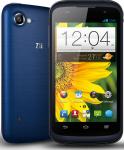

![Fresh Breakfast Meat Box (Using code) @ Campbells Meat [Haggis / Lorne Sausage / Bacon / Black Pudding & More]](/images/topics/208684_1.jpg)




































![[Xbox One] Q. u. b. e: Director's Cut on Deals with Gold](/images/topics/208716_1.jpg)


















Opening post
Confirmation from Virgin that it will indeed be on sale on the 4th september and that virgin customers can get it for £81.99 in store: http://about.virginmedia.com/press-release/9398/virgin-media-cuts-the-mustard-with-zte-blade-v Virgin store staff just need your account number and name to get it for this price in store.
This is easily the best spec for a phone available at £99.99 from the uk. The samsung galaxy ace 3 and sony experia m cost way more than this, huewei's phones of similar spec cost a lot more too.
Contract link for blade v: http://store.virginmedia.com/content/eSales/en_gb/home/virgin-media-mobile/pay-monthly-phones/zte-blade-v/zte-blade-v-tariffs.html PLEASE NOTE the phone is showing up as blade 3 in the basket, don't order yet until they fix this problem.
The phone is locked to virgin sim cards, the only way to unlock the phone at this time is to pay virgin £15.32. the £10 payg credit can be used to put towards this cost, resulting in you paying just £5.32.
Specs:
Android 4.1.2
1.2GHz Qualcomm 200 (MSM8225Q) Quad-Core CortexA5 chip with Adreno 203 GPU
1GB RAM
4GB storage (2gb user accessible)
Micro SD card slot (supports upto 32gb)
4" 800x480 IPS Capacitive screen
5 megapixel rear camera with auto focus & flash
VGA Front camera
1800 mAh battery
Bluetooth 4.0
A2DP1.2
802.11n wireless
GPS
FM Radio
Mobile standards: HSDPA (7.2Mbps) /HSPA/HSPA+/UMTS/GSM/GPRS/EDGE
Audio codec support: MP3, AAC, AAC+, MIDI, AMR-NB, Ogg Vorbis, PCM/WAV
Video codec support: MPEG4, H.263, H.264
130 grams
Dimensions: 126x64x10.9mm
Qualcomm 200 series specs: http://www.qualcomm.com/media/documents/files/qualcomm-snapdragon-200-product-brief.pdf
foreign video reviews:
http://www.youtube.com/watch?feature=player_embedded&v=Gb9SXhsmYMc&hd=1
http://www.youtube.com/watch?feature=player_embedded&v=-8_WU1TcItc
English Reviews:
http://www.knowyourmobile.com/zte/zte-blade-v/21098/zte-blade-v-first-look-specs-first-impressions
http://www.stuff.tv/zte/hands-review-zte-blade-v-90-quad-core-android-phone-thats-better-it-has-any-right-be/news
DIRECT LINK TO PAYG PHONE: http://store.virginmedia.com/content/eSales/en_gb/home/virgin-media-mobile/pay-as-you-go-phones/zte-blade-v/zte-blade-v-tariffs.html
Stock rom: http://www.ztedevices.com/support/smart_phone/cd8f32ce-9d6a-41ac-941d-d24e7317ca44.html?type=software
Root instructions: http://forum.xda-developers.com/showthread.php?t=2403230
ClockworkMod Recovery: http://www.modaco.com/topic/365228-recovery-clockworkmod-6036-for-zte-blade-v/
Top ups are in £5 minimum increments so ask the phone advisor nicely if they can credit you the 32p needed to unlock. they did for me but if you demand it they could insist you buy another £5 to cover it
- mrwhitelabel
Top comments
Latest comments (1070)
Chhattisgarh 12th Result
Kerala SSLC Result
Bihar 12th Result
Tamil Nadu SSLC Result
The Tech Radar review of the Blade V (I found their opinions on the G300 to be very accurate) says, of the Blade V:
"To cut things short, we were a little disappointed. There was none of the nip, buzz or kapow that we have become used to with quad-core chips.
The quad-core chip kept things moving along nicely, but there is no way that it comes close to those that populate the flagship phones. Honestly? We'd rather have seen a larger dual-core chip.
It's a decent enough cheap handset, but despite the quad-core processor it felt underpowered."
So, again, I wonder if the newer A7 chip would address the issues inherent with the A5 chip.
The Blade Q Mini thread doesn't seem to have generated much heat yet, so I wondered if people had more technical know-how than I do, and perhaps if that was why.
The question is what do you need the power for? If you want multimedia then most smartphones will have enough power to handle video playback etc, but my advice would be to use a tablet for an all in one device and buy a cheap phone for the sole purpose of a phone.
Now that this Blade Q Mini has come out & also has 1GB of RAM: ZTE Blade Q Mini 4" £59.99 I'm not sure whether it would be better to sell my Blade V on eBay (the most I've seen the locked ones go for, going by the completed listings is around £75) so I'd still have a bit of money left over.
The design of the Blade Q Mini looks better, cos the front is all in one, as opposed to the "bottom lip" of the Blade V underneath the three navigation touch buttons. Plus, it's over 1 mm thinner; the V seemed very chunky compared to my G300.
However, I don't know much about chips; can anyone tell me how the dual core 1.3 GHz A7 of the Blade Q Mini would compare to the quad core 1.2 GHz A5 of the Blade V? I know the A7 is meant to be more power efficient, but I'm wondering in terms of speed?
Many thanks.
I'm starting to get jerkiness once in a while. like I'll be texting and the thing will freeze for a few seconds in the middle of a word. Anything to be done? wipe the whole thing and start again?
I must have fat fingers; so many times I'll be typing, aim for the space bar, and hit the home button, taking me out of whatever program it was. annoying
I'd have hoped they would honour the payment for the previous unlock code on a new device?
So these are back in stock :smiley:
http://store.virginmedia.com/virgin-media-mobile/pay-as-you-go-phones/zte-blade-v/zte-blade-v-tariffs.html
Its much better spec than this ZTE except for the O/S
Good deal tho
You can choose from a variety of presets (I like oled dim) or configure it yourself.
I have got a 32 GB SD card attached which most of my Apps are saved on. Some of the Apps appear non transferable. Is there a solution to this?
su
pm set-install-location 2
then you can move anything to sd card. Don't move your launcher, keyboard or any apps whose widgets you use.
Also, whether you have root or not, for any inbuilt apps you don't use, uninstall their updates from the market, and freeze or disable them so they don't update again. You can disable them from settings -> apps -> manage apps. Scroll along to the far right, select the app and hit disable.
Just comparing to all other phones I've had where blue means synced to servers, if I switch to mobile data this does goes blue which confused me.
[edit]
I've just tested and my contacts are certainly syncing despite the grey wifi logo (and mobile data is disabled)
Still not syncing Blue though on Wi-Fi, have seen a few people mention this on modaco
can any other owners confirm if theirs does ?
and if so should i return to store for a replacement (annoying given my unlock code for this imie is on the way)
have finally rooted, slowly but easily with kingo app
still having these sync issues, cant open play store now either says server error (hope not linked to fact ive rooted), this is on wifi by the way, but can browse websites etc
tried to force the google account to sync and it has but gave a few errors along the way
youtube also wont load, saying network error..
any suggestions ?
guy game me the phone to call customer services in store. They set up an account, took the account credit, and £5 from my debit card and then as I asked nicely credited the 32p extra that was needed,.
Was told the unlock code would be posted to me within 28 days.... (really so long!?!?!)
another thing ive noticed is that I cant get it to sync blue on wifi (with google servers ?) though I have internet connection on the phone but on data with the virgin sim it goes blue.... anyone else found this ?
Have also tried rooting with that chinese app and it roots but then looses it when I try and install english superuser, so going to try they kingo route
I came from a Samsung Galaxy. Old but hardly low end. The Blade V is better in pretty much in every respect. It blows it out of the water performance wise. App loading, app switching, brining up the keyboard when needed. Whether or not you're someone that cares about benchmarks I don't know but it benches twice as fast.
Also the screen is clear, the touchscreen is fantastic, music is louder than any other phone I've owned and much clearer than the Blade 1. The GPS locks instantly and even works indoors and the battery life is borderline unbelievable. Providing you don't need a quality camera, it's an absolutely perfect phone for someone who wants a decent app runner on a budget. If you weren't interested in apps, I'm not sure why you'd even vaguely be considering a smartphone in the first place which is why I don't get the nokia recommendation as an alternative.
When compared to its similar priced western rivals, its big benefit is that it has 1GB ram. And it's a HUGE benefit. 512MB is just not enough for Android 4+ imo. It's also worth noting that it's quad core, you keep mentioning its dual. Not that it makes much difference - I'm pretty sure dual is perfectly adequate for a phone. It's the ram that is this phones party piece.
And as for saying western buyers are ripped off... well I'm sorry but we're in the west! What's the point in disliking the best value phone we have because phones we don't have are better?
You're here claiming its rubbish for the sole reason, as far as I can tell, because its cheap? Have you noticed what site you are on?? Being cheap is the point. :smile:
The flip side of me being quick to defend it is you're quick to slate it despite not having one so you can't possibly know?
Nokia is no use to me, quite happy with my Galaxy Note 3, I bought this to play with.
For titanium read post 147 to 149 here: http://forums.thedigitalfix.com/forums/showthread.php?t=625141&page=8
I rooted with Kingo, worked fine no issues, just don't get it from cnet as it comes with cnets usual malware rubbish.
No rom manager support yet, hopefully shouldnt be too long before theres some custom roms.
Any idea what is currently safe to remove with Titanium?
I am very put-out that customer services have been telling me to try a find a battery on eBay and the like, and credited a paltry £4.10 to airtime as compensation. The Li-Ion battery seems to be completely unavailable on the high street or retail parks.
This treatment falls under the ''significantly inconveniencing' term of the sale of goods act and under which Virgin are statutorily bound to replace or refund the phone.
Customer services are having none of it. In a long call just now they said warehouse has no stock, they can't backorder, can't make shop do an exchange or refund and eventually offered me a Blackberry Curve, Samsung Galaxy Pocket Neo, or Galaxy Ace
It feels like they're forcing me to file a small claim. What should I do?
They said I can have a replacement phone.............. A Samsung Ace???? WTF
Mine first came back with physical damage, write on their facebook wall, they do not like it!
I've got my phone unlocked, but when i use the other sim i don't get an internet signal although my data services is on.
Do i need to contact my service provider or can I do something within my phone settings?
http://www.modaco.com/topic/366038-official-21-firmware-update/
Link please? And does it solve the notification tone & flashing dot issues?
Admittedly if texts and calls *are* all you do then you don't need a smart phone. But in that case - you're kind of in the wrong thread. :smiley:
I'm with you that quad core is overkill but dual core is a massive improvement over single core on a multi-tasking OS though this is presumably less obvious if you;re used to feature phones. For what it's worth, this blows my single core big budget 1.2Ghz Samsung phone out of the water performance wise. So your assumption on that front was erroneous. :smiley:
It's less the quad core that give this model its advantages over similar level phones than the 1GB ram though. 512MB isn't really enough for Android 4+
Finally, the battery life on this is stunning. I've used 52% in 3 days 18 hours with 2 hours 12 minutes of screen on time. It has a similar idle time to your 300.
The only thing this phone does badly is photo's.
Quad core jellybean doesn't mean anything, Quad core adreno chips are only as good as the optimisation for the hardware, Since the zte seems to be running on stock chips the device is probably only as powerful as an optimised/overclocked 1.2 single core , zte are clever to market the power aspect but in reality anybody with any knowledge of tech knows a stock chip needs to be optimised for best performance and any company could throw these into their devices for cheap and sell them off, hence all the cheap chinese android phones, if you ever go to china or hong kong you will understand the extent and how cheap they can actually sell them off for. Yeah ok so the 300 is not a smartphone, But what it does do is most things a smartphone can do for the casual user, also the phone has about a 7 day standby battery life, usb 2.0 connectivity and a better camera for about £50 so to be honest its the better option for a casual user or second phone which i would presume is also the market for the zte blade v.
I've been following this zte now for a while and made the decision not to buy it, the build quality looks rather poor and basic even for a budget phone, I understand there will be compromise for the price but i need a phone which is strong and reliable and this phone just screams of problems a few months down the line, also the way virgin have coped with the supply and demand for this phone has been terrible, i might have bought one on impulse if it wasn't for being out of stock online in store since the first week of release and apparently a limited run as told by a virgin employee so not knowing whether virgin are even planning to stock it again is a waste of time,zte are also not making it easy to buy only being available through 1 outlet. The specs are also questionable,5 meg cam looks badly optimised from example shots and is not any better than an optimised 3meg cam from an lg3 or samsung or nokia etc which have a range of other camwra functions, the dual core is good in theory but look i've got a single core intel 1.2 atom tablet which can play games like jet set radio,nova 3 etc with no problems, if the chip is a stock version without any customisation again it will probably have difficulty performing at the expected rate. Overall even though it's probably on paper the cheapest for higher spec phone on the market there are many compromises and your still better off in the long run with the quality features and build of a phone for a few notes more or a quality feature phone for a few notes less.
For what it's worth on the reliability stakes, my Blade 1 is still going strong - even after a few drops.
That is interesting! Who is going to be brave enough to try that? :smile:
Phoned to get unlock code and told 3-5 working days for the post BUT i can phone up in 2 days to get it over the phone. I told them I needed it urgently as I have a medical condition that requires me to have an unlocked phone. Yayyy...so pleased to actually get one.
Also, what is the sound loss issue? I never turn the tones off on mine, but a lot of the time it won't beep when I get a notification :/
Do you also have flashing white dots at the bottom left of your screen now and again? Mine does and it's annoying :/
http://www.amazon.co.uk/gp/product/B00A1JZ9VU/ref=oh_details_o01_s00_i00?ie=UTF8&psc=1
And sold out online. I would like to buy 2 - ideally at the discounted cost of £81.99 (for two separate Virgin media customers).
Also there's some for £90 on eBay, if I got one of those would I still be able to ring up virgin and get it unlocked?
Perhaps the Twitter problem is an issue with ZTE then.
Also, does anyone else have problems with their notification tone? I always keep mine on for each app, and the sound toggle is always on, but often it will only vibrate instead of playing the notification.
A worse bug is that if the rotation sensor is active then the Twitter app uses a rotation to trigger a skip from wherever you're reading to the most recent tweet. I waste ages scrolling backwards trying to find a prior reading position.
I've reported this to Twitter's support. I have not seen any evidence of others experiencing the same problem - until you reported it. I was experiencing exactly the same issues on a ZTE Blade SanFrancisco.
Plus, sometimes there are three or four white dots (composed of a few pixels) at the bottom left that flash, which is pretty annoying. It's usually when looking through pictures on Twitter, or browsing the settings menu.
Anyone else experienced this? They flash too quickly for me to be able to take a photo of them.
Going in store would have saved me £18 effectively. Urrghh!
Anyone else experienced the sameproblem
Thanks Doomfang, will look into getting a silicone case for that handset and cut out any holes I need
Thanks hukd5, will do that now :smiley:
Also, one more question, is there anyway to update this phone to the newer version of android yet? And also, I have 1.5gb of "usb storage" that I don't know how to access/use, can anyone help with this as I only seem to be able to use just over 1gb of device storage... (preferably a way without rooting)
Could you advise more on how to get/install the custom ROM based on 4.1.2 on this Haier W910?
Cheers
Has anyone found a place that sells a case for the phone? Or even a case designed for a handset with similar build and dimensions?
Also, a few bugs I was wondering if anyone else had...
1) Snapchat, recording a video with the rear camera does not work, it freezes and says "sorry, cannot play video". It records with no problem on the front camera.
2) The app screen is never full of apps if that makes any sense? I find it really annoying haha, I rearrange them so each screen is full with apps and the last screen has the remainder, but they all change back into a random order so every screen is has a few empty places. So annoying! :')
So yeah, any advice appreciated :smiley: overall though, very good phone! Camera isn't fab but not absolutely terrible, does the job for quick snaps.
Phone runs beautifully and the screen (which I was most worried about) is actually pretty good, clear and bright.
cd [full path to exe]
eg:
cd c:\AndroidGoodies\ {enter}
adb devices
Is there an app?
I've tried following the instructions over at modaco but I can't seem to get it to work, or at least I don't think I can, is there an easy way to tell?
You can tell if it worked by going to settings -> storage. Your USB Storage will be the size of your SD card and your SD card will be 1.5GB. Presumably its the other way around if not swapped.
If you have no luck I can create a clockworkmod installer for it if you know how to use CWM?
Kingo android root
All you have to do is plug your phone in, its all automatic
Worked a piece of cake for me :-)
One other thing, when I get to this step;
2) Copy superuser to your phones SD card using the usb cable with the phone in USB mass storage mode
Does this mean the phones internal SD card or my own microSD card which I have inserted?
Thanks
So you've done one of
step 3 of 'Download flashing tools'
or
steps 3 and 4 of 'Boot into fastboot'
incorrectly.
I tried to root my phone following the instructions HERE
After I install the fastboot driver, I enter fastboot devices in the cmd prompt and it just says 'fastboot is not recognized as an internal command etc etc'
Just got to wait for the unlock code now though as they wouldn't give it to me over the phone...
Edit - Just this second received dispatch confirmation that it'll be here tomorrow.
Just answered my own question. When trying to add to basket the following message is displayed:
"By continuing you are confirming that you currently have Virgin Media Broadband, TV or Home Phone services in your home.
If you don't, please cancel and select the Standard tariff option."
I do however have £10 in my reward account which I could use. I may ask for my PAC code first as I have been paying the full £10 per month since January
You just continue justifying it... now you just launched another rocket, lots of people survive with 12 apps or so... Christ... stop misinforming people.
This post is even worth, the difference between the 300 apps you mention (no idea where did you come up with that number), and the 30 you mention now is just shocking.
Don't try to justify that post anymore, just admit you where wrong.
Also might be important to note that the 30 apps you managed to install (barely), will become 29 tomorrow, and 28 next week and so on, as each time one of them updates, it will get bigger so there won't be enough space. Also, installing the app is one thing, and using an app is another, as apps have to cache things, and having 200MB of cached data is common on Android these days.
I have 187 user apps (mostly games) using 750MB of data partition and 4GB of SD. I'd think you can get several dozen non games in it with the phone as stock. How many apps do people need? I have around 25 non games and they're pretty much all under 10MB each - without the need for lots of graphics and sound. And if you do need more than you're going to have to root it
Is this normal?
1.5GB will fill out in no time just with day to day basic apps, like banking apps, an office app, a better keyboard like touchpal, an extra browser like opera, viber and whatsapp and so on, so nothing fancy. I do not game AT ALL, and try to keep apps to a minimum, and got through the internal memory in no time. Apps update every few days to a newer version, which means bigger size. Right now, Chrome cannot update on mine, not enough memory, although I have moved all I could to SD.
I have got £30 reward & I am a VM customer = bargain?
I'm a little more extreme and disabled this little lot using Titanium: http://forums.thedigitalfix.com/forums/showpost.php?p=9911811&postcount=147
How did you modifiy it?
I am going to ring virgin to see what they will offer me!
Does anyone know if this phone can output to HDMI (from the microUSB port)? I believe it would use MHL to do this...
Also, does it support Miracast or would it be a no go with it being less than Android 4.2?
Cheers!
I am in the processing of cancelling my contract with virgin, however, if they can offer me a good deal, i will take it and then go! LOL
I'm an existing Virgin Media and Mobile customer though.
Yes I'm imagining the fact that my phone says Giffgaff on it. :wink:
In other news, the battery life on this is incredible. My phone has currently been 4 days, 17 hours without a charge of which the screen has been on for 3 hours 45 minutes, and it still has 35% battery left. And on top of the screen on time it has spent half an hour tracking a run and half an hours MP3 playing (both using some battery but not counting towards screen on time)
Assuming phone is left out-of-box, can that lack of storage be put into perspective with the sort of apps that a teenager is likely to want to install?
If what is stated on Modaco is true then this seems, on the face of it, to be not a very good deal at all, despite it being an ok handset.
Thanks
It's lengthy but follow it step by step and you can't go wrong. And I'm more than willing to help if you do get stuck!
As for how necessary it is: if you're not a gamer, then it isn't. If you are - then it is. On a completely fresh Blade V for instance there isn't enough room to fit Asphalt 8 - one single game! Alright it's a large game but clearly it won't take long to fill up the space with a few premium games. You'd fit in dozens of non-games though.
I have 1.2gb of apps stored of which by far the biggest is Chrome (cache cleared). I think "hundreds" is a tad optimistic.
But seriously, if you read the guides carefully, rooting and swapping sd/nternal is not difficult, takes about 10 minutes, involves minimal risk and can easily be reversed.
But no warranty, no magnetic sensor and chinese bloatware
Apps to SD for the win :smiley:
Out of those 3 which is the better option considering that there is no Virgin store were I live so if I have any issues it would be a hassle were as the Huaweis can be bought in my local town centre.
Also another consideration is the extra cost unlocking the Blade V were as the other 2 are unlocked
Or are there any other better Android smartphone options around the £100 mark?
Thanks
http://store.virginmedia.com/virgin-media-mobile/pay-as-you-go-phones/zte-blade-v/zte-blade-v-specifications.html
New here so don't know how deals get unexpired...
Think I'll get one, rather than a Lenovo A820, as spec is only slightly lower than the lenovo and its a UK supplier not a chinese one
i.e. It might be possible.
CWM gives everyone a standard for recovery and even where phones have their own, provides tons more functionality - like backups and such like.
Thanks for the advice on the firmware update - One question still puzzles me however. If the mobile has a built-in firmware loader then for what is Clockworkmod needed? i.e. Can't alternative roms be packaged in the same way that the stock roms are packaged?
On another issue I learned from ZTE support today that the Blade V doesn't support USB OTG (On The Go): A means by which, using an inexpensive microUSB to full-sized USB (type 'A') socket adapter, it becomes possible to connect memory devices, keyboards and the like. And higher power devices too if a powered USB hub is utilised. I like the transparency of being able to access a large repository of files on a connected hard disk and accessible via an Android file manager.
On the other hand, if your only reason to root was to get rid of some apps, in appears that in modern android versions you can disable some of the pre-installed stuff without root. Go to settings -> apps -> manage apps and scrolling all the way to the right to the 'all' section. Click the apps you don't want and hit disable
Now, so far, the media sound loss has been cured. I'ts too early to say for sure but it is possible that the root process described at the top of this thread was the cause and not a electronic connection issue.
Is this achievable or will the mobile still have lost its warranty?
[some moments later...]
Following the instructions within the .zip file it all seemed to work as explained. The only query was that the .pdf instructions refer to an update.zip 'folder' - I interpreted that as meaning 'file' and the steps progressed as explained.
So, from memory the Blade V now looks like it used to tho I can't see any sign of Virgin bloatware on it - maybe there wasn't any?
CWM replaces recovery with one that has a lot more features and is obviously in itself not stock. To flash the stock rom, you'd want the stock recovery which you have so you don't need to worry about recovery.img or CWM.
Unfortunately, I never even booted into the stock recover. No idea what it looks like so can't help you with that. I recommend posting over at Modaco for help. They're good at ZTE stuff over there!
I see that a ZTE Blade V Stock ROMs thread at Modaco lists a couple of items that seem relevant:
UK: (Virgin)
ROM: http://download.zted...91111181152.zip
Recovery: https://dl.dropboxus...04-recovery.img
I wild guess is that the ROM item would put the device back into shop supplied condition. No idea what 'Recovery img' file is yet.
I have a lot of Android basics to learn.
From the CWM thread "Do not use this recovery to flash official updates from ZTE website! You need to repack them for ClockWorkMod or use the stock recovery to install."
If you need the warranty due to a fault, you either want it to have died sufficiently that no-one can power it on and see you rooted it, or to be for a sufficiently mild issue that the phone is functional enough for you to restore the stock rom first.
Total for phone, unlocked: £104.99
http://www.ebay.co.uk/itm/400408935612?ssPageName=STRK:MEWNX:IT&_trksid=p3984.m1439.l2649[/quote=just remember there are no cases available for this phone yet this case will fit it for now just cut it till cases come out atleast it will give phone some protection for now
Can anyone link to screen protectors and a suitable case please
Thanks
http://www.ebay.co.uk/itm/400408935612?ssPageName=STRK:MEWNX:IT&_trksid=p3984.m1439.l2649
Plus risk of a customs charge. I presume they mark the price down? That isn't a guarantee it won't be opened and checked.
\
Or I wrote a step by step guide to the clockworkmod route which requires no knowledge beyond the ability to download a file in your computers web browser: http://forums.thedigitalfix.com/forums/showpost.php?p=9908955&postcount=91
Absolutely loving this phone. After swapping the SD cards I have 184 user apps installed on it with room to spare. Got all the pre-supplied stuff I don't want frozen. It's fast, has plenty of ram, the screen is great, the gps locks near instantly. The sound quality is good and sufficiently loud that I don't even use it on max. It's certainly louder than any previous phone I've owned. I know a couple of people have had problems with video but iplayer works fine on mine. It does struggle on a friends though so when he gives it to me to root I'm going to try to work out why.
yes, quad core on a modern 28nm process makes it so.
I used an app to test the spec on this phone (sorry can't remember which one and its now been removed) and it rated it as better than the S2, but not by much and certainly not enough to recommend upgrading.
http://forum.xda-developers.com/showthread.php?t=2191223
Also, I see somebody is selling a Blade V on ebay for £154.50. Amazing what some people will try.
http://xbmc.org/download/
I found the interface unusable on such a tiny screen.
The chip supports 720p camera recording too btw, not sure whether the image sensor support that or whether zte might have disabled it, we'll have to wait and see what resolution we can record videos at.
micro sd expansion is available.
My phone has partitioned internal storage, 1.97GB for apps and 10.7GB for everything else. I've got plenty of stuff installed but have never had more than 900MB of apps.
I'm getting by with 165 MB - yes, you read that right - 165 MEGABYTES of internal storage! (on a 25 quid Huawei) - and yet I still managed to squeeze 61 useful apps in there.
I can only DREAM of 4 GB!
You people are spoiled.
Just used the phone in the car for navigation and bluetooth calls and it is great, so fast. Speech recognition is amazing compared to my original blade. Only thing I find is Hsdpa speed is really low on tmobile. What connection speeds are possible with this?
I tried but got insufficient memory message regarding the 1.7gb download.
Before I even bought the phone I downloaded the rom and made sure this was possible because I knew it would be an issue for me.
If that looks complicated, as I mention in the post, I do intend to make a clockword patch to do the job this weekend. Though it is easier to do than the actual rooting IMO!
If i use 3g which is very slow for me iplayer works fine albeit clearly at low quality. I wonder if zte will improve codec support. Otherwise this seems a great phone. For some reason, most likely more incompetence, Virgin unlocked it for free so now I am keen to keep it.
I recall a comment from someone about sound loss following a root but haven't managed to find the comment after a long trawl.
*UPDATE*
It came back to life as if the device is running some kind of software healing background code.
http://store.virginmedia.com/virgin-media-mobile/upgrade-phones.html
http://store.virginmedia.com/content/eSales/en_gb/home/virgin-media-mobile/pay-as-you-go-phones/zte-blade-v/zte-blade-v-specifications.html
You need to have a payg account already to get this price. Maybe just register an old virgin sim?
As my brother existing virgin media sim only customer, I rang them and asked to put £10 top towards unlock code cost, but customer service said that I can't just pay £5, it has to be full amount. So I paid £15 for unlock code and transferred these £10 top up to my brother account.
Now I am waiting for unlock code which they dispatched via post :neutral_face:
[edit]
All of their phones once you reach the checkout say they include £10 top-up. So I suspect its actually the £89.99 price that's wrong?
As a Virgin PAYG customer upgrading there is no £10 top-up required.
There's definitely something wrong on the page for this phone. A misprice.
On this page its advertised as £89.99....
http://store.virginmedia.com/virgin-media-mobile/upgrade-phones.html
But when you click on it the price goes up to £99.99
http://store.virginmedia.com/content/eSales/en_gb/home/virgin-media-mobile/pay-as-you-go-phones/zte-blade-v/zte-blade-v-specifications.html
It can't be an extra £10 for the top-up as none of the other phones go up by £10 when you click on them.
Regarding a case i thought the photos showed that you had to cut the i9000 case up a fair bit? If not where did you get your i9000 case from as there are a fair few to choose from? thanks in advance.
Has anybody else had this?
My TV gives me a code but when in the app on the mobile it will only give me a numbered keyboard and won't let me select letters so I can't input the code. So I am stuck with using the painfully slow TV remote to type video titles.
is it possible to decompile a built kernel?
The ROM itself is built from CodeAurora like any other Qualcomm based device.
If you were referring to this link: http://www.ztedevices.com/support/smart_phone/cd8f32ce-9d6a-41ac-941d-d24e7317ca44.html?type=software the top download is just the pre-compiled stock firmware. The bottom link is the Windows USB drivers for the phone. No source. And I doubt the source would be among the end user files in any case?
Had to fork out nearly £300 yesterday for people in London to poke and prod me to verify I'm a thoroughly decent chap, so can't get a Blade V just yet. After using my Y300 for GPS (walking) directions yesterday, I am pretty certain that a compass (as in the Blade V) would have helped a fair bit.
gonna get the phone at the weekend, but wondering if i can ring up early and get the code so im not waiting as long
or are people having success in getting the code over the phone?
cheers
http://www.modaco.com/topic/365017-blade-v-stock-rom-with-bootimg/
Thanks
http://www.ebay.co.uk/itm/400408935612
A heads up for those wondering about unlocking.
It costs £15.32, however you can use your £10 top up as part payment and pay the remaining £5.32 on credit/debit card.
Hope that helps :-)
Cheers
1. Download Root Explorer [Google Play] - Not necessarily needed
2. Download RootMaster (a Chinese util)
3. Unpack and install RootMaster on your PC
4. Install drivers of your mobile - Automatic on USB connection. Prob stored in phone' mass storage.
5. Run RootMaster and press first button on first screen
6. After this click the center button on all windows
7. You mobile is rooted - Reboot your mobile Not yet it isn't
8. Instructions say Close RootMaster now - Don't. It hasn't done the job yet ...
Phone reboots and RootMaster software pops back into life and spends 2 minutes working away on something.
It detects the ZTE Blade, not obviously the Blade V, and chugs-on. From here consult the graphic screen-grab instructional notes.
The instructions say to install superuser.apk (though link is to a zip file) and rootexplorer.apk
Pondering how best to get these files on the mobile. Windows file manager, FTP, SD card writer ... ?
Well, pausing at this step, I ran Titanium Backup (paid) and the mobile *appears* to be rooted - I was able to delete superfluous Virgin apps.
I guess my availability of Titanium Backup circumvented the need for Superuser and RootExplorer installations?
I deleted:
AccuWeather
Facebook
Kindle
Facetones
Kingsoft Office
FM Radio
Various unnecessary Touchpal language packs
...and a few other obviously avoidable apps which I forget. Need to see a virgin Virgin phone as reminder.
Might delete if not useful:
MovieStudio
Might delete when I learn what they are:
PhaseBeam
WidevineBoot
LunarService
Bubbles
Black Hole
With the job done, should I leave the mobile in this rooted state. Are there any liabilities?
Today is my last day to return it the shop if I decide so.... Great phone, but I was expecting to make near £50 off my Y300 at CeX. Since I did a factory reset it won't boot up, haha....so that's 50 quid down the drain
I watched a 'teensy' (Raspberry Pi-a-like) demo on YouTube that showed a config that emulated a keyboard and in doing so slipped quietly under the radar of a protected PC; opened a command window and injected code. I'm surprised that there are not more, if any, USB exploit protection utilities. They've come a long way since they simply triggered an auto-run in a storage device.
I'm not doubting ZTE in this respect though. Next step - root the thing and get the superfluous-ware removed.
So, drivers now installed, next step. The phone's asking what kind of USB connection I want;
1. USB Mass Storage
2. Connect to PC software
3. Media Device (MTP)
4. Camera (PTP)
5. Share Mobile Network
Option 2 looks right. Could someone confirm please?
Has anyone created a list of safe-to-remove items?
No issues with my phone after rooting
Has anyone that's done it noticed any problems afterwards? Seem to remember someone mentioning a radio problem after rooting.
Any advice or tips gratefully received.
The site doesn't expand on this. The mobile didn't come with a driver disc. What do I do here?
Pop into store, show them a bill, buy the phone and then tell them you want it unlocked and to take it out of your airtime balance plus pay the small extra?
Is it that simple?
I can't check mine as I rooted it and removed AccuWeather
I went in store and asked for it... out it came. They verified I was a customer (min TV service, landline of which I pay line rental up front for 12 months, and BB). He wrote down £55.99. Initially he said I didn't have to have sim but when he put it through the tills he apologised and said I had to with a min of £10 top up. So 65.99 total.
I've got an i9000 case but no craft knife knocking around... i'll give it a go.
dumb question: do you stretch it with your hands? dont want to put my phone in a wet, boiled case :smile:
I use Nova for the launcher, Handcent for SMS, Maildroid for email, Swype for keyboard, Angel for browser, Poweramp for music. But I mean all this stuff is personal preference. It's what I want my phone to work like and probably not what you want it to work like. All you can relaly do is try a few until you find what you like. Most of the stuff is free or has free version you can try.
Can you or anyone else give examples of apps I can download to this blade v that will make it look more like the interface on say a galaxy s3? I have one of those as a work phone but still prefer the way everything comes together more intuitively on my galaxy s1 but I acknowledge that I won't get the blade to look like the s1 but perhaps there's more of a chance with getting it like the s3 since both use android 4 I suppose.
An example of what I prefer on my galaxy s1 is when I get a message telling me I have a voicemail, there is a straight link I can press to go into my voicemail right there.
In my contacts list I can swipe left or right on a name to message or phone that person; can't seem to do that on the blade.
In the messaging app, I can't seem to copy words from a message to paste into a new message to someone else.
The touch pal keyboard makes horrendous mistakes constantly. I type exactly the way I do with swype on my galaxy s1- maybe its me? I have a screen protector maybe that's the problem?
Little things like that all add up to a frustrating experience for me.
I acknowledge this is all software driven and perhaps can be resolved by changing things but I don't know how to or what to download.
My galaxy s1 on android 2.3 is still the most intuitive and easy smartphone experience for me to date out of the few phones I have tried from friends and family.
Thanks for any suggestions you guys can give me to improve my usage of this new blade v.
Hope someone makes something eventually that makes this phone more intuitive like my galaxy which is still on android 2.3. Dunno what it is exactly but this touch pal keyboard that comes with it makes for more errors than the free swype keyboard that came with the galaxy.
Since everything looks different- all the stock apps such as email and calendar and texting etc - I'm not sure that purchasing swype is going to help me much here overall.
the whole phone operating system or GUI or whatever just feels wrongly done all over in my opinion.
Both are configured to direct 'Media Audio' to the Bluetooth receiver; I haven't mistakenly set the new mobile to 'phone audio'
Is there an audio EQ built-in to Android 4?
Is the blade 3 body the same as the blade 5 i.e. will a blade 3 case fit the 5. Anybody know? Thanks.
at the moment theres nothing better i can see
then enter the NCK code into the box at startup
In addition what is the procedure for unlocking the phone?
The internal SD card isn't big enough for the number of apps I'll be moving to .android_secure
Thanks
so they charged your card £15.20 and then refunded the £10 virgin top up voucher back to your debit card?
Is that correct?
Thanks
no problems here i've removed the stock keyboard and left the original android (latinime) keyboard there but swiftkey is always my default
So it's definitely set as default keyboard?
Also sound quality is not great and not particulary loud with headphones. Would be interested if anyone has tried the volume boost app in post #672.
Other than that really impressed with the phone. Well pleased :smiley:
I paid £15.32 from debit card and they refunded the existing £10 airtime back to the card.
They said the unlock code *must* be snail-mailed and will be 3-5 days but I will call in the meantime as they say it appears on their 'system' after it has been generated.
Some have written on HUKD that they've been told the code over the phone, but the agent I spoke with a moment ago said although he could see it had been generated and despatched by mail, he couldn't tell me on the phone.
I don't know why but cook is the correct terminology for building android roms. It's vaguely amusing selecting breakfast from the lunch menu typing in commands such as 'make bacon' during the compiling of your rom. They're food obsessed over at google - naming the android versions after desserts too...
http://support.swiftkey.net/knowledgebase/articles/122554-default-keyboard-reset-on-every-restart-or-reboot-
found this out last week i did post it in the thread it's also over at modaco
wow that's a shame..no easier?
Another new Android annoyance.... Such as there's no "charge only" option when connected by USB? balls.... any time I restart my phone/access the SD card, I have to reset SwiftKey as my keyboard (again, something that didn't happen in 2.3)
http://forum.xda-developers.com/showthread.php?t=2403230
Tried SRSRoot, and could unroot with it but failed to root.
Would be really keen to get this unlocked from Virgin without paying the £15!
I'm not sure there is, I usually go with the 2G shortcut app which adds an extra press. I'm with Three now so no 2G only for me. :disappointed:
on a similar subject. Now I've come from Android 2.3, is there no way to add 2G/3G toggle to the power widget anymore? I found that a great way to save my battery when I'm only using whatsapp/email
It's not terrible. I mean it's far from Tegra performance but google say it's faster than the Adreno 205 (I know its a smaller number but its much newer) which google also says in turn is faster than the SGS1's GPU. I have an SGS 1 which replaced a Blade and the SGS 1 is at least 3 times the speed of the blade at gaming and the Blade v is faster than something faster than that. So it's a heck of an improvement over the old Blade!
The lo-res screen means it doesn't have as many pixels to push about as higher end phones either. I don't think you could expect much more from a budget phone.
Ando keep up the good work, any change with the stock rom or is it what's already pre-loaded? Now we have a rom to work with I might start trying to cook something.
Could anyone comment on music loudness with headphones, as this can be really quiet without some hacking?
The following free app (Volume Boost) works wonders on a lot of phones and boosts headphone volume considerably. Could someone test it on the Blade V?
http://www25.zippyshare.com/v/94271159/file.html
Anyone know if this can be used in store, to avoid the £7 online delivery?
What phone is it then that you voted cold for? I can't think of another phone in this category with this many features and spec that's cheaper (not including iffy Chinese imports). :-P
:wink:
Where on their site is the original one, out of interest?
heres the thread over at modaco
http://www.modaco.com/topic/365017-blade-v-stock-rom-with-booimg-and-recovery-found/
also zte today released the stock rom which i've rehosted
i got a i9000 case this morning it's a squeeze but it fits, gonna boil the case later and try stretch out a few more mm
He didnt, so I called again today. Not only was it out of stock now, the lady said that it was still £99 and that only discounts are available for VM employees, and no other discount was available for me........can anyone help please ?
Is my next step to install the £10 credited Virgin SIM that I had to buy and then call 789 to request an unlock code?
Anybody know how long the 20% discount will be available to VM customers? Thnx
In simple terms the Blade uses 4x A5 (slow) cores and a graphics core. Apple on the other hand don't use any off the shelf design from ARM. They pick the basic parts and make their design so their names are just model numbers and not designs. The iphone 5 uses some bits of a A9 (fast) core and bits of an A15 (v.fast) core to make its two cores. So as a loose example its a little like taking a core from a Galaxy S3 and a core from a Nexus 10. To this they then added three graphics cores.
The new 5s (from reading what info is available) moves onto the next family of chips (ARMv8). ARM's new designs are the A53 and A57. Apple have once again made its own chip based loosely on these new designs using one faster core and one slower.
* Disclaimer. Before all the trolling I'm only giving a basic overview for people to understand the basics. Yes I'm fully aware there is many aspects of the chip designs that I have not included.
Thanks
Also, I'm not an expert, so perhaps there are things I'm not aware of but, on the inside, the Blade V & iPhone 5 both have 1 GB of RAMs and ARMv7 processor; the only difference I see is that the former is 1.2 GHz quad core and the latter is 1.3 GHz dual core, so I would have thought the Blade V would be better?
Not sure why you disagree, is it to do with benchmark scores?
Apart from the screen resolution & Apple stuff like Siri, I would have thought thought this is at least better than the old iPhone 5 though? I do, however, love the fingerprint sensor on the 5S.
Even if you were being sarcastic, people that don't know better will see comments like that, and take them as read.
the online price has not gone up just they didn't mention delivery cost
is this unlock code free? I'm Virgin Customer, please somebody reply thanks
they come with a cloth 2 reapplication stickers a dust removal sticker and a smoothing card
I'll be ordering one for my wife this weekend and firing in a giffgaff sim.
heres a pic of the ones i listed i bought off ebay http://www.ebay.co.uk/itm/400408935612 (excuse the dust and crap around my desk)
The Grand X has a 4.3 inch screen however, and will be too large.
Battery life on the Y300 is brilliant, and this is so close in spec it seems odd that it would be that much worse. If you can't get to the bottom of it, factory reset and start again adding only the essentials, and see what battery life is like.
I know if I take this thing outside without a case I'll smash it immediately :smile:. Was tempted to try a Blade III case but it looks like the camera is in a different place?
DrFox: It really doesn't matter about charging it when you first get it. The real reason they say that is because a lithium battery in a product may have been sitting for quite some time, and the first thing you want to do, is get a charge into it, so it doesn't fall below the absolute minimum voltage required to switch on. The things you have to watch out for with lithium batteries are 1) Keeping it at maximum charge (i.e. max capacity and you still keep charging it) for long periods. (Once it's charged, take it off charge) 2) Not to 'confuse' the battery by having a high drain and a high charge at the same time. Playing a high draining game, with it also charging for example (as it causes lots of heat and the electrons [or whatever] are trying to flow in different directions at the same time.).
LMAO £107?!?!?!!? WTF? (it is plus Delivery :-( )
Also: It is possible sstuff got a phone with a duff battery.
Measurements are off slightly but it's as close as i can find, they've been sent today, i've been a week nearly with the stock plastic thing and it's nearly on it's last legs so needed something at least
Or what i was going to do was order these http://www.ebay.co.uk/itm/161074769835 i know there too big etc but they can be cut and theres plenty for mistakes
The blade 3 is a closer fit than the g300
blade 3
123 x 63.5 x 10 mm (4.84 x 2.5 x 0.39 in)
blade v
126 x 64 x 10.9 mm (4.96 x 2.52 x 0.43 in)
g300
122.5 x 63 x 10.5 mm
http://www.ebay.co.uk/itm/400408935612
Don't know which ones would fit best
Phone may not have a big brand label but is seriously good for the price. :smiley:
With regards to the unlock I to was advised 7 working days by post by after seeing some posts stating that they received the unlock code straight away I called back today and was given the unlock code over the phone.
On a separate couple of notes, does any one notice a slight creaking/flexing in the rear cover (I know its only £80 but want to see if a common design issue) also when looking down the screen towards the capacitive buttons can everyone see the lighting?
In the stores I was told the discount is for landline, broadband and TV customers only. Thats a not a problem. Two of my friends are VM customers (both are landline and broadband) So I get them to buy me the handset.
The only issue for me that I am currently using a Nokia Lumia 920. The handset is fine. So I can't find a reason to switch. Yeah I know Windows Phone has its drawbacks e.g. lack of apps etc but I managed to work around it. I might have a couple of nights sleep on this deal before deciding to if to buy this handset. Then it might be useful to just to have a spare smartphone in the house. Hmmmm
Can anyone confirm please.
Thanks
Can anyone confirm please.
Thanks
Saw my bro-in-law last night, and he was willing to help... so will try later this week if I get time (Although I have sooo much to do this week so I doubt I'll get time. Very cool all of you guys that got these already :-) Nice one.)
how does getting it unlocked using the credit on the sim card work?
or would i be better off just paying to get it unlocked and then just selling the sim card on separately
cheers
custom roms more often than not enhance the phone removing bloat from the start and adding other mods or tweaks
Bloatware isn't an issue right now but i'm sure as I begin to install more apps etc they will soon be sucking away extra power and ram I could use on things I want.
Thanks for the reply, could you enlighten me to what benefits of custom roms are?
I have been using a windows phone for a few years now and just returned to android. I'm tech able enough to be able to root this phone from a tutorial etc etc but want to know what exactly are the advantages of rooting and what, if any, custom roms I should be looking at?
Links to guides most welcome.
As for the phone, its fast and responsive with an acceptable finish and weight to it. Camera isn't amazing but works and will be suitable for up close daylight shots. Haven't noticed any issues with volume when I was streaming BBCiplayer.
the only advantage of root atm is to remove bloat that you don't want
heres how to root anyway
http://www.hotukdeals.com/deals/zte-blade-v-4-quad-core-payg-phone-99-99-inc-10-topup-virgin-mobile-81-99-store-1646234?p=19014865
i've looked and looked for case the closest in comparison with the camera and flash being usable is the original galaxy s i9000
it's a few mm off here and there but should be fine as far as i can see
With regards to the unlock I to was advised 7 working days by post by after seeing some posts stating that they received the unlock code straight away I called back today and was given the unlock code over the phone.
On a separate couple of notes, does any one notice a slight creaking/flexing in the rear cover (I know its only £80 but want to see if a common design issue) also when looking down the screen towards the capacitive buttons can everyone see the lighting?
Really stupid question as I'm moving from Gingerbread: can you not delete apps? :/. Google Play has downloaded a ton of stuff I used to have (e.g. Amazon Kindle app) and it only gives me the option to 'disable' rather than delete?
As my Chinese skills aren't up to much, I may hold off on rooting it for now. Could anyone advise on the apps I can safely disable?
Any cases/screen protectors for it? Is the Blade III a similar size and would one of their cases work?
The dimensions of the screen are identical to that of the G300, and it's layout/shape is virtually the same, so I'd advise getting G300 screen protectors for now.
Custom ROMS can often help, but, as the phone is new, it may take a while for people to develop these.
If I do get one, I'll see what I can do about APK's (But bear mind I may not be able today to get one).
https://mega.co.nz/#!5Ig3ECwD!R21Vik-NRo3vmUGYjqAInBU07DMJN2PLpeXW1eFZJFI
I so far have been playing around with other ZTE roms and found a few different launchers, apps and widgets etc from higher end devices.
The ZTE Weather Clock widget is really nice, far nicer than the one that comes with this. I will chuck up some APK's soon.
I wouldn't mind a copy of the original mifavor launcher APK though and also any other original APK's.
Still love this device, battery is amazing on it and seems so responsive.
Thanks for any suggestions.
And no, the quad core isn't selling it to me. I'd be happy with dual core and 1GB of ram. It's the 1GB of ram I want.
you may find other alternatives with quad core but with no 1gb ram
Look at it this way, if the phone only had 512MB, there is no way I'd even entertain the phone at this price as an upgrade from my Y300.
anyone know?
virgin media customers recieve 20% discount
Someone posted 11k earlier.
Where you get it from is entirely up to you. DX.xom have had it in the past but is not currently listed, Focal price have it as a big name here. Pandawill and Geekbuying both have it which I have personally used with no issues.
I will mention I don't own this phone or had one in my hand so can't offer first hand experiences. But the reviews seem good and the specs are good for the money. As it's a qualcomm chip the GPS will have a quick lock, the Bluetooth won't be buggy and the wifi will have good range. These tend to be the biggest issues with cheaper China phones which use MediaTek SoC's.
not as good as being married to my amazing wife
not as good as being a father
but a lot better than a phone made from poo or a carrot
have i stated more obvious stuff out for you
please leave hukd and never ever return
u sir r stating the ultimate in obvious :smirk: made me laugh though thanks for that
is it enough to be Virgin Broadband Customer, without Telefon etc., to get the discount?
How long is the 20% discount offer valid?
Thank you!
Best regards.
ratingen
No idea how long it lasts, the offer is in their magazine.
Blade V will be delivered Monday for £47.99
I had £50 reward on my existing SIM only account and delivery is £7.99. When I logged into my account and selected 'Upgrade Phone' it shows the Blade V as £89 'Out of Stock'. Called them and it was showing in stock on their system so got the above deal ( £89.99 + £7.99 delivery - £50 reward = £47.99 ). They are also sending a SIM with £10 on it.
Also, I was on 1200 minutes unlimited texts and 1GB of data for £8 on a monthly rolling contract. Got this reduced to 600 minutes unlimited texts and 1GB data for £5 per month! Got the same deal for the wife too. Please note that I am an existing Virgin Media customer with TV/Phone/Broadband package and my wife and I both have Virgin SIM only deals already. Not sure what deal new customers would get.
We should start a thread to on XDA etc to get awareness for these devices, I might buy another one for messing around, it's been some time (Android 1.6, Windows Mobile 5) since I cooked some roms :smiley: but fancy having a good play with this one as it's very capable, ZTE haven't messed around with it too much, mine is 95% stock google experience with some changes and original APK's.
Should have saved the original APK's for OTA's etc, but didn't think at the time. I have also mailed ZTE asking for the original rom to flash via SD as they supply it for the Blade III, so they should have it for this.
Interestingly, Mifavor 3D launcher looks amazing, trying to find a copy or rip it out of a rom off another device :smiley:
ZTE Just replied in 5 minutes!, however they state they do not have files for this device yet :disappointed:
I have just extracted the Blade III rom, looking at the apk's, seeing if there is anything interesting in there, will try their more premium handsets in a bit :smiley:
I don't know if you have time, but would be great if someone can pull off the original launcher and possibly all the original *.apk files and rar them up, so any of us can install them back. I would have done this but was a bit eager to go deleting without reading the filenames fully lol!
It would come in very useful if any of us tinkering mess something up lol. I should have done this myself. I didn't mean to delete my stock launcher, I didn't read the app name properly :smiley:
I learned this the hard way with the stock keyboard and after a later data wipe I wasn't able to enter my account password to download a replacement lol. Ended up reflashing the rom.
*unless you move them to system as detailed in the previous post.
or even if you boot the phone without a launcher and have adb access and download the apk from wherever you could just manually install :smiley:
get root explorer or similar to access the system folder and the launcher of your choices apk
and copy the apk into this folder /system/app/
this way if you ever come to factory reset you should have the launcher of choice installed instead of stock which will now be gone when you do a factory reset
thats how i've done it, not tested a factory reset yet though as i spent a hour or 2 last night restoring all 17,000 text messages
Got it going using this:
https://play.google.com/store/apps/details?id=com.concentriclivers.launcher&hl=en
Lucky the phone popped up google play store to do updates, has anyone taken any backups of theirs I can restore from or can back up, or back up the default launcher?
http://www.youtube.com/watch?v=BX5_ldlLdcM
(Shame the Blade V hasn't got at least 4.2 Android).
As for the Blade V, maybe there's a way of changing the screenshot trigger, perhaps with an app.
How did you screenshot with the search button?
No buy button though.
ty
Apple ~500.. this is sub 100.. only 20% of the price, probably worth just paying to test it for a year tbh.
I don't need that rich boy's help :stuck_out_tongue:
Rusty: Excellent performance. I get 8 inside, and sometimes 11 outside. It's very quick to lock when A-GPS is on :-)
Same chipset? WTF?
How many satellites do you get? At least 8? My Y300 was quick to lock, so no reason why the Blade V would be different given the same chipset (and hopefully a similar antenna), plastic casing has some benefit over sexy metal sometimes! :-D
BTW... things like GPS performance and other missing features are reasons that I have avoided import chinese phones for the moment, even though they seem good value.
using this http://forum.xda-developers.com/showthread.php?t=2403230
tried various others non seemed to work but this did.
installed that clicked root a few times until i got a shield app installed, i installed titanium backup and got requested by the app for root access but in chinese or whatever, clicked the option on the right, went to the play store installed supersu, updated the binary in supersu went into supersu settings and chose reinstall, it removed supersu and the shield app, i then reinstalled the supersu from the play store, went into titanium backup and got a root request but this time in english, rebooted to make sure it was stuck and it is.
sorry i can't explain what it done but it's in chinese, but it's on xda and tested by others so can't be all bad
I've a HTC Sensation XE. Its VERY slow these days, cant seem to be able to run basic things like Facebook App or Google Chrome properly without freezing etc..
Basically, is this phone better? I realise it has more RAM and 4core processor but would still appreciate feedback..
Cheers in advance!
Thanks
Many thanks,
J
Thanks
The main difference for most people is probably the memory - the ZTE Blade V has twice as much. So it really depends on how many apps will be running at once. I also think the Y300 design looks nicer.
Also, the Y300 come unlocked.
http://store.virginmedia.com/virgin-media-mobile/pay-monthly-phones.html - only option is Blade 3
http://store.virginmedia.com/virgin-media-mobile/pay-as-you-go-phones.html - again only option is Blade 3
Lucky for those who did manage to get this though!
Edit - just caught up with latest posts and I see you've pretty much shown it does have a true compass. Thanks
I did see a mention that the V stands for Victor rather than 5, hence why it isn't the 4th model in the blade series as such.
Anyone got further news on unlocking? Anyone know a source for screen protectors and cases?
EDIT: Virgin have now removed the V from their website.
p.s ando: sorry that was funny that you missed the sarcasm in that guys previous response! Was lol'ing at work.. but didn't reply as was trying not to fan the flames you sent back to him!
https://www.dropbox.com/s/v40ugseznlyrn3w/2013-09-05%2017.59.57.png
I have just reserved 2 at a store near me. Will be getting these tomorrow and then will have a play around and feedback here.
Not expecting much but for 72quid this is a bargain, steal if you ask me
Plus early reviews on here say it's fantastic.
Also I was told I won't be able to get it at a discount. I did mention I am an existing sim only customer.
i had to return one to store today after successful root but the radios got messed up
Uploaded with ImageShack.us[/img]
Tried the camera with the flash on. Here is the result
V = Five
IV = Four
Just sayin' :smiley::smile:
how would you describe the sound quality through headphones (which model are you using)?
Thank you!
Best regards.
ratingen
Much love,
Don't panic! It's simply not launched yet on the website and it's the Blade 5 rather than 4 (dunno what happened to the 4!)and is confirmed to be £99
To anyone who has the phone, is the notification LED big & bright? Silly question perhaps, but the one on the Y300 is the size of a pinhole & can't be noticed in daylight even when it's sitting next to me!
I am looking to purchase this for my daughter. This info may be elsewhere in this thread but I am at work and unable to stay logged on looking at hukd for much longer.
Please can you advise of precise dimensions as I want to know how this will fit in her tiny hands.
Also is GUI pretty intuitive and friendly or ??????
*Edit* Smart Compass works fine? anything else I can try.
I disabled a few of the ZTE Apps in settings and now using the Google/Android versions of the apps instead to get as close to stock as I can, but wasn't laggy at all. Just personal preference.
It has a notification LED which is very useful, the automatic light dimming is a bit too quick to adjust and goes up in steps not smooth, but that's a non issue really.
Speaker is loud and clear, call quality is superb, I think it has an additional microphone on the rear for noise cancelling. Signal is really good too.
The only slight criticism is the camera/video, but I only ever use that for MMS, Facebook and putting pictures on here, I haven't looked at the images on the computer yet though.
The screen is bright, clear and sharp.
Don't think anything can come near this at this price range.
please show me where you can get a new iphone 4 for 80-100
some whoppers in this deal, first it was you can get a better phone for more money then people comparing phones that are near double the price :smirk:
I've been using a Huawei g300 for the last 7 months and had the ZTE blade before that, both with custom roms and thought I'd make a switch to the iphone 4 with jailbreak and I have to say the iphone wins it for me and I got mine via ebay for £140 so no complaints from me.
which headphones are you using?
Best regards.
ratingen
According to the Live Chat with Virgin when asking why the Blade V page doesn't work.... "I am sorry for the inconvenience, however, our Development team is updating our website. Please comeback to us after sometime and we'd be good to go."
Take with a pinch of salt, as it should be the content team.....
Still can't find any proper reviews other than the existing pre-release previews :-(
i don´t want to get on sb.'s nerves :smiley: but
i would really like to know
how would you describe the sound quality through headphones (which model are you using)?
Thank you!
Best regards.
ratingen
I pay £9 a month for unlimited minutes, unlimited texts and unlimited data so works out much cheaper in the long run than a 24 or 36 month contract.
Im sure it wont be long before it can be unlocked, rooted and custom roms available.
Upgrading from an unlocked Zte skate / Monte Carlo.
First impressions are very good and much quicker than the Skate.
I tried putting Android 4.1 on the Skate and it was very sluggish so this is much better with more storage for apps.
The screen is slightly smaller but I'm sure I will get used to it.
I will have to have a bit more play around with it and will post my findings.
Only thing bugging me at the minute is how to remove the bar at the bottom of the browser that you can use to navigate back and forward and to open another window.
Can I unlock this phone easily? I have a T Mobile Sim only deal and I'd like to use it on this phone.
Thanks
I think I may send it back because I am a numpty, i bought this with intentions on using on T-Mobile and thought it would work, it appears its exclusive to Virgin at the moment so I may struggle to find an unlock code.
This is a budget phone folks.
http://www.gsmarena.com/zte_blade_iii_pro-5425.php
i was using a xperia play and this is a big upgrade from that
T&C's from my receipt, c/o Google Drive's OCR:
TENDER [Zr/Debit Card £99.99
Our 14 day Customer Satisfaction Guarantee allows you to exchange your joining pack, or mobile broadband for a different one of the same uaIue or get a full refund, less any airtime that you have used or bought. You need to return it to this store, as new, in its original packaging with proof of purchase. Your statutory rights are not affected. To see our allowance charges visit virginmobilie.cum/Pay MunthW/Uur tariff/Uiew Cali Charges. To see all of our terms and conditions visit uirqinmnbi/legalstuff
http://arrtoo.x10.mx/unlockBlade.php
http://www.wintechmobiles.com/tools/zte-unlock-code-calculator/
and
http://tools.texby.com/unlock-codes/zte/
both didn't unlock but the site you gave me generated a different code so i'll have a go.
You used to be able to get free unlock codes for ZTE does this apply to this model?
4641 on quadrant which puts it on par with the HTC One X if you believe in benchmarks.
is it blue or black?
How would you describe the sound quality through headphones (which model are you using)?
Best regards.
ratingen
Picked up 2 in liverpool for 72 each with 20 off my contract
You mean they gave you an extra £20 off your contract as well as 2x£72?
Or do you mean no top up required as on contract, then 20% off £89.99?
Either way bargain!
just to anyone else wondering no id is required for being a virgin customer if you can "borrow" someones account number thats all they need
so i just got 4 months of my contract for free bringing the actual phones down to £71.99 each
(will be sticking to my £149 Moto Razr-i)
EliTom
Thanks :-)
it's showing on PAYG phone page but not showing when clicking view details
maybe uploading website right now !!!
EliTom
now showing on website
you see yea lot of little faith - it's still 4th September :smiley:
EliTom
Was it a sim only?
Hopefully someone to unlock it!
Cost £100 with the required topped-up Virgin SIM
Staff member had never heard of the phone....but after a chat we figured out it had arrived this morning....... and as I'm a Virgin Media customer, the manager let me have one for £72 :smile: (plus £10 credit...which I'm hoping will apply to my Virgin 30 day rolling contract)
bit of an impulse buy as I wasn't feeling the Huawei Y300 (hope I can get some money back for it)
Hope the Blade V is decent (for £72 I can't complain).... I had an OSF back in the day...... I'm on Virgin so dont need to unlock it...as it's new, I guess it may not be possible to root and get rid of bloat?
Also does it have a Notifications light?
thank you very much indeed!
Is it actually blue or black?
Were the screen protectors included?
Best regards.
ratingen
Uploaded with ImageShack.us[/img]
Tried various sim cards, it's locked to Virgin.
congratulations! Could you please inform us later if it was unlocked?
Thank you!
Best regards.
ratingen
Failing that, what's the next best budget handset (Android/W8)?
It's £59.99 as an upgrade, with Jelly Bean & dual core processor.
Also, I have a Windows Phone, but I doubt I'd buy one again.
If this is anywhere near that sort of value then it'll be a winner.
Stick a custom ROM on it and it'll be even better.
Emma: Thank you for your interest in Virgin Mobile!
Emma: The ZTE Blade V is available online but not ready for sale yet. We will soon get stocks of this phone.
i tried with VPN and now i can see it also :stuck_out_tongue:
Thank you!
Best regards.
ratingen
strangely i can only see following (maybe because of my German IP?):
Thank you anyway!
Best regards.
ratingen
Uploaded with ImageShack.us[/img]
Shows up on payg but you can't buy. Probably go live later today/tommorow.
Phoned them up and was told none in stock and that he couldn't see it on their website.
i can also not see it :smirk:
Best regards.
ratingen
Some idiot has expired the post, this deal is still on. The contract link is already working, some stores/possibly all are getting stock today and the website link for payg is supposed to go live shortly afterwards. This post said on sale on 4th september, it is still 4th september until 23:59.
I called up to check the order and it's a Blade 3 they are sending, I asked 3 times and was told it was a Blade 5!!!
Now won't cancel the order and say I have to post it back at my cost due to their error!!!!!!!!!!!!!!!!!!!!!!!!!!!!!
http://store.virginmedia.com/virgin-media-mobile/pay-as-you-go-phones.html
here you go:
http://store.virginmedia.com/content/eSales/en_gb/home/virgin-media-mobile/pay-monthly-phones/zte-blade-v/zte-blade-v-tariffs.html
Still not under Pay As You Go phones.
I am eagerly waiting from Germany for information as it is locked etc.
Best regards.
ratingen
0800 519 6865
£71.99 but would need to buy £10 topup which can be used on some other Virgin Mobile phone (Which suits me just fine).
"Hi @GFitz85 The Blade V is scheduled to be on sale in @virginmedia stores today, on-line to follow shortly. Keep an eye [email protected]"
And the Virgin Mobile blog says today too http://about.virginmedia.com/press-release/9398/virgin-media-cuts-the-mustard-with-zte-blade-v
Some staff obviously didn't get the memo :disappointed:
....answer to your question is the phone will be just as good.
I have just got the nokia lumia 520 it seems a good phone still reserving judgement on the battery life but Ive been told it needs a few full charges before its "conditioned" but I was too impatient and keep using it straight away plugged into a laptop so it only giving it a trickle charge.... not as many apps available as an android but it does have a good youtube downloader app which you can watch videos off line (android don't have this as google prevents it as they own youtube and android!)
I was thinking of getting the Nokia Lumia 520.
Would this be better for him?
I wouldn't go for a windows phone personally
This is the 920... but in terms of constructions it should be similar.
http://www.youtube.com/watch?v=jH4xYN9I5Kw
http://www.youtube.com/watch?v=E3c8il_Q6SU
Only question I have is would it be worth all the hassle?
I also pointed out the info out in the mobile phone reviews and the fact it was listed as being able to buy 89.99 or reduced for virgin customers¬
Phone not online yet... really want to find out if this is unlockable :-D
* this is a generalisation and not directed at this product in particular.
Does this look like a company to you that do not give two hoots about quality?
There seems to be a common misconception that chinese phones are knock offs...some manufacturers are (Star, goophone, the abundance of HTC Butterfly clones etc etc)...the ones I have mentioned most certainly should be treated with the same respect as ZTE and Huawei, they are all attempting to gain the same level of marketshare.
Let me quote my self from another thread as it fits this discussion.
----
There is a misconception that the phones made in China are the same as the phones available in China. They are two quite different things. Products for domestic use in China are of far worse quality than those for export. I have lived there for a few years and I know.
There will be two entirely different factory lines and whilst the end result may look the same.... it is not. Don't confuse the san fransisco sold under the Orange brand with the Chinese domestic ZTE Blade. They did not even have the same amount of RAM and are not of the same quality.
I owned a local branded phone (xiaomi) whilst living in China, it was a very popular model and had glowing reviews, it was billed as the poor mans iPhone but after owning it for a month it began to smoke whilst charging and all of the side of the phone melted.
Another example is my Lenovo laptop. I had bought it in UK but dropped it whilst in China. I completely smashed the casing, but it still worked flawlessly. When I took it to the official Lenovo shop the staff could not believe their eyes. They had not seen a laptop take such a beating and still work. In fact the official casing that they replaced for me is not even the same quality plastic as the original.
[You can choose shipment from Shenzhen China, or European Country. the advantage of shipment from European warehouse is that members of European union would enjoy customs duty free. Especially recommend customers from Greek; Spain chooses shipment from European, to avoid high tax.
Normally, Goods will be always in stock in Shenzhen, except making material shortage. You can choose shipment from Shenzhen China, or European Country. the advantage of shipment from European warehouse is that members of European union would enjoy customs duty free. Especially recommend customers from Greek; Spain chooses shipment from European, to avoid high tax.
Normally, Goods will be always in stock in Shenzhen, except making material shortage.
As already stated (and its getting to a stage whereby I do not think you are listening) you can install google apps and google play store,
How do you think Chinese manufacturers get to the stage of actually designing phones for specific markets like ZTE did? By selling well in their home territory and gaining sales abroad to start with....then ditching an extra sim socket and supplying a UK charger. ZTE Skate...previously known in the Chinese market as V960 being a prime example.
All this coming from a guy that posts loads of deals on lots of chinese manufactured goods that you can find on the likes of Alibaba.com rebranded Tevion etc for the likes of Aldi and Lidl...you're unbelievable.
ZTE is selling here a phone designed for the UK market.
That is: UK warranty, Google apps and Play store, magnetic sensor, UK mains charger.
Lenovo is selling a phone for the chinese market: no compass and problems with gps sensor, no Google apps and no Play store, no UK charger, no UK warranty. And sometimes not even the right radio frequencies !
You are not allowed to post here anything related to piracy and so on, but are allowed to post phones labeled as £10 comunication device to elude taxes. The thing is still illegal.
So hard to compare this phone to a chinese Lenovo.
If zopo is selling in Germany, it is a phone designed for that market.
This isn't a phone to cater for those who need the latest biggest and best, its catered towards the casual crowd like me who will be using it for browsing and non intensive apps for cheap. In this instance, its perfect
See:
http://detail.tmall.com/item.htm?spm=a230r.1.14.4.dxbdkE&id=15525978846&ad_id=&am_id=&cm_id=140105335569ed55e27b&pm_id=&initiative_new=1
I have just come back from living in China and once when I was flying on an internal flight I saw an advert for the original ZTE Blade/San Francisco in the inflight magazine. It was being marketed on the back of the success it had received overseas. Along the lines of 'Bring the Blade back to China'. The advert even had a Big Ben in the background. It did however fail to mention that the model sold in China had half the memory and that it was cheaper in UK through Orange than in China on Chinese eBay (Taobao).
I need to replace it for something similar performance and specs wise.
ZTE started out like all the other Chinese phone manufactures on their doorstep distributing within China with their main purpose for global expansion with which they have succeeded.
As with any Chinese phone depending on where you buy from google play store can either be pre-installed or applied by the end user. Do you call Zopo a "Chinese phone designed for the Chinese Market" seeing they have now distributors in Germany? Do you call UMI a "Chinese phone designed for the Chinese Market" seeing they have distributors and repair centres in India?. Do you call ZTE a "Chinese phone designed for the Chinese Market" seeing they have distributors worldwide?
Seems you are the one that is missing the point.
Chinese phones = phones designed for the Chinese market, that includes no google store and other google apps, like is the case with the Lenovo. So I actually should have mentioned that as well, you get a phone with no google apps.
And no magnetic sensor/compass, check your sources.
It's a budget 'droid and to me, sounds very impressive so far....the only stumbling block for me would be the unlockability (if that's even a word)! :smiley:
I keep reading that the internal storage is small and that you can't move apps to a sd card in jellybean.
My tablet runs JB 4.2 and I CAN move apps to the memory card from internal memory.
We haven't even seen a full review of this phone yet and people are already writing it off.Think I'll hang fire for a weeks and see what the reviews are like before I part with any cash.
One thing I've learnt since I started using smartphones and tablets is that long battery life is one of if not the most important spec.Poor battery life can completely ruin the user experience,especially on a tablet
He also said they usually receive stock day before the phone go on sale.
Never mind the apps.
The GPU is better on the Nokia by miles.
All that matters is whether having 512MB ram on WP8 stops stuff working properly (A question I don't know the answer to).
Whether something works well with hardly any hardware is a good sign as to whether it is coded properly.
will you get the hypothetically 20% off even if you only own a Virgin Prepaid Card?
Thank you!
Best regards.
ratingen
http://shop.vodafone.co.uk/shop/mobile-phone/huawei-ascend-g510-black-payg
do you think the blade would be better than that?
Plus the battery life comment's highly premature given that the phone has a smaller lower resolution screen and that nobody seems to have tested it properly yet. It's also worth mentioning that other reviews so far have mentioned the display's good quality so I'd take the "washed out" claims with a big pinch of salt.
ZTE are in a long line of Chinese phone manufacturers attempting to get a prominent place within worldwide markets. Lenovo (already established in the computing sector), Jiayu, UMI (who are already setting up shops and repair services in India) and Zopo (whom already provide German Warranty by having a German distributor)
They do have warranties (just inconvenient ones), as I have stated and it is obviously up to the user to decide whether or not they prefer the bang for buck of one of these over ZTE which has UK distrubution.
As for "imported illegally" you are within your rights to buy and pay an extra 20 % premium from any UK importer of any Chinese phone that doesn't currently have UK distributors, or ensure that the goods are not marked as "gift" from China, that obviously depends on the retailer you purchase from.
"But is a super cheap price enough for us to be excited about this handset? In a word: no. It's not really got much going for it beyond 'it's really rather cheap for a quad core device' and that's not enough to warrant a purchase. Most users won't ever get the most out of having such power under the hood, and with the low-end GPU on board, combined with smaller battery, we can see the Blade V chewing through your power faster than a greyhound gunning for the fake hare that it mistakenly believes killed its mother"
See the full review.
I still think it has no magnetic sensor though. \\\\\\\maybe a owner can confirm.
**4GB version**
Android OS 4.1
Resolution 960*540
802.11a/b/g/n
Micro USB v2.0
Bluetooth
Built-in GPS & A-GPS
Compass
Back 8.0 mega pixel
Intelligent gravity sensor
Photo broswer: JPEG,GIF,BMP
Smart Alert
Direct Call
Intelligent camera
Pop up play
FM, Support to shoot 1080P (1920x1080,30 FPS)
Video with sound, Max 30 mins.
135 x 68.2 x 9.9mm,162g
Battery: 2000mAh
Color: Deep purple gray
I have already voted this deal hot and previously commented that there are better phones for this price *if* you are prepared to take the customs hit should that arise, hence my comments way back on here in #60, 63 and 95.
All matters what you want obviously. To flatly state this is the best specced phone for £90 is not true.
Will I get some discount towards it?
This is a quadcore processor phone. I reckon this phone is faster than a Galaxy S2 and iPhone 4S, and it'll probably beat any other phone under £150. And it'll easily beat those 3 above. So, what are you waiting for. Go buy it :smile:
I'm seriously having 2nd thoughts on the Nexus 4 I just bought. Not because this is as good, but because unless you play some seriously taxing games, you are not using anywhere near the power of a quadcore processor.
It's a bit like buying an i7 PC when all you do is use Word and surf the internet.
See here
I'm interested in this but it's essential to know how easy it is to unlock this before I purchase.
The debate is, is it a good deal / phone for the money....I'm saying yes and voting hot...what about you?.
1.2GHz Qualcomm 200 (MSM8225Q) Quad-Core CortexA5 chip with Adreno 203 GPU
1GB RAM
4GB storage
Micro SD card slot (supports upto 32gb)
4" 480x800 IPS display
5 megapixel rear camera with auto focus & flash
Front camera
1720 mAh battery
Bluetooth
GPS
vs
WP8
1Ghz Dual Core Snapdragon
512mb RAM
8GB storage
Micro SD card slot (supports upto 64gb)
4" 480x800 IPS display
5 megapixel rear camera with auto focus & flash
1430 mAh battery
Bluetooth
GPS
2/3 of price
Meh. I suppose fair enough.
If you're already with Virgin Media for broadband or TV, you can get the phone for just £71.99 in store.
http://www.phonearena.com/phones/compare/ZTE-Blade,HTC-Wildfire-S/phones/5231,5211
Is it worth moving to this phone?
Anyone care to suggest ~£100 Wildfire S replacements?
Heat added btw...
Quadcore for under £100 - looks like we finally got a new San Francisco.
Other than a small-ish screen with only 480p resolution these specs are actually rather good.
For anyone who thinks the Nexus 4 still is a bit too much for their wallet, this is the phone to get. Judging by specs alone that is.
I have to say its not a bad looking phone either, have some heat!
No,clearly not
The Blade V vs the Nexus 4 at £169??
I know the nexus has better specs, but this is £80 cheaper and only has a definitely worse screen and camera
Your opinions?
IMO you can get better phones than this if you spend more money.
from MoDaCo
I have only ever bought cheap phones and NEVER had any problem with call quality.
Can I suggest you get your ears syringed :smiley:
Of course, worried about the virgin network...
I have a G300, how does this compare to that phone? Worth the upgrade if it's easy to unlock?
Quad core for this price is a steal.
If you don't defraud customs then it will work out almost the same cost.
Plus if you have to return it even once then you are out of pocket.
https://virginmedia.response.lithium.com/portal/conversation/481047
Just need to find out about unlocking and if Virgin will do it for a charge so I can stick a Giff Gaff sim in it.
Virgin Media will be offering this device from Wednesday 4th September from as little as £13 a month on contract or £89.99 on Pay As You Go. Existing Virgin Media customers with a TV, Broadband or phone contract can get 20% off the price bringing it down to £71.99. The phone must be bought with at least £10 top-up credit.
Link to site stating above
Unless something has changed in the last few months that I am unaware of... Try before you buy if you are on another network.
lady on the phone insists its not available until the 4th
http://dx.com/p/cubot-gt99-quad-core-android-4-2-wcdma-bar-phone-w-4-5-hd-wi-fi-gps-and-dual-sim-black-231976
cracking specs for the price, i suspect this will be £89.99 + £10 mandatory top up though. but even for £99.99 its still a great deal.
It all depends what you want, as I have already said I have voted this hot, but for those that do want to consider other options for £100 or less they are out there.
Still remember my ZTE Blade. First smartphone I ever bought, and only phone I ever bought on launch day. Ah memories.... :smile:
Virgin usually charge £15 to unlock PAYG handsets.
You may or may not be able to use the £10 airtime credit as part payment against purchasing an unlock code.
No, it's 2G/3G only.
It's not a Razor/Razr V. It's a Blade V and it won't be available on the Virgin Media website until later this week.
http://www.knowyourmobile.com/zte/zte-blade-v/21098/zte-blade-v-first-look-specs-first-impressions
Presumably the 5 megapixel camera can manage 720p video capture? If it can then the phone appears to be excellent value for money, especially as they claim a price of £89.99 SIM-free, so it's certainly worth waiting at least 2 days to discover who else will be selling this phone if the Virgin-supplied phone is locked.
http://www.amazon.co.uk/gp/product/B00D2QUXVK/ref=oh_details_o00_s00_i00?ie=UTF8&psc=1
as i had a zte blade and loved it.
ZTE blade v uses cortex a5 cpu cores which use hardly any power, it will therefore have better battery life than that phone, also this has a smaller lower resolution screen which also uses less power.
I'm currently looking at getting a Samsung Galaxy S2 or S3 but now this phone is seriously tempting...
The 4GB of storage is not a problem. I have over 80 apps on my current Android phone and only uses 1.25GB of storage. Obviously if you use the latest games on it, storage can be compromised. For photos, videos and music you simply use an SD Card!
I know the Virgin mobile network piggy backs off of the T-Mobile/Orange 3G network... So my question is, if I purchased this could it work with T-Mobile sim card?
Mini or micro?
. Higher megapixel rear camera 12mp vs 5mp, recording video in HD 1080p
. PowerVR SGX544 GPU is slightly faster
. Screen resolution at 720P and at 4.5" vastly superior
. Superior battery performance at 2200mah
However other factors have to be considered...some do not trust buying a chinese phone taking a gamble on import duties, build quality and warranty.
If you are a VM customer you can get this phone cheaper albeit with a compulsory £10 PAYG top up.
Personally if I was in the market for a phone and my top budget was £100 I would consider chinese options, but check out reviews on build quality and the merchants supplying them.
How easy to unlock?
The only downside is the low resolution of the display - HD is so much nicer to look at. But it should be ok for most apps.
So although it does look like a bargain, if you're really into apps then it wont be great. Though if the hacking community is anything like the original one was, you could probably root it and then move some to the memory card.
And whether it's unlockable?
ZTE has one big advantage though.. 1gb RAM vs Huawei y300 512mb RAM
Can't go wrong with either of these phones tbh
Are these locked to Virgin? If so can they be easily/cheaply unlocked?
1gb ram and quad core, No doubt Huawei will have something similar shortly.
Heat! If 168 quid is too much
Many thanks
There is also an offer that says "20% off selected Pay As You Go Phones exclusively for Virgin Media customers" and it shows the Blade V along with a few other devices. Should bring the price down to £71.99. You just need to be a TV, broadband, or existing mobile user with Virgin Media and the offer is restricted to 2 phones per household.
The price does not include the £10 top up.
It's an old GPU core so performance won't be as good as faster GPUs like Adreno 3xx series but you do have the quad-core CPU to help things along.
maxmix
Nice phone otherwise
If this is the right price then this is the deal of the century!!!!
The Acer E2 also gets raving reviews on Amazon.de at a much higher price...