A lot of the rev1 of these were giving infinite bootup problems, and making it pretty difficult to update the BIOS to bypass the problems with some of the chipsets. Aim for rev2 or trial and error. Amazon is the best at returns though so no worries there.
abzycar to 0zone
4 Jul 162#6
Look at OPs name, how coincidental
BungalowBill
4 Jul 16#2
I've had problems with this - getting stuck at the BIOS screen forever which needed a CMOS clear, then not shutting down completely (basically shuts down on demand but restarts itself 10 seconds later). I only bought it a week ago - how do I identify what rev I have?
Bobbith to BungalowBill
4 Jul 161#3
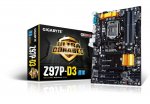
Looking at the pictures on Amazon it's printed on the lower left corner of the PCB, assuming the motherboard is orientated in the usual way.
QuickProfits to BungalowBill
4 Jul 16#4
Cpuz
Urizen2003
4 Jul 16#5
I've had mine since Christmas - its very good - but I have trouble with the PC restarting after shutting down! It does'nt always do it but when it does I have to shut down again from the Log-on screen! It does shut down then. Its has latest Firmware!:confused:
mrBrian
5 Jul 161#7
i have this board, i use it for my plex server, so it gets a fair bit of use. it didn't like my ssd so i had to use a different drive with it, once i had got around that issue everything worked fine. overclocks my pentium g3258 very easily to 4.3ghz without any stability issues. the only thing i don't like about the board is the placing of the slots, if i use a large (fairly standard double spaced) graphics card i can't access both of the pcie slots, one is fully blocked by the graphics card's fan/casing.
Urizen2003 to mrBrian
5 Jul 16#8
Hi I can only get mine to overclock to 4.2ghz with the same processor! Keeps crashing BSOD at 4.3ghz - how have you set your overclocking up? I have just altered voltage to 1.176v and multipier to 42 - for 4.2ghz! For 4.3 voltage to 1.1875 or 1.2v - both unstable. Thanks in advance.
It sounds like you simply lost the silicon lottery, unfortunately. On this 'board my 4690k @ 4.5Ghz is absolutely stable at 1.2v and will run at 4.7Ghz without exceeding 1.3v and without sacrificing stability.
However, I am using an H110i GT to keep is cool, which is probably about as good as CPU cooling gets without faffing around with custom water cooling loops.
briandead21
5 Jul 16#12
Had mine about 18 months with no problems at all. Seems to score reasonable highly in reviews, so must be only the odd rogue board

![Fresh Breakfast Meat Box (Using code) @ Campbells Meat [Haggis / Lorne Sausage / Bacon / Black Pudding & More]](/images/topics/208684_1.jpg)




































![[Xbox One] Q. u. b. e: Director's Cut on Deals with Gold](/images/topics/208716_1.jpg)


















Opening post
All comments (22)
http://www.overclock.net/t/1034724/gigabyte-p67-z68-boot-cycling-problem
I'd never buy a gigabyte board again.
However, I am using an H110i GT to keep is cool, which is probably about as good as CPU cooling gets without faffing around with custom water cooling loops.